1. Introducció
This manual provides essential information for the proper setup, operation, and maintenance of your Kalobee H9 Smart Watch. Please read these instructions carefully before using your device to ensure optimal performance and longevity.
The Kalobee H9 Smart Watch features a 49mm clear case design with an orange and black band, offering a blend of style and functionality. It includes a digital display with chronograph-style complications and wireless charging capability.
2. Contingut del paquet
Verifiqueu que tots els elements siguin presents al paquet:
- Kalobee H9 Smart Watch Unit
- Cable de càrrega
- Manual d'usuari (aquest document)
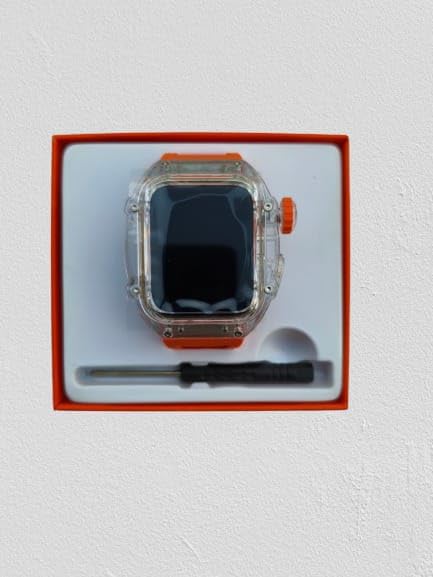
Image: The Kalobee H9 Smart Watch, charging cable, and a small tool are neatly arranged within its retail packaging.
3. Producte acabatview
Familiarize yourself with the components of your Kalobee H9 Smart Watch:

Image: An exploded diagram illustrating the main components of the Kalobee H9 Smart Watch, including the face cover, non-slip crown, function key, middle frame, rear cover, and liquid silicone strap.
- Face Cover: The transparent protective layer over the display.
- Non-slip Crown: A rotating and pressable button for navigation and selection.
- Tecla de funció: An additional button for specific functions.
- Middle Frame: The central housing of the watch.
- Coberta posterior: The back panel of the watch, typically housing sensors and charging contacts.
- Liquid Silicone Strap: The comfortable and durable watch band.
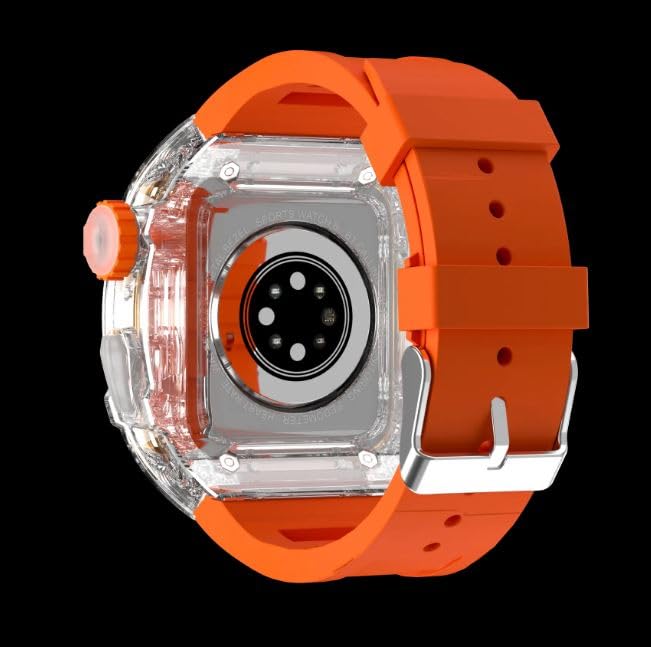
Imatge: La part posterior view of the Kalobee H9 Smart Watch, highlighting the sensor array and wireless charging area on the back panel.
4. Configuració
4.1 Càrrega del rellotge intel·ligent
The Kalobee H9 Smart Watch supports wireless charging. Before initial use, fully charge the device.
- Connect the provided charging cable to a compatible USB power adapter (not included).
- Place the rear cover of the watch onto the wireless charging pad. Ensure the watch is centered on the pad for proper contact.
- The watch display will indicate charging status. Allow sufficient time for a full charge.
4.2 Engegada/apagada
- Per encendre: Press and hold the Non-slip Crown until the Kalobee logo appears on the screen.
- Per apagar: Press and hold the Non-slip Crown, then select the 'Power Off' option on the screen.
4.3 Emparellament amb un telèfon intel·ligent
To access all smart features, pair your H9 Smart Watch with a compatible smartphone via Bluetooth.
- Assegureu-vos que el Bluetooth del vostre telèfon intel·ligent estigui activat.
- On your H9 Smart Watch, navigate to the Bluetooth settings (refer to Section 5.1 for navigation).
- On your smartphone, open the dedicated Kalobee companion app (if available) or go to Bluetooth settings to search for devices.
- Select 'Kalobee H9' from the list of available devices on your smartphone.
- Confirma la sol·licitud d'emparellament tant al rellotge com al telèfon intel·ligent.
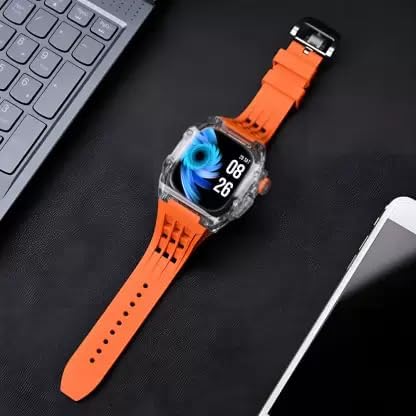
Image: The Kalobee H9 Smart Watch displayed on a desk alongside a smartphone and laptop, illustrating its connectivity with other devices.
5. Instruccions de funcionament
5.1 Navegació bàsica
The H9 Smart Watch features both touchscreen and physical button controls:
- Pantalla tàctil: Llisca cap a l'esquerra, la dreta, amunt o avall per navegar pels menús i les pantalles. Toca per seleccionar elements.
- Non-slip Crown: Rotate to scroll through lists or adjust settings. Press to return to the home screen or confirm selections.
- Tecla de funció: Typically used for quick access to a specific feature or as a back button. Refer to the on-screen prompts for its exact function in different contexts.
5.2 Característiques clau
The Kalobee H9 Smart Watch offers several features to enhance your daily activities:
- Seguiment d'activitats: Monitoritza els passos, la distància i les calories cremades.
- Despertador: Configura alarmes directament des del teu rellotge.
- Memòria d'entrenament diari: Records and stores your workout data.
- Pantalla digital: Provides clear time, date, and other information.
- Notificacions: Receive alerts for calls, messages, and app notifications from your paired smartphone.
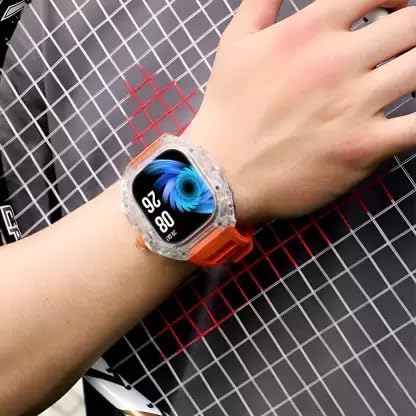
Image: The Kalobee H9 Smart Watch worn on a wrist, displaying the current time and date on its digital interface.
6. Manteniment
To ensure the longevity and proper functioning of your Kalobee H9 Smart Watch, follow these maintenance guidelines:
- Neteja: Netegeu el rellotge i la corretja regularment amb un drap suau i sec. Per a la brutícia resistent, utilitzeu un drap lleugerament sec.amp drap i sabó suau i, a continuació, eixugueu-ho bé. Eviteu productes químics agressius o materials abrasius.
- Resistència a l'aigua: While the watch features a robust construction, avoid prolonged submersion in water or exposure to high-pressure water jets. Dry the watch thoroughly if it gets wet.
- Càrrega: Use only the provided charging cable. Avoid exposing the charging contacts to moisture or corrosive substances.
- Temperatura: Do not expose the watch to extreme temperatures (hot or cold) or direct sunlight for extended periods.
- Emmagatzematge: When not in use for an extended period, store the watch in a cool, dry place.
7. Solució De Problemes
If you encounter issues with your Kalobee H9 Smart Watch, refer to the following common problems and solutions:
| Problema | Causa possible | Solució |
|---|---|---|
| El rellotge no s'encén | Bateria baixa; mal funcionament del dispositiu | Charge the watch fully. If the issue persists, contact customer support. |
| No es pot emparellar amb el telèfon intel·ligent | Bluetooth off; watch not in pairing mode; interference | Ensure Bluetooth is enabled on both devices. Restart both devices. Try pairing again. |
| No s'han rebut notificacions | Not paired; app permissions; notification settings | Verify successful pairing. Check notification permissions in your smartphone's settings for the companion app. Ensure notifications are enabled on the watch. |
| Seguiment d'activitat inexacte | Desgast inadequat; error de programari | Ensure the watch is worn snugly on your wrist. Restart the watch. |
8. Especificacions
Detailed technical specifications for the Kalobee H9 Smart Watch:
- Marca: Generic (Manufactured by Kalobee)
- Model: H9
- Número de model de l'article: H9
- Dimensions del paquet: 15 x 8 x 3.5 cm
- Pes de l'article: 85 g
- Capacitat d'emmagatzematge de memòria: 32 MB
- Sistema operatiu: Sistema operatiu propietari
- Dispositius compatibles: Smartphone
- Característiques especials: Activity Tracker, Alarm Clock, Daily Workout Memory, Digital Display, Notifications
- Maquinari de muntatge: Charging Cable, Smart Watch, User Manual
- Mida de la pantalla de peu: 49 Mil·límetres
- Tipus de visualització: Digital
- Capacitat de la bateria: 10000 Amp Hores
- Tipus sense fil: Bluetooth
- Tipus de connector: Bluetooth, Sense fil
- Interfície del dispositiu - Principal: Botons, pantalla tàctil
- País d'origen: Xina
9. Garantia i Suport
Per obtenir informació sobre la garantia i assistència al client, consulteu la documentació proporcionada en el moment de la compra o poseu-vos en contacte amb el vostre distribuïdor. Conserveu el comprovant de compra per a qualsevol reclamació de garantia.
Per obtenir més ajuda, també podeu visitar el lloc web oficial del fabricant weblloc o poseu-vos en contacte amb el seu departament d'atenció al client.


