1. Introducció
Thank you for choosing the Xuevcn BS01 Bluetooth Speaker. This manual provides essential information for setting up, operating, and maintaining your speaker. Please read it thoroughly before use to ensure optimal performance and longevity of your device.
Contingut del paquet:
- Xuevcn BS01 Bluetooth Speaker
- Guia d'inici ràpid
- Cable de càrrega (USB-C)
2. Informació de seguretat
- No exposeu l'altaveu a temperatures extremes ni a la llum solar directa durant períodes prolongats.
- Eviteu deixar caure o sotmetre l'altaveu a forts impactes.
- Mantingueu l'altaveu allunyat de dispositius mèdics.
- No intenteu desmuntar ni modificar l'altaveu. Això anul·larà la garantia.
- Assegureu-vos que la tapa del port de càrrega estigui ben tancada quan utilitzeu l'altaveu a prop de l'aigua per mantenir la seva classificació d'impermeabilitat IPX7.
- Feu servir només el cable de càrrega proporcionat o un equivalent certificat.
3. Producte acabatview
The Xuevcn BS01 is a portable Bluetooth speaker featuring IPX7 waterproofing, stereo pairing capabilities, LED light functions, and a built-in microphone for hands-free calls.

This image displays the Xuevcn BS01 Bluetooth Speaker from an angled perspective, highlighting its cylindrical design, textured black finish, and the vibrant, multi-color LED light strip running along its side. Visible control buttons include power, volume up/down, play/pause, and a mode button, indicating its multi-functional capabilities.
Controls i ports:
- Botó d'encesa: Manteniu premut per activar/desactivar.
- Puja el volum (+): Augmenta el volum.
- Baixar el volum (-): Disminuir el volum.
- Botó Reproduir/Pausa: Reproduir/pausar música, respondre/finalitzar trucades.
- Mode Button (Light Icon): Canvia pels modes de llum LED.
- Port de càrrega USB-C: Per carregar l'altaveu.
4. Configuració
4.1 Càrrega de l'altaveu
- Open the protective cover of the charging port.
- Connecteu el cable de càrrega USB-C al port de càrrega de l'altaveu.
- Connecteu l'altre extrem del cable a un adaptador de corrent USB (no inclòs) o al port USB d'un ordinador.
- L'indicador LED mostrarà l'estat de càrrega. S'apagarà o canviarà de color quan estigui completament carregat.
- Close the protective cover firmly after charging to maintain waterproofing.
4.2 Encès/Apagat
- Per encendre: Press and hold the Power button (ⓘ) for approximately 3 seconds until you hear an audible prompt and the LED lights activate.
- Per apagar: Press and hold the Power button (ⓘ) for approximately 3 seconds until you hear an audible prompt and the LED lights turn off.
4.3 Vinculació Bluetooth
- Assegureu-vos que l'altaveu estigui encès i en mode d'emparellament Bluetooth (l'indicador LED parpellejarà).
- Al dispositiu mòbil, activeu el Bluetooth.
- Cerca available Bluetooth devices and select "Xuevcn BS01" from the list.
- Once connected, you will hear an audible confirmation, and the LED indicator will stop flashing.
- L'altaveu es tornarà a connectar automàticament a l'últim dispositiu emparellat quan s'encengui, si n'hi ha.
5. Instruccions de funcionament
5.1 Reproducció de música
- Reproduir/pausa: Press the Play/Pause button (▶▌▌) once.
- Pujar el volum: Premeu el botó '+'.
- Baixar el volum: Premeu el botó '-'.
- Pista següent: Premeu i manteniu premut el botó '+'.
- Pista anterior: Premeu i manteniu premut el botó '-'.
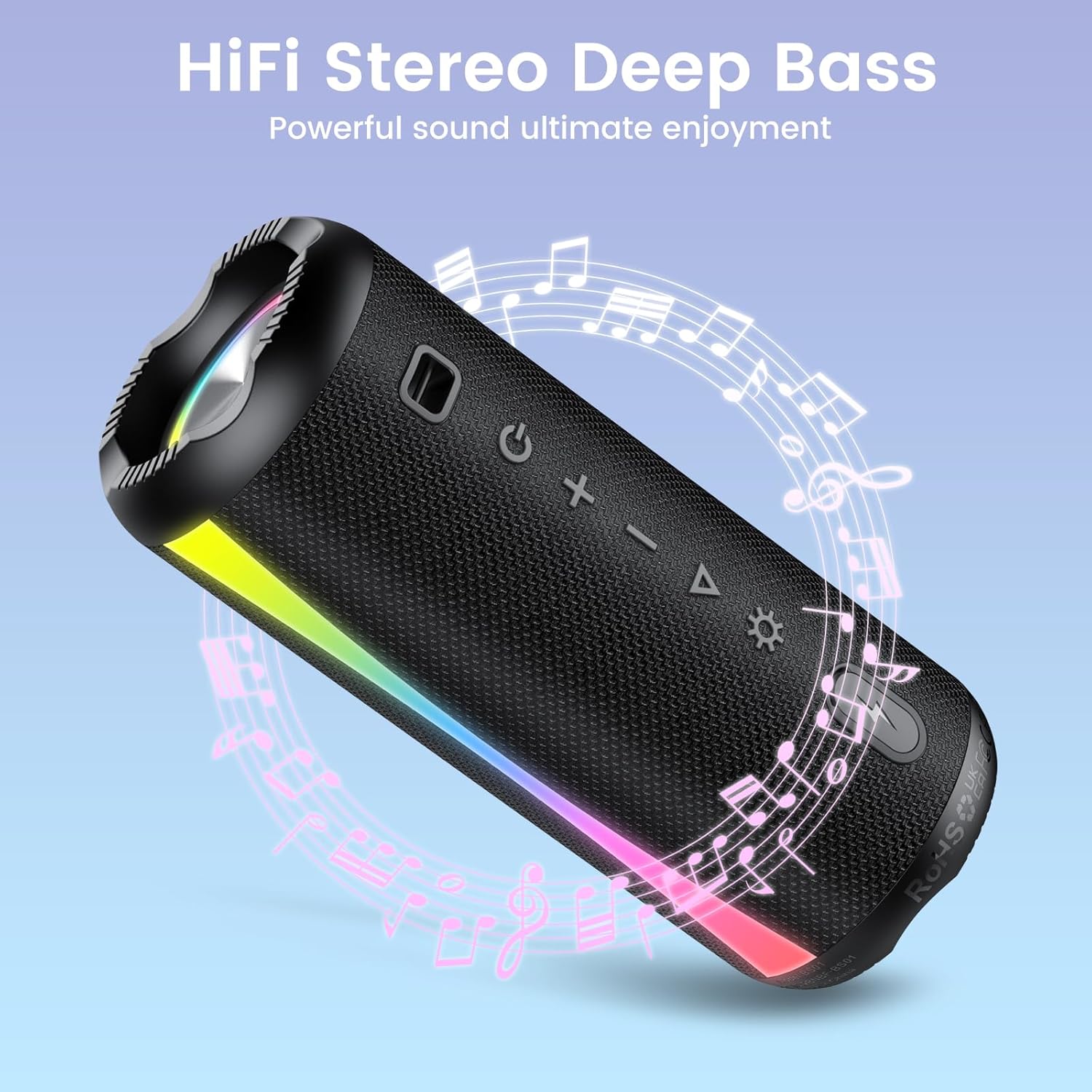
The speaker is shown with graphic elements of musical notes and sound waves, emphasizing its HiFi stereo and deep bass audio capabilities for an enhanced listening experience.

This image features the speaker alongside a circular clock graphic, illustrating its extended battery life of up to 15 hours of uninterrupted playback.
5.2 Call Function (Built-in Microphone)
- Respon a la trucada: Press the Play/Pause button (▶▌▌) once when a call comes in.
- Finalitzar la trucada: Press the Play/Pause button (▶▌▌) once during a call.
- Rebutja la trucada: Press and hold the Play/Pause button (▶▌▌) for 2 seconds.
5.3 modes de llum LED
Press the Mode button (Light Icon) to cycle through different LED light modes. The speaker offers various rhythmic lightscapes that can sync with your music.

Un primer pla view of the speaker's ends, showcasing the dynamic RGB lighting feature that syncs with music, creating a vibrant visual experience.
5.4 Stereo Pairing (True Wireless Stereo - TWS)
You can pair two Xuevcn BS01 speakers together for a true wireless stereo sound experience.
- Assegureu-vos que tots dos altaveus estiguin encesos i no connectats a cap dispositiu Bluetooth.
- On one speaker (this will be the primary speaker), press and hold the Play/Pause button (▶▌▌) for 3-5 seconds until you hear a pairing tone.
- The two speakers will automatically connect to each other. You will hear a confirmation tone once paired.
- Ara, connecteu el dispositiu mòbil a l'altaveu principal mitjançant Bluetooth tal com es descriu a la secció 4.3.
- L'àudio ara es reproduirà pels dos altaveus en estèreo.

This image depicts two Xuevcn BS01 speakers in an outdoor social setting, illustrating their ability to be wirelessly paired for a true stereo sound experience, enhancing audio coverage.
6. Manteniment
6.1 Neteja
- Netegeu l'altaveu amb un suau, damp tela.
- No utilitzeu netejadors abrasius, alcohol ni dissolvents químics.
- Ensure the charging port cover is closed before cleaning with a damp tela.
6.2 Emmagatzematge
- Store the speaker in a cool, dry place away from direct sunlight.
- Si l'emmagatzemeu durant un període prolongat, carregueu la bateria cada 3-6 mesos per mantenir-la en bon estat.

The speaker is shown with water splashing over it, visually confirming its IPX7 waterproof rating, making it suitable for use near water or in wet conditions.

An image showing the speaker clipped to a backpack during a hike, emphasizing its lightweight and portable design, ideal for on-the-go use and outdoor adventures.
7. Solució De Problemes
- L'altaveu no s'encén: Assegureu-vos que la bateria estigui carregada. Connecteu-la a una font d'alimentació i torneu-ho a provar.
- No es pot emparellar amb un dispositiu Bluetooth:
- Assegureu-vos que l'altaveu estigui en mode d'emparellament (el LED parpelleja).
- Assegureu-vos que el Bluetooth estigui habilitat al vostre dispositiu.
- Acosta l'altaveu al dispositiu.
- Oblida't de l'altaveu de la llista de Bluetooth del dispositiu i intenta tornar a emparellar-lo.
- Sense so o volum baix:
- Augmenta el volum tant de l'altaveu com del dispositiu connectat.
- Assegureu-vos que l'altaveu estigui connectat correctament mitjançant Bluetooth.
- Stereo pairing not working:
- Ensure both speakers are disconnected from any other Bluetooth devices before initiating TWS pairing.
- Repetiu els passos d'emparellament del TWS amb cura.
8. Especificacions
| Característica | Especificació |
|---|---|
| Nom del model | BS01 |
| Marca | Xuevcn |
| Tecnologia de connectivitat | Bluetooth |
| Tipus d'altaveu | Soundbar (Portable) |
| Potència de sortida màxima dels altaveus | 5 watts |
| Resposta de freqüència | 150 Hz |
| Mode de sortida d'àudio | Envoltant |
| Classificació impermeable | IPX7 |
| Dimensions del producte | 2 "P x 2" W x 2" H |
| Pes de l'article | 1.26 lliures |
| Bateries | Necessites piles de 2 A (incloses) |
| Components inclosos | Guia d'inici ràpid |
9. Garantia i Suport
The Xuevcn BS01 Bluetooth Speaker comes with a standard manufacturer's warranty. Please refer to the warranty card included in your package for specific terms and conditions.
For technical support, troubleshooting assistance, or warranty claims, please contact Xuevcn customer service through the retailer's platform or the contact information provided in your product packaging.


