1. Introducció
This manual provides detailed instructions for the setup, operation, and maintenance of your MSI Forge GK600 TKL Wireless Mechanical Keyboard. Please read this manual thoroughly before using the product to ensure proper functionality and longevity.
2. Contingut del paquet
Verifiqueu que tots els elements que s'enumeren a continuació siguin presents al vostre paquet:
- MSI Forge GK600 TKL Wireless Mechanical Keyboard
- Cable USB tipus C a tipus A
- Dongle sense fil de 2.4 GHz
- Extractor de tecles
- Tirador de commutació
- Manual d'usuari (aquest document)
3. Producte acabatview
The MSI Forge GK600 TKL is a tenkeyless mechanical keyboard designed for versatility and performance. It features multiple connectivity options, hot-swappable switches, and a customizable RGB lighting system.

Imatge: De dalt a baix view of the MSI Forge GK600 TKL Wireless Mechanical Keyboard, showcasing el seu disseny compacte i el seu disseny de tecles.
Característiques principals:
- Tenkeyless (TKL) Design: Compact layout without a number pad.
- Mechanical Linear Switches: Provides a smooth and consistent keystroke.
- Interruptors intercanviables en calent: Allows for easy replacement of switches without soldering.
- Triple connectivitat: Supports 2.4GHz wireless, Bluetooth, and wired USB Type-C.
- Pantalla de 1.06 polzades: Shows battery status, RGB settings, and other information.
- Dye-Sublimated PBT Keycaps: Durable keycaps with legends that resist fading.
- Il·luminació LED RGB: Customizable per-key RGB illumination.
- So-Dampening Gaskets: Enhances typing acoustics and reduces noise.
4. Configuració
4.1. Connexió per cable
- Connect the provided USB Type-C cable to the Type-C port on the keyboard.
- Connect the other end of the USB Type-C cable (Type-A) to an available USB port on your computer.
- El teclat es detectarà automàticament i estarà llest per al seu ús.
4.2. Connexió sense fil de 2.4 GHz
- Locate the 2.4GHz wireless dongle.
- Plug the 2.4GHz dongle into an available USB port on your computer.
- On the keyboard, switch to 2.4GHz wireless mode using the dedicated switch or function key combination (refer to Section 5.1).
- El teclat s'ha de connectar automàticament al dongle.
4.3. Connexió Bluetooth
- On the keyboard, switch to Bluetooth mode using the dedicated switch or function key combination (refer to Section 5.1).
- The keyboard's display will indicate Bluetooth pairing mode.
- A l'ordinador o dispositiu, navega fins a la configuració de Bluetooth i cerca dispositius nous.
- Select "MSI GK600 TKL" from the list of available devices to pair.
- Seguiu les indicacions de la pantalla per completar el procés de vinculació.
4.4. Càrrega del teclat
The keyboard features a built-in 4000mAh battery. To charge:
- Connect the keyboard to your computer using the USB Type-C cable.
- The display will show the charging status.
- A full charge provides approximately 20 days of usage without RGB lighting or 6 hours with RGB lighting enabled (usage may vary).

Image: Illustration showing the battery life of the MSI Forge GK600 TKL keyboard: 20 days without RGB, 6 hours with RGB.
5. Instruccions de funcionament
5.1. Function Key Combinations (Fn Keys)
El teclat utilitza el Fn key for various secondary functions. Press and hold Fn, then press the corresponding key:
| Combinació de tecles | Funció |
|---|---|
| Fn + F1-F12 | Multimedia controls (Play/Pause, Volume, etc.) |
| Fn + 1/2/3 | Canvia entre Bluetooth profiles |
| Fn + 4 | Switch to 2.4GHz Wireless mode |
| Fn + 5 | Switch to Wired mode |
| Fn + Arrow Keys | Adjust RGB lighting effects/brightness |
| Fn + INS/HOME/PGUP/PGDN/DEL/END | Additional lighting controls or display functions |
5.2. Control de la il·luminació RGB
The keyboard features customizable RGB lighting. Use the Fn key combinations or the integrated display to cycle through lighting modes, adjust brightness, and change colors.

Image: The MSI Forge GK600 TKL keyboard displaying various RGB lighting effects across its keys.
5.3. Funcions de visualització
The 1.06-inch display provides real-time information. It can show:
- Nivell de bateria
- Current connection mode (Wired, 2.4GHz, Bluetooth)
- RGB lighting settings
- Other system indicators

Image: Close-up of the MSI Forge GK600 TKL's 1.06-inch display, showing its integration with function keys for control.
6. Manteniment
6.1. Neteja del teclat
- Desconnecteu el teclat de totes les fonts d'alimentació abans de netejar-lo.
- Utilitzeu un drap suau i sense pelusa dampRenteu-les amb aigua o una solució netejadora suau per netejar les tecles i el xassís.
- Per a la pols i les restes entre les tecles, feu servir aire comprimit.
- Eviteu ruixar líquids directament sobre el teclat.
6.2. Substitució de la tapa de les tecles i l'interruptor
The MSI Forge GK600 TKL features hot-swappable mechanical switches, allowing for easy customization and replacement.
- Eliminació de les tecles: Use the provided keycap puller to gently grasp the keycap and pull upwards.
- Eliminació dels interruptors: After removing the keycap, use the provided switch puller to carefully grip the top and bottom clips of the switch and pull it straight out.
- Instal·lació d'interruptors: Align the new switch with the holes on the PCB, ensuring the pins are straight. Gently push the switch down until it clicks into place. Do not force it.
- Instal·lació de les tecles: Place the keycap over the switch stem and press down firmly until it is seated.

Image: A keycap and switch puller tool shown next to the MSI Forge GK600 TKL keyboard, illustrating the process of removing a mechanical switch.
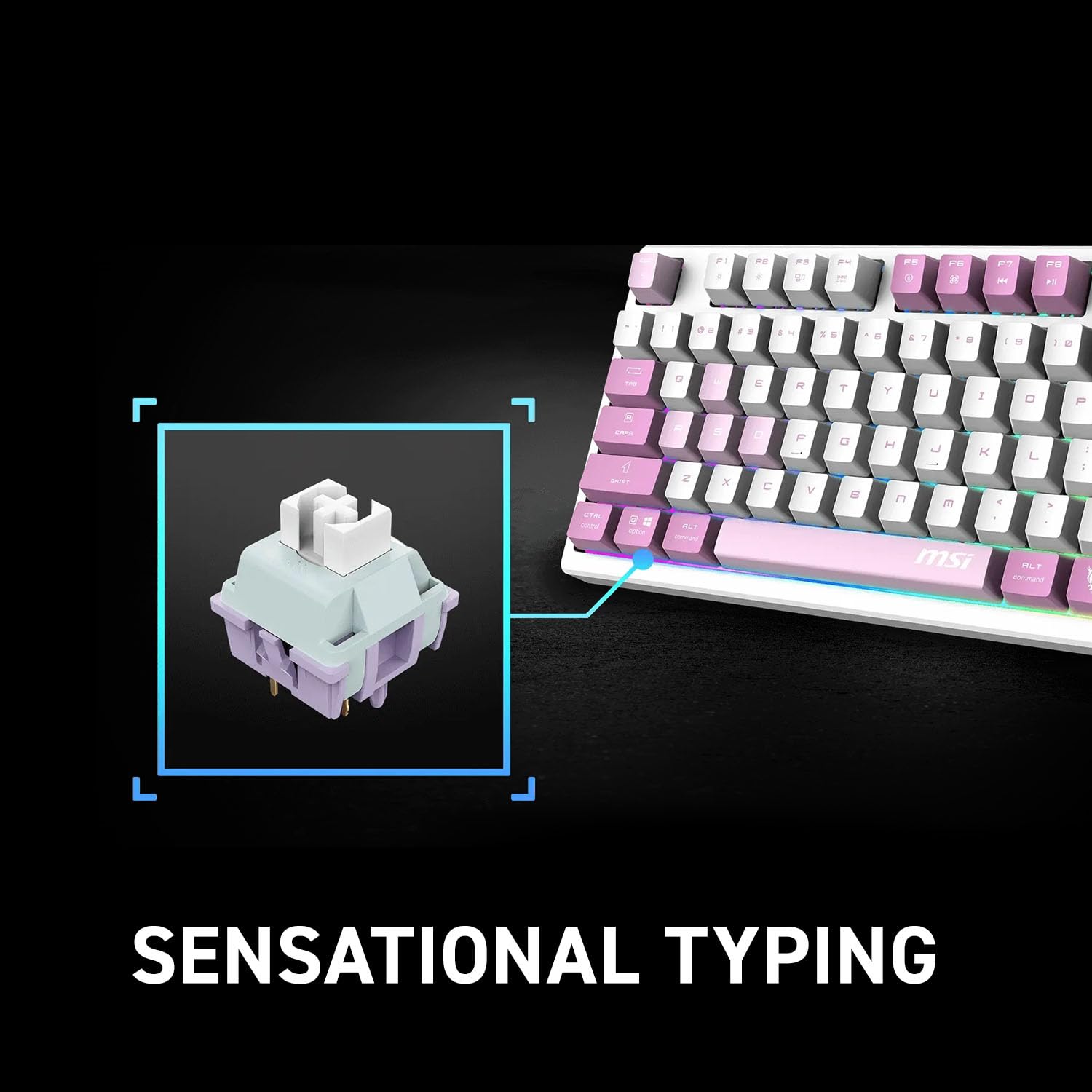
Imatge: Primer pla view of a mechanical linear switch, highlighting its internal structure and how it connects to the keyboard.
7. Solució De Problemes
7.1. El teclat no respon
- Mode per cable: Assegureu-vos que el cable USB estigui connectat correctament tant al teclat com a l'ordinador. Proveu un port o cable USB diferent.
- Mode sense fil de 2.4 GHz: Ensure the dongle is plugged in and the keyboard is in 2.4GHz mode. Try re-pairing by pressing the designated Fn key combination (refer to Section 5.1).
- Mode Bluetooth: Ensure Bluetooth is enabled on your device and the keyboard is in Bluetooth pairing mode. Re-pair the device if necessary.
- Bateria: Check the battery level on the keyboard's display. If low, connect the keyboard to a power source to charge.
7.2. RGB Lighting Not Working
- Check if RGB lighting is enabled via the Fn key combinations or the display settings.
- Ensure the keyboard battery has sufficient charge, as RGB lighting consumes power.
7.3. Les claus no es registren o s'escriuen dues vegades
- This could indicate a faulty switch. Utilize the hot-swappable feature to replace the affected switch (refer to Section 6.2).
- Assegureu-vos que no hi hagi restes allotjades sota la tapa de les tecles o l'interruptor.
8. Especificacions
| Característica | Detall |
|---|---|
| Nom del model | MSI Forge GK600 TKL Wireless |
| Número de model | FORGEGK600V |
| Connectivitat | USB Type-C (Wired), 2.4GHz Wireless, Bluetooth |
| Tipus de canvi | Mechanical Linear (Hot-swappable) |
| Taps de claus | Dye-Sublimated PBT |
| Disseny | Tenkeyless (TKL) |
| Mostra | 1.06-inch Integrated Display |
| Capacitat de la bateria | 4000 mAh |
| Dimensions | 2.3 x 15.5 x 7.8 polzades |
| Pes | 2.6 lliures |
9. Garantia i Suport
MSI products are covered by a limited warranty. For detailed warranty information, including terms and conditions, please refer to the warranty card included with your product or visit the official MSI weblloc.
For technical support, driver downloads, or further assistance, please visit the MSI support page:


