1. Introducció
This manual provides detailed instructions for the operation and maintenance of your BOBLOV W5 5K Body Camera. Please read this manual thoroughly before using the device to ensure proper function and to maximize its capabilities. The BOBLOV W5 is a versatile vlogging camera designed for capturing high-quality video in various scenarios, featuring 5K/15FPS and 4K/60FPS recording, a 270° rotating lens, external microphone support, and Electronic Image Stabilization (EIS).
2. Què hi ha a la caixa
Upon opening your BOBLOV W5 package, please verify that all the following items are included:
- BOBLOV W5 Camera
- Cable USB
- Manual d'usuari (aquest document)
- Micròfon extern
- Muntatge de clip
- Corretja de mà

Image 2.1: BOBLOV W5 package contents.
3. Producte acabatview
The BOBLOV W5 camera is designed for ease of use and portability. Key features include a high-resolution lens, a clear display screen, and intuitive controls.

Image 3.1: BOBLOV W5 5K Body Camera and accessories.
3.1 Característiques clau
- 5K/15FPS & 4K/60FPS Video Recording: Capture vivid details or smooth motion.
- 270° Rotating Lens: Adjust the lens angle for various perspectives, including selfie mode and first-person view.
- Compatibilitat amb micròfon extern: Enhance audio clarity for recordings.
- Estabilització electrònica d'imatge (EIS): Reduces camera shake for smoother footage.
- Disseny compacte i lleuger: Easy to carry and use for daily vlogging and recording.

Image 3.2: The 270° rotating lens allows for flexible shooting angles.
4. Configuració
4.1 Càrrega de la bateria
- Connect the provided USB cable to the camera's charging port.
- Connecteu l'altre extrem del cable USB a un adaptador de corrent USB (no inclòs) o al port USB d'un ordinador.
- El llum indicador de càrrega s'il·luminarà durant la càrrega i s'apagarà quan estigui completament carregat.
4.2 Col·locació d'accessoris
The BOBLOV W5 comes with various accessories for flexible mounting options:
- Muntatge del clip: Attach the camera to clothing, bags, or other surfaces using the clip mount. Ensure it is securely fastened.
- Corretja de mà: For added security, attach the hand strap to the designated loop on the camera to prevent accidental drops.
- Micròfon extern: Connect the external microphone to the camera's microphone input port for improved audio quality.

Image 4.1: Versatile wearing options for the BOBLOV W5 camera.
5. Instruccions de funcionament
5.1 Encès/Apagat
- Encès: Premeu i manteniu premut el botó d'engegada durant uns segons fins que la pantalla s'il·lumini.
- Apagar: Premeu i manteniu premut el botó d'engegada de nou fins que el dispositiu s'apagui.
5.2 Gravació de vídeo
- Assegureu-vos que la càmera estigui engegada.
- Press the Record button once to start recording. A red indicator light or on-screen icon will confirm recording is active.
- Premeu el botó Grava de nou per aturar la gravació. El vídeo file es desarà automàticament.
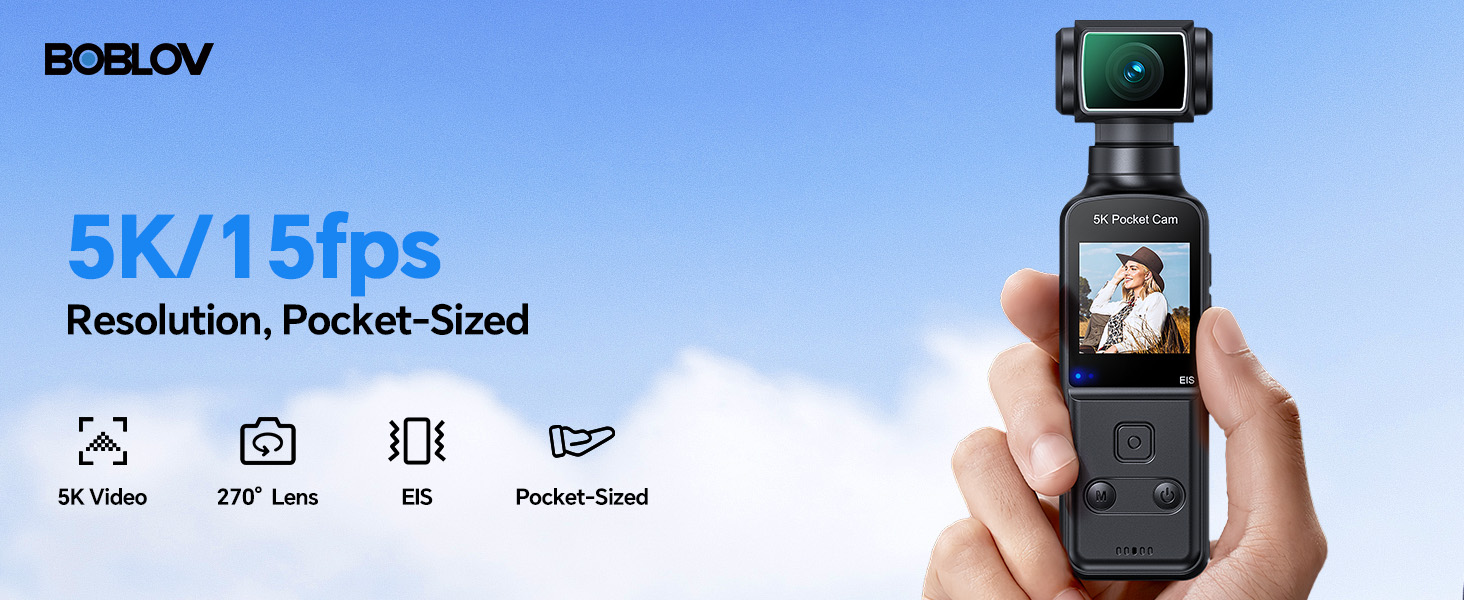
Image 5.1: The BOBLOV W5 supports 5K/15fps and 4K/60fps recording.
5.3 Using the 270° Rotating Lens
The camera's lens can be manually rotated up to 270 degrees. Gently twist the lens module to adjust the viewing angle as needed for different shooting scenarios, such as capturing a selfie or a first-person perspective.

Image 5.2: Adjusting the 270° rotatable lens.
5.4 External Microphone
For optimal audio recording, connect the included external microphone to the camera's dedicated microphone input port. This is particularly useful in noisy environments or when clear voice capture is critical.

Image 5.3: Using the external microphone for clear audio.
5.5 Estabilització electrònica d'imatge (EIS)
The BOBLOV W5 features built-in EIS to reduce camera shake during recording. This function is automatically active and helps produce smoother footage, especially during handheld use or while walking.

Image 5.4: EIS provides smooth footage.
5.6 File Gestió
To access and manage your recorded files, connect the camera to a computer using the provided USB cable. The camera will appear as a removable storage device, allowing you to transfer videos and photos. The camera is compatible with both Windows and Mac operating systems.

Image 5.5: Connecting the camera to a computer for file gestió.
6. Manteniment
6.1 Neteja de la càmera
- Feu servir un drap suau i sec per netejar el cos de la càmera.
- Per a la lent, feu servir un drap i una solució especials per netejar lents per evitar ratllades.
- No utilitzeu productes químics o materials abrasius.
6.2 Emmagatzematge
- Guardeu la càmera en un lloc fresc i sec, allunyat de la llum solar directa i de temperatures extremes.
- If storing for extended periods, ensure the battery is partially charged (around 50%) to prolong battery life.
7. Solució De Problemes
If you encounter issues with your BOBLOV W5 camera, please refer to the following common problems and solutions:
| Problema | Causa possible | Solució |
|---|---|---|
| La càmera no s'encén | Bateria baixa; mal funcionament del dispositiu | Charge the battery fully. If problem persists, contact support. |
| No es pot gravar vídeo | Insufficient storage; incorrect mode | Ensure sufficient storage space. Check camera mode settings. |
| Mala qualitat d'àudio | External mic not connected; environmental noise | Ensure external microphone is securely connected. Reduce background noise or adjust mic placement. |
| Footage és tremolós | Moviment excessiu | EIS is active by default. Minimize sudden movements during recording. |
| No es pot connectar a l'ordinador | Faulty USB cable; driver issue | Try a different USB cable or USB port. Ensure camera is powered on when connecting. |
8. Especificacions
Detailed technical specifications for the BOBLOV W5 5K Body Camera:
| Característica | Detall |
|---|---|
| Marca | BOBLOV |
| Número de model | W5 |
| Pes de l'article | 8.8 unces |
| Dimensions del paquet | 6.97 x 4.37 x 2.4 polzades |
| Bateries | Cal 1 pila A (inclosa) |
| Nom del color | Negre |
| Característiques especials | Lightweight, Microphone Input, Time Lapse |
| Tecnologia del sensor fotogràfic | CMOS |
| Resolució de captura de vídeo | 5K |
| Distància focal màxima | 6.8 |
| Apertura màxima | 2 f |
| Tipus de memòria flash | Micro SD |
| Format de captura de vídeo | MOV |
| Format d'àudio compatible | MP4 |
| Mida de la pantalla | 1.3 polzades |
| Tecnologia de connectivitat | USB |
9. Garantia i Suport
9.1 Garantia del producte
The BOBLOV W5 Body Camera comes with a 24-month product coverage period. This warranty covers manufacturing defects and ensures reliable performance under normal use conditions.
9.2 Suport tècnic
For any technical assistance, questions, or issues not covered in this manual, BOBLOV offers quick response within 24 hours and lifetime technical support. Please visit the official BOBLOV weblloc web o contacteu directament amb el seu servei d'atenció al client per obtenir ajuda.
Official BOBLOV Store: BOBLOV Store on Amazon


