Introducció
The Razer BlackShark V3 X HyperSpeed is a wireless esports gaming headset designed for high-performance audio and clear communication across multiple platforms. This manual provides essential information for setting up, operating, maintaining, and troubleshooting your headset.
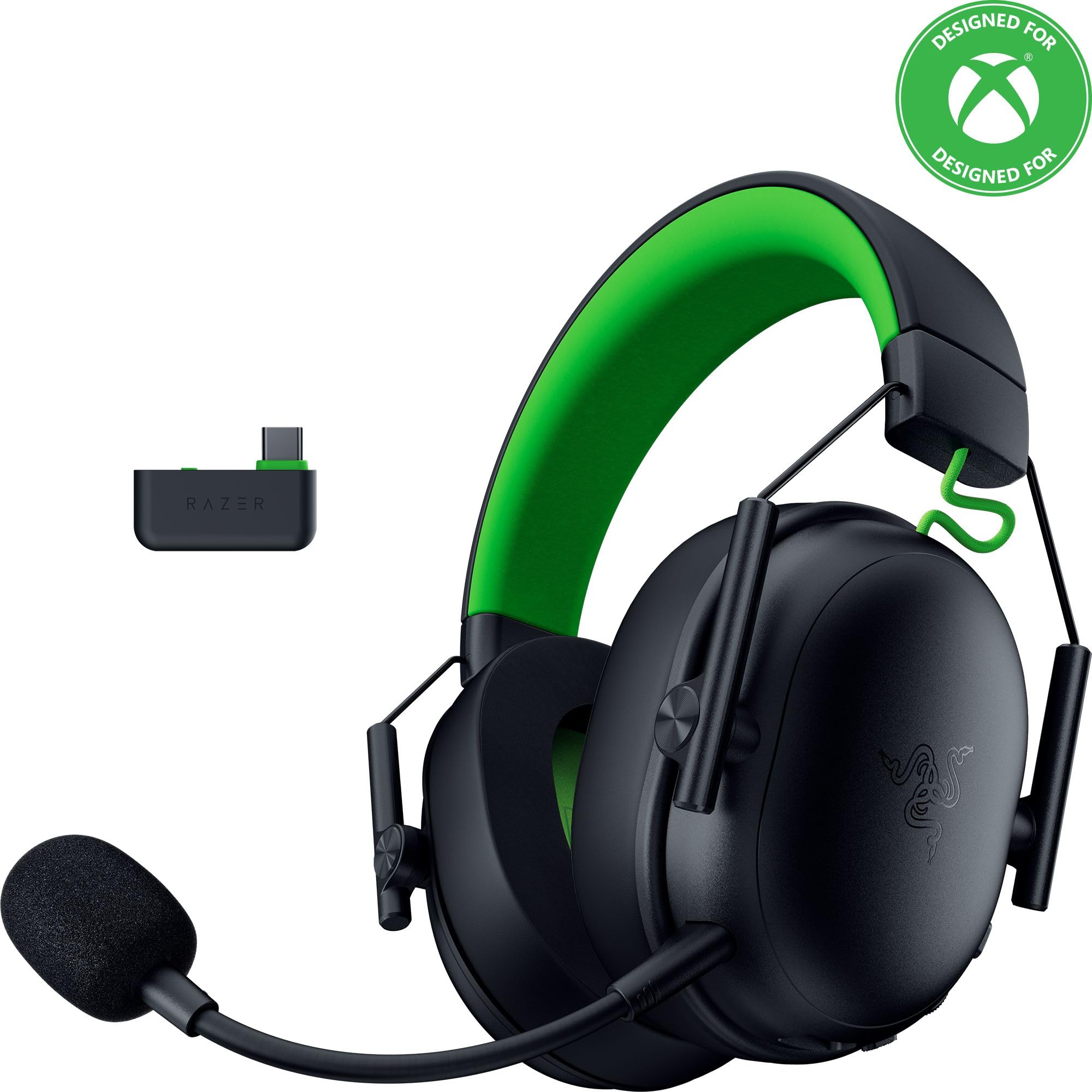
Image: The Razer BlackShark V3 X HyperSpeed Wireless Gaming Headset, showcasing el seu disseny i el micròfon desmuntable.
Què hi ha a la caixa
Assegureu-vos que tots els components següents siguin presents al vostre paquet:
- Razer BlackShark V3 X HyperSpeed Wireless Gaming Headset
- Adaptador sense fil Razer HyperSpeed USB tipus C
- Detachable Razer HyperClear Cardioid 9.9mm Mic
- USB Type A to Type C Cable (for charging and wired connection)
- USB Type A to Type C Adapter Cable
- Manual d'usuari (aquest document)

Image: The Razer BlackShark V3 X HyperSpeed headset on a stand next to its retail packaging, illustrating the product and its box.
Configuració
1. Càrrega dels auriculars
Before initial use, fully charge your headset using the provided USB Type A to Type C cable. Connect the USB-C end to the headset's charging port and the USB-A end to a powered USB port.
2. Connectar el micròfon
Insert the detachable Razer HyperClear Cardioid 9.9mm Mic into the microphone port located on the left earcup. Ensure it is securely connected.

Image: Close-up of the Razer BlackShark V3 X HyperSpeed headset showing the detachable HyperClear Cardioid microphone attached.
3. Opcions de connectivitat
The headset supports three modes of connectivity: 2.4 GHz HyperSpeed Wireless, Bluetooth, and wired USB-C.
- 2.4 GHz HyperSpeed Wireless (PC, Mac, PS5, Nintendo Switch, Xbox Series X|S, Xbox One):
Insert the USB Type C Razer HyperSpeed Wireless Dongle into an available USB-C port on your device. If your device only has USB-A ports, use the provided USB Type A to Type C Adapter Cable. Ensure the switch on the dongle is set to 'USB' for PC/Mac/PS5/Switch or 'XBOX' for Xbox consoles. The headset will automatically connect. - Bluetooth (Smartphones, Tablets, Handheld Gaming Devices):
With the headset powered on, press and hold the power button until the LED indicator blinks blue, indicating pairing mode. On your device, search for and select "Razer BlackShark V3 X HyperSpeed" from the list of available Bluetooth devices. - USB-C amb cable:
Connect the headset directly to your device using the USB Type A to Type C Cable. This mode provides audio and microphone functionality without relying on battery power.

Image: The Razer BlackShark V3 X HyperSpeed headset alongside its USB-C wireless dongle, illustrating the wireless connectivity component.

Image: A visual representation of the headset's three connectivity modes: 2.4 GHz Wireless, Bluetooth, and USB, highlighting its versatility.
Funcionament dels auriculars
1. Controls sobreview
Els auriculars tenen controls intuïtius situats als auriculars:
- Botó d'encesa: Press and hold to power on/off. Single press to switch between 2.4 GHz HyperSpeed Wireless and Bluetooth modes.
- Botó de silenci del micròfon: Premeu per silenciar o activar el micròfon.
- Roda de volum: Ajusta el volum general de l'àudio.
- Mic Monitoring Wheel: Adjusts the volume of your own voice heard through the headset (sidetone).

Imatge: Lateral view of the Razer BlackShark V3 X HyperSpeed headset, highlighting the location of the power button, volume wheel, and mic mute button.
2. Audio Quality and Features
- Razer TriForce 50mm Drivers Gen-2: Experience powerful, clear audio with enhanced positional accuracy for competitive gaming.
- Razer HyperClear Cardioid 9.9mm Mic: The detachable microphone features a unidirectional pickup pattern to focus on your voice and minimize background noise.
- So envoltant: Enjoy immersive surround sound with Windows Sonic on Xbox and 7.1 Surround Sound on PC for precise audio cues.

Imatge: Una explosió view of the Razer TriForce 50mm Drivers Gen-2, illustrating their internal components for powerful and clear audio.

Image: The Razer BlackShark V3 X HyperSpeed headset surrounded by sound waves, representing its advanced surround sound capabilities for Xbox and PC.
3. Comoditat i disseny
Weighing just 270g, the headset is designed for extended gaming sessions with plush memory foam cushions and a fatigue-free design.

Image: The Razer BlackShark V3 X HyperSpeed headset with an icon representing its ultra-lightweight design, emphasizing comfort for long gaming sessions.
4. Vídeo oficial del producte
Video: An official product video from Razer showcasing the BlackShark V3 headset line, highlighting its features and design for esports performance.
Manteniment
1. Neteja
- Use a soft, dry cloth to clean the headset's surfaces.
- For earcups, gently wipe with a damp un drap i sabó suau si cal, i després assequeu-ho bé. Eviteu l'excés d'humitat.
- No utilitzeu productes químics o materials abrasius.
2. Emmagatzematge
- Guardeu els auriculars en un lloc fresc i sec, allunyat de la llum solar directa i de temperatures extremes.
- When not in use, consider placing it on a headset stand to maintain its shape and prevent damage.
Resolució de problemes
No Audio/Poor Audio Quality
- Comprova el volum: Ensure the volume wheel on the headset is turned up.
- Connectivitat: Verify the headset is correctly connected via 2.4 GHz dongle, Bluetooth, or USB-C. For 2.4 GHz, ensure the dongle switch is set to the correct platform (USB/XBOX).
- Configuració del dispositiu: Confirm the headset is selected as the default audio output device in your computer's or console's sound settings.
- Torna a emparellar: For wireless connections, try re-pairing the headset with your device.
El micròfon no funciona
- Comprova el silenci: Ensure the mic mute button on the headset is not activated.
- Mic Connection: Verify the detachable microphone is securely inserted into the port.
- Configuració del dispositiu: Confirm the headset microphone is selected as the default input device in your computer's or console's sound settings.
- Monitorització de micròfons: Adjust the mic monitoring wheel to hear your own voice, confirming mic functionality.
Problemes de connectivitat
- Interferència: Allunyeu-vos d'altres dispositius sense fil que puguin causar interferències.
- Interval: Ensure you are within the effective range of the wireless dongle or Bluetooth connection.
- Dongle Switch: Double-check that the switch on the USB-C dongle is set to the correct position (USB for PC/Mac/PS5/Switch, XBOX for Xbox).
Battery Life Shorter Than Expected
- Càrrega: Assegureu-vos que els auriculars estiguin completament carregats abans d'utilitzar-los.
- Ús: High volume levels or continuous use of certain features can reduce battery life.
Especificacions
| Nom del model | BlackShark V3 X HyperSpeed |
| Número de model | RZ04-05420200-R3U1 |
| Tecnologia de connectivitat | Bluetooth, USB, 2.4 GHz Wireless |
| Tipus de controlador d'àudio | Dynamic Driver (Razer TriForce 50mm Drivers Gen-2) |
| Resposta de freqüència | 12 Hz - 28 kHz |
| Sensibilitat | 106 dB |
| Micròfon | Detachable Razer HyperClear Cardioid 9.9mm Mic |
| Control de soroll | Aïllament acústic |
| Dispositius compatibles | Xbox Series X|S, Xbox One, PS5, PS4, PC, Mac, Nintendo Switch, Smartphones, Tablets |
| Pes de l'article | 270 grams (without mic) |
| Bateries | 1 bateria de ions de liti (inclosa) |
| Versió Bluetooth | 5.3 |
Garantia i Suport
Per obtenir informació sobre la garantia, assistència tècnica o més ajuda, visiteu el lloc web d'assistència oficial de Razer. weblloc web. Conserveu el comprovant de compra per a reclamacions de garantia.
Assistència en línia: www.razer.com/support


