1. Introducció
This manual provides essential information for the proper setup, operation, and maintenance of your realme 14x 5G Smartphone. Please read this guide thoroughly to ensure optimal performance and longevity of your device. Keep this manual for future reference.

Imatge 1.1: Davant i darrere view of the realme 14x 5G Smartphone, showcasinel seu disseny i el mòdul de càmera.
Què hi ha a la caixa
- realme 14x 5G Smartphone
- Funda de telèfon
- Expulsor de la safata SIM
- Cable USB
- Guia d'inici ràpid (document a part)
- Safety Information (separate document)
2. Introducció (Configuració)
2.1 Disseny del dispositiu
Familiarize yourself with the physical components of your realme 14x 5G Smartphone.
- Botó d'encesa: Located on the side, used to power on/off the device or wake/sleep the screen.
- Botons de volum: Situat al lateral, s'utilitza per ajustar el volum multimèdia i de trucades.
- Port USB: Situat a la part inferior, per a la càrrega i la transferència de dades.
- Safata de la targeta SIM: Located on the side, for inserting SIM and microSD cards.
- Càmera frontal: Situat a la part superior de la pantalla.
- Càmeres posteriors: Multiple lenses located on the back of the device.
2.2 Instal·lació de la targeta SIM
- Localitza la safata de la targeta SIM al lateral del dispositiu.
- Introduïu l'eina d'expulsió de la safata de la SIM al forat petit que hi ha al costat de la safata i premeu fermament fins que la safata surti.
- Col·loqueu la targeta o targetes nano-SIM i/o la targeta microSD a la safata amb els contactes daurats cap avall, assegurant-vos que estiguin correctament alineats.
- Torneu a inserir la safata amb cura al telèfon fins que encaixi al seu lloc.
2.3 Engegada i configuració inicials
- Mantingueu premut el botó d'engegada fins que aparegui el logotip de Realme.
- Follow the on-screen instructions to complete the initial setup, including selecting your language, connecting to Wi-Fi, and setting up your Google account.
2.4 Càrrega del dispositiu
Connect the provided USB cable to the phone's USB port and the other end to a compatible power adapter. Plug the adapter into a wall outlet. The battery indicator on the screen will show charging status.

Image 2.1: The realme 14x 5G Smartphone connected to a charger, illustrating its 5000mAh battery and estimated usage durations for calls, Instagram i YouTube.
3. Using Your Device (Operating)
3.1 Característiques de visualització
The realme 14x 5G features a 6.67-inch display with a 120Hz refresh rate for smooth visuals. It includes 10 visual protection modes to enhance eye comfort.

Image 3.1: The realme 14x 5G display highlighting its 120Hz refresh rate and various visual comfort settings like Black and White Display, Paper-like Display, and Scheduled Eye Comfort.
3.2 Funcionament de la càmera
The device is equipped with a 50MP AI Camera system. This camera enhances details in various scenes, from architecture to landscapes, providing a reliable shooting experience.

Image 3.2: Close-up of the realme 14x 5G camera module, detailing its 50MP AI Camera capabilities and AI Clear Face feature for improved portraits.
3.3 Rendiment i emmagatzematge
The realme 14x 5G is powered by the MediaTek Dimensity 6300 5G chipset, an advanced 6nm octa-core processor with clock speeds up to 2.4GHz. It comes with 8GB of RAM and 256GB of internal storage, ensuring efficient multitasking and ample space for your data.

Image 3.3: Visual representation of the MediaTek Dimensity 6300 5G chipset, highlighting its 6nm process, 50% GPU performance increase, 8-core architecture, and 11% power-efficiency enhancements.

Image 3.4: Diagram illustrating the 8GB of dynamic RAM and 256GB of ROM, emphasizing the phone's capacity for fast multitasking.
3.4 Connectivitat
The device supports 5G connectivity for faster mobile data speeds. It also includes standard connectivity options:
- Wi-Fi: Connecteu-vos a xarxes sense fil per accedir a Internet.
- Bluetooth: Combina-ho amb accessoris sense fil com ara auriculars i altaveus.
- GPS: Per a serveis de localització i navegació.
- NFC: Per a pagaments sense contacte i emparellament ràpid amb dispositius compatibles.

Image 3.5: Illustration of the realme 14x 5G Smartphone's 360° NFC capability, allowing multiple cards to be stored and accessed from the phone.
3.5 Sistema operatiu
The realme 14x 5G runs on Android 15 with realme UI 6.0, offering a user-friendly interface with various customization options and features.

Imatge 3.6: acabatview of realme UI 6.0 features, including new icon design, wallpaper depth effects, and improved notification and quick settings separation.
4. Cura i Manteniment
4.1 Physical Protection
The realme 14x 5G features ArmorShell Protection and an IP64 rating, providing resistance against dust and splashes. This enhances the device's durability for daily use.
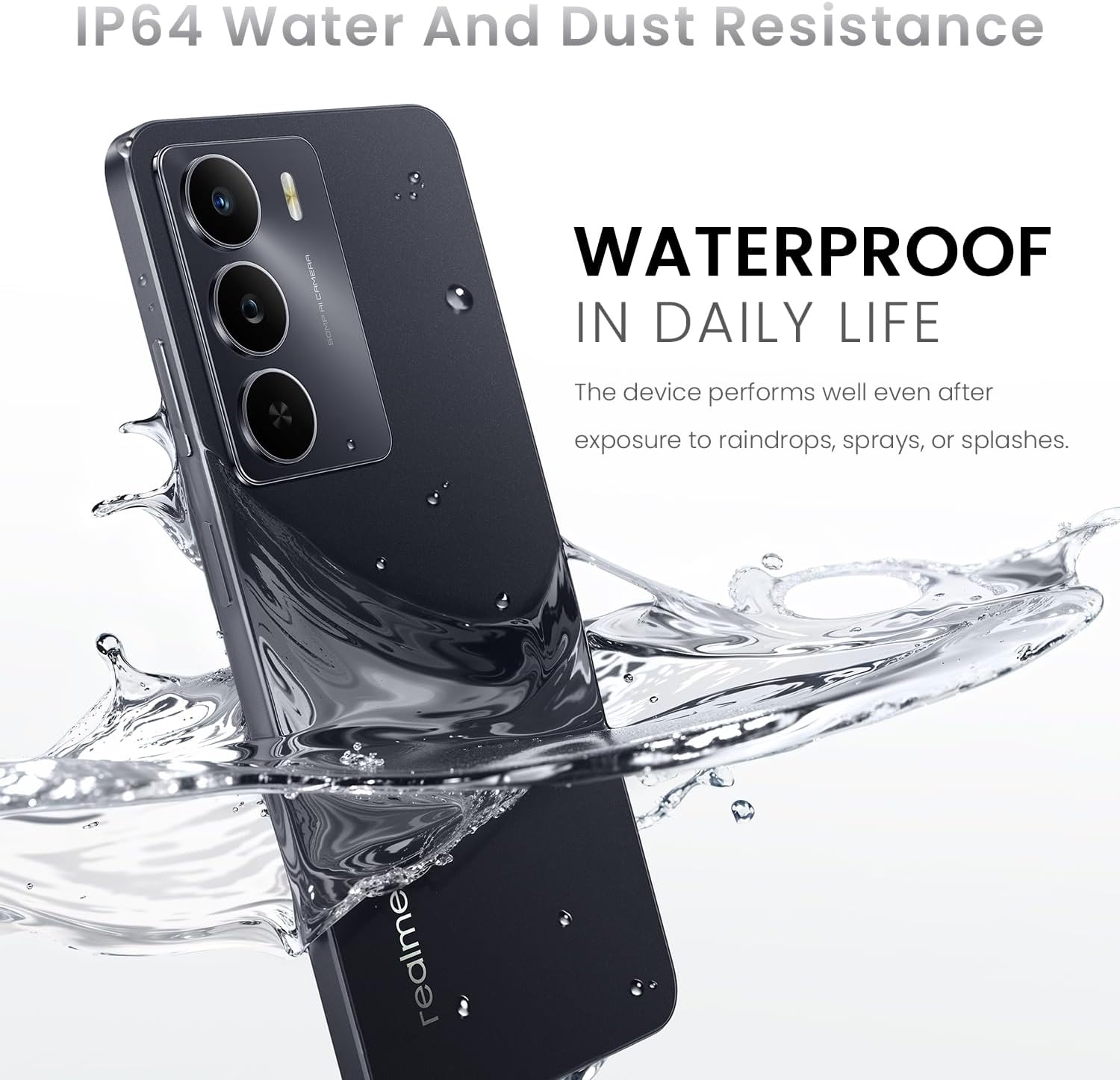
Image 4.1: The realme 14x 5G Smartphone partially submerged in water, illustrating its IP64 water and dust resistance for daily life protection.
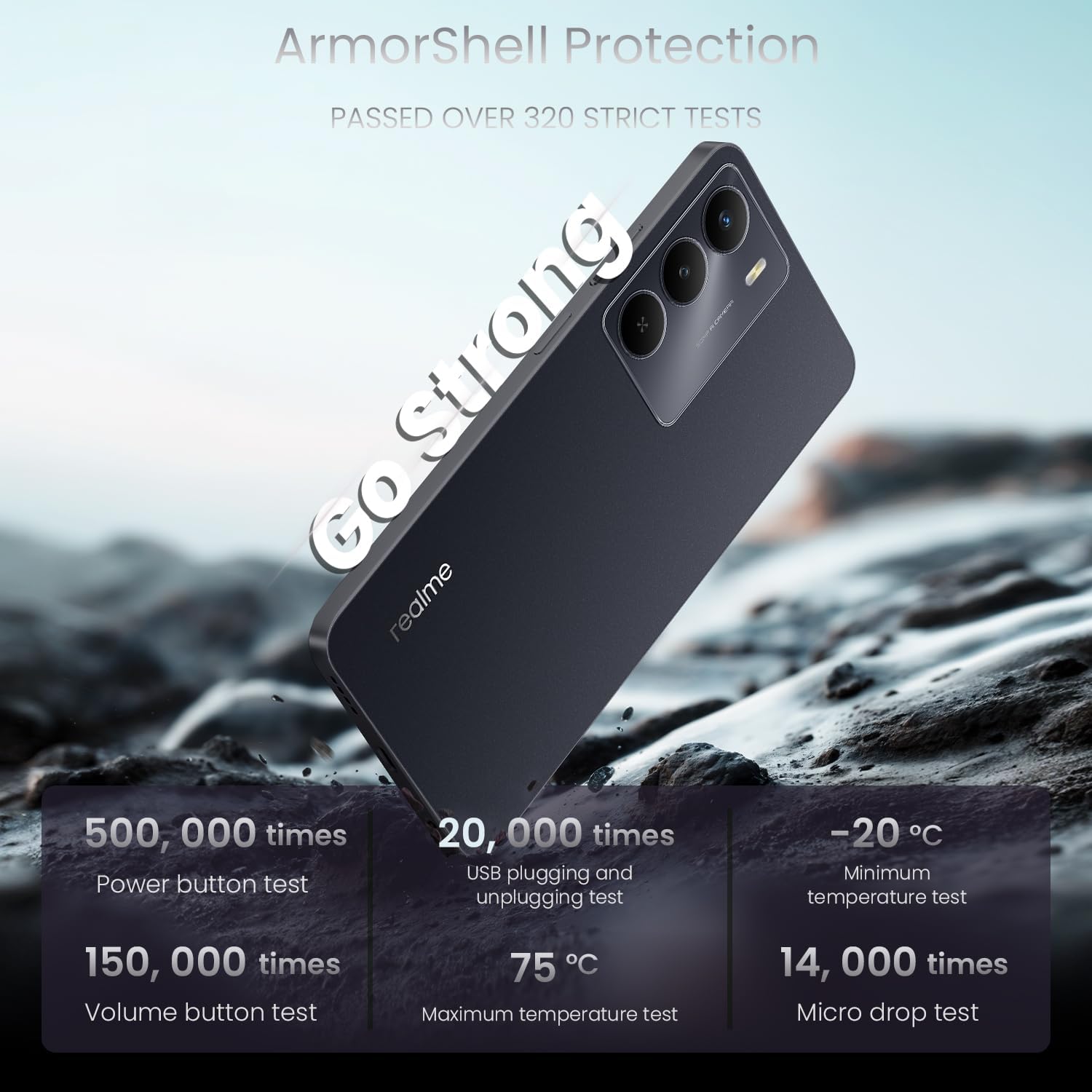
Image 4.2: The realme 14x 5G Smartphone highlighting its ArmorShell Protection, with text indicating it passed over 320 strict tests, including power button, USB plugging, volume button, temperature, and micro drop tests.
4.2 Pautes de neteja
- Feu servir un drap suau i sense borrissol per netejar la pantalla i la carcassa del telèfon.
- Eviteu l'ús de productes químics agressius, materials abrasius o aerosols.
- Per a taques persistents, lleugerament dampNetegeu el drap amb aigua o un netejador de pantalles dissenyat específicament per a electrònica.
4.3 Battery Longevity Tips
- Eviteu les temperatures extremes, ja que poden reduir la durada de la bateria.
- No deixeu el telèfon carregant-se durant períodes prolongats després que hagi arribat al 100%.
- Feu servir el carregador i el cable originals que s'inclouen amb el dispositiu.
5. Solució De Problemes
This section addresses common issues you might encounter with your realme 14x 5G Smartphone.
5.1 El dispositiu no s'encén
- Assegureu-vos que la bateria estigui carregada. Connecteu el telèfon al carregador i espereu uns minuts abans d'intentar engegar-lo de nou.
- Mantingueu premut el botó d'engegada durant almenys 10-15 segons per realitzar un reinici forçat.
5.2 La pantalla no respon
- Restart the device by holding the Power button. If the screen is completely unresponsive, perform a forced restart as described above.
- Assegureu-vos que la pantalla estigui neta i lliure d'humitat o brutícia.
5.3 App Issues (Crashing, Freezing)
- Tanca i torna a obrir l'aplicació problemàtica.
- Clear the app's cache and data through the phone's settings (Settings > Apps > [App Name] > Storage > Clear Cache/Clear Data).
- Actualitza l'aplicació a la seva darrera versió des de Google Play Store.
- Si el problema persisteix, desinstal·la i torna a instal·lar l'aplicació.
5.4 Connectivity Problems (Wi-Fi, Bluetooth, 5G)
- Toggle Wi-Fi, Bluetooth, or Mobile Data off and on again.
- Reinicieu el telèfon.
- Per a la connexió Wi-Fi, reinicieu el router.
- Per al Bluetooth, assegureu-vos que el dispositiu al qual intenteu connectar-vos estigui en mode d'emparellament i dins del seu abast.
- For 5G, ensure you are in an area with 5G coverage and your plan supports 5G.
6. Especificacions
Detailed technical specifications for the realme 14x 5G Smartphone (Model RMA2306).
| Característica | Especificació |
|---|---|
| Nom del model | realme 14X |
| Número de model de l'article | RMA2306 |
| Dimensions del producte | 1.28 x 0.83 x 0.81 polzades |
| Pes de l'article | 1.47 unces (41.8 grams) |
| Sistema operatiu | Android 15 |
| Model de CPU | MediaTek Dimensity 6300 (Octa-Core) |
| Velocitat de la CPU | 2.4 GHz |
| Mida de la pantalla | 6.67 polzades |
| Freqüència d'actualització | 120 Hz |
| Mida instal·lada de la memòria RAM | 8 GB |
| Capacitat d'emmagatzematge de memòria | 256 GB |
| Capacitat de la bateria | 5000 mAh |
| Potència nominal de la bateria | 45 watts-hora |
| Tecnologies de connectivitat | Bluetooth, USB, Wi-Fi, 5G |
| Característiques especials | Water Resistant (IP64), ArmorShell Protection, GPS, NFC |
| Característiques de la càmera | 50MP AI Rear Camera, Front Camera |
| Color | Negre de carbó |
| Fabricant | realme |
7. Garantia i Suport
7.1 Informació de la garantia
Your realme 14x 5G Smartphone is covered by a manufacturer's warranty. Please refer to the warranty card included in your product packaging for specific terms, conditions, and duration. Keep your proof of purchase for warranty claims.
7.2 Atenció al client
For further assistance, technical support, or service inquiries, please visit the official realme support website or contact their customer service. Contact details can typically be found on the realme official weblloc web o a la documentació de la garantia.


