1. Introducció
The NIMO Mini PC Desktop is a compact and powerful computing solution designed for various applications, from home office tasks to multimedia entertainment and educational use. Featuring the 12th Gen Intel N100 processor, this mini PC offers efficient performance, advanced connectivity, and support for multiple displays, all within a highly portable form factor. This manual provides essential information for setting up, operating, maintaining, and troubleshooting your NIMO Mini PC Desktop.
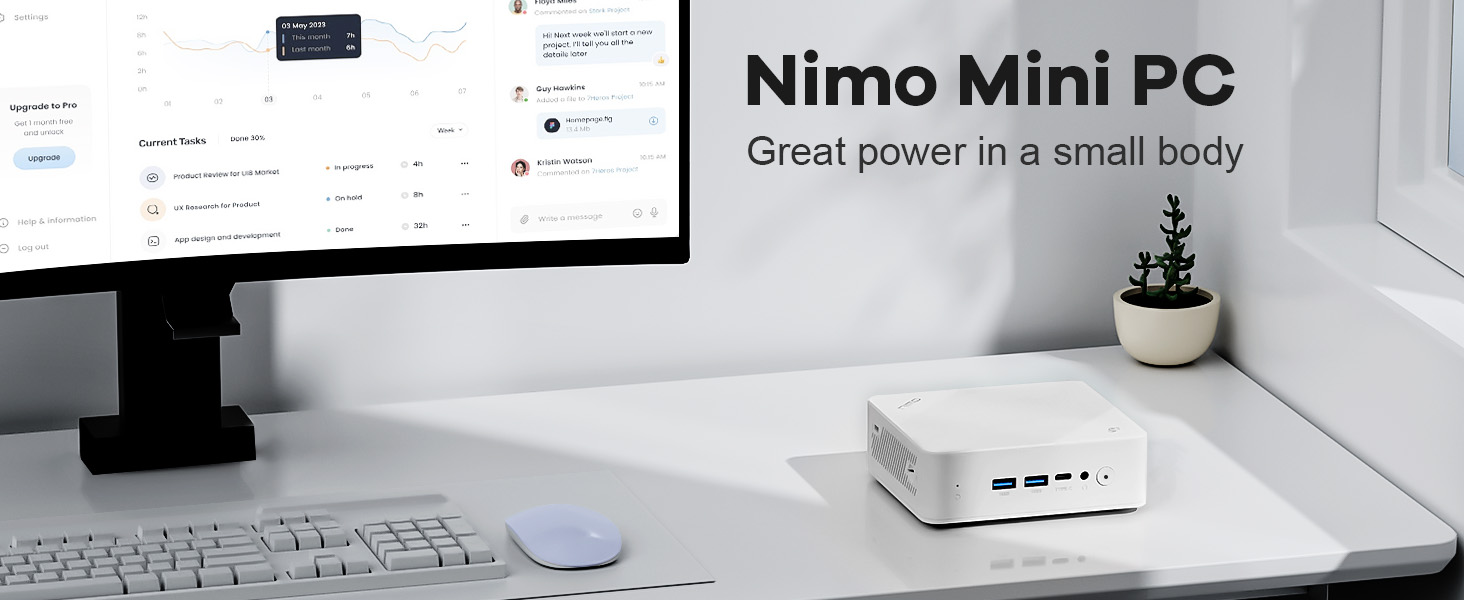
Image: The NIMO Mini PC Desktop positioned on a clean desk alongside a monitor, illustrating its compact design and powerful capabilities.
2. Què hi ha a la caixa
Upon opening your NIMO Mini PC Desktop package, please verify that all the following components are included:
- 1x NIMO Mini PC Desktop
- 1 x suport de muntatge
- 1x adaptador de corrent
- 1 x manual d'instruccions

Image: A visual representation of the NIMO Mini PC Desktop and its included accessories, such as the power adapter, mounting bracket, and user manual.
3. Producte acabatview i Característiques
The NIMO Mini PC Desktop is engineered for efficiency and versatility. Its compact design belies its robust capabilities, making it an ideal choice for various computing needs.
Característiques principals:
- Compact Yet Mighty: Houses the robust 12th Gen Intel N100 Processor, combining high-performance cores for seamless multitasking and light gaming within a compact form factor.
- Portabilitat definitiva: With dimensions of 4.92 x 4.33 x 1.57 inches and weighing just 11.64 ounces, it is incredibly compact and lightweight, making it easy to transport.
- Connectivitat avançada: Features BT 5.2 and WiFi 6 for lightning-fast wireless connections, along with multiple USB 3.0 ports and a versatile USB Type-C port for high-speed data transfer and peripheral connections.
- Immersive 4K Display Expansion: Supports external connection to triple displays simultaneously via two HDMI ports and one USB Type-C port, all capable of stunning 4K resolution output.

Image: An infographic highlighting the NIMO Mini PC Desktop's core features, including WiFi 6, multiple port options, LAN connectivity, DDR4 memory, PCIe 3.0 support, and 4K display capability.

Image: A detailed illustration of the Intel N100 processor, emphasizing its role in providing powerful performance for the NIMO Mini PC Desktop.
4. Ports i connexions
The NIMO Mini PC Desktop offers a comprehensive array of ports to ensure seamless connectivity with a wide range of peripherals and displays.
Panell frontal:
- 2 ports USB tipus A: Per connectar dispositius USB com ara teclats, ratolins i emmagatzematge extern.
- 1x USB Type-C Port (Multifunction): Supports data transfer, display output, and power delivery (depending on connected device).
- 1x Audio Port: Per a auriculars o altaveus externs.
- 1x Power Button: Per encendre/apagar el dispositiu.
- 1x Reset Button: Per reiniciar el sistema.
Panell posterior:
- 1x Giga LAN Port (RJ45): Per a la connexió de xarxa amb cable.
- 2 ports HDMI 2.0: For connecting to displays, supporting up to 4K resolution.
- 2 ports USB tipus A: Ports USB addicionals per a perifèrics.
- 1x DC-IN Port: Per connectar l'adaptador de corrent.
- 1x Security Slot: For physical security locks.
- 1x SD Card Reader: Per ampliar l'emmagatzematge o transferir dades des de targetes SD.

Image: A comprehensive diagram illustrating the layout and function of all ports and buttons on the front and rear panels of the NIMO Mini PC Desktop.
5. Guia de configuració
Follow these steps to set up your NIMO Mini PC Desktop:
- Connecta a la pantalla: Connect your monitor(s) to the Mini PC using HDMI cables. For triple display setup, use both HDMI ports and the USB Type-C port (with a compatible adapter if needed).
- Connecteu els perifèrics: Plug in your keyboard, mouse, and any other USB devices into the available USB Type-A ports.
- Connecteu-vos a la xarxa: For a wired connection, plug an Ethernet cable into the Giga LAN port. For wireless, ensure your WiFi network is available after powering on.
- Connectar l'alimentació: Insert the power adapter into the DC-IN port on the Mini PC, then plug the adapter into a power outlet.
- Encès: Press the power button on the front panel of the Mini PC. The power indicator light should illuminate.
- Configuració inicial: Follow the on-screen instructions to complete the operating system setup, including language, region, and network configuration.

Imatge: Un primer pla view of the NIMO Mini PC Desktop, highlighting the front panel with its USB ports and power button, essential for initial setup.
6. Instruccions de funcionament
Once set up, your NIMO Mini PC Desktop is ready for use. Here are some basic operating instructions:
Encès/apagat:
- Per encendre: Premeu el botó d'encesa una vegada.
- Per apagar: Use the operating system's shutdown option (e.g., Start > Power > Shut down in Windows).
- Per reiniciar: Use the operating system's restart option (e.g., Start > Power > Restart in Windows).
- Forçar l'aturada: If the system is unresponsive, press and hold the power button for 5-10 seconds until the device powers off. Use this only as a last resort.
Connexió a Wi-Fi:
After booting, navigate to the network settings in your operating system to connect to an available Wi-Fi 6 network.
Triple Display Setup:
The NIMO Mini PC supports up to three displays simultaneously. Connect your monitors to the two HDMI ports and the USB Type-C port. Once connected, configure display settings within your operating system (e.g., Display Settings in Windows) to extend or duplicate your desktop across the screens.

Image: A visual demonstration of the NIMO Mini PC Desktop's ability to support a triple monitor setup, enhancing productivity and multitasking.

Image: The NIMO Mini PC Desktop discreetly mounted behind a television, showcasing its space-saving design and ability to create a clutter-free entertainment or workspace.
7. Manteniment
Proper maintenance ensures the longevity and optimal performance of your NIMO Mini PC Desktop:
- Neteja: Regularly wipe the exterior with a soft, dry cloth. Use compressed air to clear dust from vents and ports. Do not use liquid cleaners directly on the device.
- Ventilació: Ensure the Mini PC is placed in a well-ventilated area. Do not block the air vents, as this can lead to overheating.
- Actualitzacions de programari: Mantingueu el sistema operatiu i els controladors actualitzats per garantir la seguretat i el rendiment.
- Còpia de seguretat de dades: Feu còpies de seguretat de les dades importants regularment en un disc dur extern o en un emmagatzematge al núvol per evitar la pèrdua de dades.
- Gestió d'energia: Use the recommended power adapter. Avoid frequent power interruptions.
8. Solució De Problemes
This section addresses common issues you might encounter with your NIMO Mini PC Desktop.
Sense energia:
- Assegureu-vos que l'adaptador de corrent estigui connectat correctament tant al Mini PC com a una presa de corrent que funcioni.
- Proveu una presa de corrent diferent.
- Verify the power adapter is not damaged.
Sense pantalla:
- Check that the HDMI or USB-C display cables are securely connected to both the Mini PC and the monitor.
- Assegureu-vos que el monitor estigui encès i configurat a la font d'entrada correcta.
- Prova de connectar-te a una pantalla diferent o utilitzar un cable diferent.
Rendiment lent:
- Tanca les aplicacions innecessàries que s'executen en segon pla.
- Ensure there is sufficient free space on the SSD.
- Check for and install any pending operating system updates.
- Monitor CPU and RAM usage through Task Manager (Windows) to identify resource-intensive processes.
- Ensure proper ventilation to prevent thermal throttling.
Sense connexió Wi-Fi/Bluetooth:
- Check if Wi-Fi/Bluetooth is enabled in the operating system settings.
- Reinicieu el mini PC.
- Ensure drivers for Wi-Fi/Bluetooth are installed and up to date.
- Move closer to the wireless router or remove obstructions.
9. Especificacions
Detailed technical specifications for the NIMO Mini PC Desktop (Model: Nimo N151):
| Característica | Especificació |
|---|---|
| Processador | 12th Gen Intel N100 (3.4 GHz Intel Mobile CPU, 4 Cores) |
| RAM | 8 GB de DDR4 (3200 MHz) |
| Emmagatzematge | SSD d'1 TB (unitat d'estat sòlid) |
| Gràfics | Gràfics integrats |
| Resolució de pantalla màxima | 3840x2160 Pixels (4K) |
| Connectivitat sense fil | WiFi 6, Bluetooth 5.2 |
| Ports USB | 3x USB 3.0 Type-A, 1x USB Type-C |
| Sortida de vídeo | 2x HDMI 2.0, 1x USB Type-C (for display) |
| Sistema operatiu | OS (Pre-installed) |
| Pes de l'article | 11 lliures (aprox. 5 kg) |
| Dimensions del paquet | 8 x 7 x 6 polzades |
| Color | Blanc |
| Font d'alimentació | DC |
10. Garantia i Suport
NIMO is committed to providing excellent after-sales service for your Mini PC Desktop.
- 2-Year Technical Support: The NIMO Mini PC Desktop comes with a 2-year technical support warranty. If you experience any problems while using it, you can contact the NIMO after-sales team for consultation.
- Devolució i canvi gratuïts de 90 dies: NIMO offers a 90-day free return and exchange policy from the date of purchase.
- Atenció al client: For technical assistance, warranty claims, or any other inquiries, please refer to the contact information provided in the included warranty card or visit the official NIMO weblloc.

Image: An illustration of NIMO's commitment to customer satisfaction, highlighting their after-sales support, including warranty and return policies.


