1. Producte acabatview
The ikkle 3D Printer Stand provides an integrated storage solution for 3D printers, filament spools, filament dryers, and various 3D printing accessories. This design consolidates printing equipment and materials into a single unit, optimizing workspace organization. The stand features an enlarged left tabletop measuring 26.6 inches wide by 22.5 inches deep, suitable for most 3D printers. It offers extensive storage for up to 54 standard-sized filament spools on the bottom two tiers and up to 20 roll filaments on the top two right-side tiers. Additional open spaces are available for accessories.
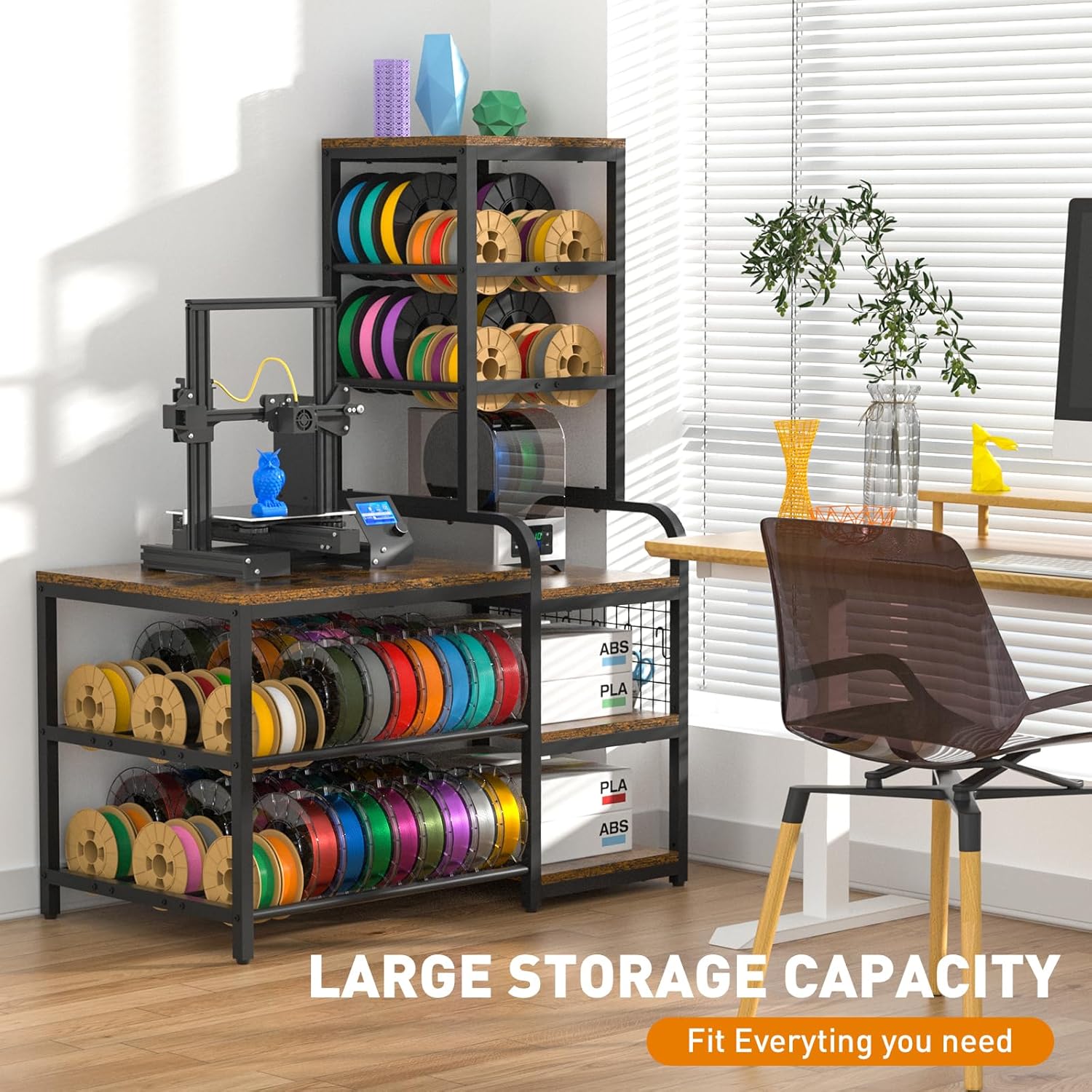
Figura 1: global view of the ikkle 3D Printer Stand with Filament Storage Rack, showcasing its large storage capacity for a 3D printer, filament spools, and accessories.

Figure 2: Illustration highlighting the stand's large storage capacity for various 3D printing essentials.
2. Contingut del paquet
Verifiqueu que tots els components siguin presents abans de començar el muntatge. Si falta alguna peça o hi ha alguna peça danyada, poseu-vos en contacte amb el servei d'atenció al client.
- 3D Printer Table components (particleboard shelves, metal frame parts)
- Mounting Hardware (screws, bolts, nuts, S-hooks, adjustable feet)
- Instruccions d'instal·lació (aquest manual)
3. Instruccions de muntatge
The 3D printer stand is designed for straightforward assembly. A detailed instruction manual is included to guide you through the process. It is recommended to have an electric screwdriver for quicker assembly.
3.1 General Assembly Guidance
- Desembaleu tots els components i verifiqueu-los amb la llista de contingut del paquet.
- Identify all hardware. Separate screws and bolts by type to avoid confusion.
- Follow the step-by-step diagrams provided in the included installation instructions.
- Ensure all connections are secure but do not overtighten until the unit is fully assembled.
- Attach the adjustable feet to the bottom of the stand to ensure stability on uneven surfaces.
- Install the S-hooks onto the designated grid panel for tool organization.
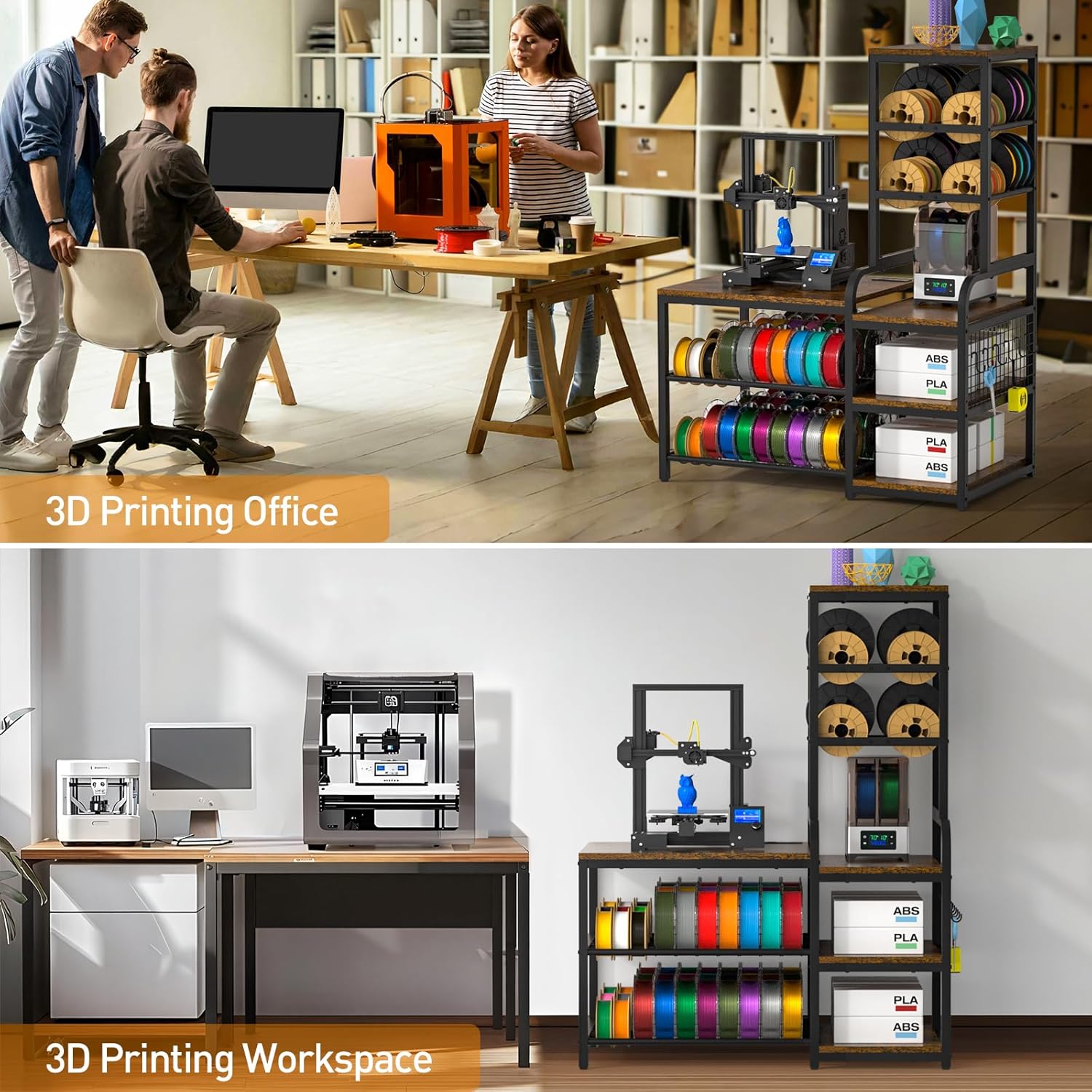
Figura 3: Primer pla view of the adjustable feet and S-hooks, which are part of the assembly and user-friendly design.
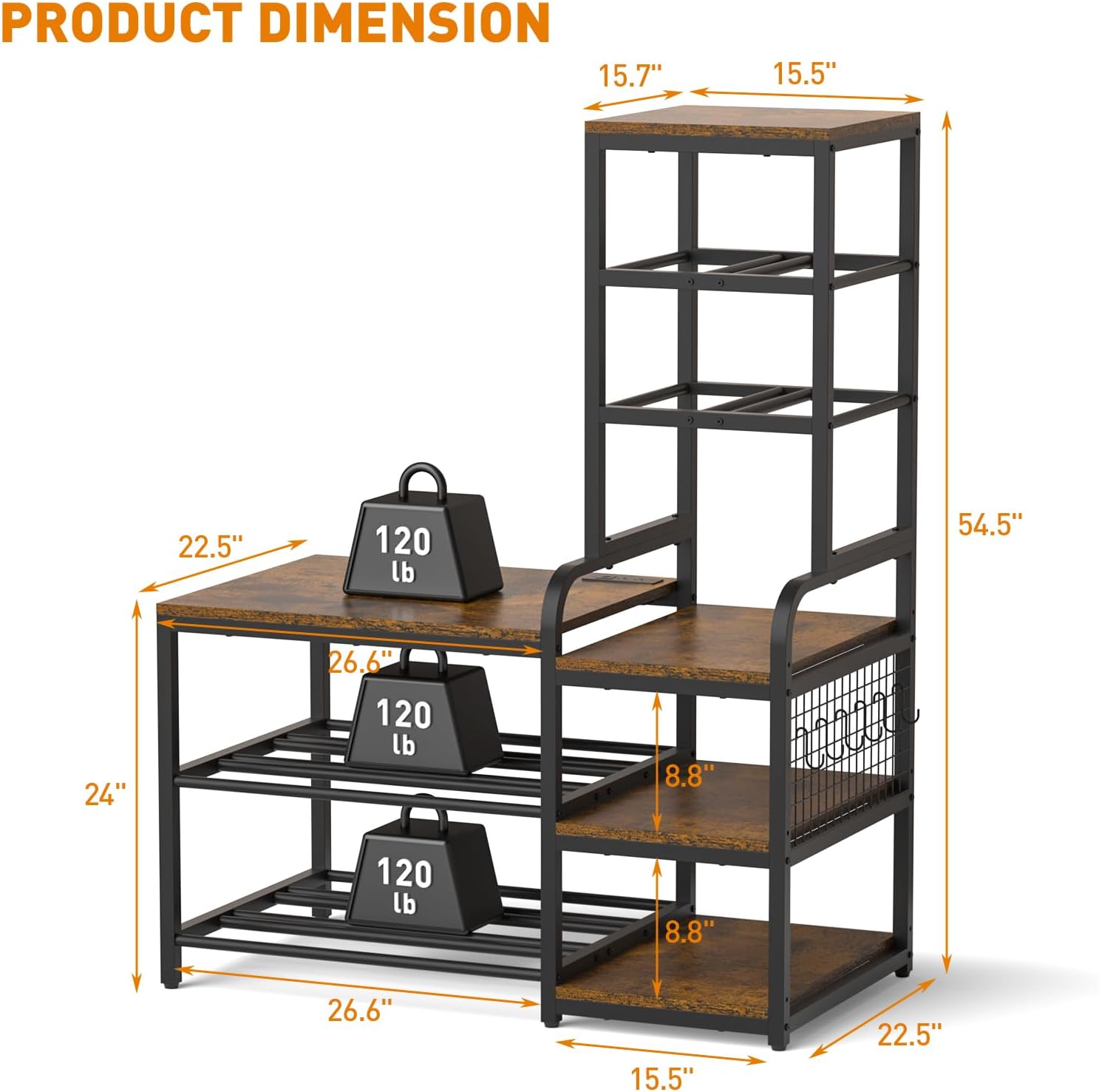
Figure 4: Detail of the open shelves and integrated S-hooks for organizing tools and accessories.
4. Característiques i funcionament del producte
4.1 Estació de càrrega integrada
The stand includes a built-in power strip located on the tabletop. This charging station provides convenient access to power for your 3D printer, laptop, or other electronic devices.
- Preses de CA: 2 x 120V/12A
- Ports USB-A: 2 x 5V/2.1A
- Port USB-C: 1 x 5V/3A
- Longitud del cable d'alimentació: 4.9 peus

Figure 5: Close-up of the integrated charging station with 2 AC outlets, 2 USB-A ports, and 1 USB-C port, along with its 4.9 ft power cord.

Figure 6: Visual representation of the built-in power strip supporting various appliances.
4.2 Filament Storage Capacity
The stand is designed to accommodate a large quantity of filament spools, supporting various sizes.
- Left Side Bottom Tiers: Holds up to 54 standard-sized spools.
- Right Side Top Tiers: Holds up to 20 roll filaments.
- Compatible with 200g (6.2in), 500g (7.9in), and 1kg (7.9in) filament spools.

Figure 7: Image illustrating the filament spool storage capacity, showing various spool sizes (200g, 500g, 1kg) and their dimensions.

Figure 8: Diagram showing the filament storage sections, designed to hold numerous spools.
4.3 Printer Compatibility
The enlarged left tabletop (26.6"W x 22.5"D) is designed to accommodate most standard 3D printers.

Figure 9: Image showing the dimensions of the main tabletop (26.6"W x 22.5"D) and examples of compatible 3D printers.
4.4 Stability and Durability
Constructed from premium particleboard and a sturdy metal structure, the stand is designed for durability. The painted surface helps prevent rust and corrosion. The frame is secured with screws to ensure stability, supporting up to 300 lbs per tier.

Figure 10: Diagram showing the overall product dimensions and the 120 lb weight capacity per tier.

Figure 11: Close-up of the sturdy metal frame and particleboard construction, emphasizing durability.
5. Manteniment
To ensure the longevity and appearance of your ikkle 3D Printer Stand, follow these maintenance guidelines:
- Neteja: Netegeu les superfícies amb un suau, damp drap. Eviteu netejadors abrasius o productes químics agressius que puguin danyar l'acabat.
- Vessaments: Promptly clean any spills, especially on the particleboard surfaces, to prevent water damage. The surface is designed to resist minor liquid exposure.
- Maquinari: Reviseu periòdicament tots els cargols i perns per assegurar-vos que romanen ajustats. Torneu a apretar-los si cal per mantenir la integritat estructural.
- Col·locació: Eviteu col·locar el suport a la llum solar directa o a prop de fonts de calor per evitar la degradació del material.

Figure 12: Image showing a surface with water droplets, indicating the water-resistant properties of the stand's finish.
6. Solució De Problemes
If you encounter issues during assembly or use, refer to the following common troubleshooting tips:
- Dificultat amb el muntatge: Ensure you are using the correct hardware for each step as indicated in the detailed instruction manual. Some users have reported issues with bolt sizes; double-check part numbers and contact support if discrepancies are found.
- El suport oscil·la: Verify that all screws and bolts are securely tightened. Adjust the anti-scratch pads on the bottom of the stand to compensate for uneven floor surfaces.
- Peces que falten: If any components or hardware are missing from the package, refer to the package contents list and contact customer support for assistance.
- Regleta d'endolls no funciona: Ensure the power cord is fully plugged into a functional wall outlet. Check if the power strip's circuit breaker (if present) has tripped.
7. Especificacions
| Característica | Especificació |
|---|---|
| Marca | ikkle |
| Número de model | IK600204-P |
| Dimensions del producte (L x A x A) | 22.5 x 42.1 x 54.5 polzades |
| Pes de l'article | 44 lliures |
| Material | Metall, Fusta (Tauler de partícules) |
| Tipus d'acabat | Pintat |
| Color | Black frame with VintagPanells electrònics |
| Nombre de prestatgeries | 5 |
| Capacitat de pes per nivell | Up to 300 lbs (as per product description, though image shows 120lb) |
| Característica especial | Heavy Duty, Built-in Power Strip, Adjustable Feet, S-Hooks |
| Muntatge obligatori | Sí |
Figure 13: Diagram illustrating the product dimensions and individual tier weight capacity.
8. Garantia i Suport
For any questions, concerns, or issues regarding your ikkle 3D Printer Stand, please contact ikkle customer support. Refer to your purchase documentation for specific warranty details. If you encounter any problems during the assembly or use process, timely contact with customer service is recommended for assistance.


