Producte acabatview
The ECHTPower PC Controller is a versatile wireless gaming controller designed for PC, Switch, iOS, and Android platforms. It features Hall Effect joysticks and triggers for precise control, a 1000Hz polling rate for instant response, and an intelligent TFT display for on-screen adjustments of settings like vibration intensity, RGB lighting, and button mapping. The controller is equipped with a 1000mAh battery for extended gameplay.
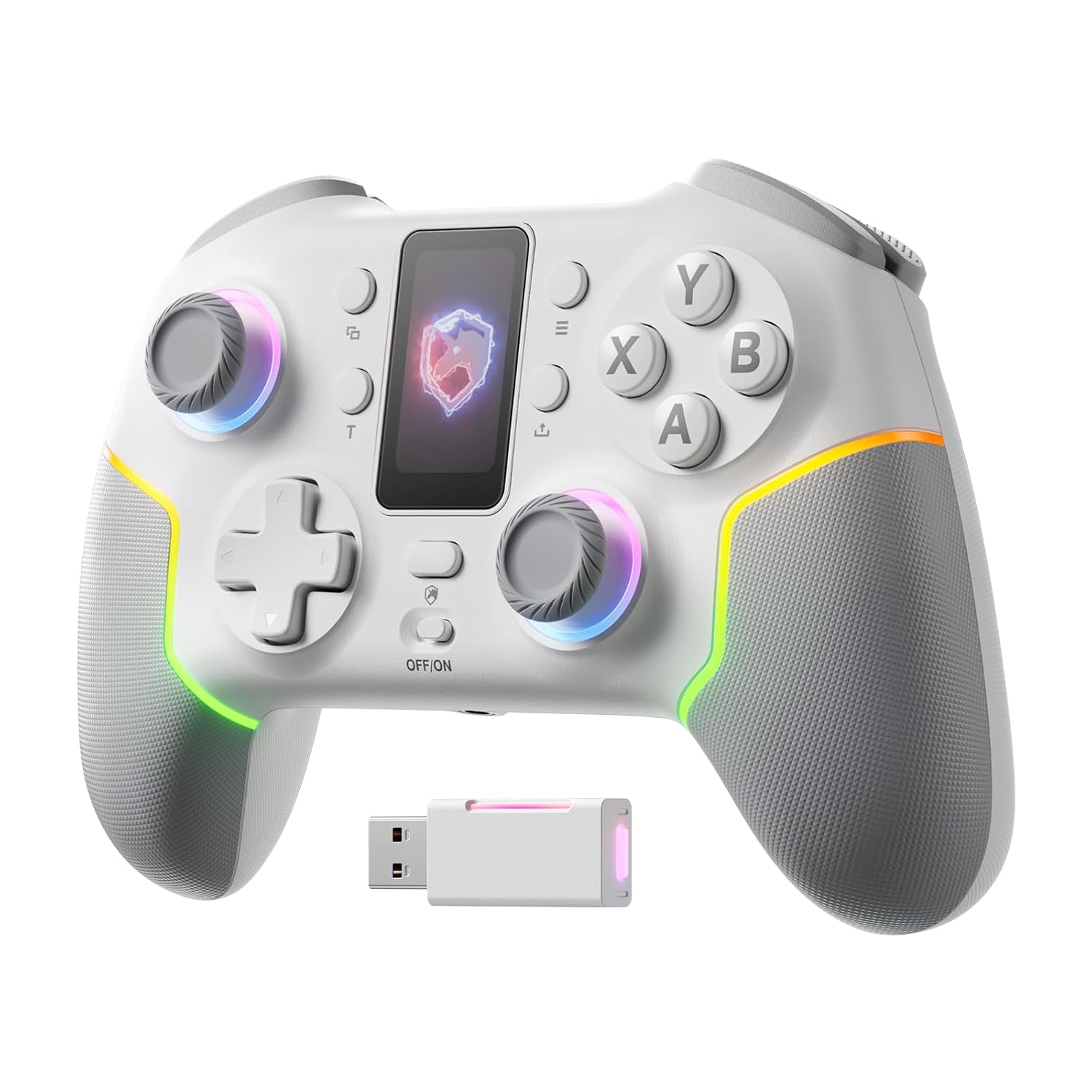
Imatge: Frontal view of the ECHTPower PC Controller, showcasing its intelligent screen, joysticks, and face buttons.
Contingut del paquet
- ECHTPower PC Controller (White)
- Cable de càrrega USB-C
- Adaptador sense fil 2.4G
- Manual d'usuari
Configuració
Carregant el controlador
Before first use, fully charge the controller using the provided USB-C cable. Connect the USB-C end to the controller and the USB-A end to a power source (e.g., PC USB port, USB wall adapter). The intelligent screen will indicate charging status.
Connexió a dispositius
The ECHTPower PC Controller supports three connection modes: Bluetooth, 2.4G Wireless, and USB-C Wired.
- Bluetooth Connection (iOS/Android/Switch):
- Ensure the mode switch on the back of the controller is set to the appropriate platform (e.g., Switch, iOS, Android).
- Press and hold the pairing button on the controller until the indicator lights flash rapidly.
- On your device, go to Bluetooth settings and select "ECHTPower Controller" to pair.
- 2.4G Wireless Connection (PC/Switch):
- Plug the 2.4G wireless dongle into an available USB port on your PC or Switch dock.
- Ensure the mode switch on the back of the controller is set to PC or Switch.
- The controller should automatically connect to the dongle. If not, press the pairing button on the controller.
Image: The ECHTPower PC Controller shown alongside its 2.4G wireless USB dongle, illustrating the wireless connection method.
- USB-C Wired Connection (PC/Switch):
- Connect the controller to your PC or Switch dock using the USB-C cable.
- The controller will be recognized automatically as a wired device.
Note: This controller is not compatible with Xbox or PlayStation consoles.
Instruccions de funcionament
Intelligent Screen Functions
The integrated TFT display allows for direct adjustment of various controller settings without external software.

Image: Close-up of the controller's intelligent screen, displaying various menu options for settings like pairing, mode, language, and macro.
- Interruptor de mode: Change between PC, Switch, iOS, and Android modes.
- Intensitat de vibració: Adjust the haptic feedback level (four settings: 0%, 30%, 60%, 100%).
- Il·luminació RGB: Customize the 10 dynamic RGB lighting modes and brightness.
- Mapa de botons: Remap buttons directly on the screen.
- Configuració de macro: Program complex button sequences.
- Idioma: Seleccioneu l'idioma de visualització.
Hall Effect Joysticks and Triggers
The controller features Hall Effect joysticks and dual Hall Effect triggers for enhanced precision and durability, eliminating drift issues.
- Joysticks: Provide smooth, accurate 360-degree movement with no dead zones.
- Activadors: Offer a one-click switch between long (6mm) and short (2mm) travel distances. The 2mm short travel is ideal for rapid firing in FPS games, while the 6mm long travel provides smoother, more precise control for racing games.
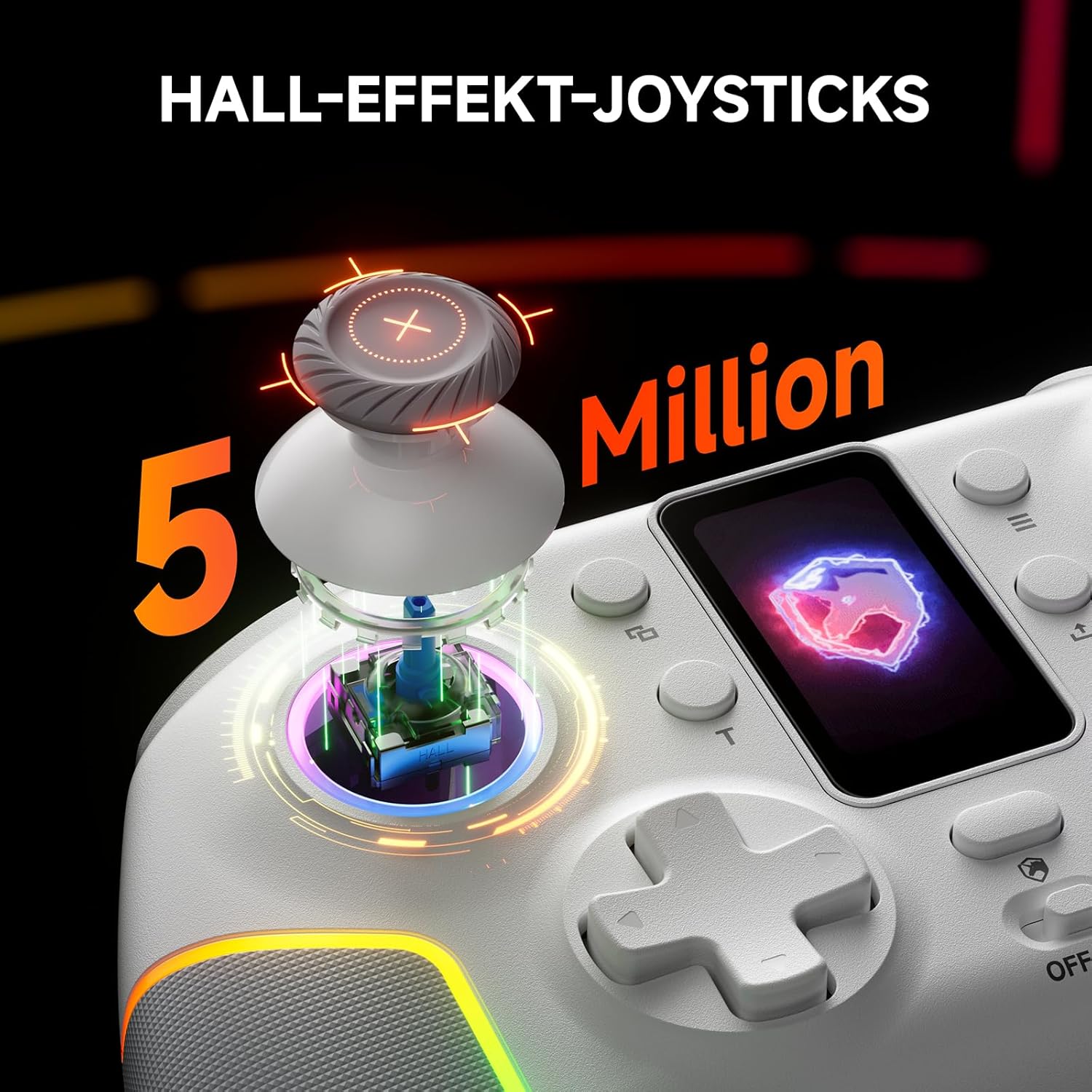
Imatge: Una explosió view of the controller's Hall Effect joystick, highlighting its internal components and precision.

Imatge: Una imatge detallada view of the controller's dual Hall Effect triggers, showing the 2mm and 6mm travel options for different gaming scenarios.
Funció Turbo
The controller supports three adjustable turbo levels for rapid button presses. Activate and adjust the turbo speed via the intelligent screen or dedicated buttons.
Botons Enrere assignables
Two mappable back buttons provide additional customization options for competitive gameplay. These can be assigned to various functions or macros.

Imatge: Part inferior view of the ECHTPower PC Controller, highlighting the location of the two mappable back buttons.
Manteniment
- Mantingueu el controlador net netejant-lo amb un drap suau i sec.
- Eviteu exposar el controlador a temperatures extremes, humitat o llum solar directa.
- Do not disassemble the controller, as this may void the warranty.
- Guardeu el controlador en un lloc segur quan no l'utilitzeu per evitar danys.
Resolució de problemes
| Problema | Causa possible | Solució |
|---|---|---|
| El controlador no s'encén. | Bateria baixa. | Charge the controller fully using the USB-C cable. |
| El controlador no es connecta sense fil. | Incorrect mode selected; pairing issue; dongle not properly inserted. | Ensure the mode switch is set correctly. Re-initiate pairing. Re-insert the 2.4G dongle. |
| Desviació del joystick o entrada inexacta. | Software calibration needed (unlikely with Hall Effect, but possible); minor interference. | Check for firmware updates. If issues persist, contact customer support. |
| La vibració no funciona. | Vibration intensity set to 0%; game does not support vibration. | Adjust vibration intensity via the intelligent screen. Verify game compatibility. |
Especificacions
- Model: EP05WH
- Connectivitat: Bluetooth, sense fil 2.4G, USB-C amb cable
- Compatibilitat: PC, Nintendo Switch, iOS, Android (Not compatible with Xbox, PlayStation)
- Joysticks: Efecte Hall
- Activadors: Dual Hall Effect (2mm/6mm adjustable travel)
- Taxa de votació: 1000Hz (2.4GHz/Wired)
- Bateria: 1000 mAh (recarregable)
- Botons: Conductive Gel Buttons (3 Million Clicks lifespan), Mappable Back Buttons
- Il·luminació: Dynamic RGB (10 modes)
- Vibració: 4 nivells ajustables
- Dimensions: 6.3 x 4.61 x 2.64 polzades
- Pes: 11.7 unces
Vídeo oficial del producte
Vídeo: Presentació oficial del producte en vídeoasing the key features and functionalities of the ECHTPower PC Controller, including its intelligent screen, Hall Effect components, and multi-platform compatibility.
Garantia i Suport
For warranty information and technical support, please refer to the official ECHTPower weblloc web o contacteu directament amb el seu servei d'atenció al client. Conserveu el rebut de compra com a comprovant de compra.
Fabricant: ECHTPOWER
Contacte: Visit the ECHTPower Store on Amazon


