1. Introducció
The Rollei Compact Creator 152cm is a robust aluminum travel tripod designed for photographers and videographers using both cameras and smartphones. It offers a maximum load capacity of 2.5 kg, weighs only 739 g, and has a compact packed size of 50 cm, making it highly portable. This manual provides detailed instructions for setting up, operating, and maintaining your tripod to ensure optimal performance and longevity.
2. Contingut del paquet
Si us plau, verifiqueu que tots els elements siguin presents al vostre paquet:
- Rollei Compact Creator 152cm Tripod
- Comandament a distància Bluetooth
3. Instruccions de configuració
3.1 Desplegament de les potes del trípode
- Gently pull the tripod legs outwards until they are fully extended.
- Adjust the leg angles as needed for stability on various surfaces.
- Extend the 4-section legs by twisting the quick-lock mechanisms on each section. Ensure each section is securely locked before use.

Figura 3.1: The tripod legs can be adjusted to various heights, from a compact 47cm to a maximum of 152cm, adapting to diverse shooting requirements.
3.2 Fixació de la placa de fixació ràpida
- Localitzeu la placa de fixació ràpida al capçal esfèric.
- Press the release button on the ball head to detach the quick release plate.
- Screw the quick release plate onto the 1/4" threaded hole of your camera or other compatible device. Ensure it is tightened securely.
- Slide the quick release plate with your device back into the ball head until it clicks into place. Verify that the device is firmly attached.
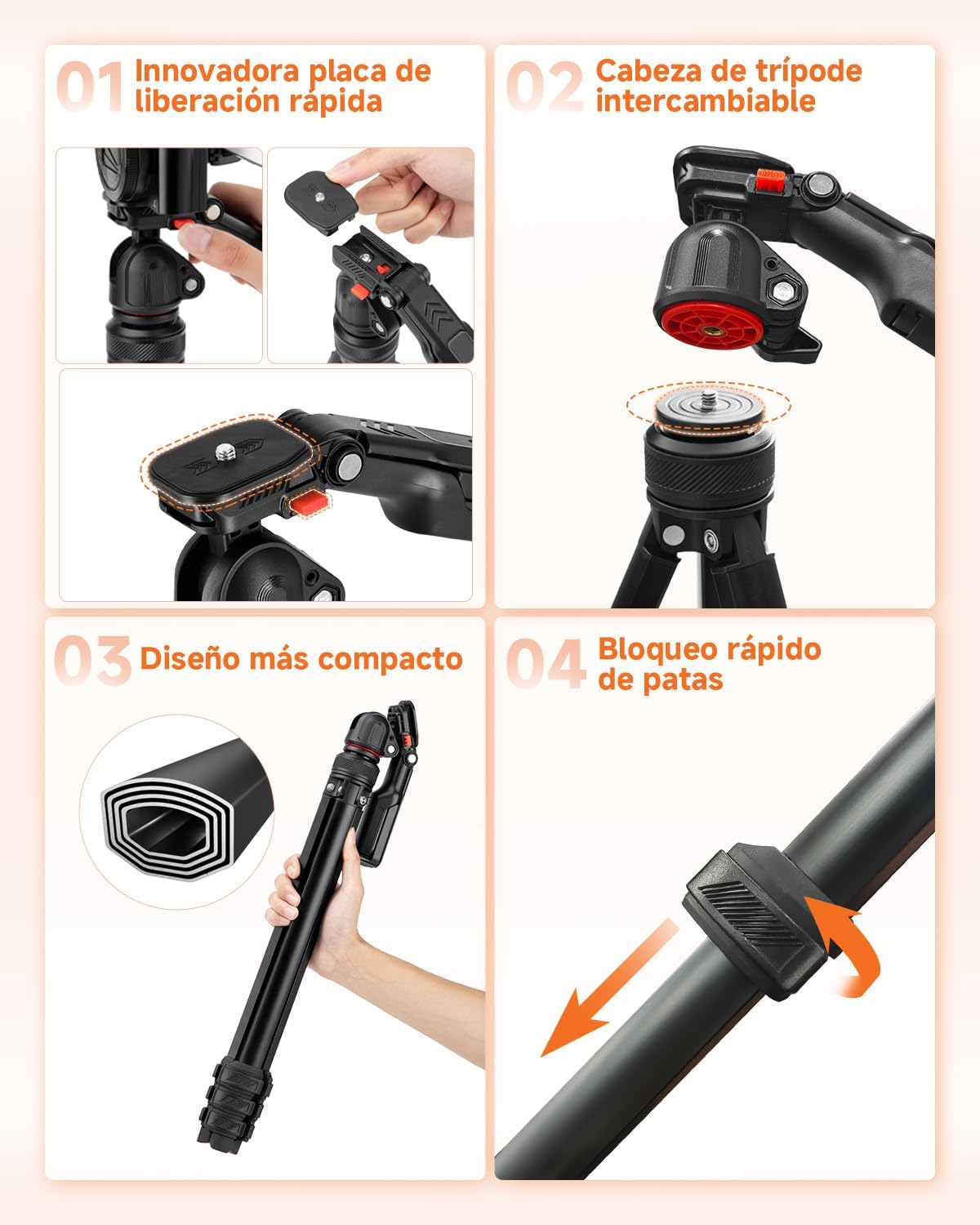
Figura 3.2: The quick release plate allows for fast and secure attachment and detachment of your camera or device to the tripod head.
3.3 Using the Integrated Smartphone Holder
- The tripod features an integrated smartphone holder within the handle of the ball head.
- Pull the smartphone holder open and insert your smartphone. The holder rotates 360 degrees to accommodate various orientations.
- Assegureu-vos que el telèfon intel·ligent estigui ben subjectat pel suport.
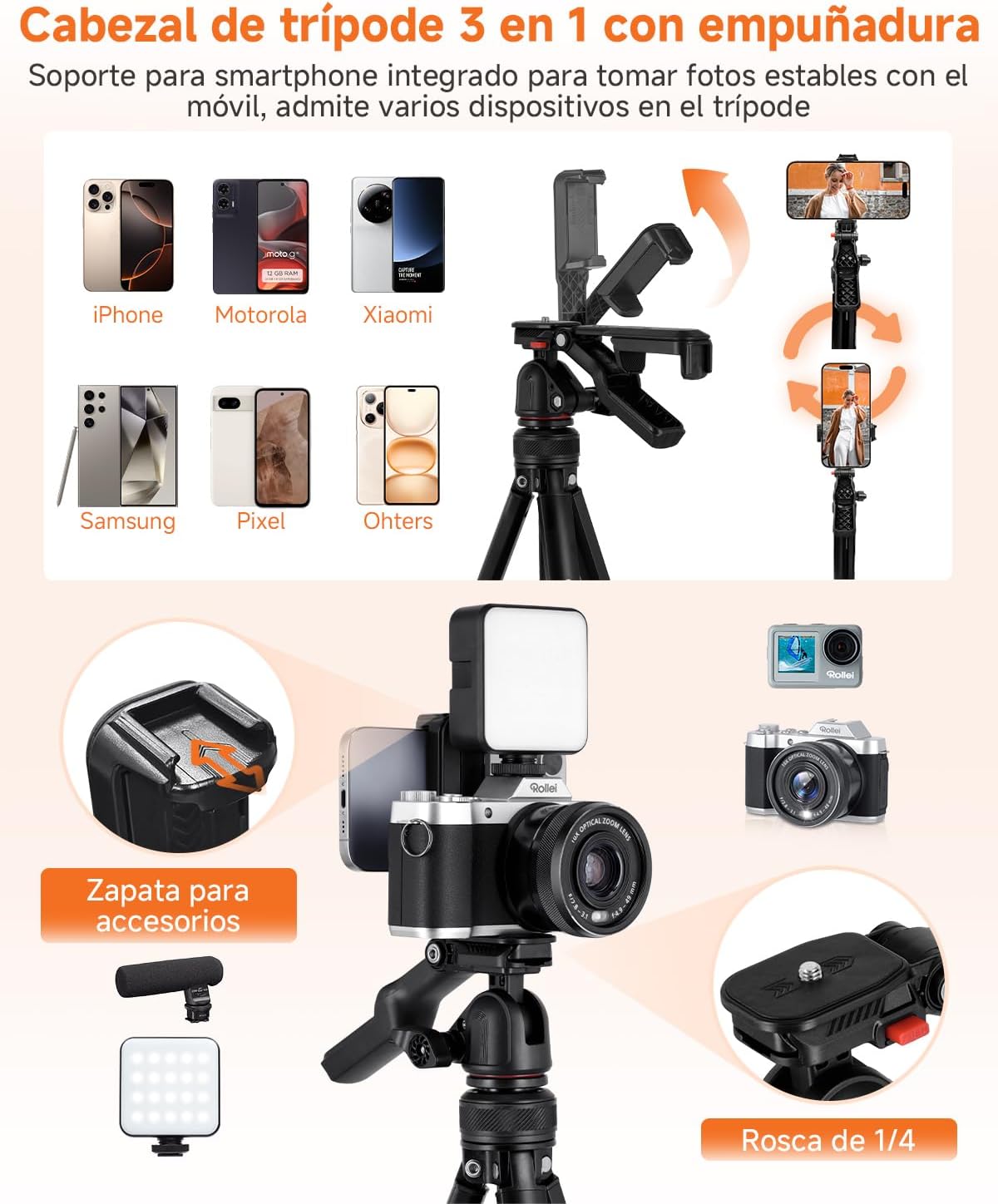
Figura 3.3: The 3-in-1 tripod head includes an integrated smartphone holder and a cold shoe for accessories like microphones or LED lights.
4. Instruccions de funcionament
4.1 Ajust dels angles de tret
The flexible ball head allows for free rotation to achieve various creative shooting angles. Loosen the locking knob on the ball head to adjust the angle, then tighten it firmly to secure your device in position. The head supports 360° panoramic rotation, 90° vertical tilt, and 70° downward tilt.
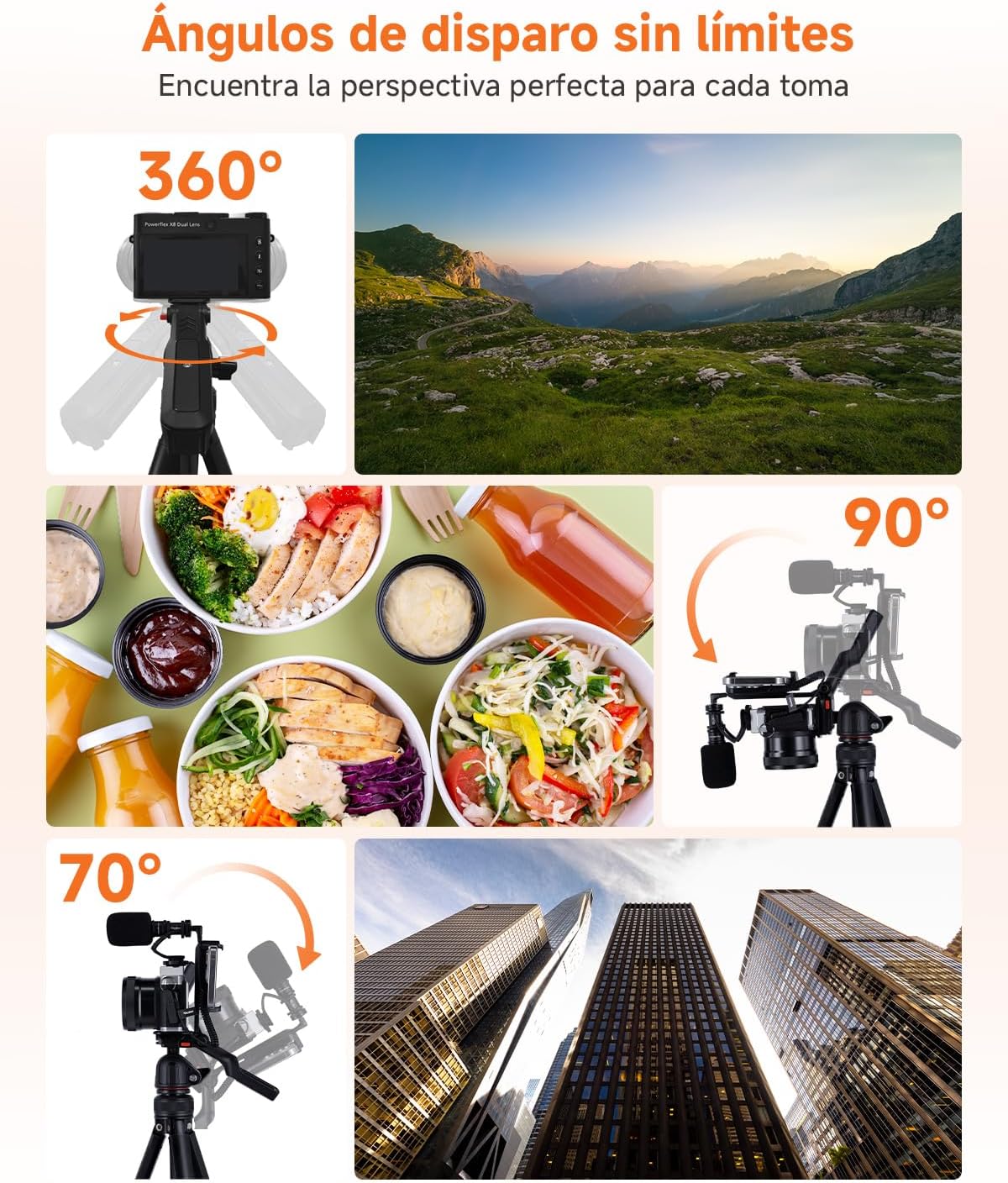
Figura 4.1: Explore unlimited shooting angles with 360° rotation and flexible tilt capabilities.
4.2 Ús del comandament a distància Bluetooth
- Ensure the Bluetooth remote control is charged and powered on.
- Activate Bluetooth on your smartphone or camera.
- Pair the remote control with your device. Refer to your device's manual for specific Bluetooth pairing instructions.
- Once paired, use the remote control to trigger your camera or smartphone remotely for photos and videos.
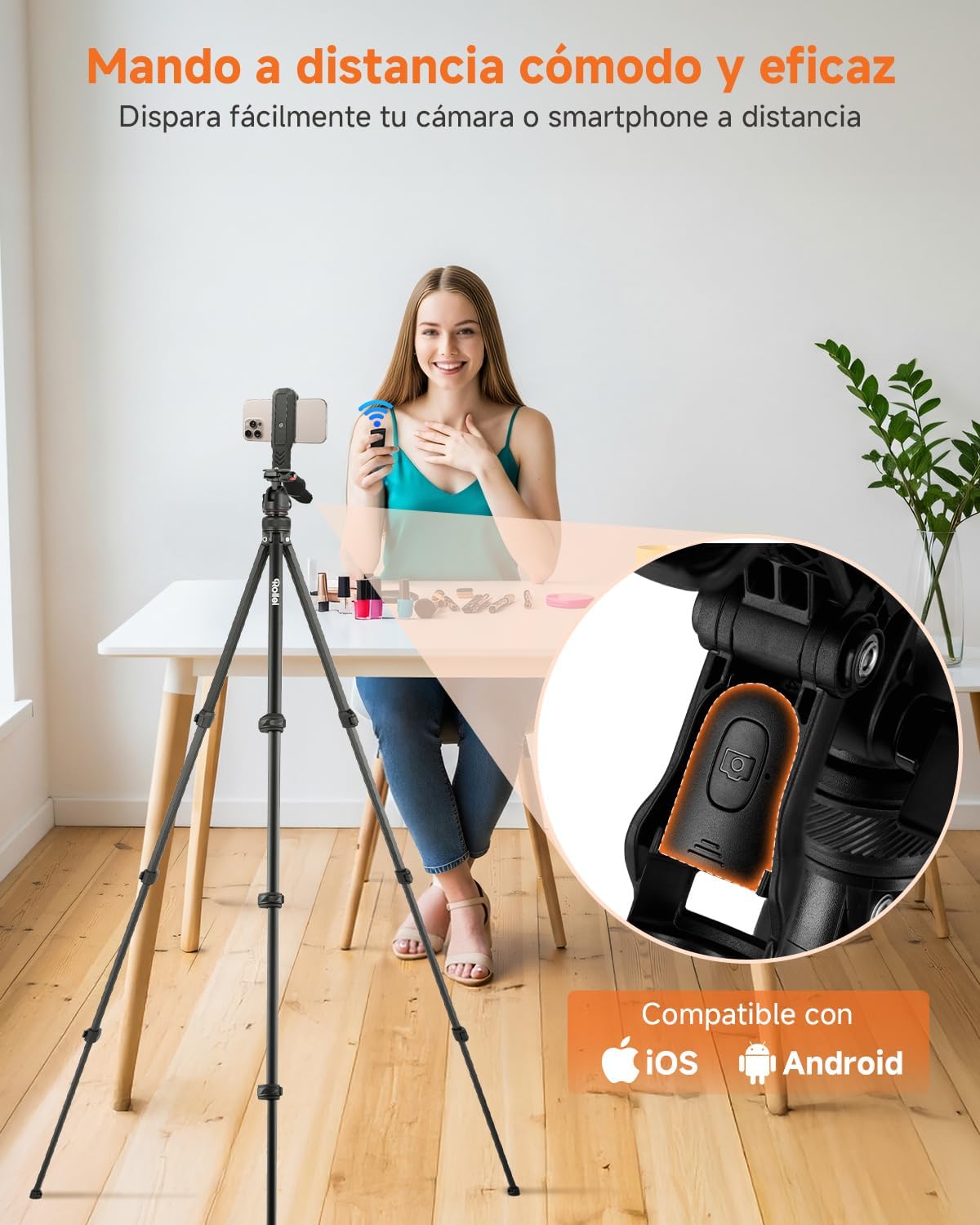
Figura 4.2: The convenient Bluetooth remote control allows you to capture photos and videos from a distance.
4.3 Attaching Accessories to the Cold Shoe
The cold shoe mount located on top of the handle allows for easy attachment of accessories such as microphones or small LED fill lights. Simply slide the accessory into the cold shoe mount until it is secure.
4.4 Compatibilitat
The Rollei Compact Creator tripod is widely compatible with various devices:
- Càmeres: DSLR cameras, mirrorless cameras, and camcorders with a 1/4" screw thread.
- Telèfons intel·ligents: All smartphones when used with the integrated 360° rotating phone holder.
- Altres dispositius: Projectors, webcams, stabilizers, and lights with a 1/4" screw thread.
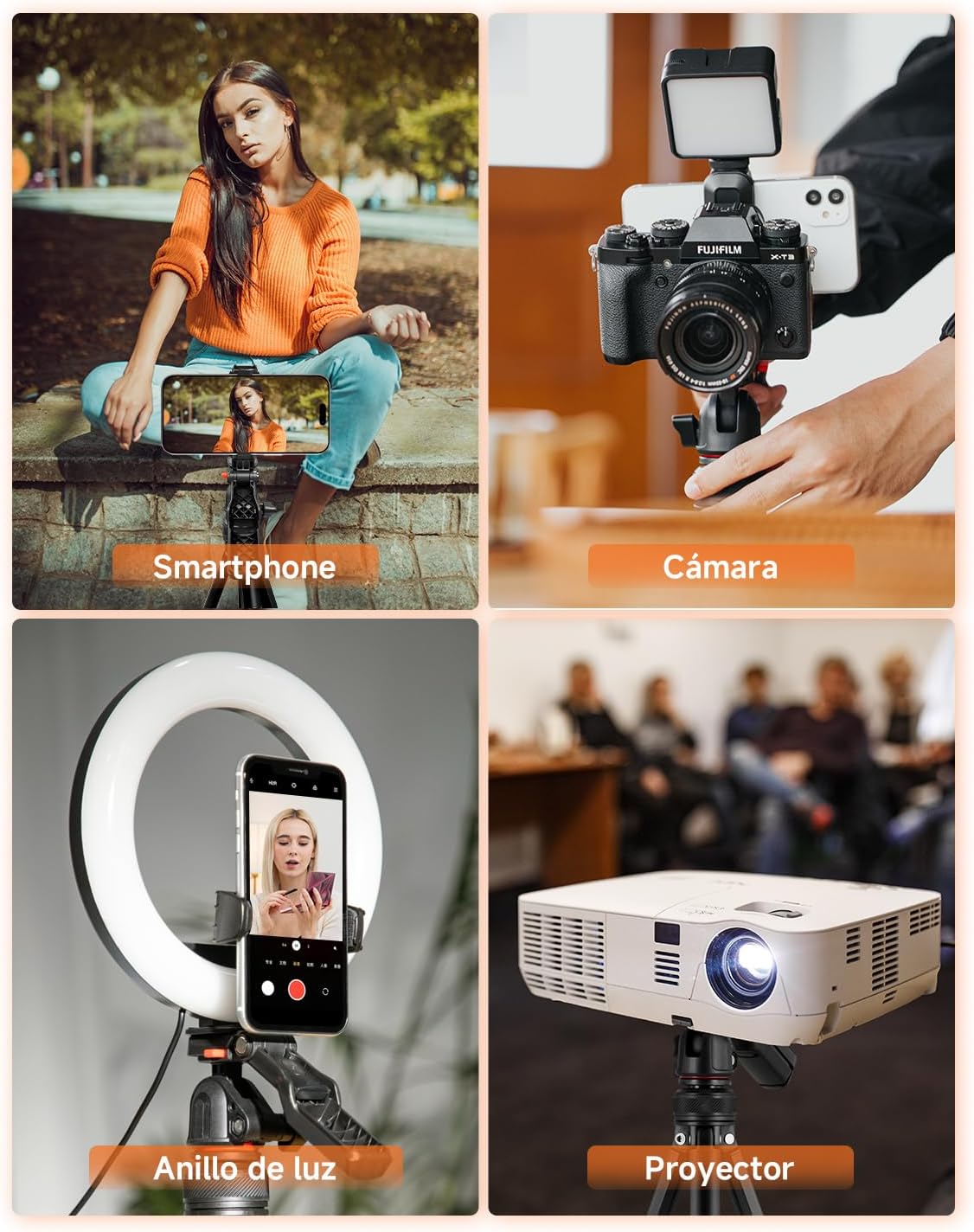
Figura 4.3: The tripod offers wide compatibility for various devices, including smartphones, cameras, and projectors.
5. Manteniment
To ensure the longevity and optimal performance of your Rollei Compact Creator tripod, follow these maintenance guidelines:
- Neteja: Wipe the tripod with a soft, dry cloth after each use to remove dust, dirt, or moisture. For stubborn grime, use a slightly damp drap i després eixugueu-lo bé. Eviteu productes químics agressius o netejadors abrasius.
- Lubricació: Periodically check the leg locks and ball head for smooth operation. If they feel stiff, apply a small amount of silicone-based lubricant to the moving parts.
- Emmagatzematge: Store the tripod in a dry, cool place, away from direct sunlight and extreme temperatures. Use the provided carrying bag for protection during transport and storage.
- Inspecció: Regularly inspect all screws, bolts, and leg locks to ensure they are tight and secure. Do not overtighten.
6. Solució De Problemes
If you encounter any issues with your Rollei Compact Creator tripod, please refer to the following common troubleshooting tips:
- Inestabilitat del trípode:
- Ensure all leg sections are fully extended and their quick-locks are securely fastened.
- Verify that the tripod is placed on a flat, stable surface.
- Check that the ball head locking knob is tightened after adjusting the angle.
- El comandament a distància Bluetooth no es connecta:
- Make sure the remote control is powered on and has sufficient battery life.
- Ensure Bluetooth is enabled on your smartphone or camera.
- Unpair and re-pair the remote control with your device.
- Apropa't al dispositiu per assegurar-te que ets dins de l'abast del Bluetooth.
- El dispositiu no es subjecta correctament:
- For cameras, ensure the quick release plate is tightly screwed onto the camera and securely clicked into the ball head.
- For smartphones, ensure the integrated holder is fully gripping the phone and the phone is centered.
- Verify that your device's weight does not exceed the tripod's maximum load capacity of 2.5 kg.
7. Especificacions
| Marca | Rollei |
| Nom del model | Compact Creator |
| Número de model de producte | 26930 |
| Material | Alumini |
| Dimensions del producte | 7.2 x 51 x 8.8 cm |
| Pes | 840 g |
| Altura màxima | 152 cm |
| Altura mínima | 47 cm |
| Límit de pes | 2.5 kg |
| Tipus de capçal de trípode | Cap de pilota |
| Dispositius compatibles | Camera, Camcorder, Smartphone |
| Característica especial | Control remot |
8. Garantia i Suport
Rollei is committed to providing high-quality products and excellent customer service.
- Garantia: Aquest producte ve amb un 24-month exchange warranty des de la data de compra. Si us plau, conserveu el comprovant de compra per a reclamacions de garantia.
- Devolucions: Free returns are available within 14 dies of purchase. For detailed return instructions, please refer to the retailer's return policy.
- Suport: For further assistance, technical support, or warranty inquiries, please visit the official Rollei website or contact your local customer service representative.


