1. Introducció
This manual provides detailed instructions for the ONN Wireless Headset and Bluetooth FM Transmitter, Model ONN-CBT3353. This device combines a car Bluetooth FM transmitter with a detachable wireless headset, offering versatile audio streaming, hands-free calling, and device charging capabilities. Please read this manual thoroughly before use to ensure proper operation and to maximize the product's lifespan.
2. Informació de seguretat
- No exposeu el dispositiu a l'aigua, la humitat ni a temperatures extremes.
- Eviteu desmuntar o modificar el dispositiu, ja que això anul·larà la garantia i pot causar danys.
- Mantenir fora de l'abast dels nens.
- Assegureu-vos que el dispositiu estigui ben connectat a la presa de l'encenedor del cotxe.
- Do not operate the device while driving if it distracts you from the road. Prioritize road safety.
3. Contingut del paquet
- ONN Bluetooth FM Transmitter
- Detachable Wireless Headset
- Manual d'usuari
4. Producte acabatview
The ONN-CBT3353 consists of two main components: the FM Transmitter (car charger unit) and the Wireless Headset.

Imatge 4.1: The ONN Wireless Headset and FM Transmitter, illustrating the separate headset and the main transmitter unit with its charging ports and controls.
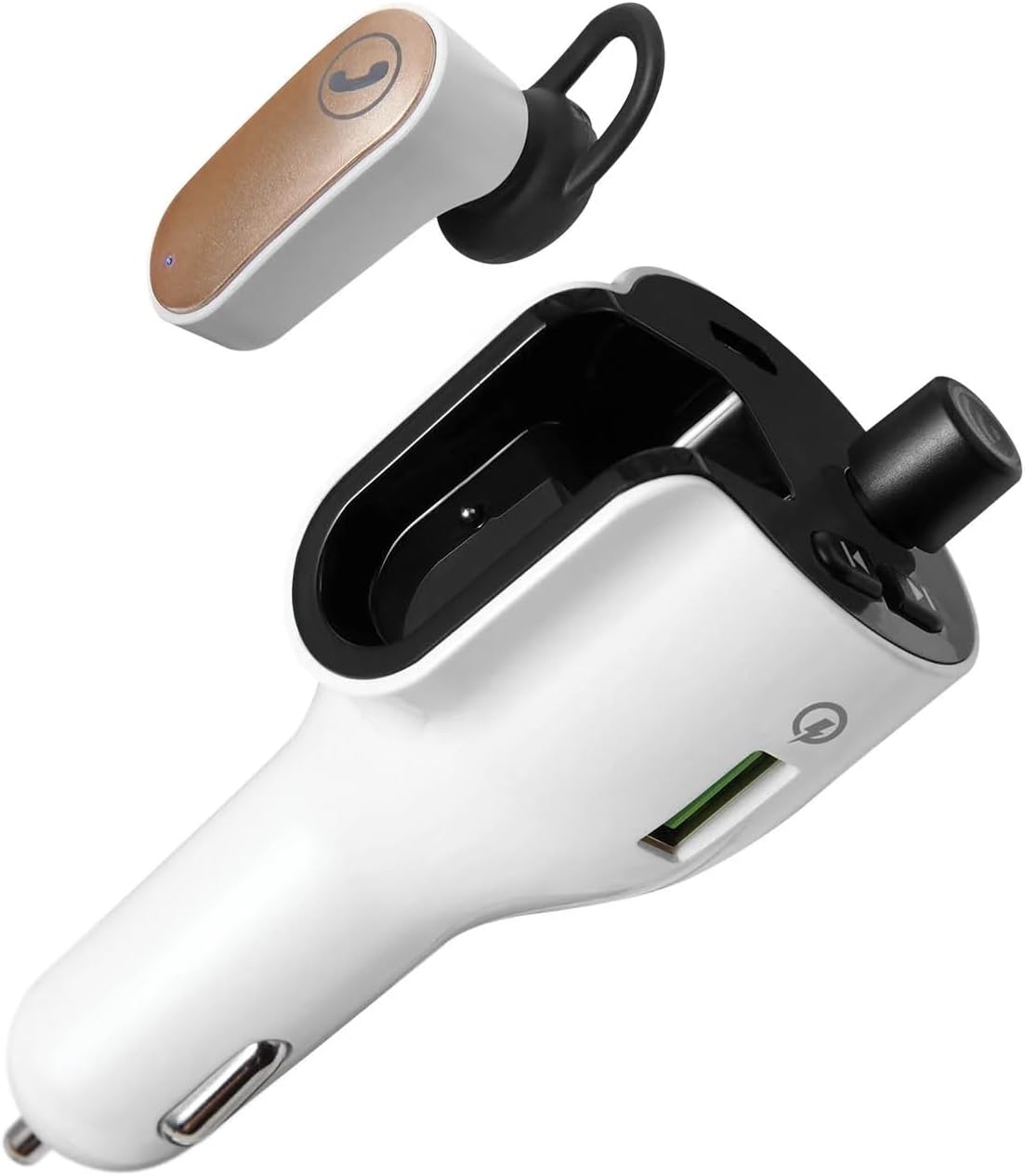
Imatge 4.2: Un clar view of the ONN Wireless Headset detached from the FM Transmitter, showcasing both components.
FM Transmitter Features:
- Pantalla LED: Shows FM frequency.
- Frequency Adjustment Buttons: Used to change the FM frequency.
- Botó multifunció: For play/pause, answer/end calls, and Bluetooth pairing.
- USB-A Charging Port (Quick Charge 3.0): Per a dispositius compatibles amb càrrega ràpida.
- Port de càrrega USB-C: Per carregar dispositius compatibles.
- Headset Charging Dock: Securely holds and charges the wireless headset.
Wireless Headset Features:
- Botó de trucada: For answering and ending phone calls.
- Micròfon: Per a la comunicació amb mans lliures.
- Indicador LED: Shows charging and connection status.
5. Configuració
5.1. Installing the FM Transmitter
- Insert the ONN FM Transmitter into your vehicle's 12V (cigarette lighter) power socket. The LED display will illuminate.
5.2. Charging the Wireless Headset
- Ensure the FM Transmitter is powered on.
- Place the wireless headset into its designated charging dock on the FM Transmitter. The headset's LED indicator will show charging status.
- A full charge provides up to 2 hours of talk time.

Imatge 5.1: The wireless headset securely docked within the FM Transmitter for charging and storage.
5.3. Pairing with a Bluetooth Device (Smartphone)
- With the FM Transmitter powered on, activate Bluetooth on your smartphone or other audio device.
- Cerca available Bluetooth devices and select "ONN CBT3353" (or similar name) from the list.
- Once paired, the transmitter will indicate a successful connection, and audio from your device will be ready to stream.

Imatge 5.2: The FM Transmitter displaying the Bluetooth connection symbol, indicating it is paired with a device.
5.4. Setting the FM Frequency
- Tune your car's FM radio to an unused frequency (one with no strong broadcast signal).
- On the ONN FM Transmitter, use the frequency adjustment buttons (usually left/right arrows) to match the frequency displayed on the transmitter's LED screen to your car's radio frequency.
- Ensure the frequencies match for optimal audio transmission. The supported frequency range is 88.0 – 108.0 MHz.
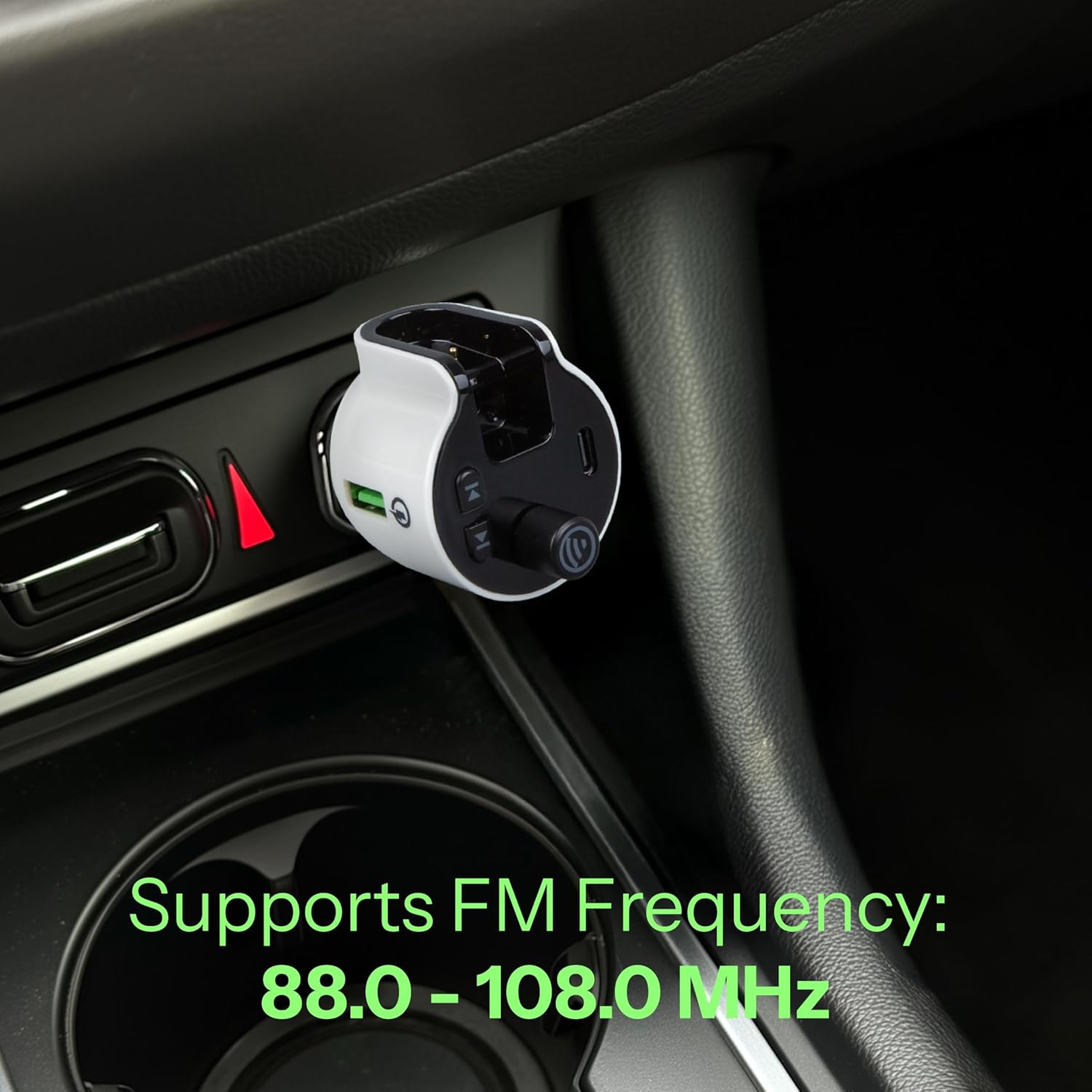
Imatge 5.3: The FM Transmitter installed in a car's power outlet, displaying the set FM frequency.

Imatge 5.4: Un detallat view of the FM Transmitter's LED display, showing the current frequency setting.
6. Funcionament
6.1. Playing Audio via FM Transmitter
- Once your smartphone is paired via Bluetooth and the FM frequency is set, open your preferred music or audio app on your phone.
- Audio will stream from your phone, through the FM Transmitter, and play through your car's stereo system.
- Use your phone or the transmitter's multi-function button to play/pause audio.
6.2. Using the Wireless Headset for Calls
- When a call comes in, you can answer it using the detachable wireless headset.
- To answer a call: Press the call button on the headset.
- To end a call: Press the call button on the headset again.
- The headset provides up to 2 hours of talk time on a full charge.
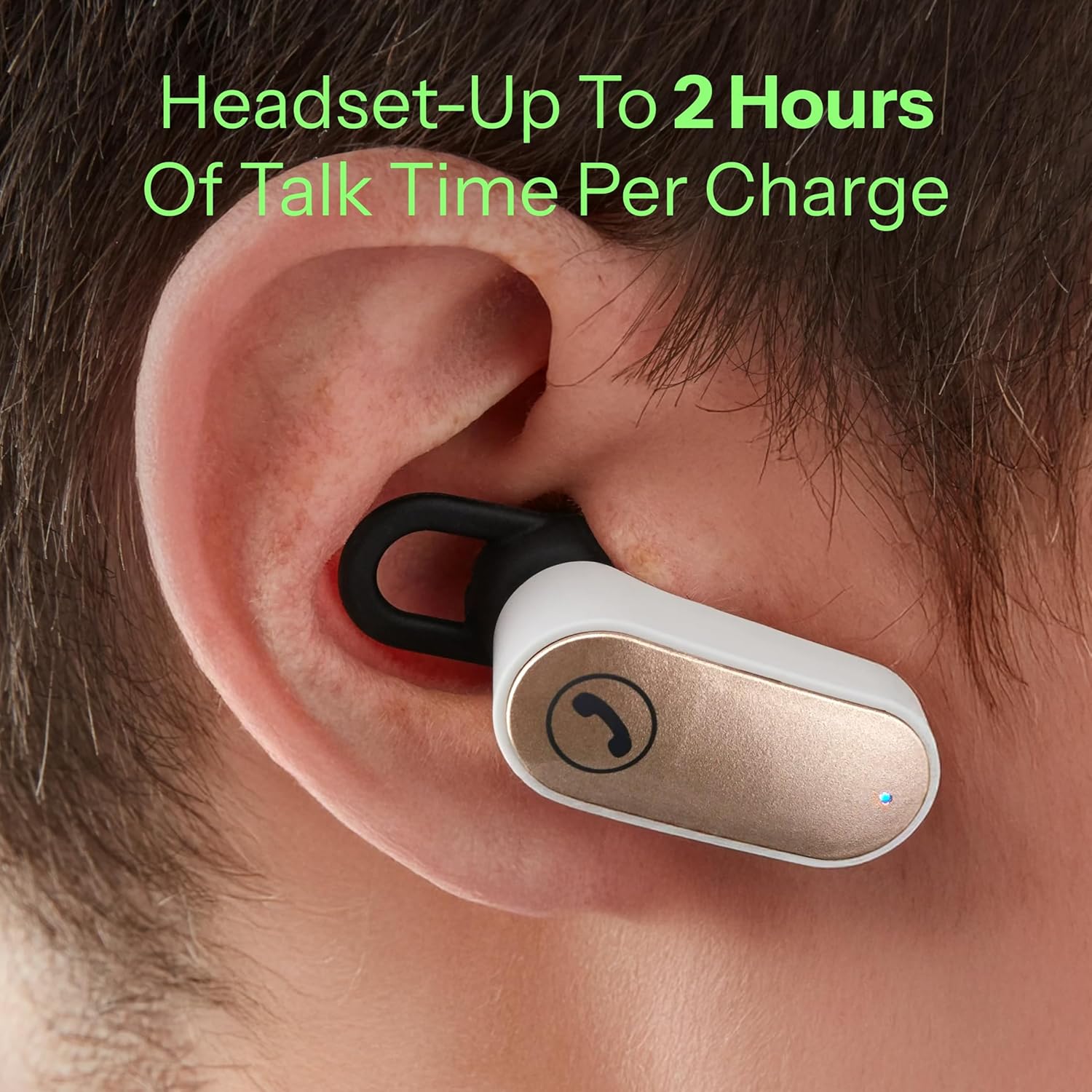
Imatge 6.1: The wireless headset being worn in an ear, demonstrating its use for hands-free communication.
6.3. Charging External Devices
The FM Transmitter is equipped with Quick Charge 3.0 technology and both USB-A and USB-C charging ports.
- Connect your device's charging cable to either the USB-A or USB-C port on the transmitter.
- The Quick Charge 3.0 USB-A port supports output settings of DC 5V/3A, 9V/2A, or 12V/1.5A.
- The USB-C port supports output settings of DC 5V/3A.
- Ensure your device is compatible with these charging specifications for optimal performance.
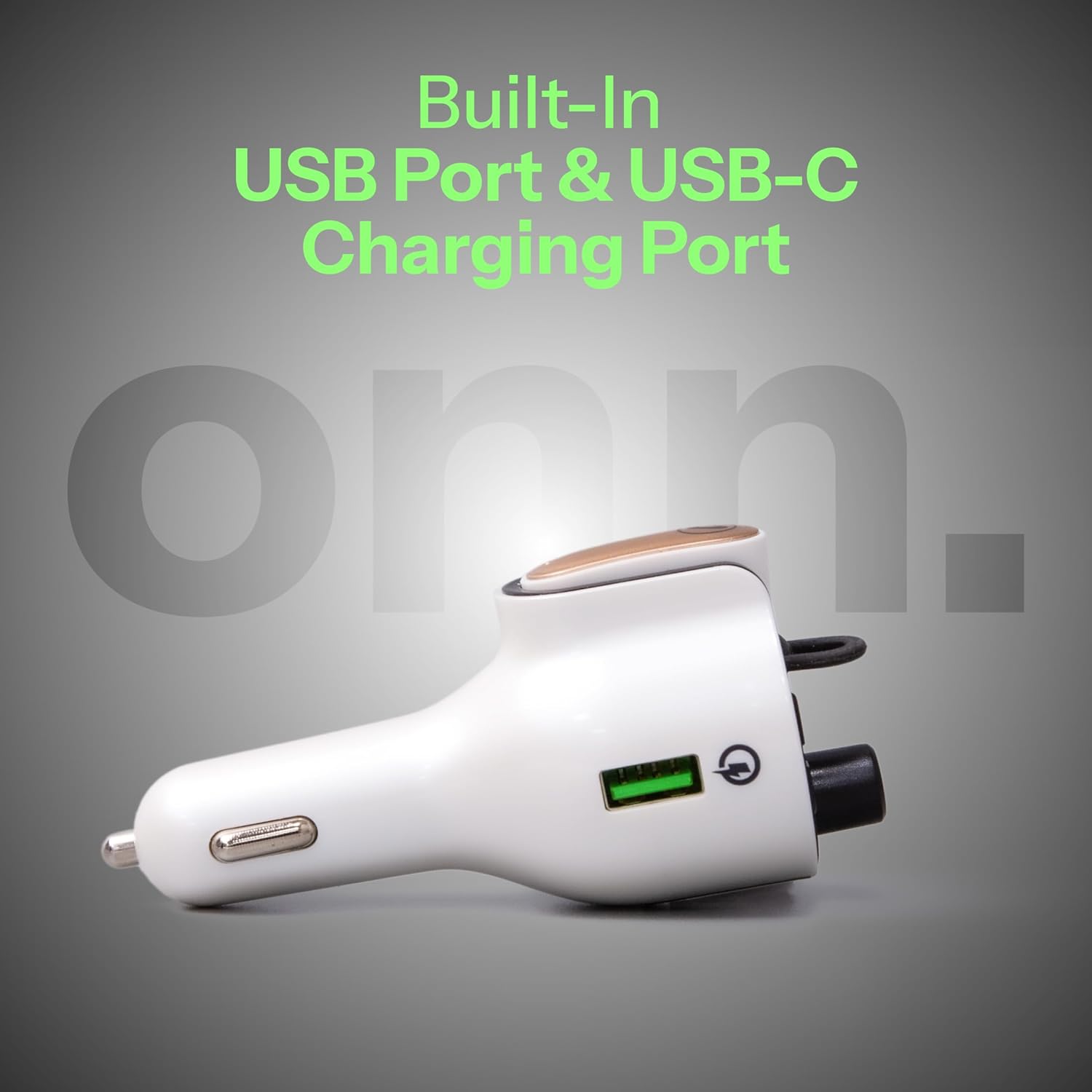
Imatge 6.2: Un costat view of the FM Transmitter, highlighting the integrated USB-A and USB-C charging ports.
7. Manteniment
- Neteja: Feu servir un drap suau i sec per netejar el dispositiu. No utilitzeu netejadors líquids ni aerosols.
- Emmagatzematge: Quan no l'utilitzeu, emmagatzemeu el dispositiu en un lloc fresc i sec, lluny de la llum solar directa i de temperatures extremes.
- Headset Care: Keep the headset's charging contacts clean to ensure reliable charging.
8. Solució De Problemes
| Problema | Causa possible | Solució |
|---|---|---|
| No power to FM Transmitter | Not properly inserted into 12V socket; vehicle's 12V socket is faulty. | Ensure the transmitter is fully inserted. Check the vehicle's 12V socket with another device. |
| No audio from car stereo | FM frequency mismatch; Bluetooth not paired; car radio not on FM mode. | Match FM frequencies on transmitter and car radio. Re-pair Bluetooth. Ensure car radio is set to FM. |
| Mala qualitat d'àudio/estàtica | Interference from other FM stations; weak signal. | Try a different, clearer FM frequency. Ensure transmitter is not obstructed. |
| Els auriculars no s'estan carregant | Headset not properly docked; dirty charging contacts. | Ensure headset is correctly seated in the dock. Clean charging contacts on both headset and dock. |
| Headset cannot connect/pair | Headset out of range; low battery; pairing issue. | Ensure headset is charged and within range. Try re-pairing the headset with the transmitter (if applicable, or ensure it's docked for connection). |
| Devices not fast charging | Device not Quick Charge compatible; cable issue. | Ensure your device supports Quick Charge 3.0. Use a high-quality charging cable. |
9. Especificacions
| Característica | Detall |
|---|---|
| Número de model | ONN-CBT3353 |
| Dimensions del producte | 1.69 x 4.15 x 1.69 polzades |
| Pes de l'article | 3.52 unces |
| Tecnologia de connectivitat | Bluetooth |
| Font d'alimentació | Battery Powered (Headset), Vehicle 12V (Transmitter) |
| Material | Acrilonitril butadiè estirè (ABS) |
| Interval de freqüència FM | 88.0 – 108.0 MHz |
| Sortida USB-A (QC 3.0) | DC 5V/3A, 9V/2A, or 12V/1.5A |
| Sortida USB-C | DC 5V/3A |
| Headset Talk Time | Fins a 2 hores |

Imatge 9.1: The ONN FM Transmitter displaying its Quick Charge 3.0 USB and USB-C output specifications.
10. Garantia i Suport
For warranty information or technical support, please refer to the product packaging or contact ONN customer service. Keep your purchase receipt as proof of purchase.


