Introducció
The Keenetic Roamer 4G is a portable mobile hotspot designed to provide secure and fast internet access on the go. It supports 4G LTE connectivity and Wi-Fi 6, allowing up to 10 devices to connect simultaneously. This manual provides essential information for setting up, operating, and maintaining your device.
Què hi ha a la caixa
Upon unboxing your Keenetic Roamer 4G, please ensure all the following components are present:
- Roamer 4G Mobile Wi-Fi hotspot
- Removable Lithium-ion battery
- Guia d'inici ràpid
- Cable USB-A a USB tipus C
Note: A SIM card and internet subscription are not included and must be acquired separately.
Producte acabatview

Figura 1: Davant view of the Keenetic Roamer 4G, highlighting the color display that shows signal strength, data volume, battery status, and network information.
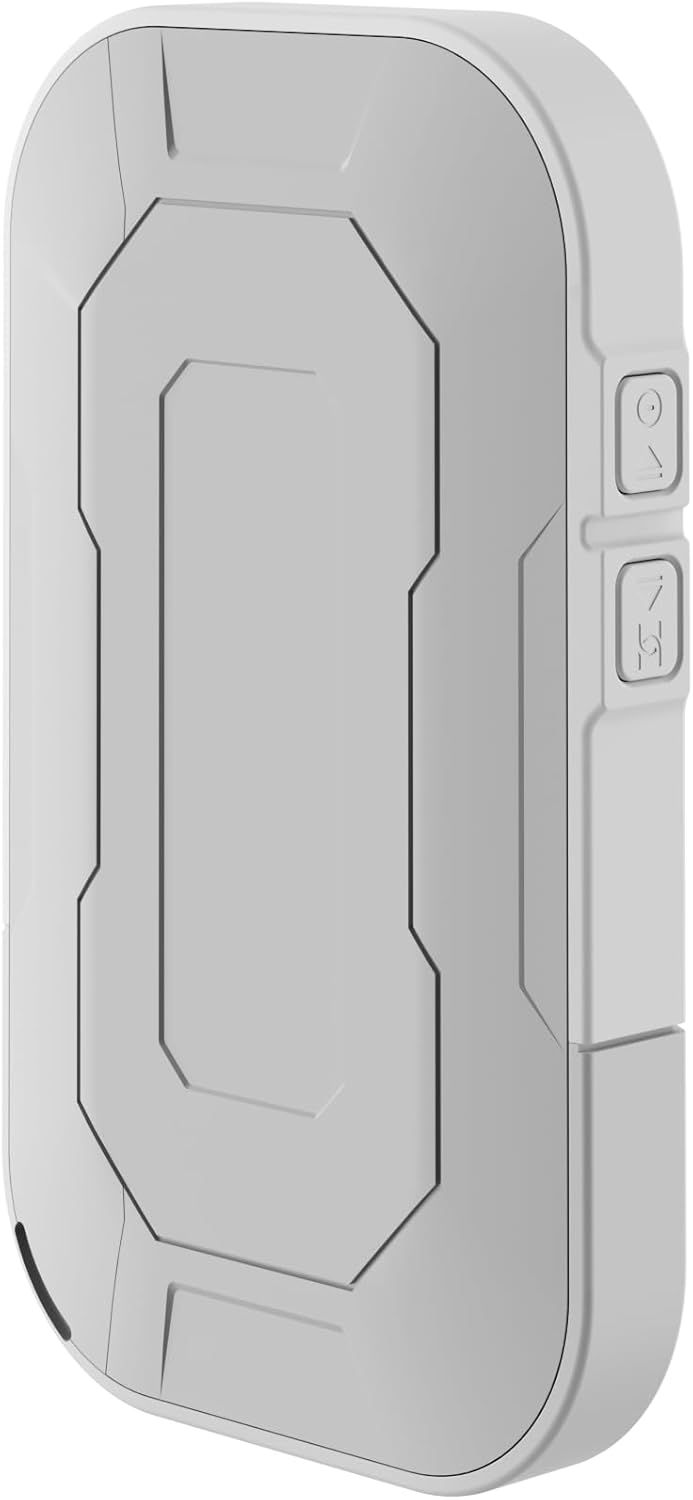
Figura 2: posterior view of the device, illustrating its compact and portable design.

Figura 3: lateral view displaying the USB Type-C port for charging and data transfer.

Figura 4: lateral view illustrating the physical buttons for power and navigation.
Configuració
1. Inserció de la targeta SIM
- Locate the SIM card slot, typically found under the battery cover.
- Carefully remove the back cover and the battery.
- Insert your standard-sized SIM card into the designated slot with the gold contacts facing down, ensuring it clicks into place.
- Reinsert the battery and replace the back cover.
2. Càrrega del dispositiu
- Connect the provided USB-A to USB Type-C cable to the device's charging port.
- Plug the other end into a USB power adapter (not included) or a computer's USB port.
- The battery indicator on the display will show charging status. Fully charge the device before first use.
3. Encès / apagat
- To power on, press and hold the Power button (refer to Figure 4) until the display lights up.
- To power off, press and hold the Power button until the shutdown prompt appears on the screen, then confirm.
Instruccions de funcionament
Connexió de dispositius mitjançant Wi-Fi
- Ensure the Roamer 4G is powered on and has established a 4G connection (indicated on the display).
- Al dispositiu amb Wi-Fi (telèfon intel·ligent, tauleta, ordinador portàtil), cerqueu les xarxes Wi-Fi disponibles.
- Locate the network name (SSID) displayed on the Roamer 4G's screen.
- Enter the Wi-Fi password (Key) also shown on the Roamer 4G's screen. Alternatively, you can scan the QR code displayed on the device's screen for quick connection.
- Your device should now be connected to the internet via the Roamer 4G hotspot.
Comprensió de la pantalla
The color display provides real-time information about your hotspot's status:
- Intensitat del senyal: Indicates the strength of the 4G cellular signal.
- Nivell de bateria: Mostra la càrrega restant de la bateria.
- Ús de dades: Displays current upload/download speeds and total data consumed.
- Informació de la xarxa: Provides details like SSID, password, and connected devices count.
Manteniment
Cura de la bateria
- Per maximitzar la durada de la bateria, eviteu exposar el dispositiu a temperatures extremes.
- Carregueu la bateria regularment, però eviteu deixar-la completament descarregada durant períodes prolongats.
- If the device will not be used for a long time, charge it to about 50% before storing.
Neteja
- Feu servir un drap suau, sec i sense borrissol per netejar l'exterior del dispositiu.
- No utilitzeu netejadors líquids, aerosols ni dissolvents.
Resolució de problemes
| Problema | Causa possible | Solució |
|---|---|---|
| Sense connexió a Internet | No SIM card inserted, SIM card not activated, no signal, data plan exhausted. | Ensure SIM is correctly inserted and active. Check signal strength on display. Verify data plan with your mobile operator. Try restarting the device. |
| No es pot connectar a la Wi-Fi | Incorrect password, device too far from hotspot, Wi-Fi disabled on hotspot. | Verify Wi-Fi password. Move closer to the hotspot. Ensure Wi-Fi is enabled on the Roamer 4G. |
| El dispositiu no s'encén | Battery is depleted, battery not inserted correctly. | Charge the device for at least 30 minutes. Ensure the battery is properly seated. |
Especificacions
| Característica | Detall |
|---|---|
| Marca | Keenetic |
| Model | KN-5110-01-EU |
| Dimensions | 12.1 x 8.2 x 4.7 cm |
| Pes | 200 grams |
| Tipus de bateria | Lithium-ion (1 required, included) |
| Tipus sense fil | 802.11b (Wi-Fi 6 compatible) |
| Tecnologia de connectivitat | LTE |
| Dispositius compatibles | PC (and other Wi-Fi enabled devices) |
| Característiques especials | LED Indicator, Color Display |
Informació de la garantia
For detailed warranty information, please refer to the warranty card included with your product or visit the official Keenetic weblloc web. Conserveu el comprovant de compra per a reclamacions de garantia.
Atenció al client
If you encounter any issues not covered in this manual or require further assistance, please contact Keenetic customer support. Visit the official Keenetic weblloc web per obtenir dades de contacte i recursos de suport.
També podeu visitar el Keenetic Store on Amazon per a més informació.


