Introducció
This manual provides detailed instructions for the ANCEL FX6100 OBD2 Bidirectional Scan Tool and the ANCEL AL-PB50 Automotive Circuit Tester. These tools are designed to assist in diagnosing vehicle issues, performing maintenance services, and testing electrical circuits. Please read this manual thoroughly before operating the devices to ensure proper use and to prevent damage.
Informació de seguretat
Always observe the following safety precautions when working on a vehicle:
- Utilitzeu una protecció ocular adequada.
- Keep clothing, hair, hands, and tools away from moving engine parts.
- Utilitzeu el vehicle en una zona ben ventilada.
- Assegureu-vos que el vehicle estigui en posició d'aparcament (P) o neutral (N) i que el fre d'estacionament estigui accionat.
- Turn off the ignition before connecting or disconnecting any test equipment.
- Be aware of hot engine components and exhaust systems.
- Eviteu el contacte amb l'àcid de la bateria.
- Do not use the tools if they appear damaged.
Producte acabatview
ANCEL FX6100 OBD2 Bidirectional Scan Tool
The ANCEL FX6100 is a professional diagnostic scan tool designed for comprehensive vehicle system analysis. It features a 6.2-inch screen and runs on Android 10.0. Key capabilities include bidirectional control, full system diagnostics, and over 15 maintenance reset functions.
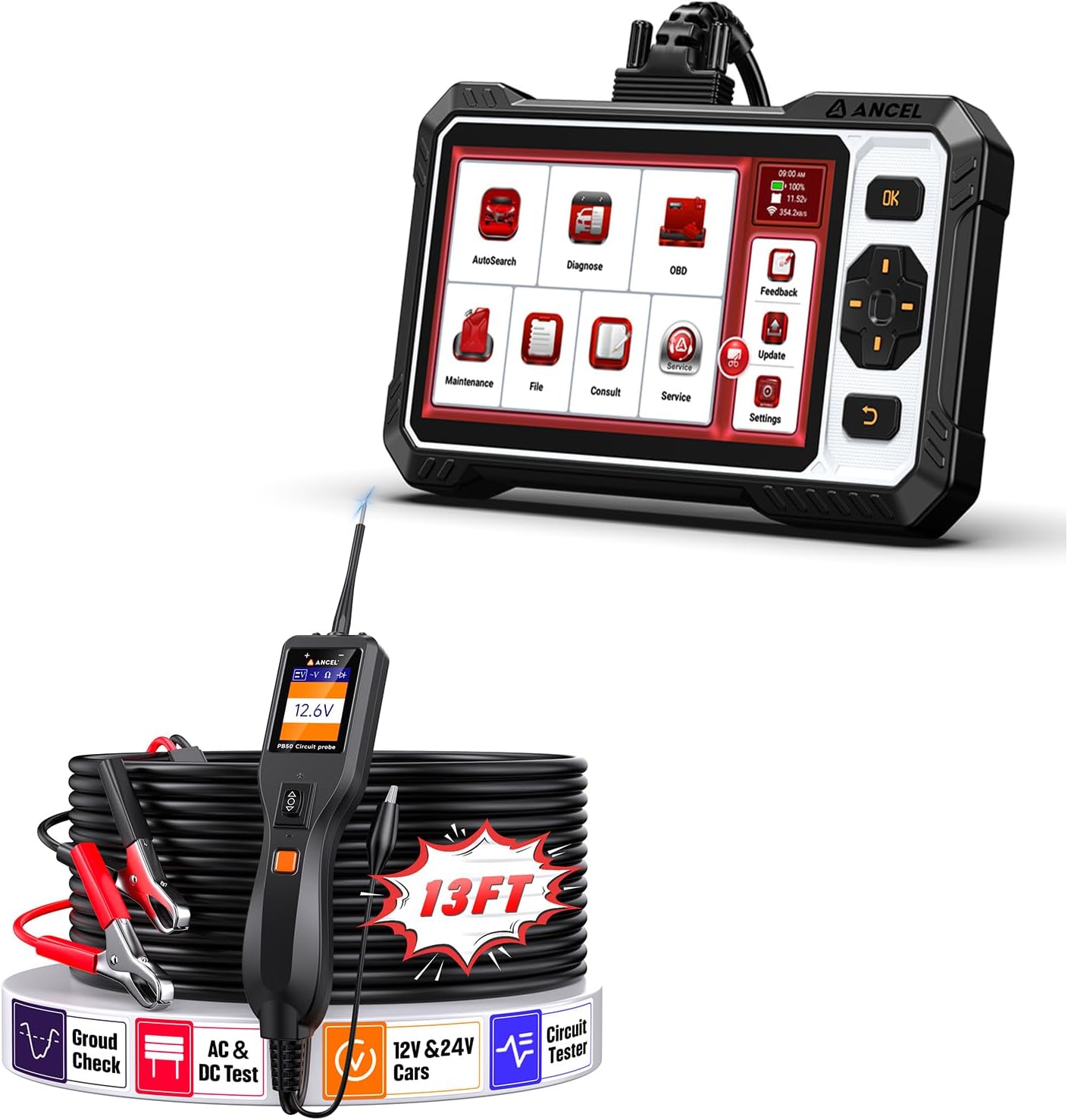
Image: The ANCEL FX6100 Bidirectional Scan Tool and the ANCEL AL-PB50 Automotive Circuit Tester, shown together with their accessories.
ANCEL AL-PB50 Automotive Circuit Tester
The ANCEL AL-PB50 is a 12V/24V power circuit probe tester used for quickly diagnosing electrical issues. It can send voltage and ground signals, activate components, and identify circuit polarity. It includes an auxiliary ground lead for ease of use.
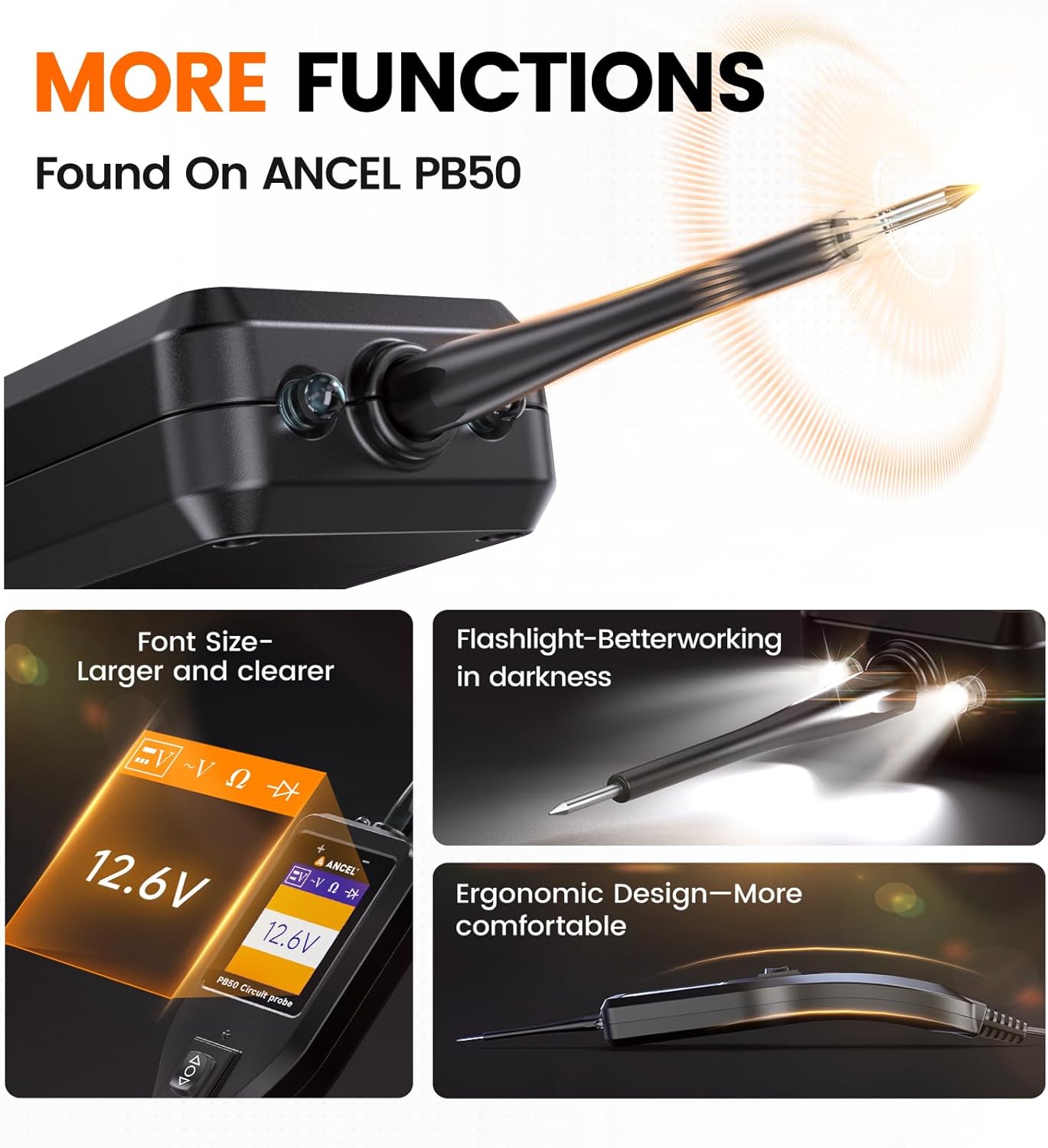
Imatge: Primer pla view of the ANCEL AL-PB50 Circuit Tester highlighting features such as adjustable font size, built-in flashlight, and ergonomic design.
Instruccions de configuració
Setting up the ANCEL FX6100 Scan Tool
- Encès: Connect the FX6100 to the vehicle's OBD2 port. The device will power on automatically.
- Configuració inicial: Follow the on-screen prompts to select language, time zone, and Wi-Fi settings.
- Actualització de programari: It is recommended to update the software to the latest version before first use. Navigate to the "Update" section on the main menu and follow the instructions.
Setting up the ANCEL AL-PB50 Circuit Tester
- Connecteu-vos a l'alimentació: Enganxeu el cl vermellamp al terminal positiu (+) de la bateria del vehicle i al cl negreamp to the negative (-) terminal or a good chassis ground.
- Auxiliary Ground Lead: For certain tests, connect the auxiliary ground lead to ensure a stable ground connection.
- Comprovació de potència: Once connected, the device display will show the current voltage, indicating it is ready for use.
Operating Instructions - ANCEL FX6100 Scan Tool
Navegació bàsica
The FX6100 features a touch-screen interface and physical buttons for navigation. Use the touch screen to select options or the directional pad and OK button for menu navigation.
Funcions de diagnòstic
From the main menu, select "Diagnose" to access vehicle diagnostic functions.
- AutoSearch: Automatically identifies the vehicle's VIN and retrieves vehicle information.
- Escaneig del sistema: Performs a comprehensive scan of all available electronic control units (ECUs) for fault codes.
- Llegir codis: Displays current, pending, and historic diagnostic trouble codes (DTCs).
- Codis clars: Erases DTCs from the vehicle's memory. Ensure the underlying issue is resolved before clearing codes.
- Dades en directe: Displays real-time data parameters from various sensors and components.
Bidirectional Control (Active Tests)
The FX6100 can send commands to the vehicle's ECU to perform active tests on specific components. This helps in pinpointing faults quickly.
- Procediment: Navigate to the "Diagnose" section, select the vehicle, then choose "Active Test" or "Bidirectional Control." Select the component you wish to test (e.g., injectors, coolant pump, wipers, mirrors, headlights).
- Observació: Observe the component's response to determine its operational status.

Image: Illustration of the ANCEL FX6100 performing bidirectional control, sending commands to activate components like wipers, mirrors, fuel injectors, and coolant pumps on a vehicle.

Image: Diagram showing the ANCEL FX6100's capability to diagnose all major vehicle systems, including ABS, Airbag, Engine, TPMS, BCM, EBS, HVAC, ESP, Transmission, and Instrument cluster.
Maintenance Services (Reset Functions)
The FX6100 offers over 15 lifetime free maintenance reset functions. Access these from the "Maintenance" section on the main menu.
- Reinicialització d'oli: Reinicia el sistema de control de la vida útil de l'oli després d'un canvi d'oli.
- Coincidència de bateries: Registers a new battery with the vehicle's battery management system.
- Restabliment de TPMS: Reinicia el sistema de control de pressió dels pneumàtics després de la rotació dels pneumàtics o la substitució del sensor.
- Restabliment de les pastilles de fre: Resets the electronic parking brake (EPB) system after brake pad replacement.
- Steering Angle Calibration: Calibra el sensor d'angle de direcció.
- Sagnat de l'ABS: Performs automated bleeding procedures for the anti-lock braking system.
- Regeneració del DPF: Initiates forced Diesel Particulate Filter regeneration.
- Altres serveis: Includes NOx Sensor Reset, Air/Fuel Ratio Reset, Gear Learning, AdBlue Reset, EGR Adaption, Electronics Throttle Adaption, Injector Coding, and Gearbox Learning.
Important: Ensure the software is updated before using reset functions for optimal performance.

Image: Visual representation of the 15+ maintenance services offered by the ANCEL FX6100, including Oil Reset, Battery Matching, Brake-pad Reset, Steering Angle Reset, TPMS Reset, and DPF Regeneration.
Actualitzacions de programari
Regular software updates ensure compatibility with new vehicle models and provide enhanced features. Connect the FX6100 to a Wi-Fi network and navigate to the "Update" section on the main menu to check for and install available updates.
Operating Instructions - ANCEL AL-PB50 Circuit Tester
Funcionament bàsic
Once connected to the vehicle's battery, the AL-PB50 displays the current voltage. The probe tip can be used to test circuits.
- Voltage/Ground Signals: Touch the probe tip to a circuit point. The display will show the voltage, and the LED indicator will light up (red for positive, green for negative).
- Prova de continuïtat: Use the auxiliary ground lead to test for continuity between two points.

Image: The ANCEL AL-PB50 Circuit Tester being used in an engine bay to locate various circuit issues such as fog lights failure, horn not responding, headlights out, and ignition issues.
Activació de components
The AL-PB50 can activate components by supplying a positive or negative signal. This is useful for testing components directly.
- Procediment: Connect the probe to the component's power or ground wire. Press the appropriate button on the tester to send a positive or negative signal.
- Examples: Activate car lights, motors, windshield wipers, radiator fans, etc., to verify their functionality.
Polarity Identification
The AL-PB50 quickly identifies the polarity of a circuit. A red light indicates a positive circuit, and a green light indicates a negative circuit.

Image: The ANCEL AL-PB50 Circuit Tester demonstrating polarity identification, showing a red light for a positive circuit and a green light for a negative circuit.
Protecció de sobrecàrrega
The AL-PB50 features built-in overload protection. If an overload is detected, a buzzer warning will sound, and the device will temporarily cut power to prevent damage.
Manteniment
- Neteja: Netegeu els dispositius amb un drap suauamp tela. No utilitzeu netejadors abrasius ni dissolvents.
- Emmagatzematge: Store the tools in a dry, clean environment, away from extreme temperatures and direct sunlight.
- Cura del cable: Inspect cables and connectors regularly for signs of wear or damage. Replace if necessary.
- Software Updates (FX6100): Regularly check for and install software updates to ensure optimal performance and compatibility.
Resolució de problemes
ANCEL FX6100 Scan Tool
- El dispositiu no s'encén:
- Ensure the OBD2 cable is securely connected to the vehicle's OBD2 port.
- Verify the vehicle's battery has sufficient charge.
- Error de comunicació amb el vehicle:
- Check if the vehicle's ignition is on.
- Ensure the OBD2 connector is clean and free of debris.
- Try connecting to a different vehicle to rule out a device issue.
- Software update fails:
- Ensure a stable Wi-Fi connection.
- Check for sufficient storage space on the device.
- Reinicieu el dispositiu i torneu-ho a provar.
ANCEL AL-PB50 Circuit Tester
- No power display:
- Ensure the red and black clamps are securely connected to the vehicle's battery terminals.
- Verify the vehicle's battery has power.
- Overload warning constantly triggers:
- The circuit being tested may draw too much current. Do not exceed the tester's specified current limits.
- Ensure the probe tip is not shorting across terminals.
- Incorrect polarity reading:
- Ensure the probe tip is making good contact with the circuit.
- Verify the auxiliary ground lead (if used) is properly connected.
Especificacions
ANCEL FX6100 OBD2 Scan Tool
- Sistema operatiu: Android 10.0
- Mida de la pantalla: 6.2 polzades
- Connectivitat: OBD2, Wi-Fi
- Funcions: Bidirectional Control, Full System Diagnostics, 15+ Reset Services
- Actualitzacions: Actualitzacions gratuïtes de per vida
ANCEL AL-PB50 Automotive Circuit Tester
- Vol. Operatiutage: 12 V - 24 V CC
- Funcions: Voltage/Ground Signal Testing, Component Activation, Polarity Identification, Continuity Test
- Protecció: Protecció de sobrecàrrega
- Característiques: Built-in Flashlight, Ergonomic Design
Note: Specifications are subject to change without prior notice. Refer to the product packaging or official ANCEL weblloc per obtenir la informació més actualitzada.
Garantia i Suport
For warranty information, technical support, or service inquiries, please contact ANCEL customer support through their official website or the contact details provided with your product packaging. Keep your purchase receipt as proof of purchase for warranty claims.
Official ANCEL Weblloc: www.anceltech.com


