Introducció
This user manual provides detailed instructions for the operation, maintenance, and troubleshooting of your Trevi GO 2600 4K Action Cam. Please read this manual thoroughly before using the device to ensure proper functionality and to prevent damage.
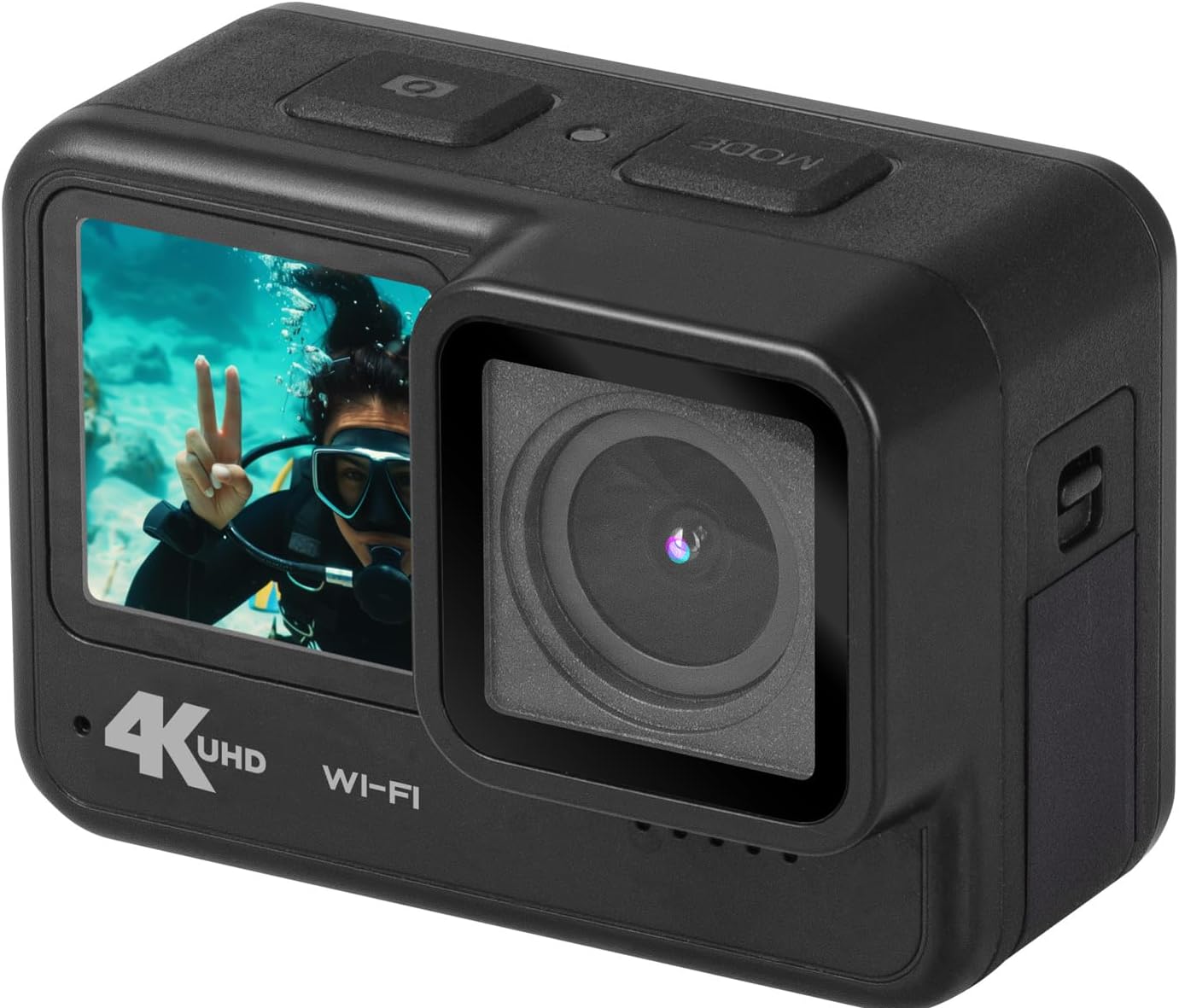
Figure 1: Trevi GO 2600 4K Action Cam, angled view showing front and side.
Característiques del producte
- Vídeo 4K Ultra HD: Records crisp videos at 4K@30fps.
- High-Resolution Photos: Captures still images up to 20MP.
- Dual IPS Displays: Features a 2-inch rear touchscreen for settings and playback, and a 1.3-inch front display for selfies and vlogging.
- Connectivitat Wi-Fi: Connects to your smartphone via a dedicated app for live viewing and content sharing.
- Lent gran angular: 140° wide-angle lens captures a broad field of view.
- Micròfon integrat: Ensures clear audio recording.
- Ús versàtil: Functions as a video camera, still camera, and weblleva.
- Port USB tipus C: Per a la transferència de dades i la càrrega.
- Emmagatzematge ampliable: Supports Micro-SD cards up to 128GB (not included).
- Bateria recarregable: Internal rechargeable lithium battery for extended use.

Figura 2: Frontal view of the Trevi GO 2600 4K Action Cam, highlighting the dual display.
Contingut del paquet
Verifiqueu que tots els elements que s'enumeren a continuació s'inclouen al vostre paquet:
- Trevi GO 2600 4K Action Cam
- Cable USB tipus C (per a càrrega i transferència de dades)
- Mounting Kit (for handlebars, sports helmets, and underwater equipment)
- Manual d'usuari (aquest document)
- Certificat de garantia
- List of Service Centers

Figure 3: Included accessories for the Trevi GO 2600 4K Action Cam.
Configuració
1. Càrrega de la bateria
The Trevi GO 2600 4K Action Cam comes with an internal rechargeable lithium battery. Before first use, fully charge the battery.
- Connect the supplied USB Type-C cable to the camera's USB Type-C port.
- Connecteu l'altre extrem del cable a un adaptador de corrent USB (no inclòs) o al port USB d'un ordinador.
- El llum indicador de càrrega s'il·luminarà. S'apagarà o canviarà de color quan la càrrega s'hagi completat.
2. Instal·lació de la targeta MicroSD
A MicroSD card (up to 128GB, Class 10 or higher recommended) is required for recording videos and photos. The card is not included.
- Localitza la ranura per a targetes MicroSD al lateral de la càmera.
- Gently open the protective cover.
- Introduïu la targeta MicroSD amb els contactes daurats mirant cap a la part posterior de la càmera fins que encaixi al seu lloc.
- Close the protective cover firmly to ensure water resistance.

Figura 4: lateral view of the camera, indicating the location of the port cover for MicroSD card and USB-C port.
3. Muntatge de la càmera
Use the included mounting kit to attach your camera to various surfaces or equipment.
- Refer to the specific bracket instructions for mounting on handlebars, helmets, or underwater gear.
- Ensure the camera is securely fastened to prevent accidental detachment during use.
Instruccions de funcionament
1. Encendre/apagar
- Per encendre: Press and hold the Power/Mode button (usually on top or front) for a few seconds until the display illuminates.
- Per apagar: Premeu i manteniu premut el botó d'engegada/mode de nou fins que la pantalla s'apagui.
2. Using Dual Displays
- Rear Touchscreen (2-inch): Use this display to navigate menus, change settings, and review foo gravattage. Tap and swipe as you would on a smartphone.
- Front Display (1.3-inch): This display is ideal for framing selfies or vlogs, allowing you to see yourself while recording.
3. Gravació de vídeo
- Ensure the camera is in video recording mode. If not, press the Mode button to cycle through modes until the video icon is displayed.
- Press the Shutter/OK button (usually on top) to start recording. A red dot or recording indicator will appear on the screen.
- Press the Shutter/OK button again to stop recording. The video file will be saved to the MicroSD card.
4. Fer fotos
- Switch to photo mode by pressing the Mode button until the camera icon is displayed.
- Frame your shot using either the front or rear display.
- Press the Shutter/OK button to take a photo. The image will be saved to the MicroSD card.
5. Wi-Fi Connectivity and App
The camera can connect to your smartphone via Wi-Fi for remote control, live preview, i file transferència.
- Download the dedicated Trevi action cam app from your smartphone's app store.
- On the camera, enable Wi-Fi (refer to the camera's on-screen menu for Wi-Fi settings).
- On your smartphone, connect to the camera's Wi-Fi network (SSID and password will be displayed on the camera screen).
- Obre l'aplicació per controlar la càmera, view viu footage, i descarregar files.

Figura 5: lateral view of the camera, showing buttons that may include Wi-Fi activation.
6. WebFunció de càmera
The Trevi GO 2600 4K can be used as a webcàmera per a videotrucades.
- Connect the camera to your computer using the USB Type-C cable.
- Selecciona "Webcam Mode" on the camera's display if prompted.
- L'ordinador hauria de reconèixer la càmera com a webcam. Select it as the video input device in your video conferencing software.
Manteniment
1. Neteja
- Use a soft, lint-free cloth to clean the camera body and displays.
- Per a la lent, feu servir un drap i una solució especials per netejar lents. Eviteu materials abrasius.
- Ensure the camera is dry before closing any ports or covers, especially after underwater use.
2. Emmagatzematge
- Guardeu la càmera en un lloc fresc i sec, allunyat de la llum solar directa i de temperatures extremes.
- Si l'emmagatzemeu durant un període prolongat, assegureu-vos que la bateria estigui parcialment carregada (al voltant del 50%) per allargar-ne la vida útil.
3. Impermeabilització
The Trevi GO 2600 4K is designed to be water-resistant. However, always ensure all port covers and the battery/MicroSD card compartment are securely closed before exposing the camera to water, especially for underwater activities.
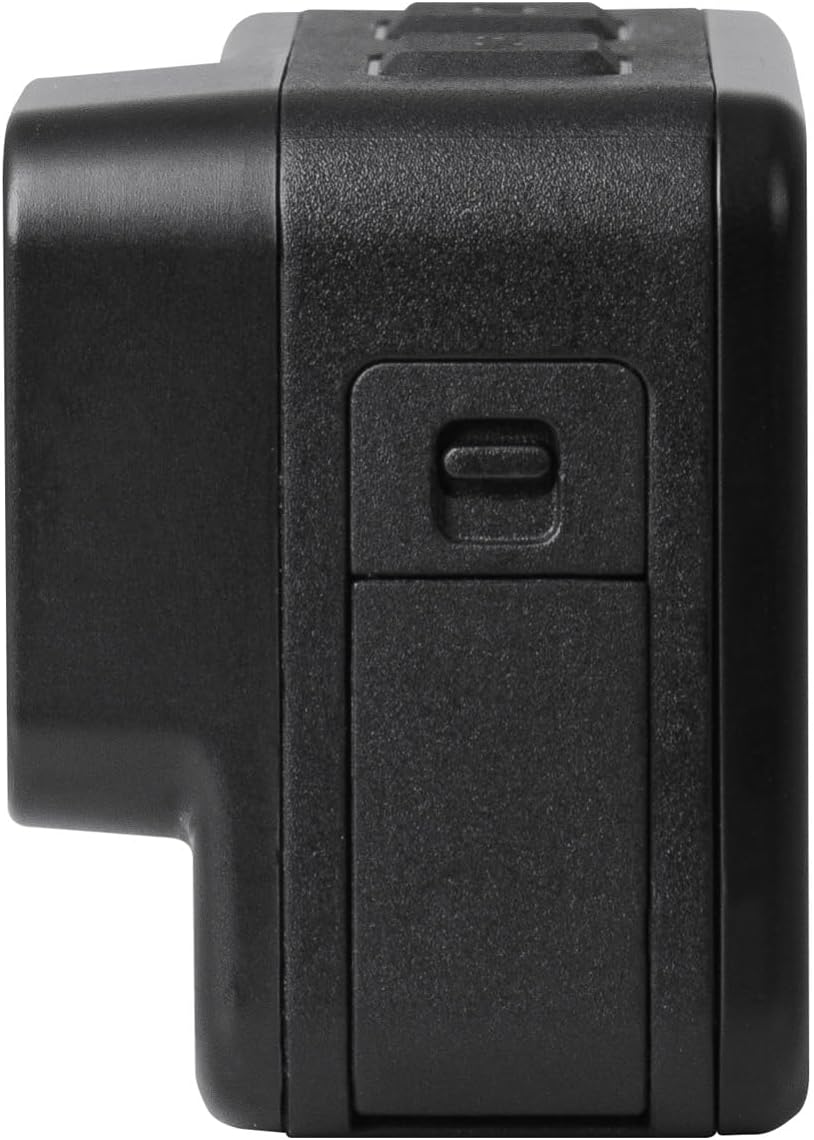
Figure 6: The Trevi GO 2600 4K Action Cam demonstrating its water resistance.
Resolució de problemes
| Problema | Causa possible | Solució |
|---|---|---|
| La càmera no s'encén. | La bateria està esgotada o no carregada. | Charge the battery fully using the USB Type-C cable. |
| No es poden gravar vídeos/fer fotos. | No hi ha cap targeta MicroSD inserida o la targeta està plena/corrompuda. | Insert a MicroSD card. Format the card if it's new or corrupted. Delete old files if full. |
| Problemes de connexió Wi-Fi. | Incorrect Wi-Fi password or app issues. | Ensure correct password. Restart camera and smartphone. Reinstall the app if necessary. |
| Mala qualitat de vídeo/fotos. | L'objectiu està brut o les condicions d'il·luminació són dolentes. | Clean the lens. Ensure adequate lighting. Check resolution settings. |
Especificacions
| Característica | Detall |
|---|---|
| Número de model | 26004K00 |
| Resolució de vídeo | Up to 4K@30fps (also 1080p@60/30fps) |
| Resolució fotogràfica | Fins a 20MP |
| Sensor d'imatge | Sony IMX175 (CMOS Technology) |
| Còdec de vídeo | H.264 (MPEG format) |
| Pantalla posterior | Pantalla tàctil IPS de 2 polzades |
| Pantalla frontal | Pantalla IPS de 1.3 polzades |
| Angle de la lent | Gran angular de 140° |
| Connectivitat | Wi-Fi, USB tipus C |
| Emmagatzematge | Targeta Micro-SD de fins a 128 GB (no inclosa) |
| Bateria | Internal Rechargeable Lithium |
| Dimensions | 11 x 10 x 9 cm |
| Pes | 340 grams |
| Ús recomanat | Activitats a l'aire lliure |
Garantia i Suport
Your Trevi GO 2600 4K Action Cam comes with a warranty. Please refer to the included Certificat de garantia for specific terms and conditions regarding coverage and duration.
For technical assistance, repairs, or any product-related inquiries, please consult the List of Service Centers provided in your package. You may also visit the official Trevi weblloc per obtenir més informació de suport.
Política de devolució: If you wish to return a product within 30 days of receipt because you have changed your mind, please consult the Amazon return policy page. If you have received a defective or damaged product, please consult the Amazon help page for defective/damaged products. For specific information on purchases made on the Marketplace, please consult the Amazon help page for Marketplace purchases.


