Introducció
Thank you for choosing the NUBWO HG03 USB Gaming Headset. This manual provides detailed instructions for setting up, operating, and maintaining your headset to ensure optimal performance and an immersive gaming experience. The HG03 headset features 7.1 surround sound, a dedicated FPS mode, and a noise-canceling microphone, designed for PC and console gaming.
Contingut del paquet
Si us plau, verifiqueu que tots els elements siguin presents al vostre paquet:
- 1 x NUBWO HG03 USB Gaming Headset
- 1 x Manual d'usuari (aquest document)

Imatge: The NUBWO HG03 USB Gaming Headset, showcasing its white and black design with the attached microphone and in-line controller.
Característiques del producte
- FPS 3D Spatial Sound: Experience precise directional audio, allowing you to identify in-game sounds like footsteps and gunfire from various angles. This feature is enabled via plug-and-play USB connectivity.
- One-Click FPS Mode: Activate a dedicated FPS mode with a single button press on the in-line controller. This mode enhances high frequencies to help pinpoint enemy movements.
- Micròfon amb cancel·lació de soroll: The directional microphone is designed to provide clear voice communication by suppressing background noise, such as keyboard clicks. Its memory-steel core boom allows for flexible positioning.
- Comfortable and Durable Design: Weighing approximately 280g, the headset features breathable fabric-wrapped memory foam ear cushions for extended wear. The lightweight aluminum headband offers flexibility and durability.
- Compatibilitat USB universal: Connects via USB to PC (Windows 7/8/10), PS4/PS5 consoles, and laptops. Note: This headset connects via USB only and does not support direct connection to console controllers.
Instruccions de configuració
- Connecteu els auriculars: Plug the USB connector of the NUBWO HG03 headset into an available USB port on your PC, laptop, PS4, or PS5 console.
- Instal·lació del controlador (PC): For Windows 7/8/10, the necessary drivers should install automatically upon connection. If not, check your operating system's sound settings.
- Configuració de la sortida d'àudio:
- Per a PC: Navigate to your sound settings (Right-click the speaker icon in the taskbar > Sound Settings or Playback Devices). Select "NUBWO HG03" as your default playback and recording device.
- Per a PS4/PS5: Go to Settings > Sound > Audio Output. Select "NUBWO HG03" as the output device. Ensure "Output to Headphones" is set to "All Audio".
- Configuració del micròfon:
- Adjust the flexible microphone boom to a comfortable position near your mouth.
- In your device's sound settings, ensure "NUBWO HG03" is selected as the default input device and adjust the microphone volume level.
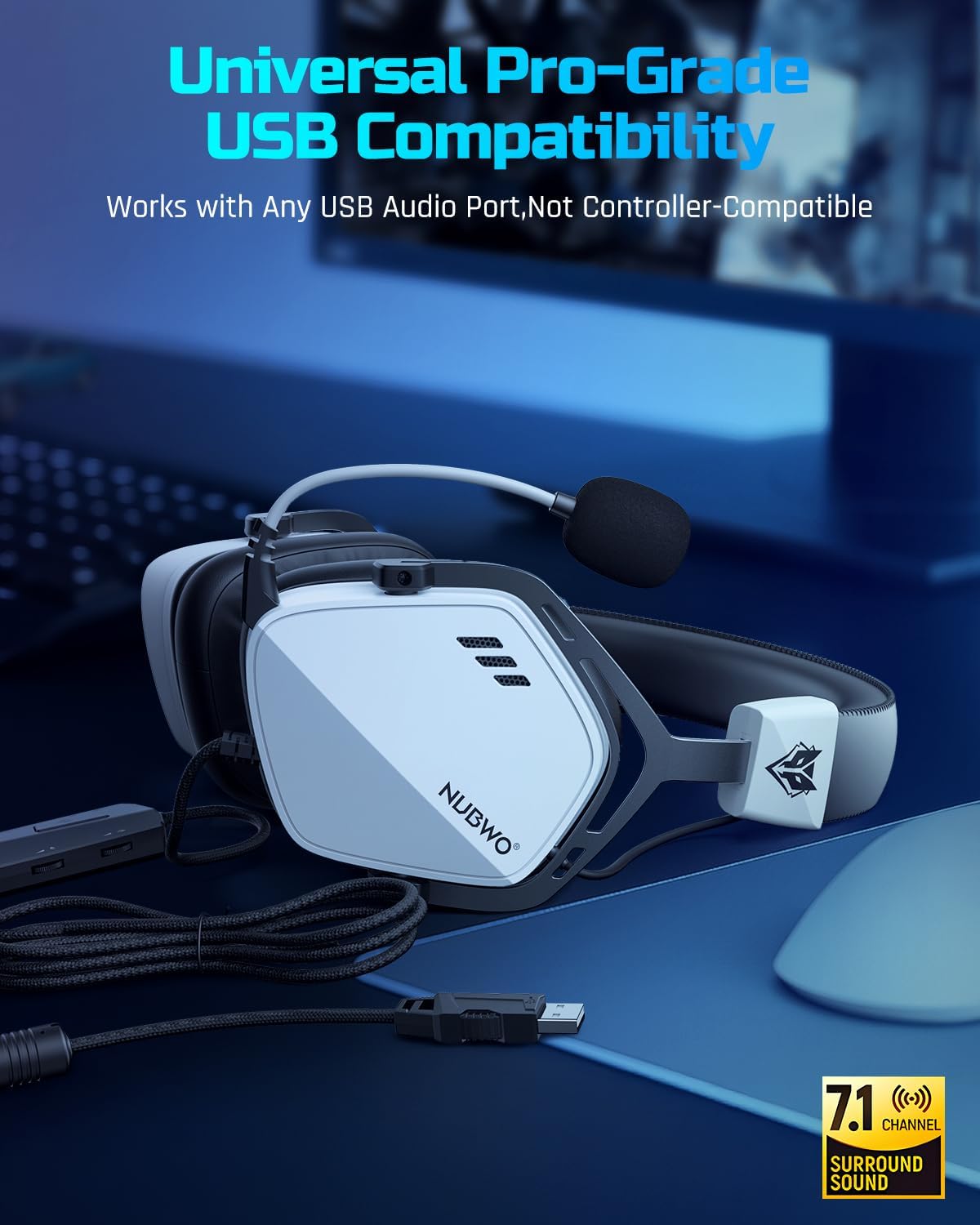
Imatge: The USB connector of the NUBWO HG03 headset, illustrating its plug-and-play compatibility with various devices.
Instruccions de funcionament
In-line Controller Functions

Imatge: Close-up of the NUBWO HG03 in-line controller, showing the volume scroll wheel, mic mute switch, and FPS mode button.
- Master Volume Scroll Wheel: Located on the side of the in-line controller, rotate it up or down to adjust the overall audio volume.
- Interruptor de silenci del micròfon: A physical switch on the controller allows you to quickly mute or unmute your microphone.
- FPS Mode Button: Press this button to toggle the dedicated FPS audio mode on or off. This mode enhances specific frequencies for improved positional audio in games.
FPS 3D Spatial Sound
The headset's 3D spatial audio technology provides enhanced directional sound. When active, this feature helps you perceive the location of in-game sounds with greater accuracy, which is particularly beneficial in first-person shooter (FPS) games.

Imatge: A visual representation of the FPS 3D Spatial Sound feature, showing how sound cues are enhanced for positional awareness in gaming.
Ús del micròfon
The flexible microphone can be adjusted to your preferred position. Ensure it is close to your mouth for optimal voice clarity. The noise-canceling feature works to reduce ambient sounds, focusing on your voice for clear communication with teammates.

Imatge: A user wearing the NUBWO HG03 headset, demonstrating the adjustable noise-canceling microphone positioned for clear communication.
Compatibilitat
The NUBWO HG03 USB Gaming Headset is compatible with the following devices:
- PC (Windows 7, Windows 8, Windows 10)
- Portàtils
- PlayStation 4 (PS4)
- PlayStation 5 (PS5)
Nota important:
This headset connects exclusively via USB. It does not support direct connection to console controllers via a 3.5mm audio jack.
Manteniment
To ensure the longevity and optimal performance of your NUBWO HG03 headset, follow these maintenance guidelines:
- Neteja: Use a soft, dry cloth to wipe down the headset and ear cushions. For stubborn dirt, a slightly damp cloth can be used, but ensure no moisture enters the speaker grilles or USB port.
- Emmagatzematge: Guardeu els auriculars en un lloc fresc i sec, allunyat de la llum solar directa i de temperatures extremes. Eviteu col·locar objectes pesats a sobre dels auriculars.
- Cura del cable: Avoid sharp bends or excessive pulling on the USB cable. Do not wrap the cable too tightly around the headset.
- Cura del micròfon: Handle the microphone boom gently. Avoid twisting or forcing it into extreme positions.
Resolució de problemes
| Problema | Causa possible | Solució |
|---|---|---|
| No hi ha so dels auriculars. |
|
|
| El micròfon no funciona. |
|
|
| Sound quality issues (e.g., distorted audio). |
|
|
Especificacions
| Característica | Detall |
|---|---|
| Nom del model | HG03 |
| Tecnologia de connectivitat | Amb cable (USB) |
| Conector d'auriculars | USB |
| Tipus de controlador d'àudio | Conductor dinàmic |
| Mida del controlador d'àudio | 50 mil·límetres |
| Resposta de freqüència | 20 Hz - 20,000 Hz |
| Sensibilitat | 96 dB |
| Impedància | 32 ohms |
| Característica especial | Surround Sound, Noise-Canceling Microphone |
| Tipus de control | Button Control (In-line controller) |
| Pes de l'article | 14.9 unces (aprox. 280 g) |
| Dimensions del producte | 4.33 x 6.3 x 8.15 polzades |
| Material | Plastic (with aluminum headband) |
| Color | Blanc |
| Dispositius compatibles | Desktops, Laptops, PS4, PS5 |
Garantia i Suport
The NUBWO HG03 USB Gaming Headset comes with a Garantia de dos anys des de la data de compra. Aquesta garantia cobreix els defectes de fabricació i garanteix que el producte funcioni tal com està previst en condicions d'ús normal.
For any questions, technical assistance, or warranty claims, please contact NUBWO Customer Support. We offer 24-hour customer-friendly support service to assist you.
Please refer to the official NUBWO weblloc web o la documentació de compra per obtenir dades de contacte específiques.


