1. Introducció
Thank you for choosing the PEICHENG Android 15.0 10-inch Tablet. This manual provides essential information for setting up, operating, and maintaining your device. Please read it thoroughly to ensure optimal performance and longevity of your tablet.
2. Què hi ha a la caixa
En desempaquetar, comproveu que hi hagi tots els elements que s'enumeren a continuació:
- PEICHENG Android 15.0 10-inch Tablet
- Teclat Bluetooth
- Ratolí sense fil
- Bolígraf
- Funda protectora plegable
- Cable de càrrega USB
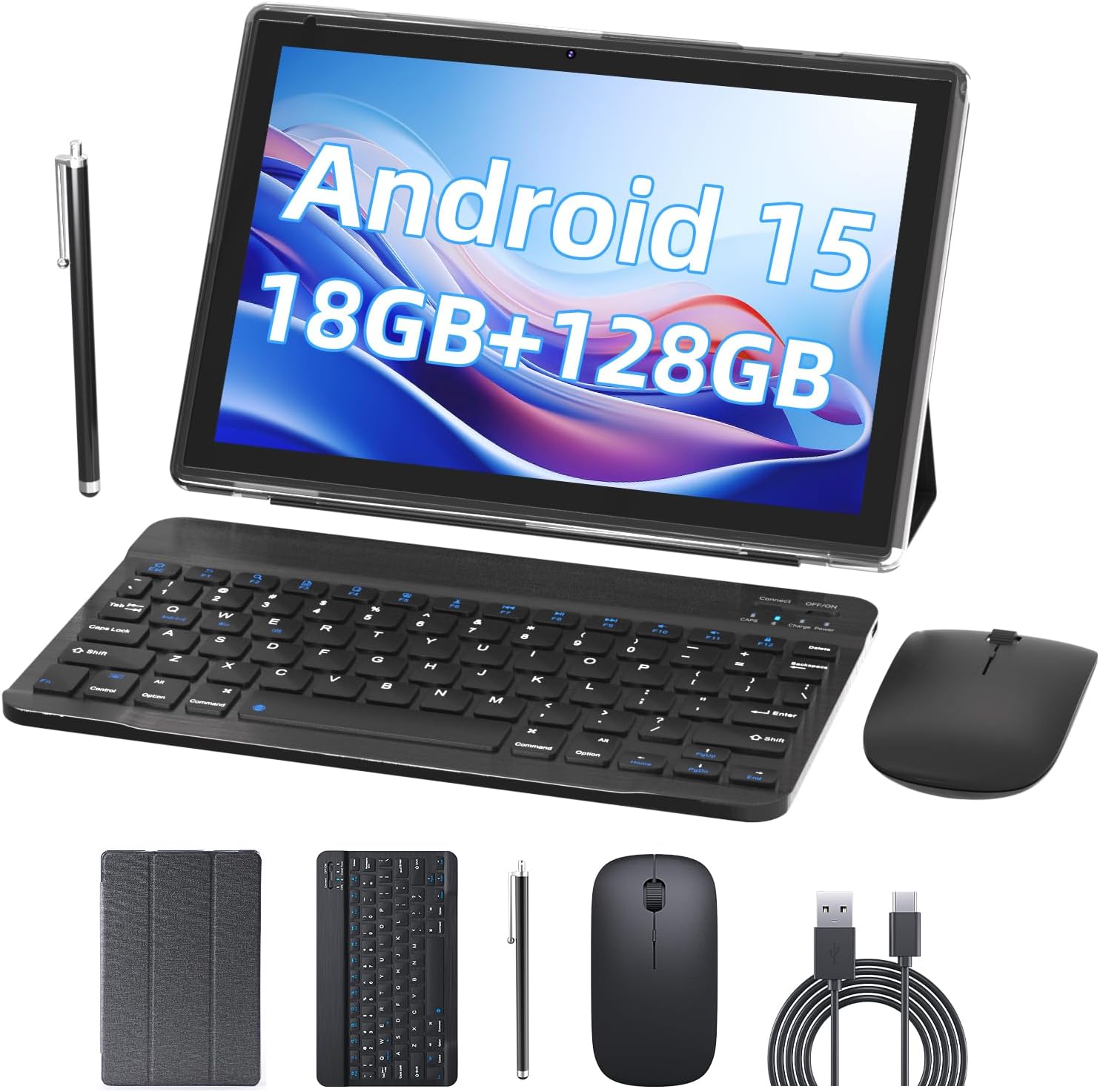
Image 2.1: Contents of the PEICHENG Tablet package, including the tablet, keyboard, mouse, stylus, case, and charging cable.
3. Producte acabatview
The PEICHENG 10-inch Tablet is designed for versatility and performance. It features a 10.1-inch IPS display, front and rear cameras, and various ports for connectivity. Familiarize yourself with the device's layout for ease of use.
3.1 Components clau
- Visualització: 10.1-inch IPS touchscreen (1280x800 resolution).
- Càmeres: Càmera posterior de 8MP, càmera frontal de 2MP.
- Ports: USB-C port for charging and data transfer, MicroSD card slot.
- Botons: Power button, Volume Up/Down.
4. Configuració
4.1 Càrrega inicial
Before first use, fully charge your tablet using the provided USB charging cable and a compatible power adapter. The charging indicator will typically show progress and turn off when fully charged.
4.2 Engegada/apagada
- Per encendre: Manteniu premut el botó d'engegada fins que la pantalla s'encengui.
- Per apagar: Mantingueu premut el botó d'engegada i, a continuació, seleccioneu "Apagar" de les opcions que apareixen a la pantalla.
4.3 Configuració inicial
Upon first startup, follow the on-screen prompts to:
- Seleccioneu el vostre idioma preferit.
- Connecteu-vos a una xarxa Wi-Fi.
- Inicia la sessió amb el teu compte de Google o crea'n un de nou.
- Set up security features (PIN, pattern, or password).

Image 4.1: The PEICHENG Tablet configured for use with its accessories, suitable for various tasks.
5. Instruccions de funcionament
5.1 Sistema operatiu Android 15.0
Your tablet runs on the Android 15.0 operating system, offering a user-friendly interface and access to a vast ecosystem of applications via the Google Play Store.
5.2 Navegació bàsica
- Llisca: Move your finger across the screen to scroll through content or switch between home screens.
- Toca: Toqueu una icona o un element una vegada per obrir-lo o seleccionar-lo.
- Premsa llarga: Press and hold an item for additional options or to move it.
- Pessiga per fer zoom: Feu servir dos dits per ampliar o reduir les imatges i web pàgines.
5.3 Gestió d'aplicacions
Download and install applications from the Google Play Store. To uninstall an app, long-press its icon and drag it to the 'Uninstall' option.
5.4 Característiques de visualització
The 10.1-inch IPS display provides clear visuals. Utilize the 'Reading Mode' feature in the display settings to reduce harmful blue light, enhancing comfort during extended reading sessions.

Image 5.1: The tablet screen showcasing multiple applications and web content, demonstrating its multitasking capabilities.
6. Accessoris
Your PEICHENG Tablet comes with a suite of accessories to enhance its functionality.
6.1 Teclat Bluetooth
Maridatge: Turn on the keyboard and enable Bluetooth on your tablet. Cerca available devices and select the keyboard to pair. Once connected, you can use it for typing, similar to a laptop.
6.2 ratolí sense fil
Maridatge: Similar to the keyboard, turn on the mouse and enable Bluetooth on your tablet. Pair the mouse through the Bluetooth settings. The mouse provides precise navigation and control.
Llapis llapis 6.3
The stylus allows for more precise input, drawing, and note-taking on the touchscreen. No pairing is required for basic functionality.
6.4 funda protectora
The foldable protective case safeguards your tablet from scratches and minor impacts. It also functions as a stand, allowing for comfortable viewangles d'escriptura i escriptura.

Image 6.1: The PEICHENG Tablet with its keyboard and mouse, demonstrating its capability as a portable workstation.
7. Gestió de la bateria
The tablet is equipped with a 6000mAh battery, providing extended usage time.
7.1 Càrrega
Use the provided USB-C cable to charge the tablet. It is recommended to use a compatible charger to ensure efficient and safe charging.
7.2 Battery Life Tips
- Redueix la brillantor de la pantalla.
- Desactiva el Wi-Fi i el Bluetooth quan no estiguin en ús.
- Tanca les aplicacions que no s'utilitzen i que s'executen en segon pla.
- Enable power-saving modes in settings.
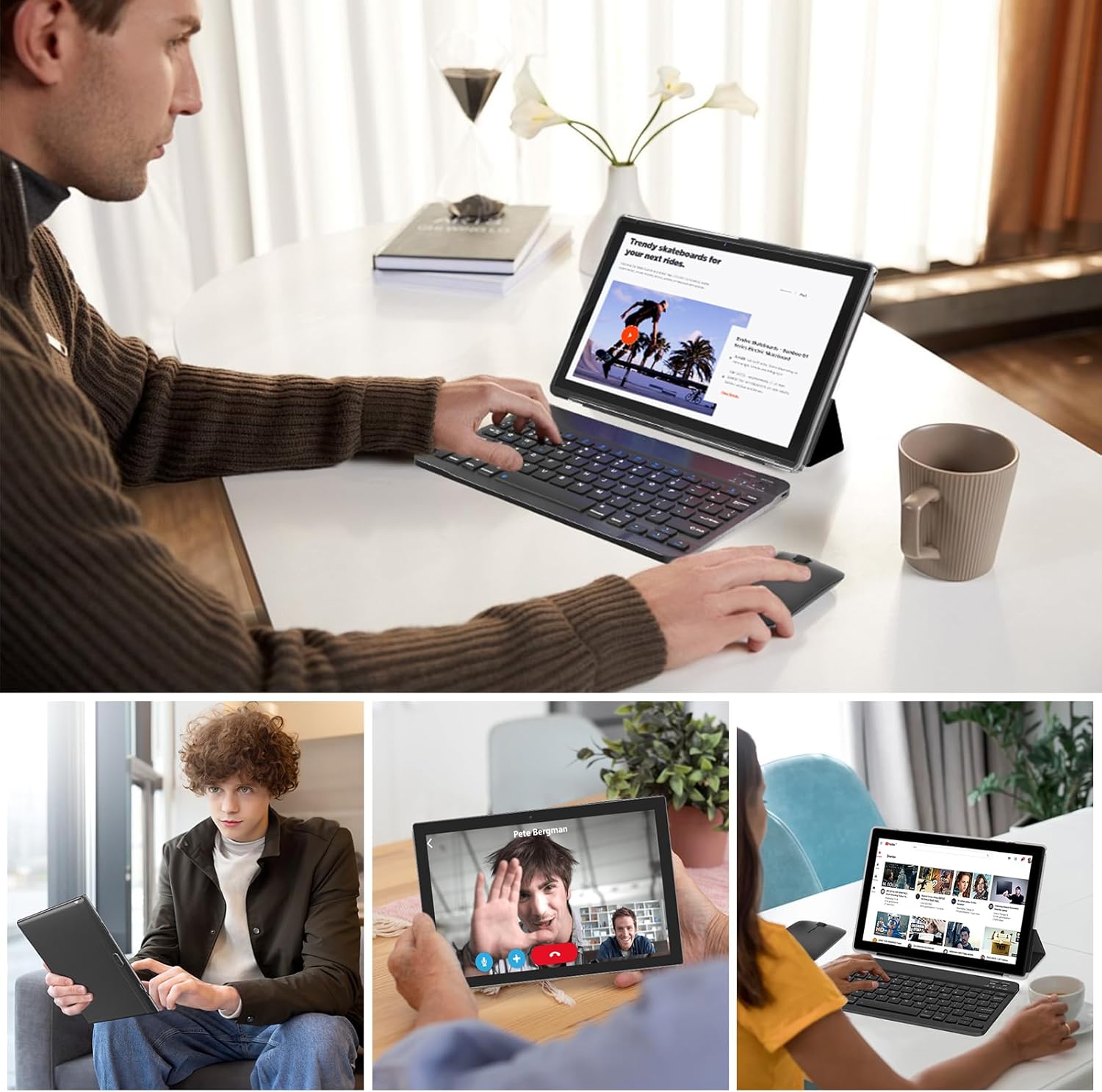
Image 7.1: Visual representation of the tablet's 6000mAh battery, highlighting its extended endurance.
8. Connectivitat
8.1 Wi-Fi 6.0
The tablet supports 2.4GHz and 5GHz Wi-Fi 6.0, providing faster and more stable wireless connections. To connect, go to Configuració > Xarxa i Internet > Wi-Fi, select your network, and enter the password.
8.2 Bluetooth 5.0
Bluetooth 5.0 allows for efficient connection to wireless accessories like headphones, speakers, and the included keyboard and mouse. Enable Bluetooth in Configuració> Dispositius connectats> Preferències de connexió> Bluetooth and pair your devices.
9. Ampliació d'emmagatzematge
The tablet comes with 128GB of internal storage and 18GB RAM (6GB physical + 12GB virtual). For additional storage, you can expand it up to 2TB using a MicroSD card (not included). Insert the MicroSD card into the designated slot on the tablet.

Image 9.1: The tablet's storage capabilities, highlighting its 18GB RAM, 128GB internal storage, and support for up to 2TB MicroSD expansion.
10. Ús de la càmera
The tablet features an 8MP rear camera and a 2MP front camera. Open the Camera app to capture photos and videos. The front camera is ideal for video calls and selfies.
11. Manteniment
11.1 Neteja
Use a soft, lint-free cloth to clean the screen and body of the tablet. Avoid using harsh chemicals or abrasive materials. For stubborn smudges, a screen cleaner designed for electronics can be used sparingly.
11.2 Actualitzacions de programari
Comproveu i instal·leu regularment si hi ha actualitzacions de programari per assegurar-vos que la tauleta tingui les darreres funcions, pegats de seguretat i millores de rendiment. Aneu a Configuració > Sistema > Actualització del sistema.
12. Solució De Problemes
Si teniu problemes amb la tauleta, consulteu les solucions habituals següents:
- El dispositiu no s'encén: Assegureu-vos que la bateria estigui carregada. Connecteu el carregador i espereu uns minuts abans d'intentar tornar-lo a engegar.
- La pantalla no respon: Try restarting the tablet by holding the Power button for about 10-15 seconds.
- Problemes de connexió Wi-Fi: Restart your Wi-Fi router and the tablet. Forget the network in tablet settings and reconnect.
- Les aplicacions es bloquegen: Esborra la memòria cau de l'aplicació problemàtica (Configuració > Aplicacions > [Nom de l'aplicació] > Emmagatzematge i memòria cau > Esborra la memòria cau). Si el problema persisteix, prova de reinstal·lar l'aplicació.
- Rendiment lent: Tanqueu les aplicacions que no feu servir, esborreu la memòria cau i assegureu-vos que hi hagi prou espai d'emmagatzematge. Considereu un restabliment de fàbrica com a últim recurs (Configuració > Sistema > Opcions de restabliment > Esborra totes les dades (restabliment de fàbrica) - Note: This will delete all data on your tablet. Back up important files primer.).
13. Especificacions
| Característica | Especificació |
|---|---|
| Marca | PEICHENG |
| Nom del model | 10.1 inch Tablet |
| Sistema operatiu | Android 15.0 |
| Mida de la pantalla | 10.1 polzades |
| Resolució de pantalla màxima | IPS de 1280 x 800 |
| RAM | 18GB (6GB physical + 12GB expansion) |
| Emmagatzematge intern | ROM de 128 GB |
| Emmagatzematge ampliable | Fins a 2 TB mitjançant targeta MicroSD |
| Processador | Quadrucs de 2.0 GHz |
| Connectivitat Wi-Fi | 2.4G/5G Wi-Fi 6.0 |
| Bluetooth | Bluetooth 5.0 |
| Càmera frontal | 2MP |
| Càmera posterior | 8MP |
| Capacitat de la bateria | 6000 mAh |
| Dimensions (LxWxH) | 10.1 x 4.85 x 0.4 polzades |
| Pes de l'article | 2.66 lliures |
14. Garantia i Suport
For warranty information and technical support, please refer to the documentation provided with your purchase or contact PEICHENG customer service. Keep your proof of purchase for warranty claims.


