Introducció
This manual provides detailed instructions for the setup, operation, maintenance, and troubleshooting of your AMCHSURI Remote Control Cobra Snake Toy, Model 8809. Please read this manual thoroughly before use to ensure safe and optimal performance of your product.
Informació important de seguretat
Tots els materials d'embalatge, com ara cinta adhesiva, làmines de plàstic, lligams i tags, are not part of this toy and should be discarded for your child's safety. Packaging must be retained as it contains important information.
Contingut del paquet
- 1x AMCHSURI Remote Control Cobra Snake Toy
- 1x Infrared Remote Controller (requires 2x AAA batteries, not included)
- 1x cable de càrrega USB-C
- 1x tornavís

Guia de configuració
1. Assembling the Snake
- Carefully connect the head and tail sections to the main body of the snake. Ensure they snap securely into place.
- The snake's segmented body allows for realistic slithering motion once assembled.

2. Instal·lació de les bateries del comandament a distància
- Use the provided screwdriver to open the battery compartment on the back of the egg-shaped remote control.
- Insert 2x AAA batteries (not included), ensuring correct polarity (+/-).
- Tanqueu el compartiment de la bateria i fixeu-lo amb el cargol.

3. Charging the Snake
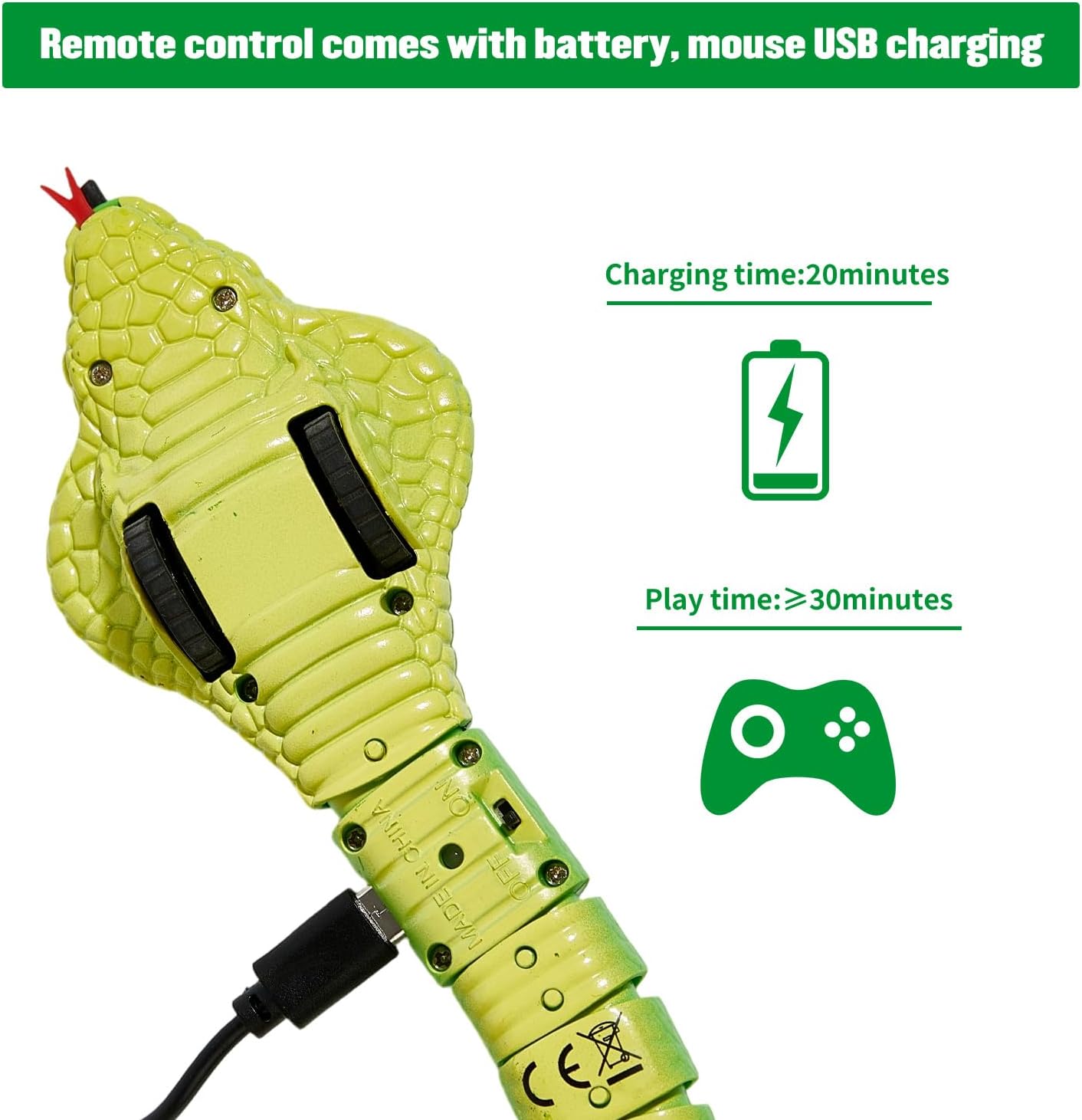
- Locate the USB-C charging port on the underside of the snake's head section.
- Connect the provided USB-C cable to the snake and plug the other end into a compatible USB power source (e.g., computer, wall adapter).
- A full charge typically takes approximately 20 minutes and provides 25-30 minutes of continuous playtime.
Operating Your Remote Control Snake
1. Control remot sobreview
The egg-shaped remote control features simple buttons for easy operation:
- Botó Endavant: Press once to move forward automatically. Press twice to stop.
- Turn Left Button: Directs the snake to turn left.
- Turn Right Button: Directs the snake to turn right.
- ABC Channel Switch: Select a channel (A, B, or C) to avoid interference when operating multiple remote control toys.

2. Mode de control remot
In Remote Control Mode, you have full command over the snake's movements. Use the directional buttons on the remote to guide the snake forward, left, or right. The snake's tongue will retract and tail will wag, mimicking a real reptile.
3. Smart Sensing Mode
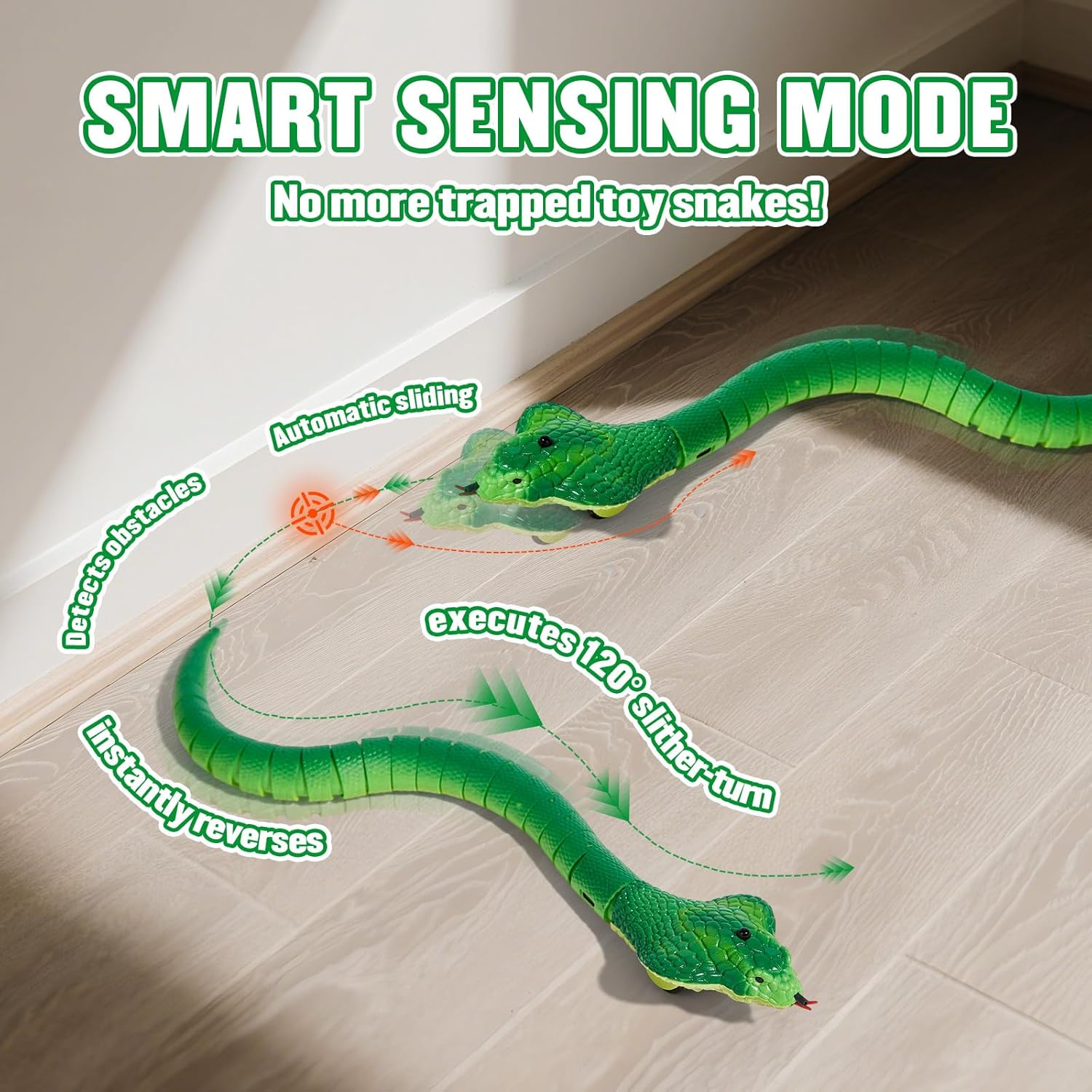
Activate Auto-Sensing Mode to allow the snake to move autonomously. The smart sensor detects movement and obstacles. When an obstacle is encountered, the snake will automatically reverse and execute a 120-degree slither-turn to avoid getting trapped.
4. Compatibilitat de superfícies
For optimal performance, operate the snake on smooth, hard surfaces. It performs well on wooden floors, tile floors, and thin carpets. Avoid operating on thick carpets, as this may hinder its movement and cause it to get stuck.

Manteniment
- Neteja: Wipe the snake and remote with a dry, soft cloth. Do not immerse in water or use harsh chemicals.
- Emmagatzematge: Guardeu la joguina en un lloc fresc i sec, allunyat de la llum solar directa quan no l'utilitzeu.
- Cura de la bateria: Remove AAA batteries from the remote if storing for extended periods. Ensure the snake's internal battery is fully charged before long-term storage.
Resolució de problemes
| Problema | Causa possible | Solució |
|---|---|---|
| La serp no es mou | Low battery in snake; Remote not paired; Obstruction in wheels. | Charge the snake; Ensure remote and snake are on the same channel; Check and clear any debris from the wheels. |
| El comandament a distància no respon | Dead batteries in remote; Out of remote control range. | Replace AAA batteries in the remote; Operate the snake within 8 meters of the remote. |
| Snake gets stuck frequently | Operating on unsuitable surface (e.g., thick carpet). | Move the snake to a smooth, hard surface like wood or tile. |
Especificacions del producte
- Dimensions del producte: 7 x 3.34 x 3.42 polzades
- Pes de l'article: 3.2 unces
- Número de model de l'article: 8809
- Edat recomanada pel fabricant: 3 years and up (Note: Packaging states 6+ for optimal play experience)
Garantia i Suport
For any questions, concerns, or support regarding your AMCHSURI Remote Control Cobra Snake Toy, please contact the manufacturer directly. Refer to the product packaging for specific warranty details and contact information.
També podeu visitar el AMCHSURI Store per a més informació i productes.


