1. Introducció
Welcome to the user manual for your BIGASUO Mini Projector BGP7. This guide provides essential information for setting up, operating, maintaining, and troubleshooting your projector. Please read this manual thoroughly before using the product to ensure optimal performance and safety.
Instruccions de seguretat
- No mireu directament a la lent del projector quan estigui encès.amp està activat.
- Assegureu-vos una ventilació adequada al voltant del projector per evitar el sobreescalfament.
- Keep the projector away from water, moisture, and flammable materials.
- Feu servir només l'adaptador de corrent que s'inclou amb el projector.
- Eviteu col·locar el projector sobre superfícies inestables.
- No intenteu desmuntar ni reparar el projector vosaltres mateixos. Poseu-vos en contacte amb personal de servei qualificat.
2. Contingut del paquet
Si us plau, comproveu que tots els articles estiguin presents al vostre paquet:
- BIGASUO Mini Projector BGP7
- Control remot
- Adaptador d'alimentació
- Cable HDMI
- Mini trípode
- Manual d'usuari (aquest document)
3. Producte acabatview
The BIGASUO BGP7 is a portable mini projector featuring Android 11.0 OS, WiFi 6, Bluetooth 5.0, 270° rotatable stand, automatic keystone correction, and support for Full HD 1080P resolution. It offers a projection size from 40 to 130 inches.

Imatge 3.1: Frontal view of the BIGASUO BGP7 Mini Projector highlighting its key features including 1080P support, Air Remote, WiFi 6, HDMI/USB connectivity, and Bluetooth 5.0. Various streaming service logos are also displayed.
Característiques clau
- Suport d'alta resolució: Supports Full HD 1080P with a native resolution of 1280 x 720.
- Ampli rang de projecció: Projects screen sizes from 40 to 130 inches at distances from 4 to 15 feet.
- Integrated Android TV System: Runs on Android 11.0, allowing direct app downloads and streaming.
- Suport giratori de 270°: Provides flexible projection angles, including ceiling projection.
- Correcció trapezoidal automàtica: Automatically adjusts image distortion for a rectangular display.
- Enfocament manual: Allows precise image sharpness adjustment.
- Connectivitat avançada: Features WiFi 6 for fast wireless streaming and Bluetooth 5.0 for audio output.
- Protecció ocular: Equipped with three optical glass lenses to filter harmful blue light.

Image 3.2: The BIGASUO BGP7 Mini Projector showcasing its 180° built-in adjustable stand, emphasizing its small size and portability.
Ports i controls
Familiarize yourself with the various ports and controls on your projector:
- Port d'alimentació: Per connectar l'adaptador de corrent.
- Port HDMI: For connecting external devices like laptops, gaming consoles, or TV sticks.
- Port USB: Per connectar unitats USB per reproduir contingut multimèdia files.
- Anell de focus: Manual adjustment for image sharpness.
- Botons de control: On-device buttons for basic navigation and power.
4. Configuració
4.1 Col·locació
- Col·loqueu el projector sobre una superfície estable i plana.
- Adjust the 270° rotatable stand to achieve the desired projection angle on a wall or ceiling.
- Per a un òptim viewing, position the projector between 4 to 15 feet from the projection surface. An ideal viewing distance is approximately 5 feet for a clear image.

Image 4.1: Illustration of the BIGASUO BGP7 Mini Projector demonstrating how different projection distances (1.6m, 2m, 2.6m) result in various screen sizes (80", 100", 130").
4.2 Connexió d'alimentació
- Connecteu l'adaptador de corrent al port d'alimentació del projector.
- Connecteu l'adaptador d'alimentació a una presa de corrent adequada.
- Premeu el botó d'engegada del projector o del comandament a distància per encendre'l.
4.3 Ajust del focus
After powering on, adjust the focus ring located on the projector until the projected image appears sharp and clear.
4.4 Correcció Keystone
The projector features automatic vertical keystone correction. It will automatically adjust the image to be rectangular. If further adjustment is needed, manual options may be available in the settings menu.

Image 4.2: The BIGASUO BGP7 Mini Projector demonstrating its auto vertical keystone correction feature, ensuring a perfectly rectangular image, and highlighting manual focus adjustment.
4.5 Network Connection (WiFi 6)
- Navigate to the 'Settings' menu on the projector's home screen.
- Seleccioneu "Xarxa i Internet".
- Activeu el Wi-Fi i seleccioneu la xarxa desitjada de la llista.
- Introduïu la contrasenya del Wi-Fi amb el teclat en pantalla i connecteu-vos.
4.6 Vinculació Bluetooth
- Go to 'Settings' and select 'Connected Devices' or 'Bluetooth'.
- Activa el Bluetooth al projector.
- Put your Bluetooth audio device (e.g., speaker, headphones) into pairing mode.
- Select your device from the list of available devices on the projector to pair.
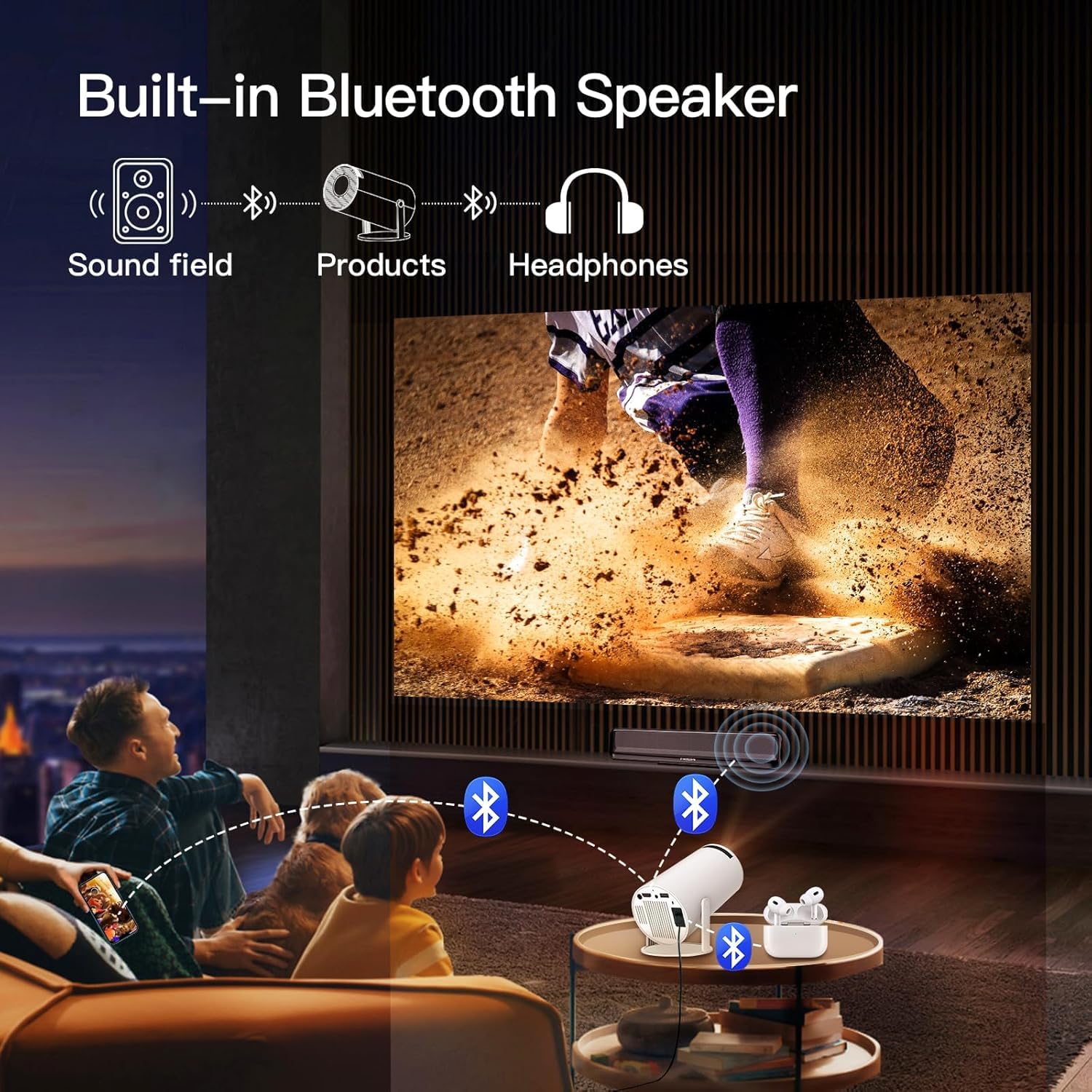
Image 4.3: The BIGASUO BGP7 Mini Projector demonstrating its built-in Bluetooth speaker functionality, allowing connection to external Bluetooth headphones or speakers for enhanced audio.
5. Funcionament
5.1 Navigating the Android TV System
Use the remote control to navigate the Android 11.0 interface. The directional buttons allow movement, the 'OK' button confirms selections, and the 'Back' button returns to the previous screen. You can download and install various applications from the pre-installed app store.
5.2 Connexió de dispositius externs
- HDMI: Connect an HDMI cable from your external device (e.g., TV stick, game console, laptop) to the projector's HDMI port. The projector should automatically detect the input or allow manual selection from the input source menu.
- USB: Insert a USB drive into the USB port. The projector's media player will typically prompt you to browse files a la unitat.

Image 5.1: The BIGASUO BGP7 Mini Projector demonstrating its 2.4G/5G WiFi and Bluetooth connectivity, allowing seamless connection to iOS, Android, and Windows devices for screen mirroring or content playback.
5.3 Adjusting Projection Size (Zoom Function)
The projector includes a zoom function to adjust the screen size without moving the projector. This can be accessed via the remote control or the projector's on-screen menu. This feature is particularly useful for optimizing the image to fit your projection surface.

Image 5.2: The BIGASUO BGP7 Mini Projector illustrating its zoom function, which allows users to adjust the screen size (e.g., to 80%) to perfectly fit small spaces without physically moving the projector.
5.4 Configuració de so
You can adjust the volume using the remote control. For enhanced audio, connect external Bluetooth speakers or headphones as described in Section 4.6.
6. Manteniment
6.1 Neteja de la lent
Use a soft, lint-free cloth specifically designed for optical lenses. Gently wipe the lens in a circular motion. Avoid using abrasive cleaners or excessive force.
6.2 Cleaning the Vents
Regularly check and clean the projector's ventilation openings to prevent dust buildup, which can lead to overheating. Use a soft brush or compressed air to remove dust.
6.3 Emmagatzematge
When not in use, store the projector in a cool, dry place, away from direct sunlight and extreme temperatures. If possible, use the original packaging or a protective case to prevent dust and damage.
7. Solució De Problemes
If you encounter issues with your BIGASUO BGP7 Mini Projector, refer to the following common problems and solutions:
| Problema | Possible causa/solució |
|---|---|
| Sense poder | Ensure the power adapter is securely connected to both the projector and a working power outlet. Check if the power button is pressed. |
| No es projecta cap imatge | Check the input source selection (HDMI, USB). Ensure the lens cap is removed. Verify the projector is powered on. |
| La imatge és borrosa | Adjust the manual focus ring until the image is sharp. Ensure the projection distance is within the recommended range. |
| Image is distorted (not rectangular) | The projector has automatic keystone correction. If distortion persists, check for any manual keystone settings in the menu. Ensure the projector is placed as perpendicular to the screen as possible. |
| Sense so | Check the volume level on the projector and any connected external devices. Ensure external Bluetooth speakers are properly paired and connected. |
| Remote control is unresponsive or lags | Ensure there are no obstructions between the remote and the projector's IR sensor. Replace the remote control batteries. |
| Problemes de connexió Wi-Fi | Ensure your Wi-Fi network is active and the password is correct. Try restarting your router and the projector. |
| Dark spots or artifacts on the screen | Clean the projector lens. If the issue persists, it may indicate an internal component issue. Contact customer support. |
| Baixa brillantor | Assegureu-vos el viewing environment is sufficiently dark. Adjust brightness settings in the projector menu. |
8. Especificacions
| Característica | Detall |
|---|---|
| Marca | BIGASUO |
| Model | BGP7 |
| Tipus de visualització | LCD |
| Resolució nativa | 1280 x 720 píxels |
| Resolució suportada | 1920 x 1080 (Full HD 1080P) |
| Relació d'aspecte | 16:9 |
| Mida de la pantalla de projecció | 40-130 polzades |
| Sistema operatiu | Android 11.0 |
| Connectivitat sense fil | WiFi 6 (2.4G/5G), Bluetooth 5.0 |
| Interfície del maquinari | HDMI, USB, Bluetooth |
| Característiques especials | 270° Rotatable Stand, Automatic Keystone, Manual Focus, Eye Protection |
| Voltage | 220 Volts |
| Wattage | 50 watts |
| Freqüència d'actualització | 60 Hz |
| Dimensions del producte | 10 x 25 x 10 cm |
| Pes de l'article | 2.5 kg |
9. Garantia i Suport
9.1 Product Reliability
The BIGASUO Mini Projector BGP7 comes with a 2-year reliability period, ensuring support for manufacturing defects and performance issues under normal use.
9.2 Atenció al client
For technical assistance, warranty claims, or any questions regarding your BIGASUO Mini Projector BGP7, please contact BIGASUO customer support. Refer to the contact information provided with your purchase or visit the official BIGASUO weblloc per obtenir detalls de suport.


