1. Introducció
The Yealink CTP25 is a touch console designed for meeting control, specifically compatible with the Meetingbar A40. It features a 10.1-inch touchscreen for intuitive interaction, simplifying the process of joining and managing video conferences. This manual provides essential information for the proper setup, operation, and maintenance of your CTP25 device.
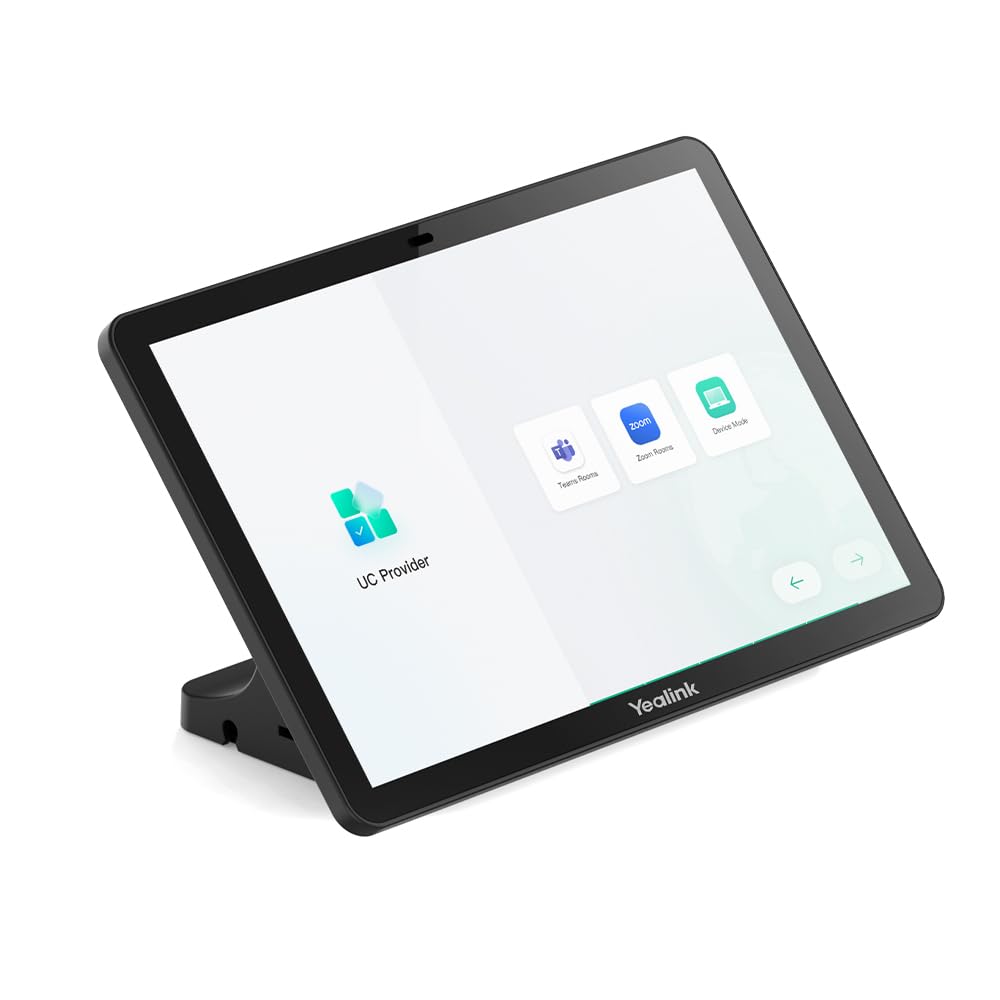
Figure 1: Yealink CTP25 Touch Console. This image displays the front view of the CTP25, highlighting its 10.1-inch display and sleek design.
2. Configuració
Follow these steps to set up your Yealink CTP25 touch console:
- Desempaquetar el dispositiu: Carefully remove the CTP25 from its packaging. Verify all components are present.
- Connexió d'alimentació: Connect the power adapter to the CTP25 and plug it into a power outlet.
- Connexió de xarxa: Connect the CTP25 to your network using an Ethernet cable or configure Wi-Fi 6 (802.11a/b/g/n/ac/ax) as per your network setup.
- Connect to Meetingbar A40: Use the appropriate cable (e.g., USB-C for content sharing/BYOD/power) to connect the CTP25 to your Yealink Meetingbar A40. Refer to the Meetingbar A40 manual for specific connection instructions.
- Engegada inicial: The device will power on automatically or require a press of the power button. Follow the on-screen prompts for initial configuration, including language selection and network settings.
- Actualitzacions de programari: Ensure the device's software is up to date. The CTP25 supports Android 13 and continues to receive updates. Check for and install any available updates through the device settings.
3. Instruccions de funcionament
The CTP25 provides an intuitive interface for managing your meetings. Here are basic operating guidelines:
- Navegació per pantalla tàctil: Use the 10.1-inch touchscreen to navigate menus, select options, and input information. The interface is designed for ease of use.
- Joining Meetings: From the home screen, you can typically see scheduled meetings. Tap on a meeting to join it directly.
- Controls de reunió: During a meeting, the CTP25 provides controls for managing participants, muting microphones, adjusting camera views, and sharing content.
- Compartició de contingut: The CTP25 supports USB-C wired content sharing. Connect your laptop or other device via USB-C to share your screen during a meeting.
- BYOD (Bring Your Own Device): Utilize the BYOD functionality via USB-C to integrate your personal device with the meeting system.
- Característiques d'àudio: The built-in ultrasound unit enhances audio capabilities. Adjust volume and audio settings as needed through the on-screen controls.
- Configuració del dispositiu: Access system settings to configure network, display, audio, and other device-specific options.
4. Manteniment
Proper maintenance ensures the longevity and optimal performance of your CTP25:
- Neteja: Use a soft, dry, anti-static cloth to clean the screen and exterior surfaces. Do not use liquid cleaners or aerosols directly on the device.
- Actualitzacions de programari: Regularly check for and install software updates to ensure the device has the latest features and security patches. This can typically be done through the device's settings menu.
- Condicions ambientals: Operate the device within recommended temperature and humidity ranges. Avoid exposure to direct sunlight, excessive heat, or moisture.
- Gestió de cables: Ensure all cables are securely connected and not strained or tangled to prevent damage.
- Reiniciant: If the device becomes unresponsive, perform a soft restart through the system settings. If necessary, disconnect and reconnect the power.
5. Solució De Problemes
This section addresses common issues you might encounter with your CTP25.
| Problema | Causa possible | Solució |
|---|---|---|
| El dispositiu no s'encén. | Cable d'alimentació no connectat o defectuós. | Check power cable connection. Ensure the power outlet is functional. |
| Sense connexió de xarxa. | Ethernet cable disconnected or Wi-Fi not configured. | Verify Ethernet cable connection. Check Wi-Fi settings and credentials. Restart router/modem if necessary. |
| La pantalla tàctil no respon. | Error temporal de programari. | Restart the device. Ensure the screen is clean and free of obstructions. |
| Content sharing not working. | Incorrect cable or software issue. | Ensure USB-C cable is correctly connected and functional. Check content sharing settings on both CTP25 and the source device. |
| Mala qualitat d'àudio. | Microphone/speaker issues or environmental interference. | Check audio settings. Ensure no obstructions near the built-in ultrasound unit. Test in a quieter environment. |
6. Especificacions
Key technical specifications for the Yealink CTP25:
- Mida de la pantalla: 10.1 polzades
- Tipus de visualització: IPS
- Resolució: 1280 x 800 (HD)
- Sistema operatiu: Android 13 (updatable)
- Connectivitat: Wi-Fi 6 (802.11a/b/g/n/ac/ax), Bluetooth 5.0, USB-C (for content sharing/BYOD/power)
- Àudio: Built-in Ultrasound Unit
- Dimensions del producte: 1.08 x 10.83 x 9.57 polzades
- Pes de l'article: 3.9 lliures
- Número de model: 1303132
- Fabricant: Yealink
7. Informació de la garantia
Yealink products typically come with a limited manufacturer's warranty. For detailed warranty terms, conditions, and registration, please refer to the official Yealink weblloc web o la targeta de garantia inclosa amb el producte. Conserveu el comprovant de compra per a reclamacions de garantia.
8. Atenció al client
For technical assistance, troubleshooting beyond this manual, or service inquiries, please contact Yealink customer support. You can find contact information, FAQs, and additional resources on the official Yealink weblloc:


