1. Introducció
Thank you for choosing the MZEIBO KY-Mini 50W Sound Bar. This manual provides detailed instructions for setting up, operating, and maintaining your new sound bar to ensure an optimal audio experience. Please read this manual thoroughly before use and retain it for future reference.

The MZEIBO KY-Mini Sound Bar enhances your home entertainment experience.
2. Producte acabatview
Característiques principals:
- Powerful 50W Audio Output: Delivers rich sound with deep bass and clear audio.
- So envoltant de 360°: Experience immersive audio from various angles.
- Disseny compacte i portàtil: Easy to integrate into any setting, ideal for various uses.
- Connectivitat Bluetooth 5.3: Ensures stable and seamless wireless audio streaming.
- Múltiples opcions de connexió: Supports ARC, Optical, AUX, and Bluetooth inputs.
Què hi ha a la caixa:
- MZEIBO KY-Mini Sound Bar
- Cable d'alimentació
- Control remot
- Guia d'inici ràpid
- ARC/Optical/AUX Cables
- Cargols de muntatge a la paret
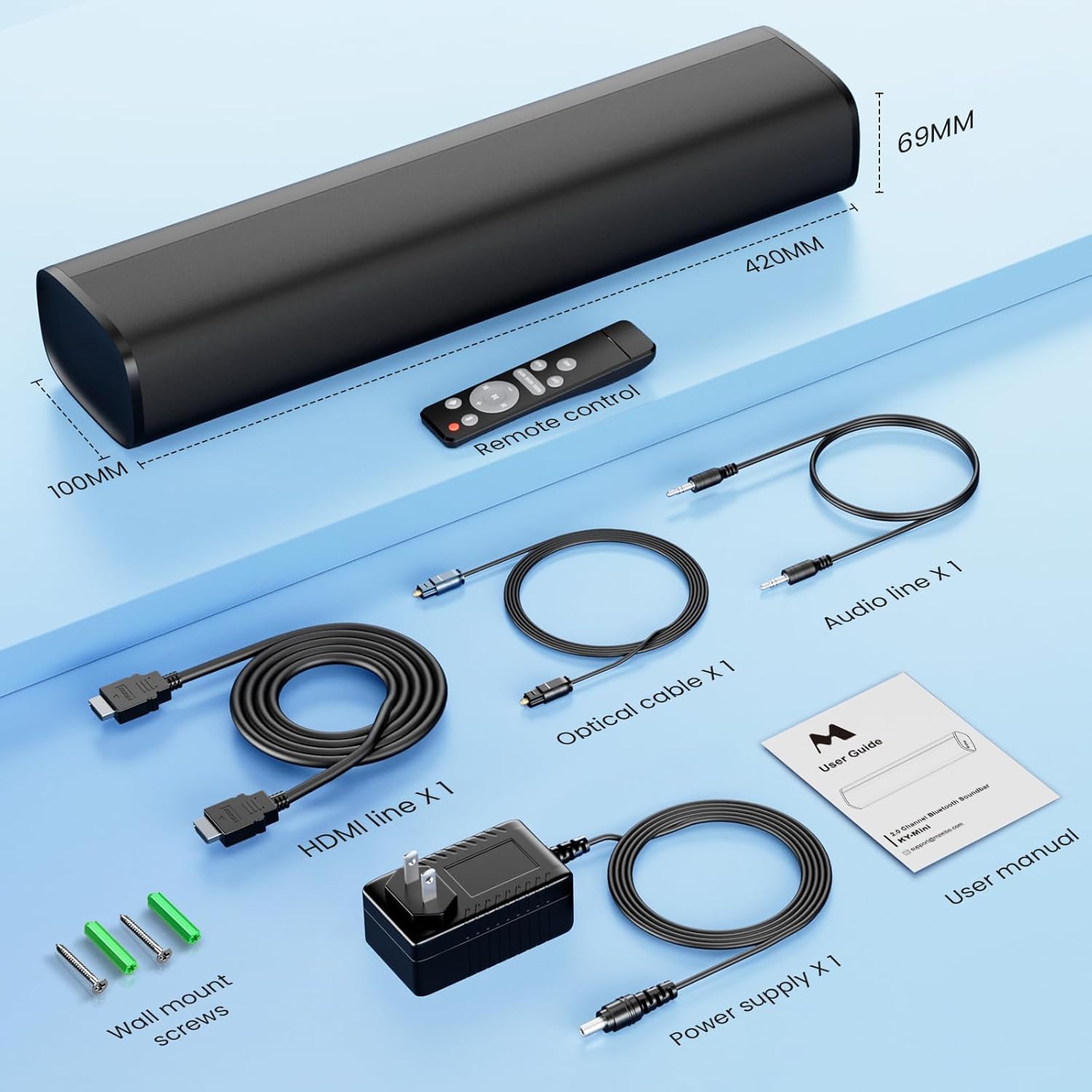
All components included with your MZEIBO KY-Mini Sound Bar.
3. Instruccions de configuració
Col·locació:
The MZEIBO KY-Mini Sound Bar can be placed on a tabletop or wall-mounted. Ensure it is positioned centrally in front of your TV or display for the best audio experience.
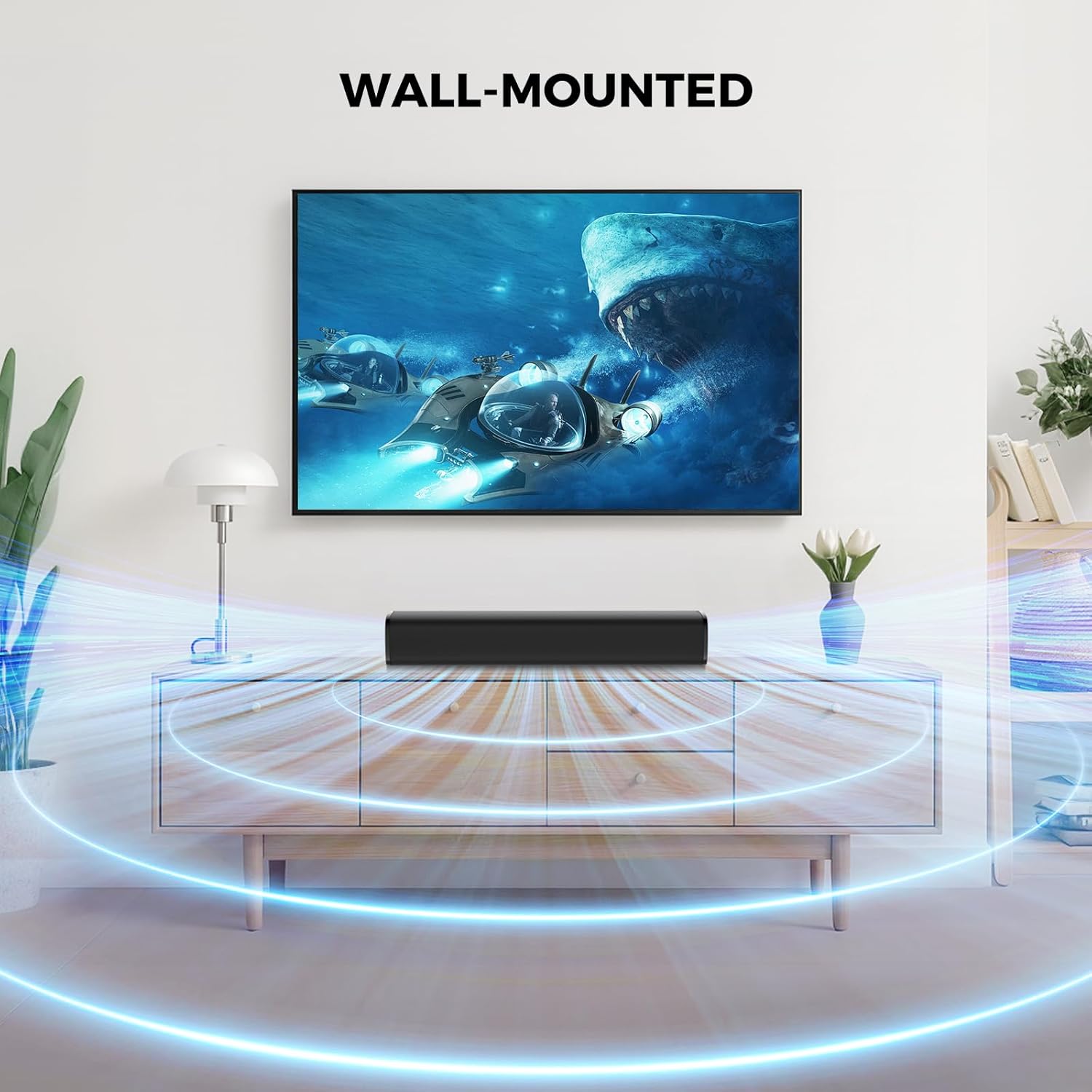
The sound bar can be placed on a surface or wall-mounted.
Connexió al vostre dispositiu:
The sound bar offers multiple connection options. Choose the method that best suits your device.
- Connexió HDMI ARC:
Connect one end of the HDMI cable to the ARC port on your sound bar and the other end to the HDMI ARC port on your TV. This allows your TV remote to control the sound bar's volume. - Connexió òptica:
Connect one end of the optical cable to the OPT port on your sound bar and the other end to the optical output port on your TV or audio source. - Connexió AUX:
Connect one end of the 3.5mm AUX cable to the AUX port on your sound bar and the other end to the 3.5mm audio output port on your device. - Connexió Bluetooth:
Power on the sound bar. Press the 'Mode' button on the remote or the sound bar until 'BT' appears on the display. On your device, search for 'KY-Mini' in the Bluetooth settings and pair.

Rear panel connections for the MZEIBO KY-Mini Sound Bar.
Encès:
After connecting the power cable to the sound bar and a power outlet, press the power button on the sound bar or the remote control to turn it on.
4. Instruccions de funcionament
Ús del comandament a distància:
The included remote control allows you to manage all functions of your sound bar.
- Botó d'encesa: Encén o apaga la barra de so.
- Pujar/baixar el volum: Ajusta el nivell de volum principal.
- Botó de mode: Cycles through input sources (Bluetooth, ARC, Optical, AUX).
- Modes d'equalització: Selects between Music, Movie, and News sound modes.
- Reprodueix/Pausa/Omet: Controla la reproducció multimèdia en mode Bluetooth.
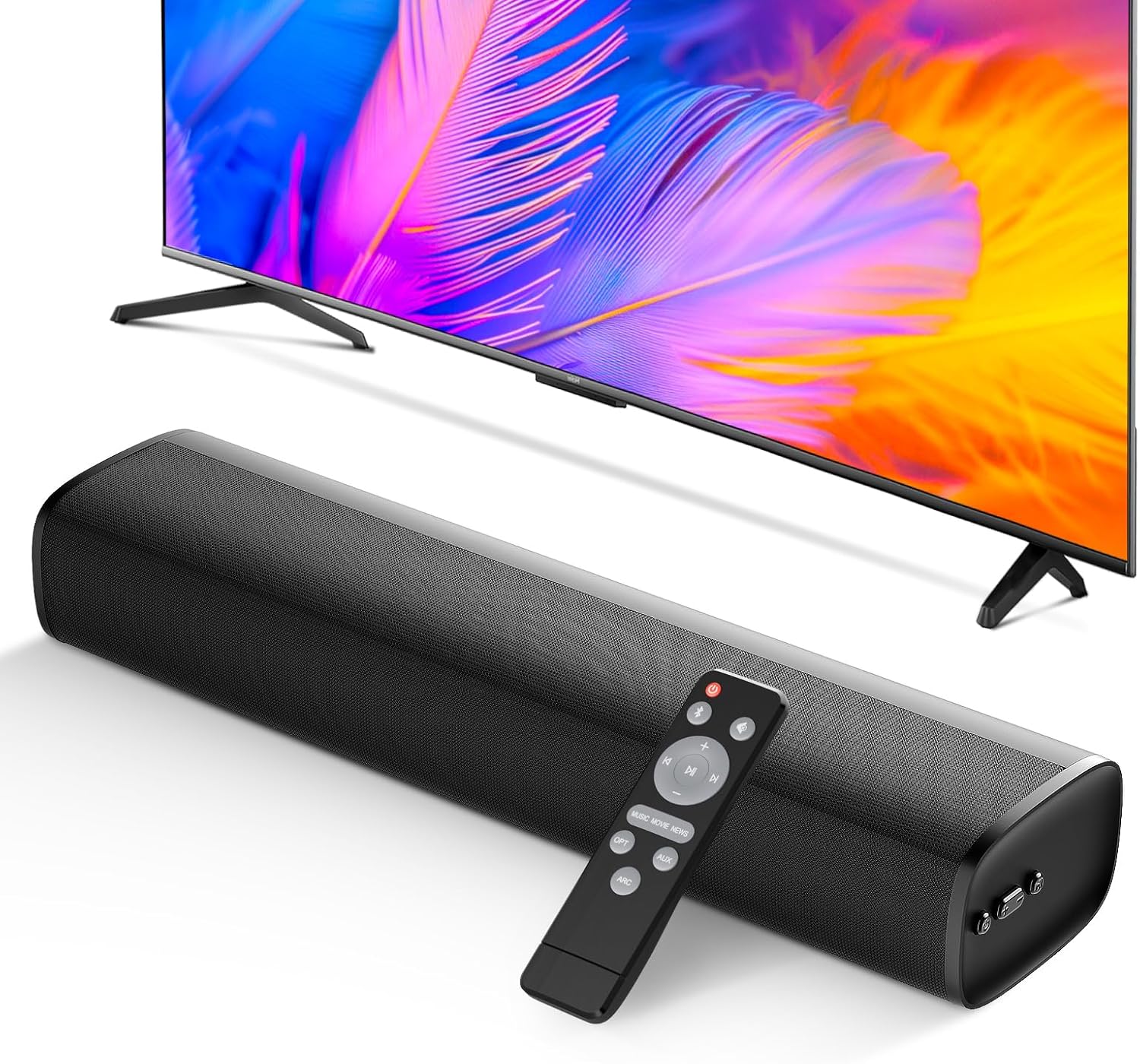
The remote control provides full command over your sound bar's features.
Modes de so:
Optimize your audio experience with three distinct equalizer (EQ) modes:
- Mode de música: Enhances musical clarity and bass for a vibrant listening experience.
- Mode pel·lícula: Provides dynamic and immersive sound for films, emphasizing dialogue and effects.
- Mode de notícies: Optimizes vocal clarity, making spoken content easier to understand.

Switch between Movie, Music, and News modes for tailored audio.
5. Integració de mitjans
Producte acabatview Vídeo:
Mireu aquest vídeo per obtenir una visió completaview of the MZEIBO 50W Sound Bar's features and design.
6. Manteniment
To ensure the longevity and optimal performance of your MZEIBO KY-Mini Sound Bar, follow these maintenance guidelines:
- Neteja: Use a soft, dry cloth to wipe the surface of the sound bar. Avoid using liquid cleaners or abrasive materials, as they may damage the finish.
- Emmagatzematge: When not in use for extended periods, store the sound bar in a cool, dry place away from direct sunlight and extreme temperatures.
- Ventilació: Ensure the sound bar has adequate ventilation. Do not block any vents or place it in an enclosed space that could restrict airflow.
7. Solució De Problemes
If you encounter any issues with your MZEIBO KY-Mini Sound Bar, please refer to the following table for common problems and solutions:
| Problema | Causa possible | Solució |
|---|---|---|
| Sense poder | Cable d'alimentació no connectat o presa de corrent no funciona. | Comproveu la connexió del cable d'alimentació. Proveu una altra presa de corrent. |
| Sense so | Incorrect input source selected. Volume too low. Cable connection loose or faulty. | Press the 'Mode' button to select the correct input. Increase volume. Reconnect audio cables securely. Ensure TV audio output is set correctly. |
| S'ha produït un error en l'aparellament de Bluetooth | Sound bar not in pairing mode. Device too far away. Interference. | Ensure sound bar is in BT mode and flashing. Move device closer. Turn off other Bluetooth devices. |
| El comandament a distància no funciona | Batteries depleted. Obstruction between remote and sound bar. | Replace batteries. Remove any obstructions. Ensure remote is pointed at the sound bar's sensor. |
8. Especificacions
| Característica | Detall |
|---|---|
| Nom del model | KY-Mini |
| Tipus d'altaveu | Barra de so |
| Potència de sortida màxima dels altaveus | 50 watts |
| Tecnologia de connectivitat | ARC, Auxiliary, Bluetooth, Optical |
| Versió Bluetooth | 5.3 |
| Mode de sortida d'àudio | estèreo |
| Resposta de freqüència | 20 kHz |
| Dimensions del producte | 17 "P x 3.9" W x 2.7" H |
| Pes de l'article | 4.09 lliures (1.86 quilograms) |
| Tipus de muntatge | Muntatge de taula |
| Mètode de control | Botó, comandament a distància |
| Dispositius compatibles | Gaming Console, Home Theater, Laptop, Smartphone, Television |
| Ús interior/exterior | Interior, Exterior |
9. Garantia i Suport
The MZEIBO KY-Mini Sound Bar comes with a standard manufacturer's warranty. For specific warranty details, please refer to the warranty card included in your product packaging or contact MZEIBO customer support. If you require further assistance or have questions not covered in this manual, please reach out to MZEIBO customer service through their official website or contact information provided with your purchase.


