1. Introducció
This manual provides essential instructions for the safe operation, setup, and maintenance of your VATOS XK916-B Remote-Controlled Helicopter. Please read this manual thoroughly before operating the helicopter to ensure proper function and to prevent damage or injury. This 3.5-channel helicopter features 2.4 GHz technology, a built-in gyroscope for stable flight, and LED lights for enhanced visibility.
2. Informació de seguretat
WARNING: Not suitable for children under 3 years old due to small parts. Recommended for ages 10 and up.
- Always operate the helicopter in an open, obstacle-free area.
- Primarily designed for indoor use. If operating outdoors, ensure there are absolutely no wind conditions to prevent loss of control.
- Keep hands, face, and hair away from rotating blades.
- Do not fly near people, animals, or fragile objects.
- Never attempt to modify the helicopter or its components.
- Ensure the helicopter battery is fully charged before each flight.
- Always turn on the helicopter first, then the remote control. Failure to do so may prevent successful pairing.
- The modular battery system includes overcharge and current protection.
3. Contingut del paquet
- VATOS XK916-B RC Helicopter
- Transmissor de control remot
- Cable de càrrega USB
- Spare Main Blades (A & B)
- Tornavís
- Manual d'usuari (Aquest document)
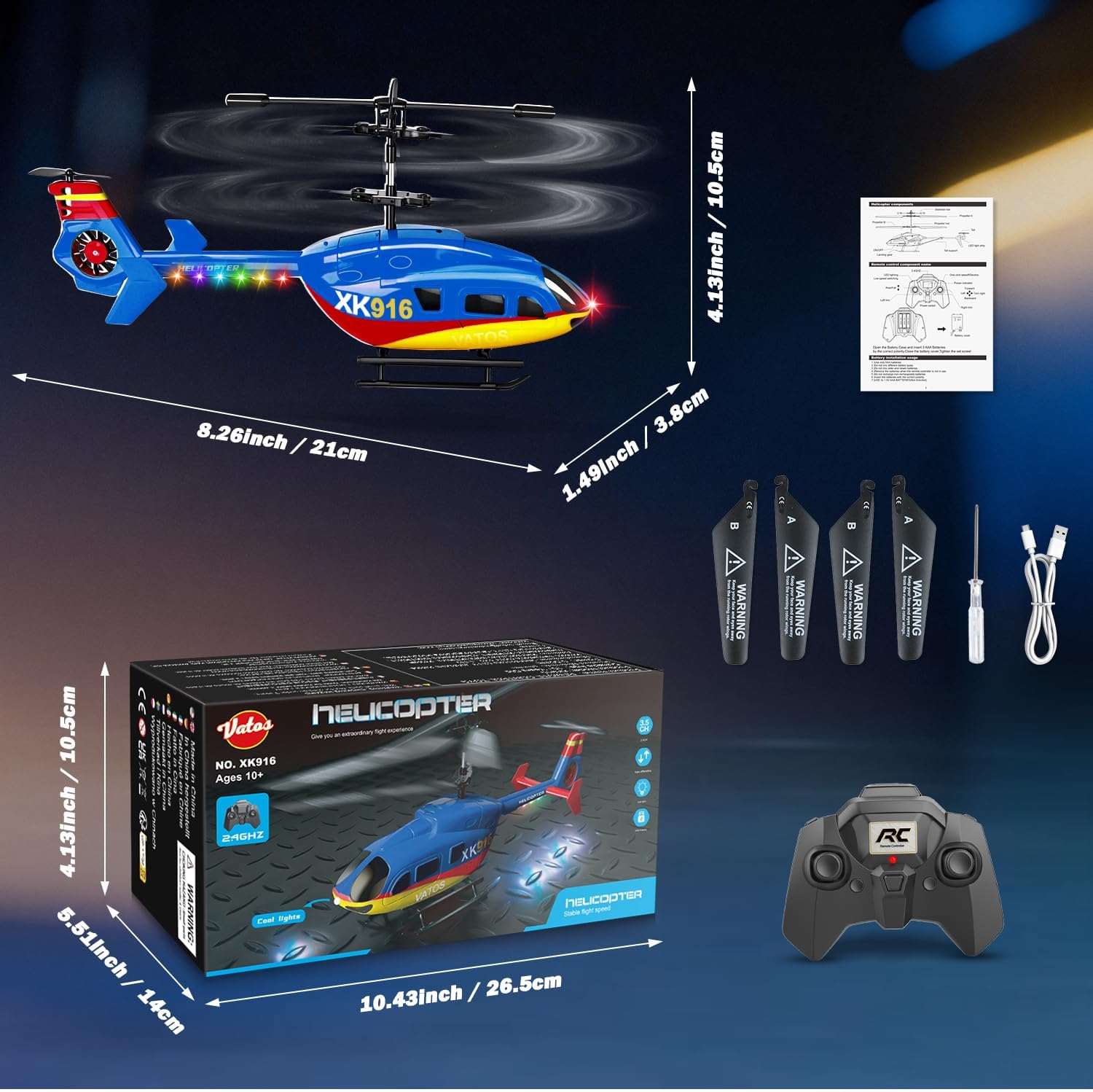
Image: Contents of the VATOS XK916-B package, including the helicopter, remote, charging cable, screwdriver, and spare blades.
4. Producte acabatview
The VATOS XK916-B helicopter features a robust yet lightweight design, equipped with a main rotor, tail rotor, LED lights, and a durable body. The remote control provides precise 3.5-channel maneuverability.

Image: The VATOS XK916-B RC Helicopter and its remote control.

Imatge: Detallada view of the helicopter's flexible stabilizer bar, main blades, and tail blades, designed for durability.
5. Configuració
5.1. Helicopter Battery Charging
- Localitza el port de càrrega a l'helicòpter.
- Connect the USB charging cable to the helicopter and a USB power source (e.g., computer, USB wall adapter).
- The charging indicator light will show the charging status. A full charge takes approximately 45 minutes and provides 10-12 minutes of flight time.
- Desconnecteu el cable un cop finalitzada la càrrega.

Image: The helicopter being charged via USB, highlighting the modular battery system with safety features.
5.2. Instal·lació de la bateria del control remot
- Obriu el compartiment de la bateria a la part posterior del comandament a distància.
- Insert 3 x AAA batteries (not included), ensuring correct polarity (+/-).
- Tanqueu el compartiment de la bateria de manera segura.

Image: Illustration of AAA battery installation in the remote control.
5.3. Emparellar l'helicòpter i el comandament a distància
- Ensure both the helicopter and remote control have sufficient power.
- Engegueu l'interruptor d'alimentació de l'helicòpter. Els llums LED de l'helicòpter parpellejaran.
- Engegueu l'interruptor d'alimentació del comandament a distància.
- Move the throttle stick (left stick) all the way up, then all the way down. The helicopter's LED lights will stop flashing and become solid, indicating successful pairing.
- Your helicopter is now ready for flight.
6. Instruccions de funcionament
6.1. Controls bàsics
- Palanca esquerra (accelerador): Up for ascend, Down for descend.
- Stick dret (direccional): Up for forward, Down for backward, Left for left turn, Right for right turn.
- Trim Controls: Small buttons near the sticks to fine-tune stability and prevent drift.

Image: Visual guide to the helicopter's advanced 3.5-channel maneuverability.
6.2. One-Key Takeoff and Landing
The XK916-B features a one-button takeoff and landing function for ease of use, especially for beginners.
- Col·loqueu l'helicòpter sobre una superfície plana i anivellada.
- Press the "One Key Takeoff/Land" button on the remote control. The helicopter will automatically ascend to a stable hovering altitude.
- To land, press the "One Key Takeoff/Land" button again. The helicopter will automatically descend and land gently.
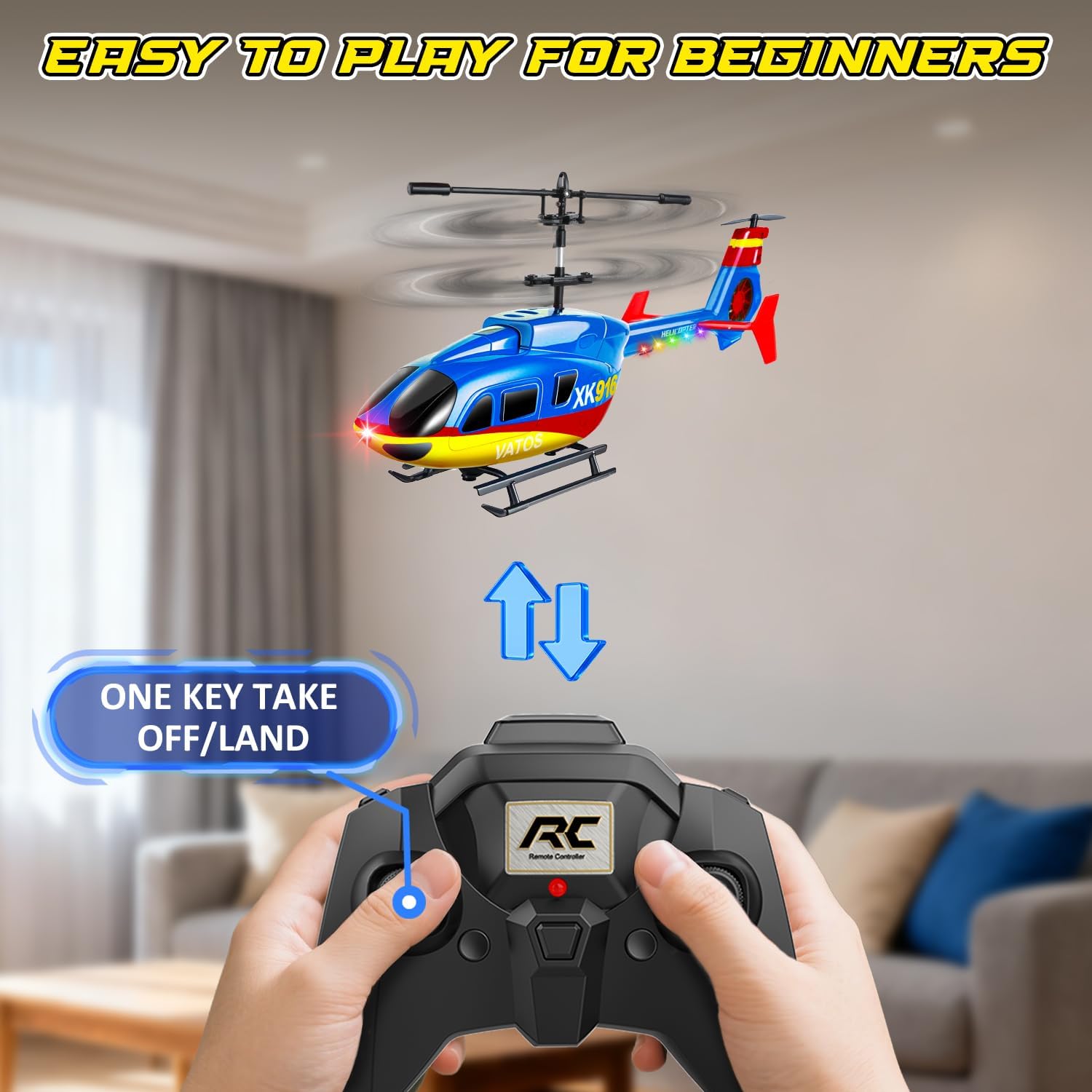
Image: Demonstrating the one-key takeoff and landing feature for beginners.
6.3. Stable Hovering and Altitude Hold
The integrated gyroscope system and intelligent height setting allow the helicopter to maintain a stable hover, making it easier to control.

Image: The helicopter demonstrating stable hovering with intelligent height setting.
6.4. 2.4 GHz Technology and Multi-Player
The 2.4 GHz frequency technology minimizes signal interference, allowing multiple VATOS helicopters to be flown simultaneously without issues.

Image: Two VATOS XK916-B helicopters being flown simultaneously, demonstrating 2.4GHz multi-player capability.
6.5. LED Lights and Two-Speed Mode
The helicopter is equipped with colorful LED lights for enhanced visibility and an exciting flight experience, especially in low-light conditions. It also features a two-speed mode, allowing adjustment for different skill levels.
7. Manteniment
- Neteja: Use a soft, dry cloth to clean the helicopter. Do not use water or chemical cleaners.
- Inspecció de la fulla: Regularly check the main and tail blades for any damage. Replace damaged blades with the provided spare parts using the screwdriver.
- Emmagatzematge: Store the helicopter and remote control in a cool, dry place away from direct sunlight and extreme temperatures. Remove batteries from the remote control if not used for an extended period.
- Cura de la bateria: Do not overcharge the helicopter battery. Allow the battery to cool down before recharging.
8. Solució De Problemes
| Problema | Causa possible | Solució |
|---|---|---|
| L'helicòpter no respon al comandament a distància. | Not paired, low battery in remote, helicopter not powered on. | Ensure helicopter is on first, then remote. Re-pair. Replace remote batteries. Charge helicopter battery. |
| Helicopter flies erratically or drifts. | Trim settings incorrect, damaged blades, strong wind. | Adjust trim controls. Inspect and replace damaged blades. Operate in windless conditions. |
| Temps de vol curt. | Battery not fully charged, aging battery. | Ensure full charge (45 minutes). Consider replacing battery if performance degrades significantly over time. |
| L'helicòpter no s'enlaira. | Low helicopter battery, blades obstructed. | Charge helicopter battery. Clear any obstructions from blades. |
9. Especificacions
- Model: XK916-B
- Marca: VATOS
- Dimensions (L x A x A): 21 x 3.8 x 10.5 cm (8.26 x 1.49 x 4.13 polzades)
- Pes de l'article: 250 grams
- Material principal: Plàstic
- Color: Blau
- Canals: 3.5 CH
- Freqüència: 2.4 GHz
- Temps de vol: 10-12 minuts
- Temps de càrrega: Approximately 45 minutes (via USB)
- Bateria d'helicòpter: Ió de liti (inclòs)
- Bateria de control remot: 3 x AAA (no inclòs)
- Edat recomanada: 10 anys i més
- Característiques especials: One-button takeoff/landing, altitude hold, integrated gyroscope, LED lights, shock-resistant design, two-speed mode.
10. Garantia i Suport
For warranty information or technical support, please refer to the contact details provided with your purchase or visit the official VATOS weblloc web. Conserveu el comprovant de compra per a qualsevol reclamació de garantia.


