Introducció
Thank you for choosing the pTron Studio Evo Wireless Over-Ear Headphones. This manual provides essential information for setting up, operating, and maintaining your headphones to ensure optimal performance and longevity. Please read these instructions carefully before use.
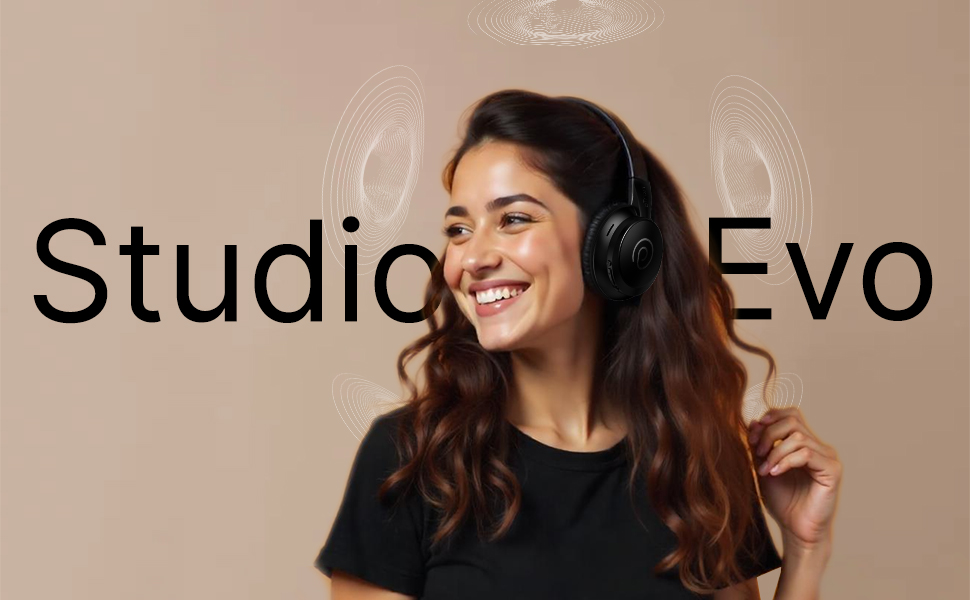
Imatge: Més deview of pTron Studio Evo features including sound quality, battery life, driver size, controls, charging, and connectivity modes.
Configuració
1. Desembalatge i components
Carefully remove all items from the packaging. The box should contain:
- pTron Studio Evo Wireless Over-Ear Headphones
- Cable de càrrega USB tipus C
- Cable d'àudio de 3.5 mm (entrada auxiliar)
- Manual d'usuari (aquest document)
2. Càrrega dels auriculars
Before first use, fully charge your headphones. Connect the provided USB Type-C cable to the charging port on the headphones and the other end to a compatible USB power source (e.g., wall adapter, computer USB port).
- Temps de càrrega: Aproximadament 2 hores per a una càrrega completa.
- Durada de la bateria: Up to 70 hours of playtime on a single full charge.
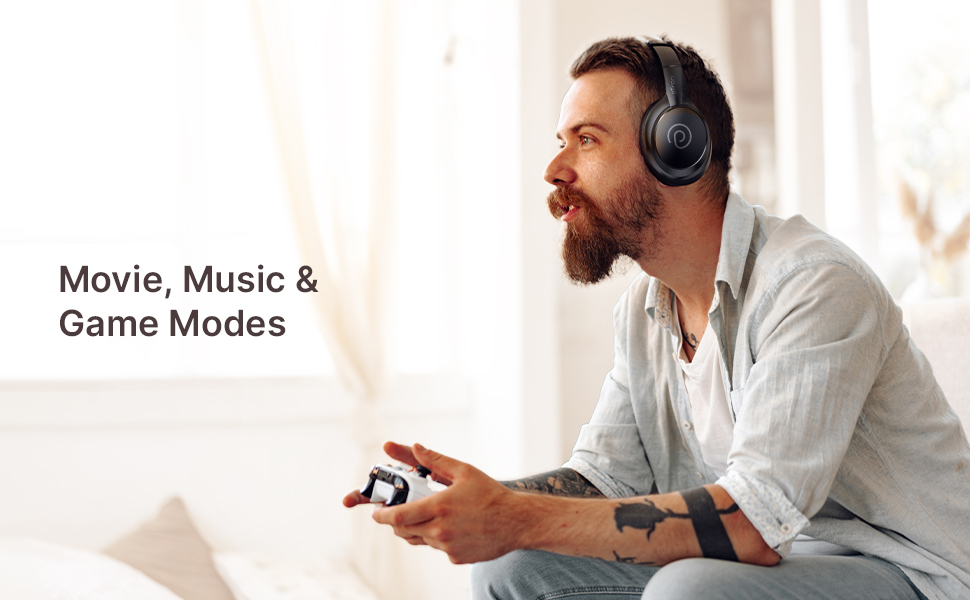
Image: pTron Studio Evo headphones highlighting 70 hours of playtime and Type-C fast charging.
3. Encès / apagat
- Per encendre: Premeu i manteniu premut el botó d'engegada durant aproximadament 3 segons fins que l'indicador LED s'encengui.
- Per apagar: Premeu i manteniu premut el botó d'engegada durant aproximadament 3 segons fins que l'indicador LED s'apagui.
4. Emparellament Bluetooth
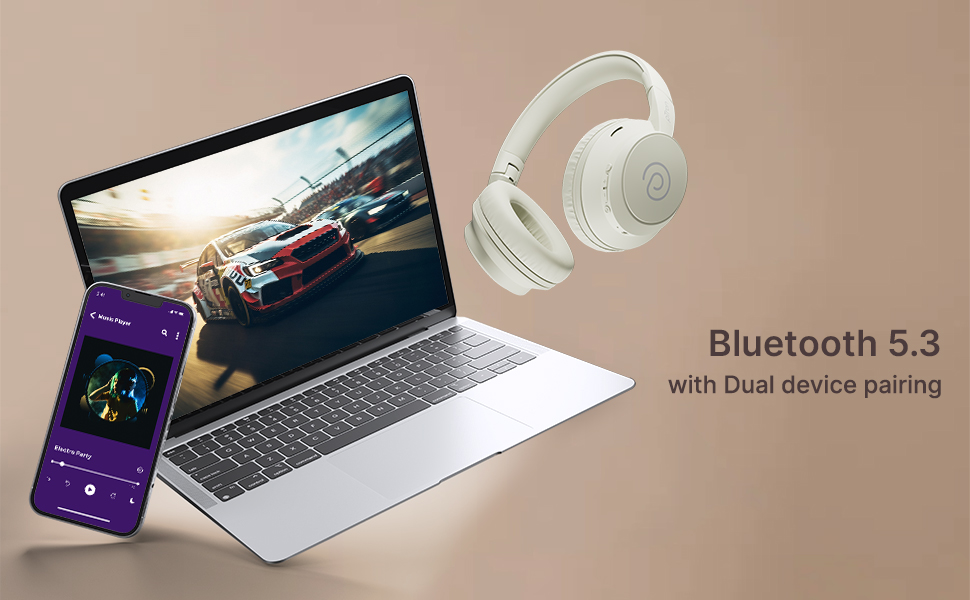
The pTron Studio Evo headphones utilize Bluetooth 5.3 for stable wireless connectivity.
- Assegureu-vos que els auriculars estiguin apagats.
- Premeu i manteniu premut el botó d'engegada durant 5-7 segons fins que l'indicador LED parpellegi alternativament en vermell i blau, cosa que indica el mode d'emparellament.
- Al dispositiu (telèfon intel·ligent, ordinador portàtil, etc.), activeu el Bluetooth i cerqueu els dispositius disponibles.
- Select "pTron Studio Evo" from the list of found devices.
- Un cop connectat, l'indicador LED es tornarà blau fix o parpellejarà lentament en blau.
Emparellament de dispositius duals: These headphones support connecting to two devices simultaneously. After pairing with the first device, disable Bluetooth on that device, then pair with the second device. Re-enable Bluetooth on the first device, and the headphones should connect to both. You can then switch audio playback between the two devices.

Image: Headphones connected to both a phone and a laptop, demonstrating Bluetooth 5.3 dual device pairing.
5. Wired Connection (Aux-in)
For a wired connection, use the provided 3.5mm audio cable. Plug one end into the headphone's 3.5mm jack and the other end into your audio source's auxiliary output. The headphones will automatically switch to wired mode when the cable is connected.
Instruccions de funcionament
1. Controls sobreview
The headphones feature integrated buttons for easy control of music, calls, and modes.
Imatge: Detallada view of the integrated control buttons on the pTron Studio Evo headphones.
- Botó d'encesa: Premeu i manteniu premut per encendre/apagar. Premeu curtament per reproduir/pausar música o respondre/finalitzar trucades.
- Puja el volum (+): Premeu curt per augmentar el volum. Premeu llargament per passar a la següent pista.
- Baixar el volum (-): Premeu curt per baixar el volum. Premeu llargament per anar a la pista anterior.
- Botó EQ: Short press to cycle through EQ modes (Bass, Movie, Pop, Vocal).
2. Modes d'equalització
The pTron Studio Evo headphones offer multiple low-latency EQ modes optimized for different audio experiences:
- Mode de joc: Reduces audio latency for a more synchronized gaming experience.
- Mode pel·lícula: Enhances dialogue clarity and cinematic sound effects.
- Mode de música: Ofereix un àudio professional equilibratfile per escoltar música en general.
- Mode de baix: Boosts low frequencies for a deeper bass response.
- Mode Pop: Optimized for pop music genres.
- Mode vocal: Enhances vocal clarity, ideal for podcasts or audiobooks.
Press the EQ button to switch between these modes.
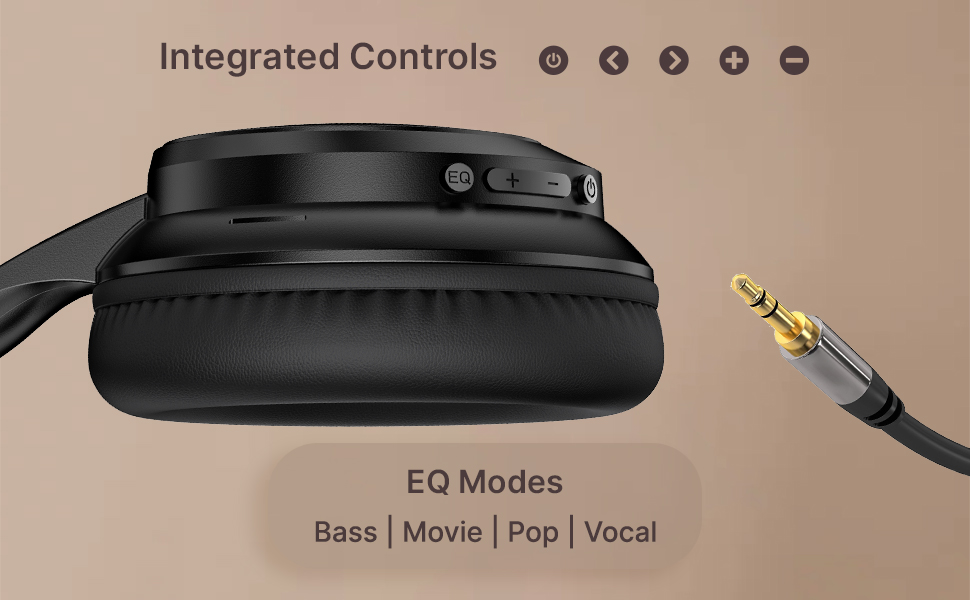
Image: User engaging in gaming with headphones, demonstrating low-latency sync for game mode.
3. Fer i rebre trucades
The headphones include a built-in HD microphone for hands-free calls.
- Respondre/Finalitzar la trucada: Premeu breument el botó d'engegada.
- Rebutja la trucada: Manteniu premut el botó d'engegada durant 2 segons.
4. Assistent de veu
Access your device's voice assistant (e.g., Siri, Google Assistant) by double-pressing the Power button.
5. Portar els auriculars
The pTron Studio Evo headphones feature an ergonomic design with soft earcups and an adjustable head beam for comfortable all-day listening. Adjust the head beam to position the earcups exactly over your ears for the best fit and sound isolation.
Manteniment
1. Neteja
Regularly clean your headphones to maintain hygiene and performance.
- Use a soft, dry cloth to wipe the earcups and headband.
- No utilitzeu netejadors abrasius ni dissolvents.
- Avoid getting moisture into the charging port or audio jack.
2. Resistència a l'aigua
The headphones are IPX5 water-resistant, meaning they can withstand splashes and sweat. Do not submerge them in water or expose them to heavy rain.
3. Emmagatzematge
The foldable design allows for easy storage. Fold the headphones when not in use to protect them from damage and save space. Store them in a cool, dry place away from direct sunlight and extreme temperatures.
Resolució de problemes
- Sense energia: Assegureu-vos que els auriculars estiguin completament carregats. Connecteu-los a una font d'alimentació i torneu-ho a provar.
- No es pot emparellar: Make sure Bluetooth is enabled on your device and the headphones are in pairing mode (flashing red and blue LED). Try restarting both devices.
- Sense so: Check the volume levels on both the headphones and your connected device. Ensure the correct audio output is selected on your device. If using a wired connection, ensure the 3.5mm cable is fully inserted.
- Qualitat de so baixa: Ensure the headphones are within the Bluetooth range (up to 10 meters) of your device. Avoid obstacles that may interfere with the signal. Try switching EQ modes.
- El micròfon no funciona: Ensure the headphones are properly connected and selected as the input device on your call application.
Especificacions
| Característica | Especificació |
|---|---|
| Nom del model | Estudi |
| Tecnologia de connectivitat | Sense fil (Bluetooth) |
| Tecnologia de comunicació sense fils | Bluetooth 5.3 |
| Interval Bluetooth | 10 metres |
| Mida del controlador d'àudio | 40 Mil·límetres |
| Durada de la bateria | 70 hores |
| Temps de càrrega | 2 hores |
| Conector d'auriculars | 3.5 mm Jack |
| Nivell de resistència a l'aigua | Resistent a l'aigua IPX5 |
| Mètode de control | Botó, veu |
| Control de soroll | Aïllament acústic |
| Material | Acrilonitril butadiè estirè (ABS) |
| Pes de l'article | 157 grams |
| Dimensions del producte | 19.2 x 15.8 x 7.9 cm |
Garantia i Suport
1. Garantia del fabricant
The pTron Studio Evo headphones come with a 1 any de garantia del fabricant from the date of purchase. This warranty covers manufacturing defects only. Please retain your proof of purchase for warranty claims.
2. Atenció al client
Per a qualsevol consulta, assistència tècnica o reclamació de garantia, poseu-vos en contacte amb el servei d'atenció al client de pTron:
- Correu electrònic: suport@ptron.in
- Telèfon: 040-67138888


