1. Introducció
Thank you for choosing the Canon PowerShot SX740 HS Digital Camera. This compact point-and-shoot camera is designed for ease of use while delivering high-quality photos and 4K video. Its powerful zoom and advanced features make it suitable for various photography needs, from everyday moments to travel adventures.
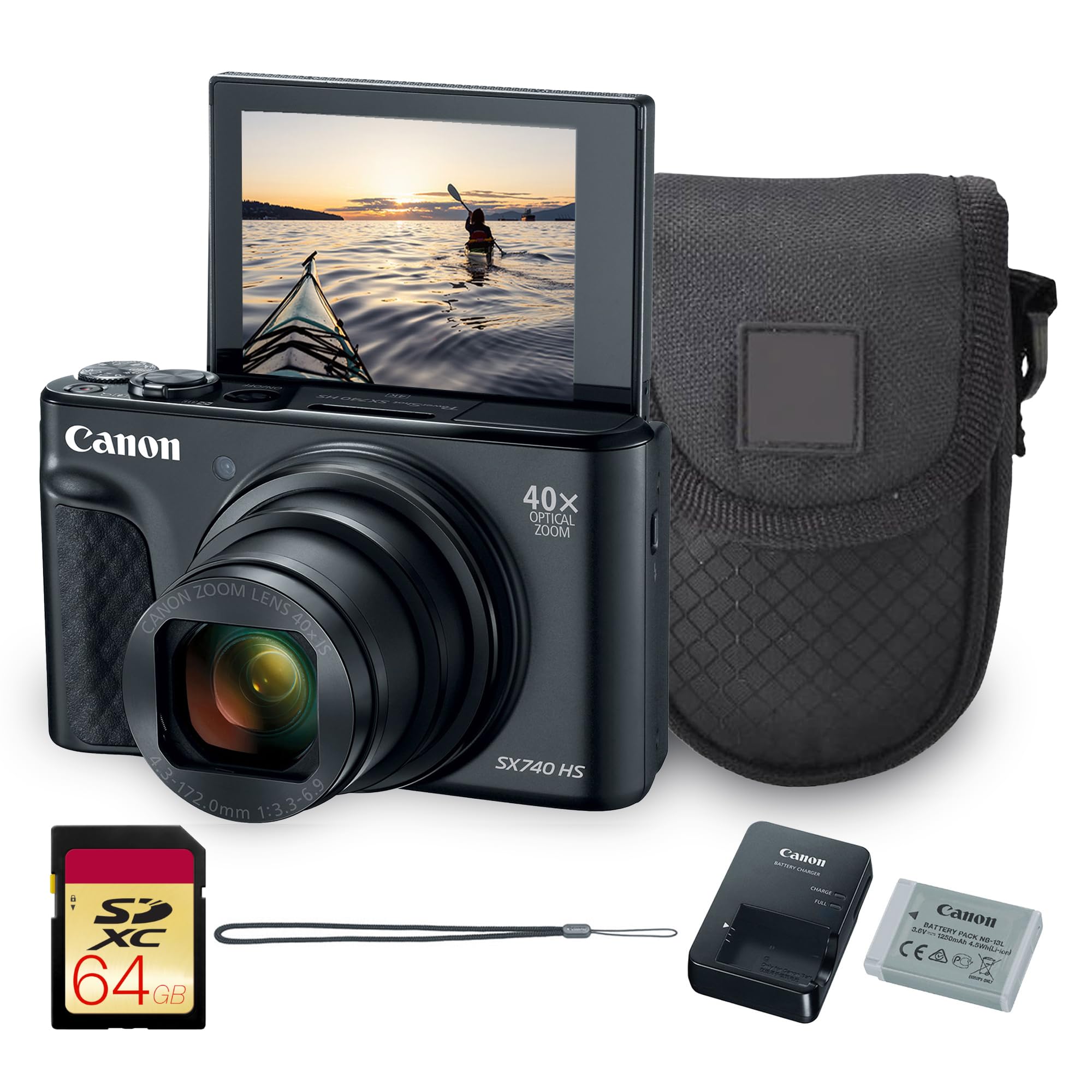
Figura 1: Frontal view of the Canon PowerShot SX740 HS Digital Camera.
2. Què hi ha a la caixa
Assegureu-vos que el paquet inclogui tots els elements següents:
- PowerShot SX740 HS Digital Camera (Black)
- Canon NB-13L Battery
- Canon CB-2LH Charger
- Corretja de canell WS-800
- Bossa
- Targeta de memòria de 64 GB
3. Característiques clau
3.1. Powerful 40x Optical Zoom
The Canon PowerShot SX740 HS features an impressive 40x optical zoom lens (24–960mm equivalent), allowing you to capture wide-angle landscapes and distant subjects with stunning clarity. This ultra-compact camera offers extraordinary reach and detail in a sleek, travel-friendly body.
3.2. Crisp 20.3MP CMOS Sensor with DIGIC 8 Processing
Equipped with a high-resolution 20.3MP CMOS sensor and Canon’s powerful DIGIC 8 image processor, the SX740 HS delivers sharp, vibrant photos with rich color depth and minimal noise. The camera’s intelligent processing ensures excellent results with speed and accuracy.
3.3. Stunning 4K UHD Video Recording
Capture your favorite memories in 4K UHD at 30p, delivering four times the resolution of Full HD. Built-in 5-axis stabilization ensures smooth footage even when shooting handheld or on the move.
3.4. Connectivitat Wi-Fi i Bluetooth
Seamlessly share photos and videos via built-in Wi-Fi and Bluetooth. Use the Canon Camera Connect app to transfer files to your smartphone, post directly to social media, or operate the camera remotely.
4. Configuració
4.1. Instal·lació de la bateria i la targeta de memòria
To install the battery and memory card:
- Open the battery/card compartment cover located on the bottom of the camera.
- Insert the Canon NB-13L battery into the compartment, ensuring the correct orientation.
- Insert the 64GB memory card into its slot until it clicks into place.
- Tanqueu la coberta del compartiment de manera segura.

Figure 2: The camera with its flip-up screen, indicating the location of the battery and memory card compartment.
5. Funcionament de la càmera
5.1. Encendre/apagar
Premeu el botó ON/OFF botó situat a la part superior de la càmera per encendre-la o apagar-la.

Figura 3: superior view of the camera, highlighting the ON/OFF button and mode dial.
5.2. Fer fotos
To take a photo, press the shutter button located next to the ON/OFF button. The camera will automatically focus and capture the image.
5.3. Using the Flash
To activate the built-in flash, slide the flash release switch on the side of the camera. You can then select flash modes (Auto, On, Off) via the camera's menu or dedicated button.

Figura 4: Frontal view de la càmera amb el flaix emergent estès.
5.4. Using the Flip-Up Screen
The camera features a 3-inch LCD screen that can be flipped up 180 degrees, allowing for easy self-portraits or vlogging. Simply pull the screen upwards from its resting position.
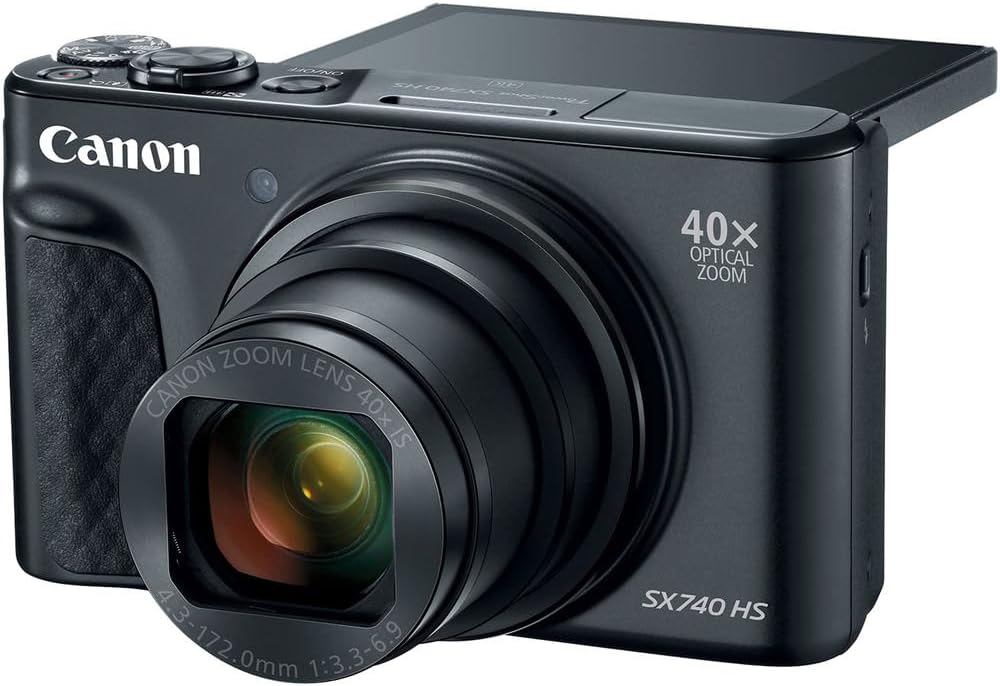
Figure 5: The camera's LCD screen partially flipped up for flexible viewangles d'ajust.
5.5. Funcionalitat de zoom
Use the zoom lever around the shutter button to adjust the 40x optical zoom. Push it towards W for wide-angle and T for telephoto.
5.6. Modes de tir
Rotate the mode dial on the top of the camera to select different shooting modes, including Automatic, Landscape, Movie, and Sports, to optimize settings for various scenes.
5.7. Gravació de vídeo
To start recording video, press the dedicated movie record button. Press it again to stop recording. The camera supports 4K UHD video at 30p with 5-axis image stabilization.
6. Connectivitat
6.1. Wi-Fi and Bluetooth
The PowerShot SX740 HS features built-in Wi-Fi and Bluetooth for seamless wireless connectivity. Download the Canon Camera Connect app on your smartphone to:
- Transfer photos and videos to your device.
- Control the camera remotely.
- Add GPS information to your images.
Refer to the Canon Camera Connect app's instructions for detailed pairing and usage.
7. Manteniment
- Neteja del cos de la càmera: Feu servir un drap suau i sec per netejar el cos de la càmera. Per a la brutícia persistent, netegeu suaumentampen el drap amb aigua.
- Neteja de la lent: Use a lens brush to remove dust, then gently wipe with a lens cloth. Avoid touching the lens with your fingers.
- Emmagatzematge: When not in use, store the camera in a cool, dry place away from direct sunlight and extreme temperatures. Remove the battery if storing for extended periods.
8. Solució De Problemes
8.1. La càmera no s'encén
- Assegureu-vos que la bateria estigui completament carregada i inserida correctament.
- Comproveu si els contactes de la bateria estan nets.
8.2. Les imatges són borroses
- Assegureu-vos que la lent estigui neta i sense taques.
- Check that the camera is properly focused on your subject.
- Use a higher shutter speed or image stabilization in low light conditions.
8.3. No es pot transferir Files
- Ensure Wi-Fi or Bluetooth is enabled on both the camera and your smart device.
- Verify that the Canon Camera Connect app is installed and updated.
- Check network connectivity and permissions on your smart device.
9. Especificacions
| Característica | Especificació |
|---|---|
| Marca | Cànon |
| Nom del model | 2955C001 |
| Tecnologia del sensor fotogràfic | CMOS |
| Resolució de fixes efectius | 20.3 MP |
| Zoom òptic | 40x |
| Distància focal màxima | 960 mil·límetres |
| Distància focal mínima | 24 mil·límetres |
| Resolució de vídeo | 2160p (4K UHD) |
| Estabilització d'imatge | Òptic |
| Tecnologia de connectivitat | Wi-Fi, Bluetooth |
| Mida de la pantalla | 3 polzades |
| Tipus de visualització | LCD |
| Capacitat d'emmagatzematge de memòria | 64 GB (inclosos) |
| Pes de l'article | 2.73 lliures |
| Interval ISO | 100-6400 |
| Modes de tir | Automatic, Landscape, Movie, Sports |
10. Garantia i Suport
The Canon PowerShot SX740 HS Digital Camera comes with a standard manufacturer's warranty. For detailed warranty information, product support, or service inquiries, please visit the official Canon support weblloc o poseu-vos en contacte amb el seu servei d'atenció al client.
For additional resources and support, please visit the Botiga Canon a Amazon.


