Introducció
This manual provides detailed instructions for the installation, setup, operation, and maintenance of your Blusafe Apollo 2.3 Smart Lock. Please read this manual thoroughly before installation and use to ensure proper function and safety.
Producte acabatview
The Blusafe Apollo 2.3 is a smart deadbolt offering multiple unlocking methods for enhanced security and convenience.
Característiques principals:
- Múltiples opcions de desbloqueig: Fingerprint, Passcode, IC Card, TTLock Mobile App, and Mechanical Keys.
- Childproof Interior Deadbolt: Provides additional security by preventing unauthorized exit or entry.
- Compatibilitat: Designed for 90% of standard "lift up handle to lock" multipoint locking systems.
- Disseny impermeable: IP65 rated for resistance against rain, dust, and extreme temperatures (-4°F to 140°F).
- Llarga vida útil de la bateria: Powered by 4 AAA batteries, offering up to 6+ months of use with low-battery alerts.
- Alimentació d'emergència: Type-C emergency charging port and mechanical keys for backup access.
- Gestió intel·ligent: TTLock app for remote control (with optional Wi-Fi bridge), guest access management, and unlock record tracking.
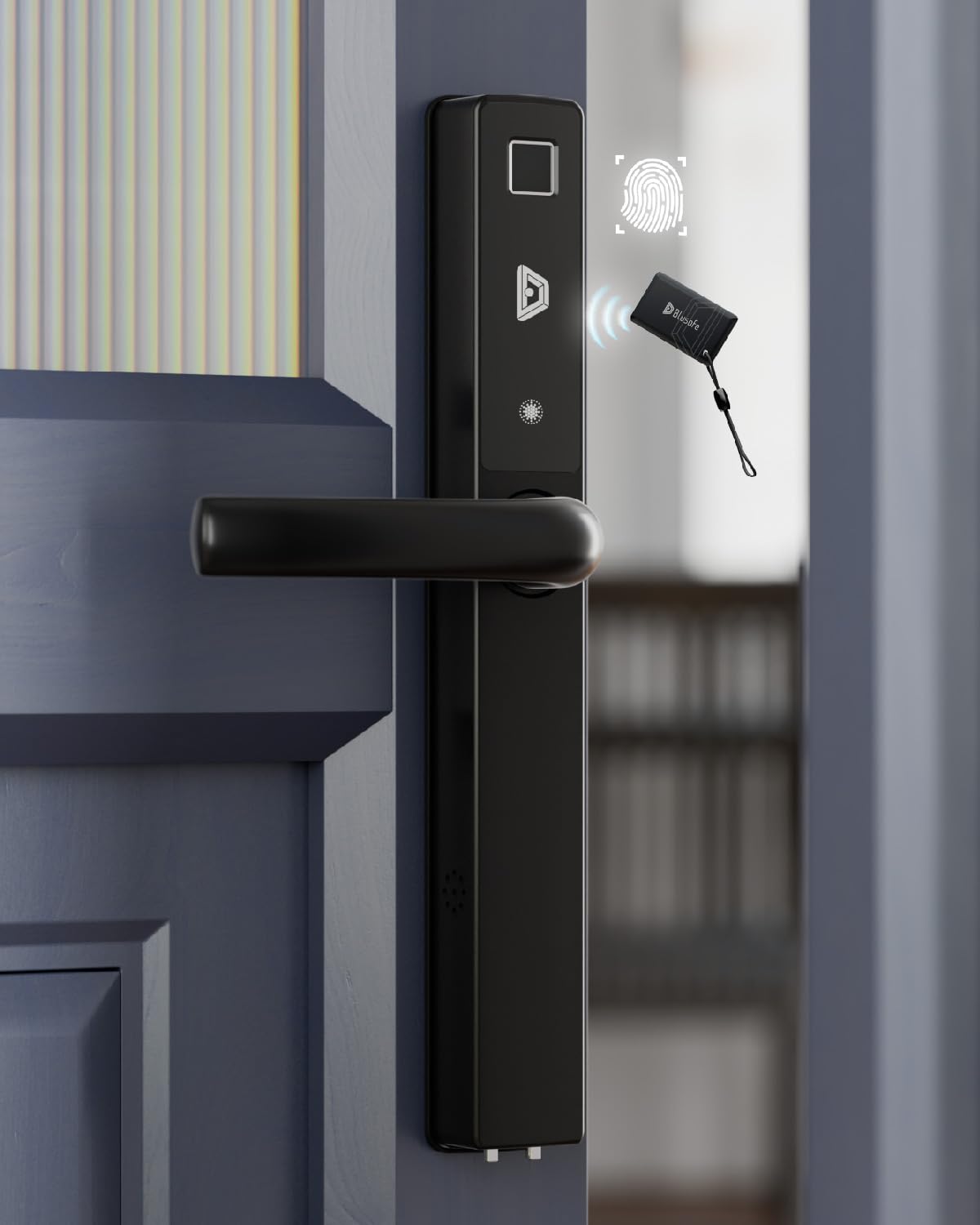
Image: Blusafe Apollo 2.3 Smart Lock, showing the exterior handle with fingerprint sensor and keypad.
Especificacions
| Marca | Blusafe |
| Nom del model | Blusafe Apollo 2.3 |
| Tipus de bloqueig | Cerrall biomètric |
| Material | Acer inoxidable, zinc |
| Dimensions (L x A x A) | 12.3 x 0.84 x 0.84 polzades |
| Pes de l'article | 5.4 lliures |
| Característiques especials | Fingerprint, Fob Unlock, Rechargeable (emergency), Weather Resistant |
| Tipus de controlador | Amazon Alexa, Android, Google Assistant, TTLocks, iOS (via optional Wi-Fi bridge) |
| Font d'alimentació | 4 piles AAA (no incloses) |
| Temperatura de funcionament | -4 °F a 140 °F |
| Classificació impermeable | IP65 |

Image: Detailed dimensions of the Blusafe Apollo 2.3 Smart Lock components.
Compatibilitat i instal·lació
The Blusafe Apollo 2.3 Smart Lock is designed to be compatible with most standard multipoint locking systems.
Door Requirements:
- Gruix de la porta: 40-90mm (1.57 - 3.54 inches)
- Part posterior: ≥25mm (0.98 inches)
- Tipus de portes: Compatible with PVC, wooden, and metal doors.
- Sistema de bloqueig: Designed for "lift up handle to lock" multipoint locks. Not compatible with "push handle to lock" or standard deadbolt and latch systems.

Image: Diagram illustrating door compatibility requirements, including door thickness, backset, and lock types.

Image: Illustration of the lock's retrofittable design with existing 92PZ multi-point locks.
Recomanació d'instal·lació:
Professional installation is strongly recommended to ensure correct fitting and optimal performance, especially for doors with existing multipoint locking systems. DIY installation may require drilling new holes.
Configuració i configuració
After physical installation, configure your Blusafe Apollo 2.3 Smart Lock using the TTLock mobile application.
1. TTLock App Installation:
- Download the TTLock app from your device's app store (iOS or Android).
- Creeu un compte i inicieu sessió.
2. Pairing the Lock:
- Assegureu-vos que el Bluetooth estigui habilitat al vostre telèfon intel·ligent.
- Open the TTLock app and follow the on-screen instructions to add a new lock.
- The app will guide you through the pairing process.
3. Adding Unlocking Methods:
The Blusafe Apollo 2.3 supports up to 100 fingerprints, 250 passcodes, and 1000 IC cards.
- Empremtes dactilars: In the app, navigate to "Fingerprints" and follow the prompts to register new fingerprints.
- Contrasenyes: Generate one-time, timed, or recurring passcodes through the app.
- Targetes IC: Register IC cards by presenting them to the lock's sensor as instructed by the app.
- e-Keys: Share digital keys with guests or family members via the app for temporary or permanent access.

Image: Display showing the smart lock and a smartphone screen, illustrating the various unlocking methods including fingerprint, card, and app control.
4. Remote Control (Optional Wi-Fi Bridge):
To enable remote lock/unlock functionality and integration with smart home systems (Amazon Alexa, Google Assistant), a Blusafe Wi-Fi Bridge (sold separately) is required.
- Connect the Wi-Fi Bridge to your home network.
- Pair the bridge with your smart lock via the TTLock app.
- Once connected, you can manage and unlock your door from anywhere.
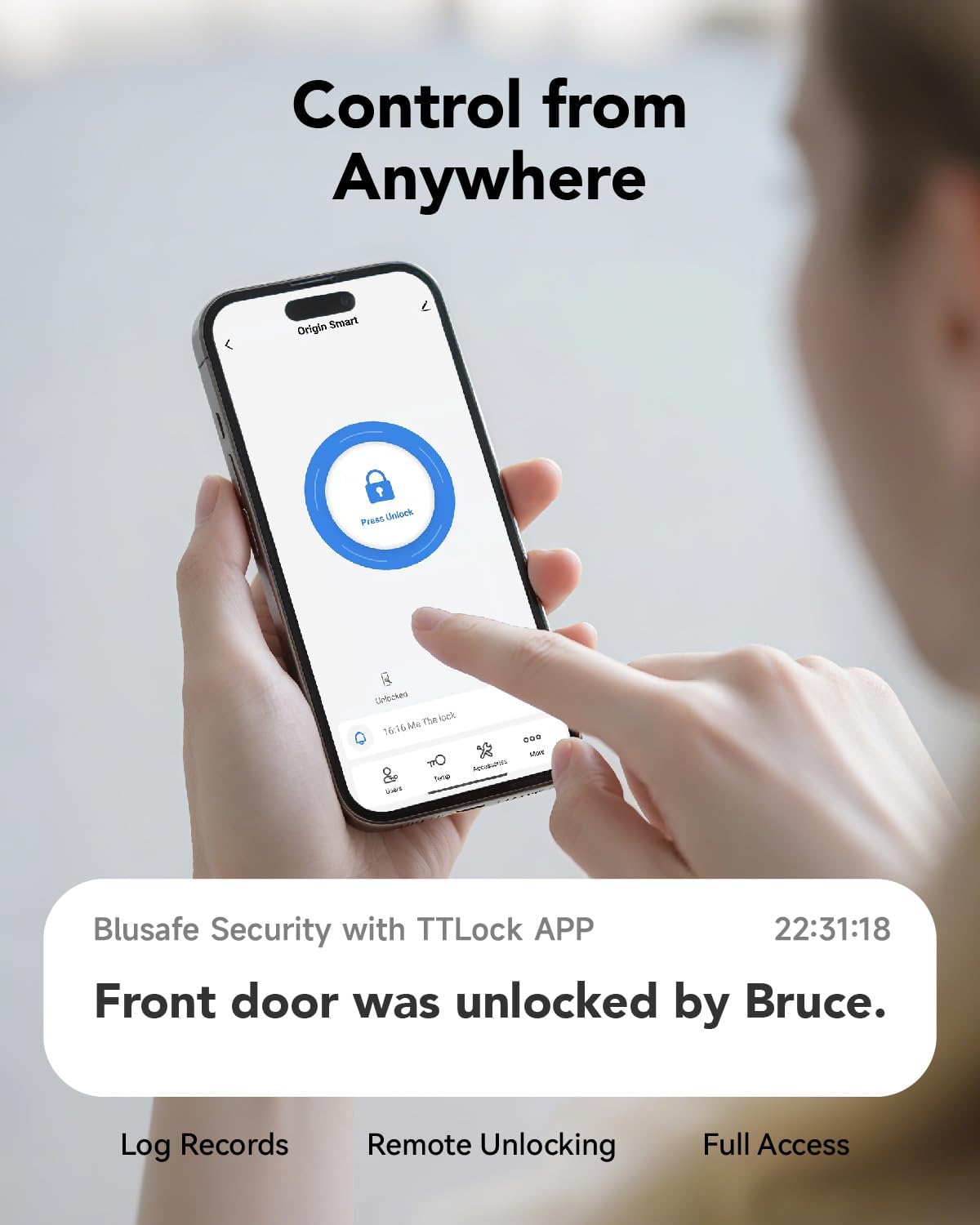
Image: A person using a smartphone to remotely control the smart lock, showing unlock records and remote unlocking features.
Instruccions de funcionament
Desbloqueig de la porta:
- Empremta digital: Col·loca el dit registrat al sensor d'empremtes dactilars.
- Contrasenya: Enter your passcode on the keypad and press the unlock button.
- Targeta IC: Present your registered IC card to the card reader.
- TTLock App: Open the app and tap the unlock icon (ensure Bluetooth is on or Wi-Fi bridge is connected).
- Clau mecànica: Insert and turn the mechanical key in the emergency keyhole.
Tancament de la porta:
- Bloqueig automàtic: The lock can be configured to automatically lock after a set period.
- Bloqueig manual: Lift the door handle upwards from the exterior or interior to engage the multipoint lock.
- Childproof Deadbolt: From the interior, push up the thumbturn to engage the childproof deadbolt for added security.
- TTLock App: Open the app and tap the lock icon.
Manteniment
Substitució de la bateria:
- The lock is powered by 4 AAA batteries.
- Battery life is approximately 6 months, depending on usage.
- The smart lock will provide voice command notifications and app alerts when the battery is low.
- Replace batteries promptly upon low battery warning.
- To replace, remove the battery cover on the interior handle and insert new AAA batteries, ensuring correct polarity.
Neteja:
- Netegeu l'exterior del pany amb un drap suau iamp tela.
- Avoid abrasive cleaners or solvents that may damage the finish.
- Ensure the fingerprint sensor and keypad are kept clean for optimal performance.
Resistència a la intempèrie:
The Blusafe Apollo 2.3 is IP65 rated, providing protection against dust and water splashes. It is designed to operate in temperatures from -4°F to 140°F.

Image: Close-up of the smart lock with water droplets, highlighting its IP65 waterproof rating and operating temperature range.
Resolució de problemes
Bateria baixa:
- If the lock issues a low battery warning, replace the AAA batteries immediately.
- You will have approximately 200 operations remaining after the first warning.
Completely Dead Battery:
- If the batteries are completely depleted, use a 9V battery for emergency power by touching it to the emergency power contacts on the exterior unit.
- Alternatively, use the provided mechanical keys to unlock the door.
- Once unlocked, replace the internal AAA batteries.
El sensor d'empremtes dactilars no respon:
- Assegureu-vos que el vostre dit estigui net i sec.
- Clean the fingerprint sensor surface with a soft cloth.
- Try re-registering your fingerprint if issues persist.
Problemes de connectivitat de l'aplicació:
- Ensure Bluetooth is enabled on your phone and you are within range of the lock.
- If using a Wi-Fi bridge, verify the bridge is powered on and connected to your home network.
- Restart the TTLock app or your smartphone.
Garantia i Suport
For warranty information and technical support, please refer to the official Blusafe website or contact Blusafe customer service. Keep your purchase receipt as proof of purchase.
Blusafe Customer Support: Visit the Blusafe Store on Amazon


