1. Producte acabatview
The Razer BlackShark V3 is a wireless esports gaming headset designed for competitive play. It features advanced audio technology and versatile connectivity options for various platforms.

Image: The Razer BlackShark V3 Wireless Gaming Headset, showcasing el seu disseny i el micròfon desmuntable.
Característiques principals:
- Razer HyperSpeed Wireless Gen-2: Provides ultra-low latency wireless audio.
- Razer TriForce Titanium 50mm Drivers Gen-2: Delivers clear, powerful, and precise audio.
- Detachable Razer HyperClear Super Wideband 9.9mm Mic: Ensures high-definition voice clarity.
- Triple-Mode Connectivity: Supports 2.4 GHz wireless, Bluetooth, and wired USB-C.
- Àudio espacial THX: Offers immersive 7.1.4 surround sound (PC only).
- Llarga vida útil de la bateria: Fins a 70 hores amb una sola càrrega.
2. Què hi ha a la caixa
Verifiqueu que tots els components siguin presents al vostre paquet:
- Razer BlackShark V3 Wireless Gaming Headset
- Razer HyperSpeed Wireless Gen-2 Dongle
- Detachable Razer HyperClear Super Wideband 9.9mm Microphone
- Cable de càrrega USB tipus A a tipus C
- Manual d'usuari (aquest document)

Image: The Razer BlackShark V3 headset, HyperSpeed Wireless dongle, and USB-C charging cable.
3. Configuració
3.1 Càrrega dels auriculars
Before first use, fully charge the headset using the provided USB Type-A to Type-C cable. Connect the USB-C end to the headset's charging port and the USB-A end to a powered USB port (e.g., computer, wall adapter).
- L'indicador LED dels auriculars mostrarà l'estat de càrrega.
- A full charge provides up to 70 hours of battery life (up to 35 hours in dual audio mode).
3.2 Connectar el micròfon
Insert the detachable Razer HyperClear Super Wideband Microphone into the microphone port located on the left earcup. Ensure it is securely connected.

Image: The Razer BlackShark V3 headset with the detachable microphone attached.
3.3 Connecting via Razer HyperSpeed Wireless (2.4 GHz)
This mode offers the lowest latency for gaming on PC, PlayStation, and Nintendo Switch (docked mode).
- Plug the Razer HyperSpeed Wireless Gen-2 Dongle into an available USB port on your device.
- Engega els auriculars. S'haurien de connectar automàticament al dongle.
- On your device, ensure the Razer BlackShark V3 is selected as the audio input and output device.
3.4 Connexió mitjançant Bluetooth
This mode is suitable for mobile devices, Mac, and Nintendo Switch (handheld mode).
- Enceneu els auriculars.
- Press and hold the Bluetooth button on the headset until the LED indicator blinks blue, indicating pairing mode.
- On your device, go to Bluetooth settings and select "Razer BlackShark V3" from the list of available devices.
- The LED will turn solid blue when connected.
3.5 Connecting via USB-C (Wired Mode)
For a direct wired connection, use the USB Type-A to Type-C cable.
- Connecteu l'extrem USB-C del cable als auriculars.
- Connect the USB-A end to an available USB port on your device.
- The headset will function as a wired audio device.
4. Funcionament dels auriculars
4.1 Encès/Apagat
Press and hold the Power button on the headset for approximately 3 seconds to power it on or off.
4.2 Control de volum
Rotate the volume wheel on the left earcup to adjust the audio output level.
4.3 Silenciament del micròfon
Press the microphone mute button on the left earcup to toggle the microphone on or off. An LED indicator on the microphone will show its status.
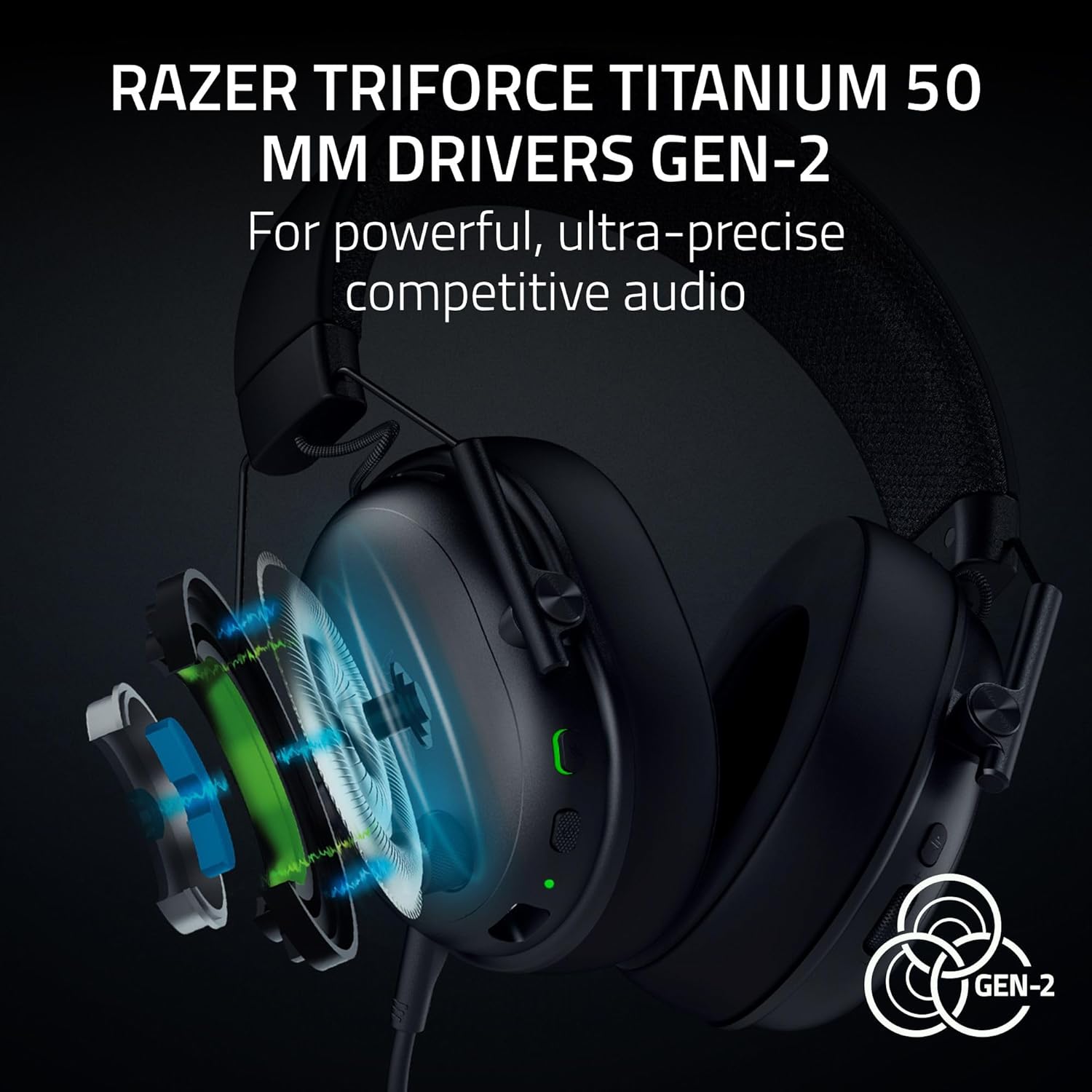
Image: Close-up of the headset's left earcup showing the volume wheel, power button, and microphone mute button.
4.4 Switching Connectivity Modes
The headset supports simultaneous 2.4 GHz and Bluetooth audio. Use the dedicated mode button to switch between or combine these modes.
4.5 Razer Synapse Software (PC Only)
For advanced customization, download and install Razer Synapse on your PC. This software allows you to:
- Customize audio equalizer (EQ) settings.
- Enable and configure THX Spatial Audio for immersive sound.
- Adjust microphone settings, including noise reduction.
- Create and save pro-tuned FPS profiles.

Image: A screenshot of the Razer Synapse mobile application interface, showing equalizer and microphone settings for the BlackShark V3 headset.
5. Manteniment
5.1 Neteja dels auriculars
Regularly clean your headset to maintain its condition and hygiene.
- Feu servir un drap suau i sec per netejar els auriculars i la diadema.
- Per a la brutícia tossuda, lleugerament dampRenta el drap amb aigua. Evita productes químics agressius.
- Ensure the microphone port and charging port are free of dust and debris.
5.2 Cura de la bateria
Per allargar la durada de la bateria:
- Eviteu descarregar completament la bateria amb freqüència.
- Guardeu els auriculars en un lloc fresc i sec quan no els feu servir.
- Charge the headset periodically if it will not be used for an extended period.
5.3 Storing the Headset
When not in use, store the headset on a stand or in a protective case to prevent damage. Detach the microphone if preferred for storage.

Image: The Razer BlackShark V3 headset resting on a headset stand.
6. Solució De Problemes
6.1 Sense sortida d'àudio
- Assegureu-vos que els auriculars estiguin encesos i carregats.
- Verify the correct audio output device is selected in your system settings.
- Check the volume wheel on the headset and your device's master volume.
- If using HyperSpeed Wireless, ensure the dongle is securely plugged in and the headset is connected.
- If using Bluetooth, ensure the headset is paired and connected to your device.
6.2 El micròfon no funciona
- Assegureu-vos que el micròfon estigui ben connectat als auriculars.
- Check if the microphone mute button is disengaged (LED off).
- Verify the correct microphone input device is selected in your system settings and communication applications.
- Si és possible, prova el micròfon amb un altre dispositiu.
6.3 Problemes de connectivitat
- Sense fils HyperSpeed: Try plugging the dongle into a different USB port. Ensure no strong interference sources are nearby.
- Bluetooth: Try unpairing and re-pairing the headset with your device. Ensure the headset is within range.
- General: Reinicieu els auriculars i el dispositiu connectat.
7. Especificacions
| Característica | Detall |
|---|---|
| Nom del model | BlackShark V3 |
| Número de model de l'article | RZ04-05410100-R3U1 |
| Tecnologia de connectivitat | 2.4 GHz Wireless (HyperSpeed), Bluetooth 5.3, USB Type-A (Wired) |
| Dispositius compatibles | PC, Mac, PlayStation, Nintendo Switch, Smartphone, Steam Deck |
| Mida del controlador d'àudio | 50 mm Razer TriForce Titanium Drivers Gen-2 |
| Resposta de freqüència | 28 KHz (Headphones) |
| Sensibilitat | 106 dB |
| Micròfon | Detachable Razer HyperClear Super Wideband 9.9mm Mic |
| Durada de la bateria | Up to 70 hours (wireless), 35 hours (dual audio mode) |
| Pes | Approximately 270g (without mic) |
| Control de soroll | Aïllament acústic |
| Material | Metal (frame), Hybrid Fabric-Leatherette (ear cushions) |
| UPC | 840272919606 |
8. Garantia i Suport
8.1 Informació de la garantia
Razer products typically come with a limited manufacturer's warranty. Please refer to the warranty card included in your product packaging or visit the official Razer website for detailed warranty terms and conditions specific to your region and product.
8.2 Suport tècnic
For technical assistance, troubleshooting beyond this manual, or to report issues, please contact Razer Support through their official website. You may need your product's serial number (found on the packaging or headset) for support inquiries.
- Visita el Suport de Razer Weblloc for FAQs, drivers, and contact options.


