1. Introducció
Thank you for choosing the Lumary Smart Landscape Lights Pro. This manual provides detailed instructions for the installation, operation, and maintenance of your new smart outdoor lighting system. Please read this manual thoroughly before use to ensure proper functionality and safety.
The Lumary Smart Landscape Lights Pro system offers advanced features including RGBAICW color changing capabilities, app control, voice control, and remote control, designed to enhance your outdoor living spaces.
2. Característiques clau
- Upgrade Pro Version: Total 3000lm brightness and 36W output. RGBAICW 2200K-6500K, 1-100% adjustable brightness.
- Multi-Color Display: RGBAI technology for 16 million color options and various preset/custom scenes.
- Control individual de la llum: Each spotlight can be controlled independently via the APP for color, on/off, and brightness.
- Múltiples mètodes de control: Lumary APP (2.4 GHz Wi-Fi only), Amazon Alexa, Google Assistant, SmartThings, RF remote controller, and control box.
- Resistent i impermeable: IP65 waterproof rating with an upgraded metal body and 22AWG sturdy cable. ETL-certified adapter.
3. Contingut del paquet
Si us plau, comproveu el paquet per veure si hi ha els elements següents:
- Lumary Smart Landscape Spotlights (6 units)
- Adaptador d'alimentació
- Caixa de control
- RF Remote Controller (AAA Batteries not included)
- Estacs de terra
- Manual d'usuari
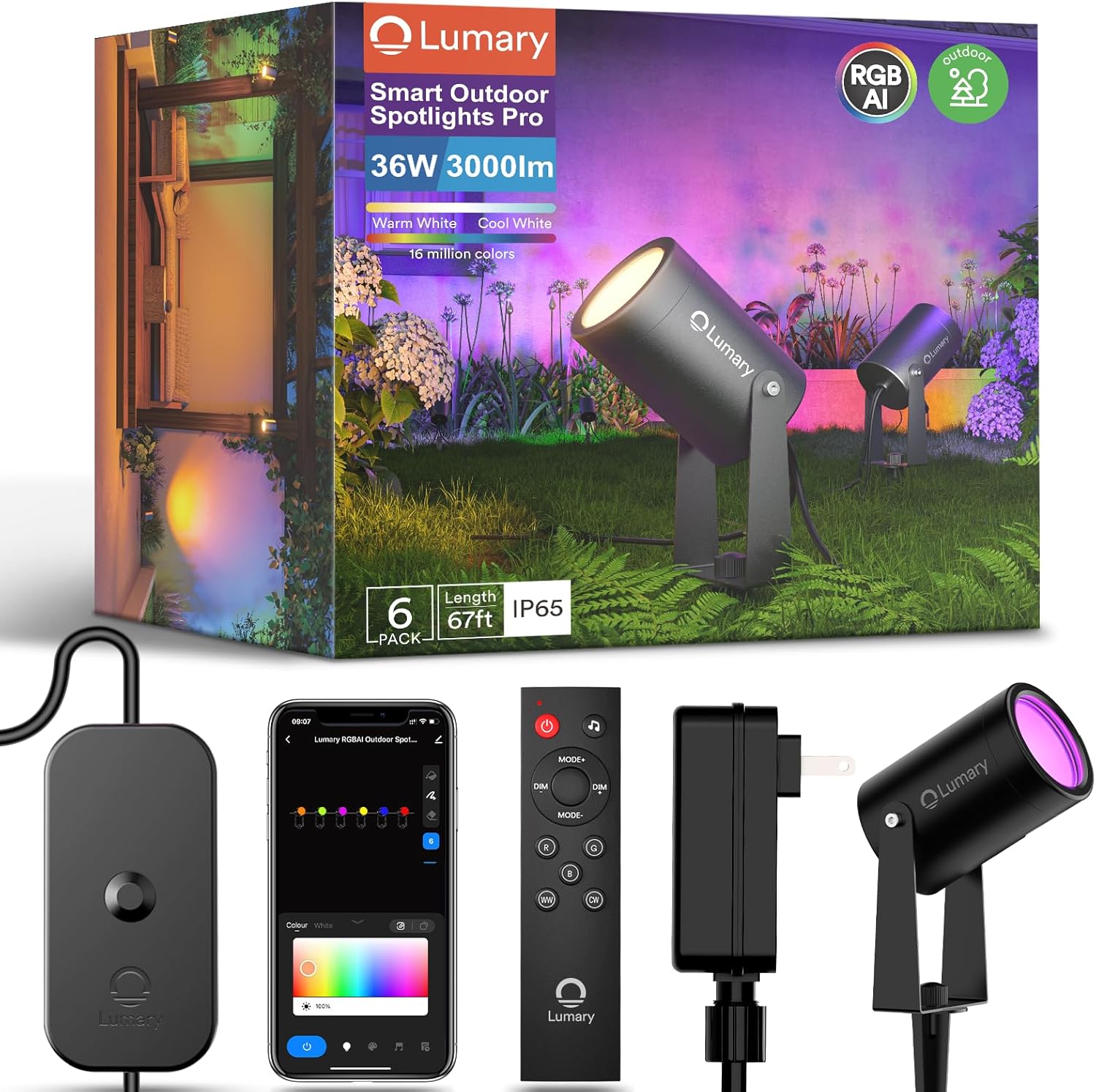
Imatge: Més deview of the Lumary Smart Landscape Lights Pro package contents, showing the spotlights, control unit, remote control, and power supply.
4. Informació de seguretat
- Assegureu-vos que la font d'alimentació estigui desconnectada abans de la instal·lació o el manteniment.
- Do not immerse the control box or power adapter in water. The spotlights are IP65 rated for outdoor use, but the power components require protection from direct water exposure.
- Use only the provided power adapter. Using unauthorized adapters may damage the product and void the warranty.
- Mantingueu els nens i les mascotes allunyats dels components elèctrics durant la instal·lació.
- No intenteu desmuntar o reparar el producte vosaltres mateixos. Contacteu amb l'assistència al client per obtenir assistència.
- Assegureu-vos que totes les connexions estiguin segures per evitar riscos elèctrics.
5. Configuració i instal·lació
- Desempaquetar components: Traieu amb cura tots els elements de l'embalatge i verifiqueu-los amb la llista de contingut del paquet.
- Assemble Spotlights: Attach the ground stakes to the bottom of each spotlight. Ensure they are securely fastened.
- Llums de posició: Place the spotlights in your desired outdoor locations. Ensure the cable length is sufficient to reach the control box and power outlet.
- Connect Lights to Control Box: Connect each spotlight's cable to the corresponding ports on the control box. Ensure a firm connection.
- Connecteu l'adaptador d'alimentació: Plug the power adapter into the control box, then plug the adapter into a suitable outdoor power outlet. Ensure the outlet is protected from weather elements.
- Encès: Once all connections are secure, plug the power adapter into the main power supply. The lights should illuminate.

Image: Lumary Smart Landscape Lights Pro installed in an outdoor setting, demonstrating their ability to illuminate different areas with various colors.
6. Instruccions de funcionament
6.1 Lumary App Control
- Descarregar l'aplicació: Cerca "Lumary" in your smartphone's app store (iOS or Android) and download the application.
- Registra't/Inici de sessió: Obriu l'aplicació i creeu un compte o inicieu sessió si ja en teniu un.
- Afegeix un dispositiu: Follow the in-app instructions to add your Smart Landscape Lights Pro. Ensure your phone is connected to a 2.4 GHz Wi-Fi network.
- Característiques de control:
- Selecció de color: Trieu entre 16 milions de colors utilitzant la roda de colors.
- Ajust de brillantor: Ajusteu la brillantor de l'1% al 100%.
- Modes d'escena: Select from various preset scenes or create custom lighting effects.
- Control individual de la llum: Tap on individual light icons within the app to control each spotlight independently.
- Programació: Set timers and schedules for automatic on/off and scene changes.
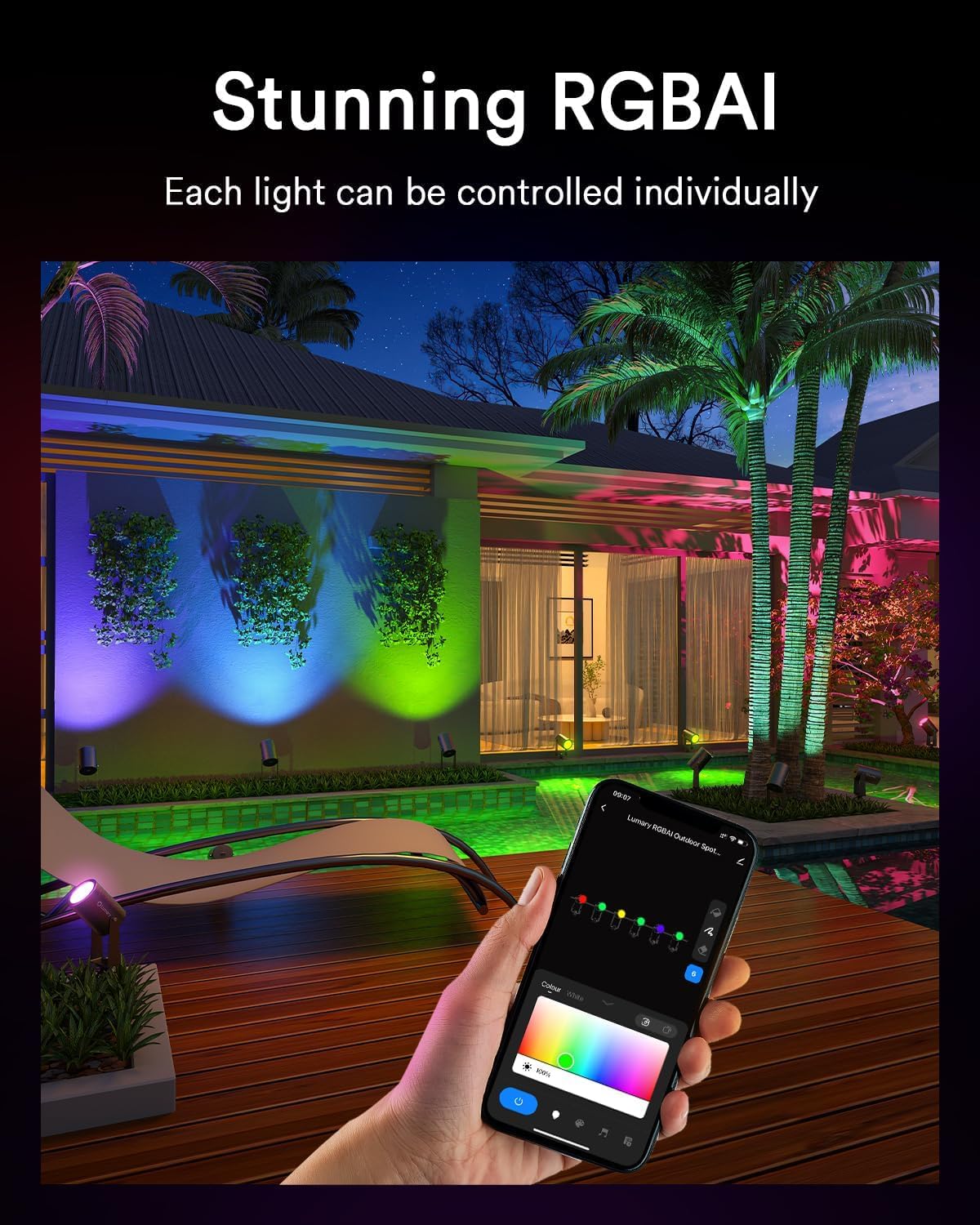
Image: A smartphone displaying the Lumary application, illustrating the interface for individual light control and color selection.
6.2 Control per veu (Alexa/Assistent de Google)
- Enllaça el compte: In your Alexa or Google Home app, enable the "Lumary" skill/service and link your Lumary account.
- Descobriu els dispositius: Ask your voice assistant to "Discover devices" or manually add them through the app.
- Comandaments de veu: Utilitzeu ordres com ara:
- "Alexa, turn on the garden lights."
- "Ei Google, configura els llums del pati en blau."
- "Alexa, dim the landscape lights to 50%."
6.3 Control remot
Insert 2x AAA batteries (not included) into the RF remote controller. The remote can be used to control basic functions such as:
- Encès/Apagat
- Ajust de brillantor
- Color Cycling/Selection
- Selecció del mode
Image: The RF remote controller and the control box for the Lumary Smart Landscape Lights Pro, showing various buttons for light control.
7. Manteniment
- Neteja: Periodically wipe the spotlights with a soft, damp drap per eliminar la brutícia i els residus. No utilitzeu productes químics aggressivs ni netejadors abrasius.
- Inspecció del cable: Regularly inspect the cables for any signs of damage, fraying, or wear. Replace damaged cables immediately.
- Connexions: Ensure all connections remain tight and free from corrosion.
- Actualitzacions de firmware: Check the Lumary app periodically for firmware updates to ensure optimal performance and access to new features.
8. Solució De Problemes
| Problema | Causa possible | Solució |
|---|---|---|
| Els llums no s'encenen. | Sense corrent, connexió fluixa, adaptador defectuós. | Check power outlet, ensure all cables are securely connected, test with another outlet if possible. |
| No es pot connectar a la Wi-Fi. | Incorrect Wi-Fi band, weak signal, incorrect password. | Ensure your router is 2.4 GHz, move closer to the router, re-enter Wi-Fi password carefully. |
| El comandament a distància no funciona. | Dead batteries, out of range, interference. | Replace AAA batteries, ensure line of sight to the control box, reduce interference. |
| Lights flickering or inconsistent. | Loose connection, power fluctuations, faulty unit. | Check all cable connections, ensure stable power supply. If problem persists, contact support. |
9. Especificacions
- Model: B0FH669H6K
- Marca: Llum
- Brillantor: 3000lm (total)
- Sortida: 36W
- Temperatura de color: RGBAICW 2200K-6500K
- Ajust de brillantor: 1-100%
- Classificació impermeable: IP65
- Calibre del cable: 22 AWG
- Adaptador: Certificat per ETL
- Vida útil: Fins a 15,000 hores
- Connectivitat: Wi-Fi de 2.4 GHz
10. Garantia i Suport
Lumary products come with a standard manufacturer's warranty. Please refer to the warranty card included in your package or visit the official Lumary weblloc web per obtenir informació detallada sobre els termes i condicions de la garantia.
For technical support, troubleshooting assistance, or warranty claims, please contact Lumary customer service:
- Weblloc: Visit the Lumary Store on Amazon
- Correu electrònic: [Inseriu aquí el correu electrònic d'atenció al client, si n'hi ha]
- Telèfon: [Inseriu aquí el número de telèfon d'atenció al client, si n'hi ha]
When contacting support, please have your product model (B0FH669H6K) and purchase date ready.


