1. Introducció
This manual provides detailed instructions for the installation, operation, and maintenance of your eRapta Wireless Backup Camera ERT11 3.0. This camera is designed to enhance safety and convenience when operating large vehicles such as RVs, campers, trailers, and trucks by providing a clear view of your surroundings via a smartphone application.
2. Contingut del paquet
Si us plau, verifiqueu que tots els elements que s'enumeren a continuació estiguin inclosos al vostre paquet:
- Wireless Backup Camera with integrated solar panel
- Control remot
- Antena
- Type-C Charger (cable and adapter)
- Manual d'instruccions

Figure 2.1: Contents of the eRapta Wireless Backup Camera package, including the camera, remote, antenna, charger, and manual.
3. Informació de seguretat
- Always ensure the camera is securely mounted before driving.
- Do not rely solely on the backup camera for reversing. Always check your surroundings manually.
- Keep the camera and accessories away from extreme temperatures and direct sunlight for prolonged periods when not in use.
- Use only the provided charger and charging cable to prevent damage.
- The camera is not compatible with Google Pixel, Kyocera, or Motorola phones.
4. Configuració i instal·lació
4.1 Càrrega inicial
Before first use, fully charge the camera using the provided Type-C charger. The battery indicator lights on the camera will show the charging status.
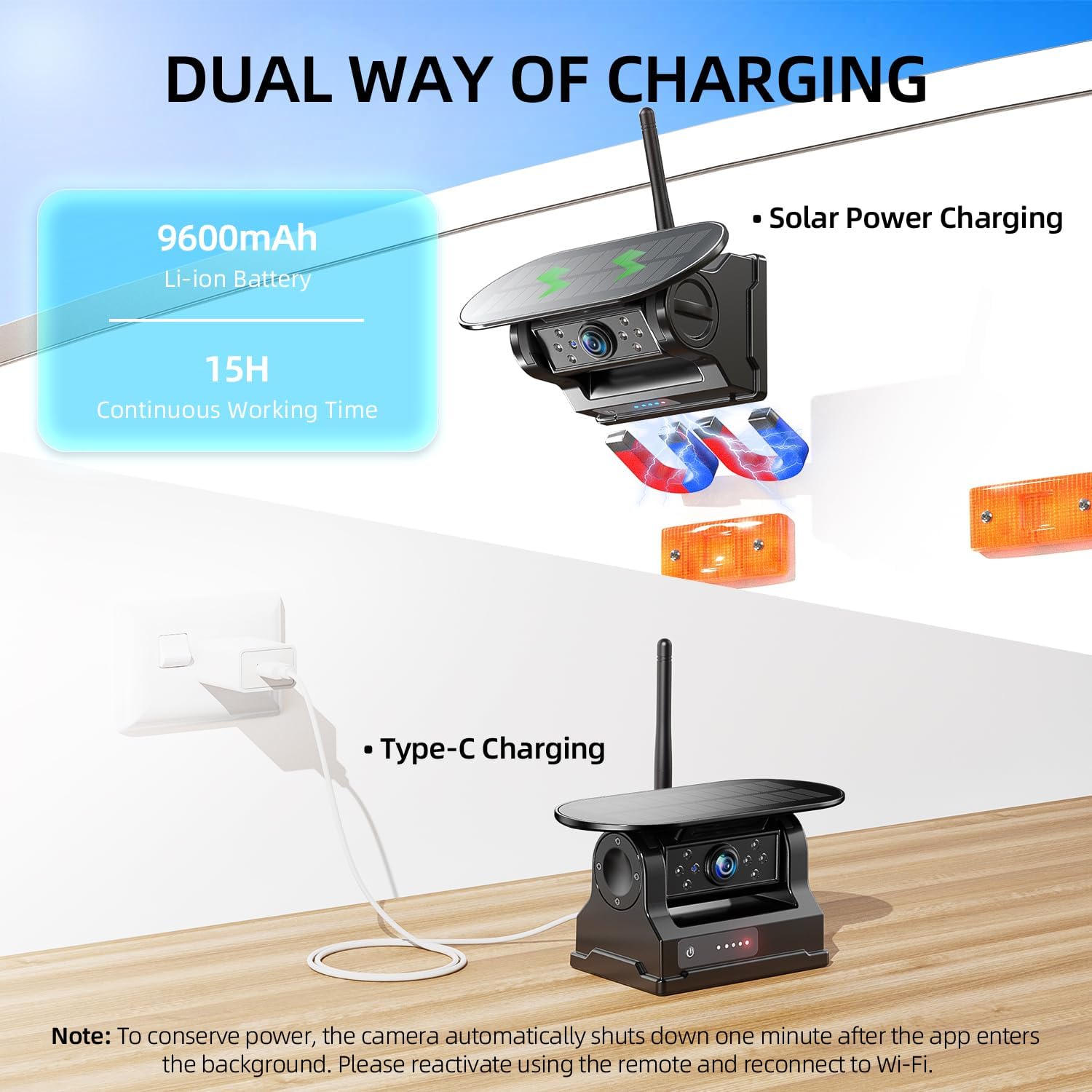
Figure 4.1: The camera supports both solar power charging and Type-C cable charging. Ensure full charge before initial use.
4.2 Muntatge de la càmera
The eRapta Wireless Backup Camera features a strong magnetic mount for easy and secure attachment to any flat metal surface on your vehicle. It can also be mounted using the provided license plate bracket.
- Attach the antenna tightly to the camera.
- Choose a suitable metal surface on your vehicle (e.g., rear bumper, trailer frame) for magnetic attachment, or use the license plate bracket for a more permanent installation.
- Ensure the camera is positioned to provide a clear, unobstructed view of the area you wish to monitor. The camera lens can be adjusted for optimal angle.
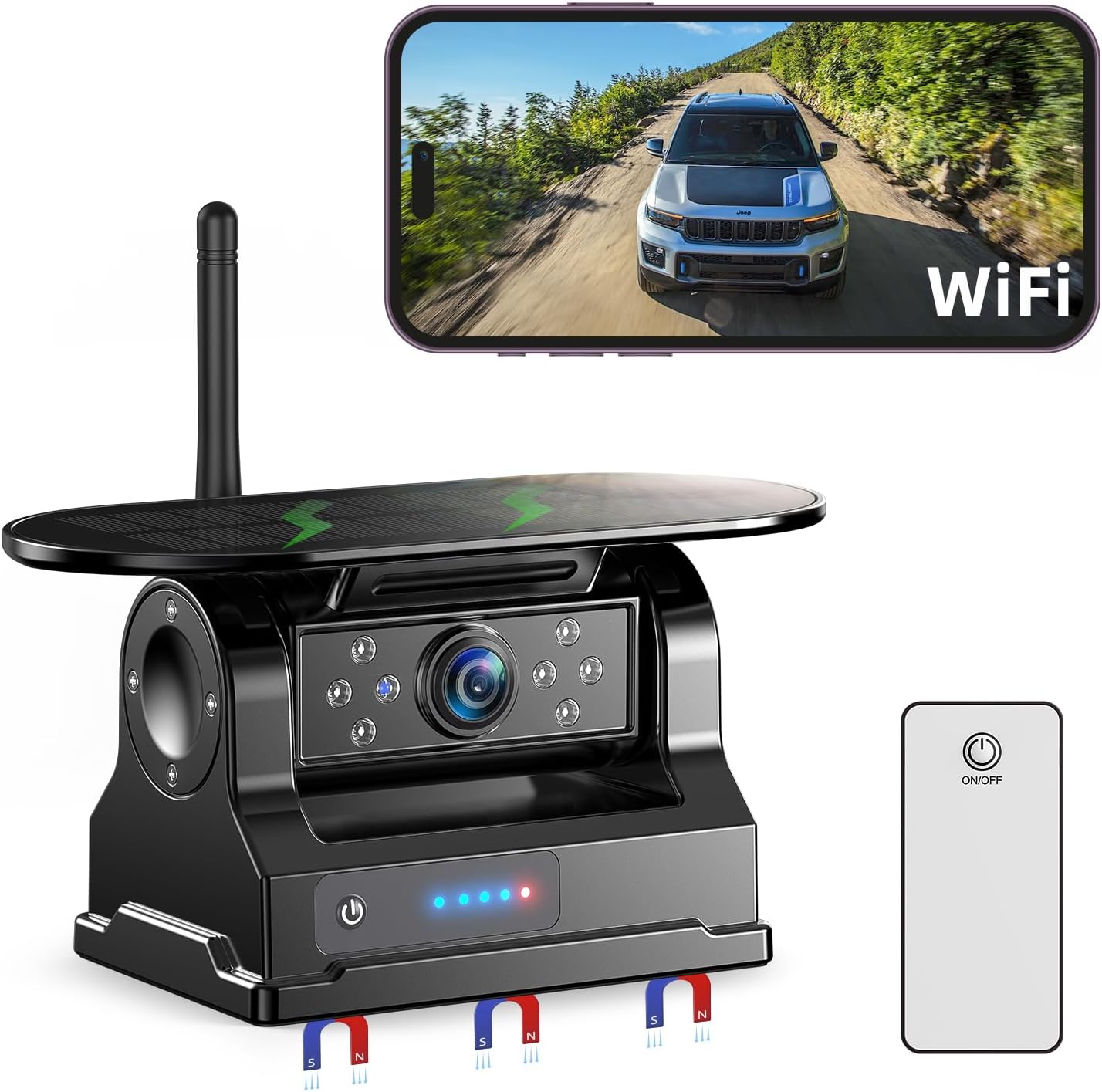
Figure 4.2: The eRapta Wireless Backup Camera with its magnetic base and solar panel, ready for mounting.
4.3 Descàrrega i connexió de l'aplicació
The camera connects to your smartphone via Wi-Fi. Follow these steps to set up the app:
- Download the "Backcamera" app from the iOS App Store or "E-eye" app from the Google Play Store.
- Enceneu la càmera.
- On your smartphone, go to Wi-Fi settings and connect to the camera's Wi-Fi network (e.g., "backcamXXXXX"). The default password is usually "1234567890".
- Open the downloaded app to view the real-time video feed.
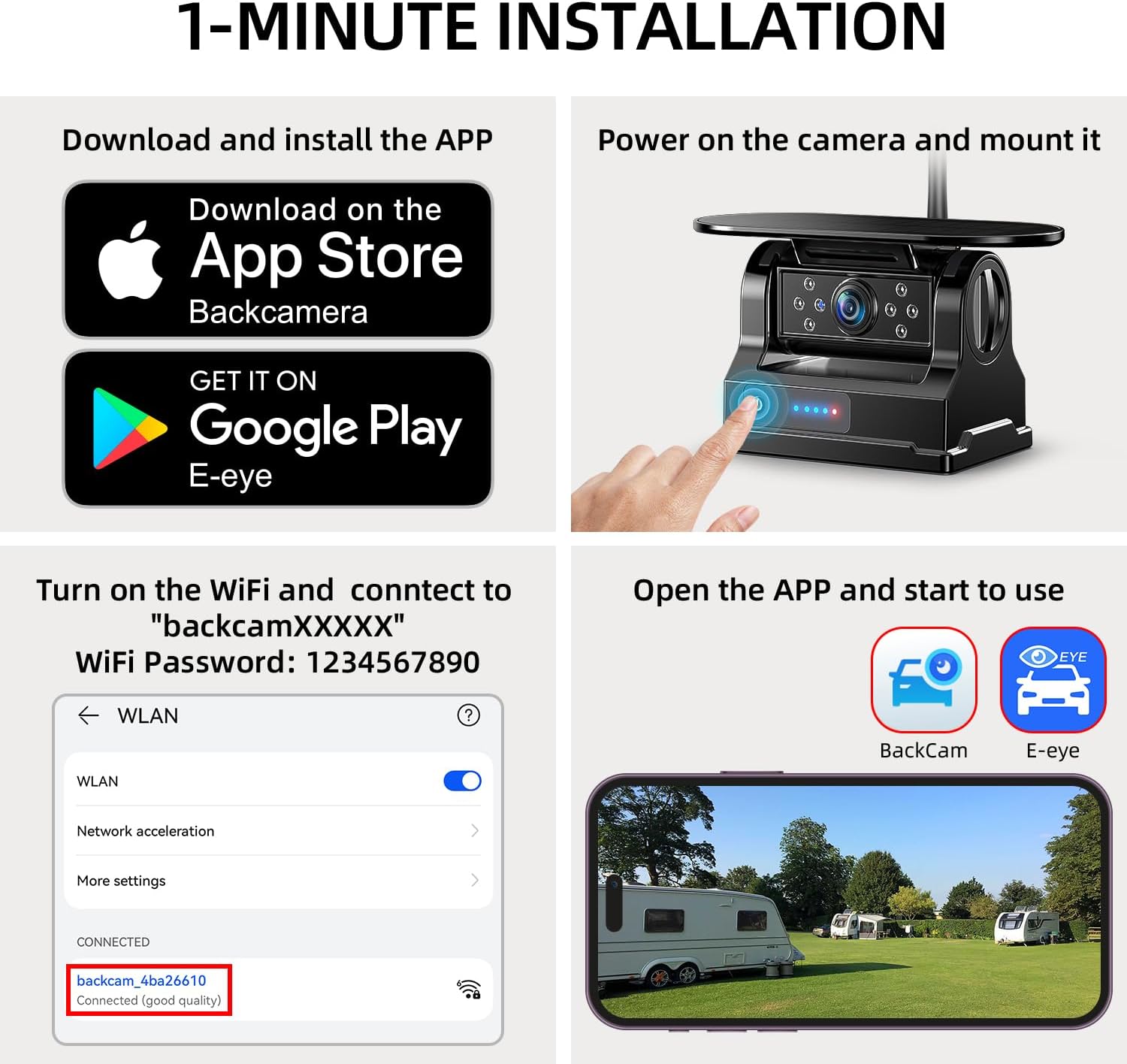
Figure 4.3: Step-by-step guide for downloading the app, powering on the camera, connecting to Wi-Fi, and starting the app for real-time viewing.
5. Instruccions de funcionament
5.1 Temps real Viewing and App Control
Once connected, the app provides a real-time video feed from the camera. You can use the app to:
- Capture Pictures: Save still images from the video feed.
- Grava vídeos: Grava vídeo footage directly to your device.
- Playback Videos: Review foo gravattage.
- Mirror/Flip Settings: Adjust the image orientation (horizontal/vertical flip) to suit the camera's mounting position (e.g., front or rear view).
- Línies d'aparcament: Enable or disable parking guidelines for easier maneuvering.

Figure 5.1: The user-friendly app interface showing options for capturing pictures, recording, playback, mirroring, and settings.
5.2 Blind Spot Detection (BSD)
The camera features advanced AI-powered Blind Spot Detection. This system provides visual and audio warnings on your smartphone screen if obstacles or pedestrians are detected near the parking lines, enhancing safety during parking and maneuvering.

Figure 5.2: Visual representation of the Blind Spot Detection system alerting the user to a cyclist near the vehicle's rear.
5.3 Enhanced Infrared Night Vision
Equipped with a high-sensitivity CMOS sensor and eight infrared LEDs, the camera delivers clear images even in low-light conditions, ensuring visibility during nighttime operations.
5.4 Wi-Fi Connection Stability
The camera operates on 2.4GHz Wi-Fi and works best within a range of 40 feet. This range is ideal for various large vehicles including trucks, campers, RVs, trailers, and fifth wheels.
6. Manteniment
6.1 Càrrega
The camera can be charged in two ways:
- Panell solar: The integrated extra-large solar panel absorbs sunlight to charge the battery, providing up to 15 hours of continuous working time on a full charge.
- Càrrega tipus C: Use the provided Type-C cable and 5V charger for faster charging.
Always use the included charger and cable for optimal battery health. Check the battery level using the camera's indicator lights.
6.2 Durabilitat
The camera is IP69K rated, making it waterproof and dustproof. It is built to withstand harsh weather conditions and extreme temperatures, ensuring reliable performance.
7. Solució De Problemes
- Camera Shuts Down Automatically: To conserve power, the camera automatically shuts down one minute after the app enters the background. Reactivate using the remote control and reconnect to Wi-Fi.
- No Signal/Poor Connection: Ensure your phone is connected to the camera's Wi-Fi network (not Bluetooth). Check that the camera is within the 40-foot operating range.
- Compatibilitat de l'aplicació: The app is not compatible with Google Pixel, Kyocera, or Motorola phones.
8. Especificacions
- Número de model: ERT11 3.0
- Dimensions del producte: 6.4 x 4 x 3.3 polzades
- Pes de l'article: 1.92 lliures
- Connectivitat: Sense fil (Wi-Fi de 2.4 GHz)
- Dispositius compatibles: Smartphone (iPhone, iPad, Android - excluding Google Pixel, Kyocera, Motorola)
- Tipus d'instal·lació: Magnetic / Surface Mount
- Voltage: 10 Volts
- Tecnologia del sensor òptic: CMOS
- Tipus de lent: Gran Angular
- Angle real de View: 150 graus
- Classificació impermeable: IP69K
- Bateria: Bateria Li-ion de 9600 mAh integrada
- Càrrega: Solar Panel, Type-C
9. Garantia i Suport
The eRapta Wireless Backup Camera ERT11 3.0 comes with a 2 any de garantia. For any support or warranty claims, please refer to the contact information provided in your package or visit the official eRapta weblloc.


