1. Introducció
The Rokid AR Spatial Glasses Max2, paired with the Rokid Station2, offers an immersive augmented reality experience with a 3-screen display, high-resolution visuals, and versatile connectivity. This manual provides essential information for setup, operation, and maintenance to ensure optimal performance and user satisfaction.
2. Què hi ha a la caixa
Your Rokid AR Spatial Glasses Max2 and Station2 package includes the following items:
- Rokid Max2 AR glasses
- Rokid Station2
- Cable USB C.

Image: Unboxing the Rokid Max2 AR glasses and Station2, showing all included components.
3. Producte acabatview
Rokid Max2 AR Glasses
- Micro OLED Display: 1920×1200 resolution, 120Hz refresh rate, 600 nits brightness, 108% sRGB.
- Pes: Aproximadament 75 grams.
- Comoditat: Soft, flexible temples and redesigned airy cushioning nose pad for reduced pressure fatigue.
- Myopia & IPD Adjustment: Supports up to 600 degrees myopia correction (astigmatism not supported). Auto IPD adjustment (55–72mm) when paired with Station2.
- Àudio: Built-in speakers with 3D Spatial Audio.
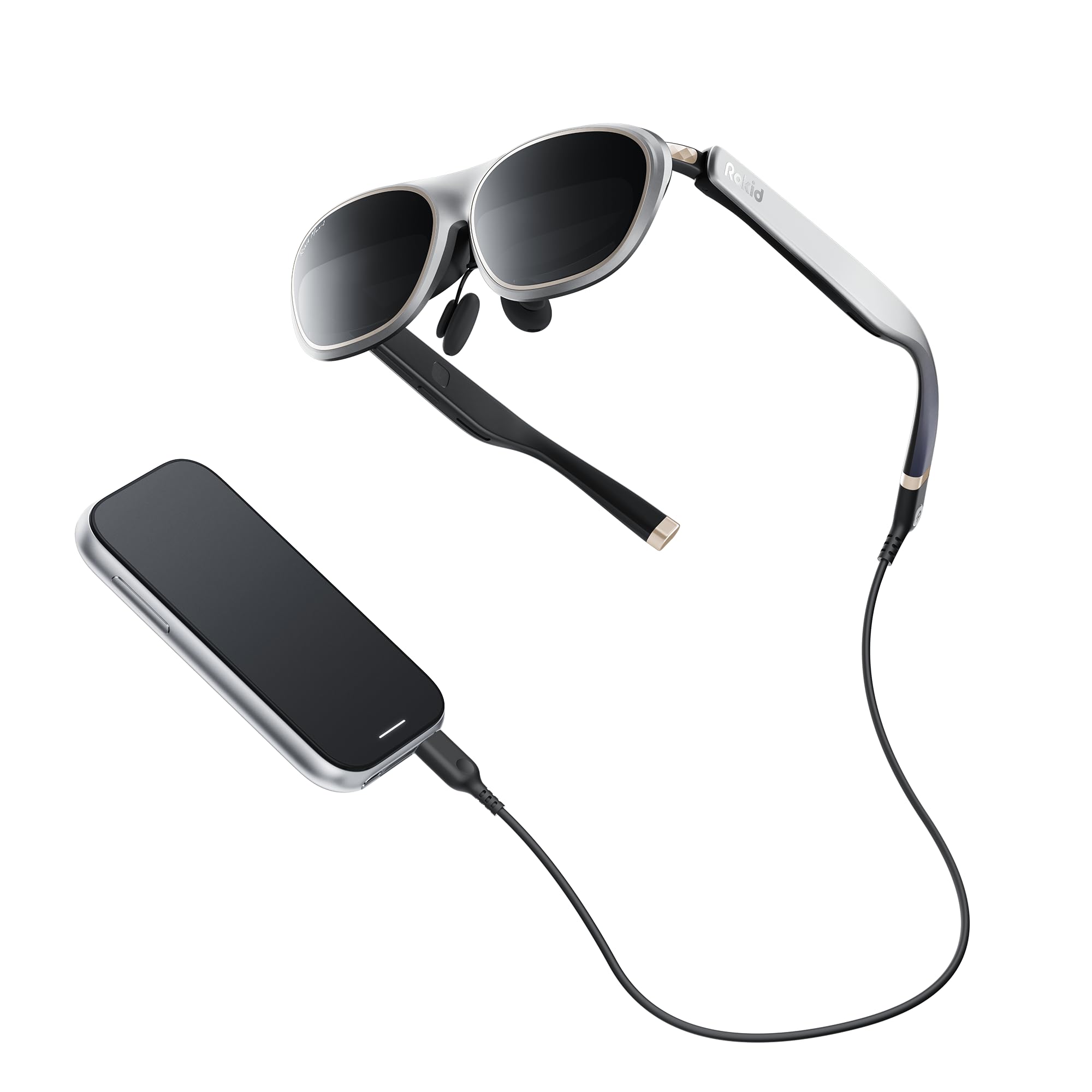
Image: The Rokid Max2 AR Glasses, showcasing their sleek design and integrated components.
Rokid Station2
- Bateria: 5000mAh (3.5h runtime).
- Memòria/emmagatzematge: 8 GB de RAM + 128 GB d'emmagatzematge.
- Connectivitat: Wi-Fi 6, Bluetooth 5.2, Dual Type-C ports.
- Sistema operatiu: YodaOS-Master.
- Pes: 0.31 kg.

Image: The Rokid Station2, a compact spatial computer designed to power the AR glasses.
4. Configuració
Connecting the Rokid Max2 Glasses
The Rokid Max2 glasses connect via a USB-C cable. Ensure your device supports DisplayPort Alt Mode for direct connection.
- iOS/iPadOS/macOS: Connect directly using the included Type-C cable.
- Telèfons Android: Most Android phones supporting DisplayPort can connect directly via USB-C. For phones without DisplayPort, wireless connection via DLNA protocol (Miracast and ChromeCast are single-screen only) is supported through the Station2.
- Windows Laptops: Laptops with USB-C ports can connect directly. Laptops without USB-C but with an HDMI port can connect via an HDMI adapter.

Image: Diagram illustrating various connectivity options for Rokid Max2 glasses with different devices.
Connecting to Gaming Devices
For an enhanced gaming experience, connect your Rokid AR Spatial Glasses to popular gaming consoles:
- Nintendo Switch: Use the Rokid Hub for plug & play functionality.
- PS5, Xbox: Connect via an HDMI adapter.
- Coberta de vapor: Supports direct connection.
Video: Demonstration of connecting Rokid AR Spatial glasses to gaming consoles like PS5 and Nintendo Switch for an immersive gaming experience.
5. Instruccions de funcionament
Encès/Apagat
To power on the Rokid Station2, press and hold the power button located on the side of the device until the indicator light illuminates. To power off, press and hold the power button again until the indicator light turns off.
Display Modes and Screen Sizes
The Rokid AR Spatial Glasses offer various display modes and adjustable screen sizes to suit your needs:
- 3-Screen Multitasking: Allows simultaneous use of up to 3 applications for enhanced productivity or entertainment. (Note: On Android phones, 3-screen display is supported via DLNA protocol only; Miracast and ChromeCast are limited to single-screen mode).
- 4 modes intel·ligents:
- Mode de lectura: Optimized for e-books with glare-free, eye-friendly visuals. Screen moves with head (0DoF).
- Giant Screen Mode: Ofereix una experiència immersiva viewing experience with the display fixed in space (3DoF).
- Mode esportiu: Screen moves with head (0DoF), ideal for use in moving scenarios.
- Mode multipantalla: Supports multiple applications with the display fixed in space (3DoF).
- 3 Screen Sizes: Each mode is adjustable to Wide (16:9), Narrow (3:4), or Ultra-Wide (21:9) ratios. In Giant Screen Mode, the aspect ratio can expand up to 32:9.
Video: Practical demonstration of the three-sided display feature in AR Spatial, showing multiple screens in use.
Interaction and Controls
Navigate the interface using various intuitive methods:
- Gesture-based Spatial Rays: Point and select using hand gestures.
- Comandaments de veu: Control functions using your voice.
- Toca: Utilize the touch interface on the Station2.
- Dispositius externs: Connect gamepads or keyboards via Bluetooth or USB for precise control.

Image: Visual representation of different interaction methods for Rokid AR Spatial, including ray casting and touch controls.
Myopia and IPD Adjustment
Adjust the focus and interpupillary distance (IPD) for optimal viewing clarity:
- Ajust de la miopia: Fine-tune the adjustment dials on top of the glasses to correct myopia up to 600 degrees. Users with higher myopia may need separate prescription lenses.
- Ajust IPD: The Station2 provides automatic IPD adjustment between 55–72mm.

Image: Close-up of the myopia adjustment dial on the Rokid Max2 glasses, allowing users to fine-tune focus.
6. Manteniment
Neteja
To maintain optimal visual clarity, regularly clean the lenses and surfaces of your Rokid Max2 glasses and Station2. Use a soft, lint-free cloth. For stubborn smudges, a small amount of lens cleaning solution designed for optical surfaces can be applied to the cloth, not directly to the lenses.
Lens Fitting and Replacement
The Rokid Max2 glasses allow for easy lens fitting and replacement, particularly for prescription lenses. Follow these steps:
- Gently remove the existing nose pad and any installed corrective lenses.
- Align your new prescription lenses with the designated slots.
- Carefully press the lenses into place until they click securely.
- Reattach the nose pad, ensuring it is firmly in position.
Video: A step-by-step demonstration of how to fit and replace lenses on the Rokid Max2 AR glasses.
7. Solució De Problemes
If you encounter issues with your Rokid AR Spatial Glasses or Station2, consider the following common solutions:
- Visió borrosa: Ensure the myopia adjustment dials are correctly set for your vision. If you have astigmatism or myopia greater than 600 degrees, separate prescription lenses may be required.
- Screen Drift: In 3DoF modes (Giant Screen, Multi-Screen), the display should remain fixed. If the screen drifts, try restarting the device or recalibrating the spatial tracking.
- Sobreescalfament: The Station2 may generate heat during extended use or charging. Ensure adequate ventilation and avoid covering the device. If it becomes excessively hot, discontinue use and allow it to cool.
- Compatibilitat de l'aplicació: Some applications, particularly those not optimized for AR or specific aspect ratios (e.g., File Assistant), may not function as expected. Ensure your YodaOS-Master system is updated for the latest compatibility.
- Problemes de connexió: Verify that all cables are securely connected and that your host device supports the necessary DisplayPort Alt Mode or DLNA protocols.
8. Especificacions
| Característica | Detall |
|---|---|
| Dimensions del producte | 8.66 x 6.69 x 5.31 polzades |
| Pes de l'article | 2.4 lliures |
| Número de model de l'article | AR spatial |
| Bateries | 1 D batteries required. (included) |
| Mida de la pantalla de peu | 360 polzades |
| Capacitat d'emmagatzematge de memòria | 8 GB |
| Mida instal·lada de la memòria RAM | 8 GB |
| Sistema operatiu | YodaOS-Master |
| Característica especial | 3D Spatial Audio, Built-In Speakers, IPD Adjustment Dial, Three-Screen Display |
| Capacitat de la bateria | 5000 milionsamp Hores |
| Tecnologia de connectivitat | Bluetooth, USB, Wi-Fi |
| Comunicació sense fils estàndard | 802.11ax |
| Composició de les cèl·lules de la bateria | Ió de liti |
| GPS | Sense GPS |
| Forma | Rectangular |
| Mida de la pantalla | 360 polzades |
9. Garantia i assistència
For warranty information and technical support, please refer to the official Rokid website or contact customer service through the details provided in your product packaging. You can also visit the Rokid Store on Amazon per obtenir recursos addicionals i informació sobre el producte.


