Introducció
This manual provides essential information for the setup, operation, and maintenance of your MSI PRO MP245PG E14 24-inch IPS monitor. Please read this guide thoroughly before using the product to ensure proper functionality and safety. The MSI PRO MP245PG E14 is a 24-inch Full HD (1920x1080) monitor featuring a 140Hz refresh rate, Adaptive-Sync technology, HDR readiness, and multiple connectivity options including HDMI, DisplayPort, and VGA. It also incorporates MSI EyesErgo technology for user comfort.
Informació de seguretat
Observeu les següents precaucions de seguretat per evitar danys al monitor i garantir la seguretat personal:
- Always disconnect the power cable from the electrical outlet before cleaning the monitor.
- No exposeu el monitor a la pluja ni a la humitat per evitar riscos d'incendi o descàrrega elèctrica.
- No obriu el monitor casing. No hi ha peces a l'interior que l'usuari pugui reparar. Demaneu totes les tasques de manteniment a personal de servei qualificat.
- Col·loqueu el monitor sobre una superfície estable i plana per evitar que caigui.
- Assegureu-vos que hi hagi una ventilació adequada al voltant del monitor. No bloquegeu les obertures de ventilació.
- Feu servir només l'adaptador de corrent i els cables que s'inclouen amb el monitor.
Contingut del paquet
Verifiqueu que tots els articles siguin presents al vostre paquet. Si falta algun article o està malmès, poseu-vos en contacte amb el vostre distribuïdor.
- MSI PRO MP245PG E14 Monitor
- Suport de monitor (base i coll)
- Cable d'alimentació
- Cable HDMI
- Documentació (Guia d'inici ràpid, Targeta de garantia)
Configuració
1. Muntatge del suport
- Traieu amb cura els components del monitor i del suport de l'embalatge.
- Fixeu el coll del suport al panell del monitor. Assegureu-vos que encaixi correctament al seu lloc o que estigui fixat amb cargols tal com s'indica a la guia d'inici ràpid.
- Attach the stand base to the stand neck, securing it with the thumb screw or screws provided.
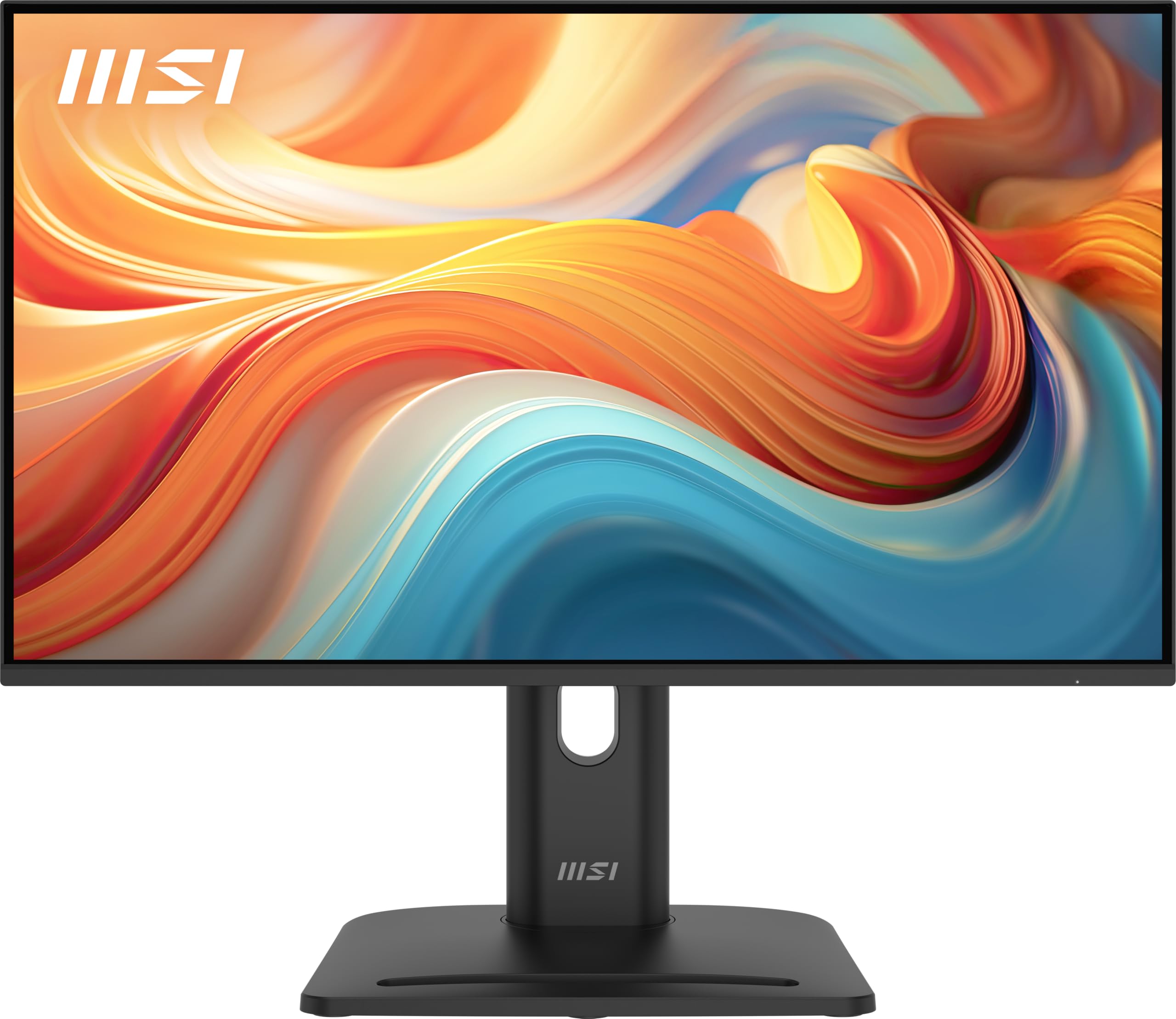
Figure 1: MSI PRO MP245PG E14 monitor fully assembled on its stand.
2. Cables de connexió
Connecteu els cables necessaris al monitor i a l'ordinador o a altres dispositius.
- Connexió d'alimentació: Connecteu el cable d'alimentació a l'entrada d'alimentació del monitor i després a una presa de corrent.
- Connexió de vídeo: Choose one of the following video input options:
- HDMI: Connecteu un cable HDMI des de la sortida HDMI de l'ordinador a l'entrada HDMI del monitor.
- DisplayPort: Connecteu un cable DisplayPort des de la sortida DisplayPort de l'ordinador a l'entrada DisplayPort del monitor.
- VGA (D-Sub): Connecteu un cable VGA des de la sortida VGA de l'ordinador a l'entrada VGA del monitor.
- Connexió d'àudio (opcional): Si feu servir altaveus o auriculars externs, connecteu-los a la presa de sortida d'àudio del monitor.
Figura 2: posterior view of the monitor showing available input ports.
3. Engegada inicial
After connecting all cables, press the power button on the monitor to turn it on. The monitor will automatically detect the active input source. If not, you may need to manually select the input source using the On-Screen Display (OSD) menu.
Funcionament del monitor
1. Encendre/apagar
Press the power button, typically located on the back or bottom right of the monitor, to turn the monitor on or off. The power indicator light will show the monitor's status.
2. Menú de visualització en pantalla (OSD).
The OSD menu allows you to adjust various monitor settings. Access the OSD menu by pressing the OSD navigation button or joystick, usually located on the back of the monitor. Navigate through the menu options using the joystick or directional buttons and confirm selections by pressing the center button or a dedicated 'Enter' button.
3. Ajustar la configuració de la pantalla
Dins del menú OSD, podeu modificar paràmetres com ara:
- Brillantor/Contrast: Ajusta la luminància general i la relació de contrast de la pantalla.
- Configuració de color: Ajusta amb precisió la temperatura de color, el gamma i els nivells RGB individuals.
- Font d'entrada: Manually select between HDMI, DisplayPort, or VGA inputs.
- Freqüència d'actualització: The monitor supports up to 140Hz refresh rate. Ensure your graphics card settings are configured to utilize this refresh rate for smoother visuals.
- Sincronització adaptativa: Enable or disable Adaptive-Sync for tear-free gaming experiences.
- MSI EyesErgo Technology: This feature includes Anti-Flicker and Less Blue Light modes to reduce eye strain during prolonged use. These settings can be adjusted in the OSD.
4. Ajustaments ergonòmics
The monitor stand offers multiple ergonomic adjustments to optimize your viewcomoditat:
- Inclinació: Adjust the screen's vertical angle (-5° to 20°).
- Girar: Rotate the screen horizontally (-45° to 45°).
- Ajust d'alçada: Raise or lower the screen (up to 130mm).
- Pivot: Rotate the screen 90° for portrait mode (-90° to 90°).
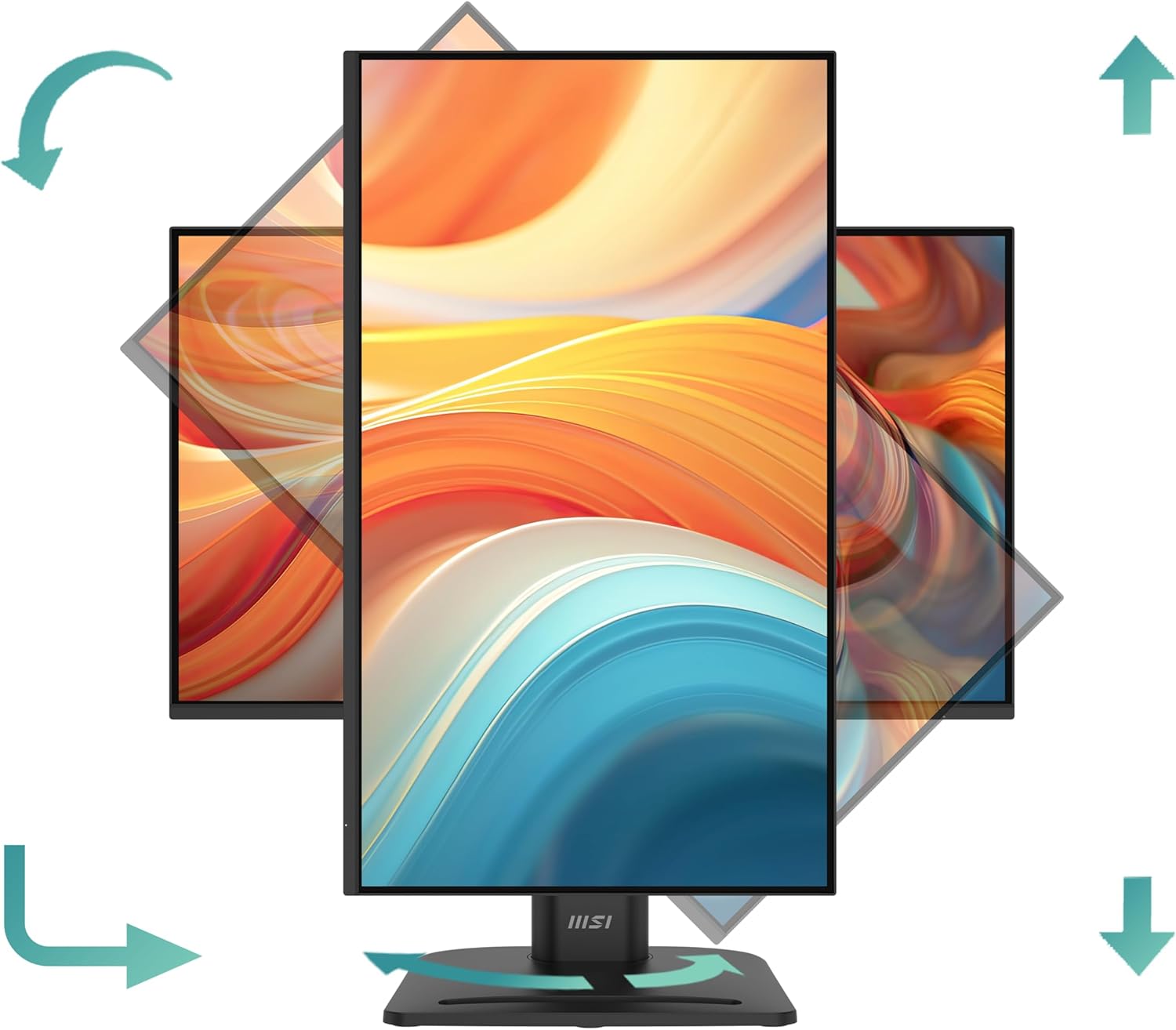
Figure 3: Illustration of the monitor's adjustable stand capabilities.
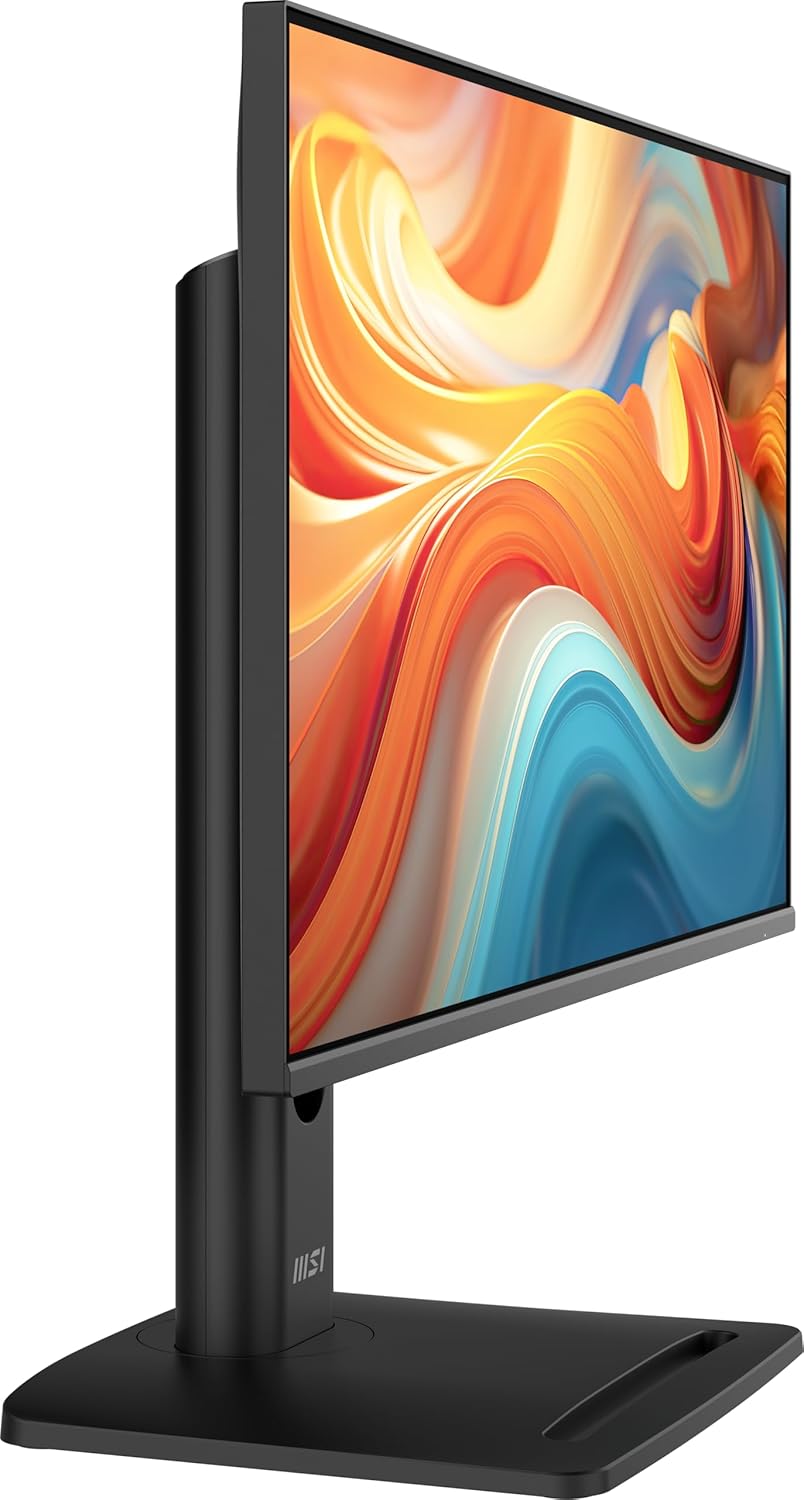
Figura 4: lateral view highlighting the height adjustment feature.
5. VESA Mount Compatibility
The monitor is VESA mount compatible (75x75mm), allowing you to attach it to a wall mount or an alternative monitor arm. To do this, remove the stand and attach the VESA-compatible mounting bracket to the back of the monitor.

Figure 5: Monitor with a mini PC attached via VESA mount.
Manteniment
1. Neteja del monitor
- Desendolleu sempre el monitor de la presa de corrent abans de netejar-lo.
- Utilitzeu un drap suau i sense pelusa dampRenteu-ho amb aigua o un netejador de pantalles no abrasiu.
- No ruixeu el netejador directament sobre la pantalla. Apliqueu-lo primer al drap.
- Avoid using benzene, thinner, ammonia-based cleaners, or abrasive cleaning agents, as these can damage the screen or casing.
2. Emmagatzematge
If storing the monitor for an extended period, ensure it is clean, dry, and stored in a cool, well-ventilated area. Use the original packaging if available to protect it from dust and physical damage.
Resolució de problemes
Si teniu problemes amb el monitor, consulteu els passos habituals següents per a la resolució de problemes:
| Problema | Possible solució |
|---|---|
| No hi ha imatge a la pantalla |
|
| La imatge és borrosa o distorsionada |
|
| La pantalla parpelleja |
|
| No hi ha so dels altaveus integrats |
|
For more complex issues or if the problem persists, please refer to the official MSI support weblloc o contacteu amb el servei d'atenció al client.
Especificacions
| Característica | Especificació |
|---|---|
| Nom del model | PRO MP245PG E14 |
| Mida de la pantalla | 24 polzades |
| Tipus de panell | IPS |
| Resolució | 1920 x 1080 (FHD) |
| Freqüència d'actualització | 140 Hz |
| Temps de resposta | 1 ms (MPRT) |
| Relació d'aspecte | 16:9 |
| Connectivitat | 1x HDMI, 1x DisplayPort, 1x VGA (D-Sub) |
| Muntatge VESA | 75 x 75 mm |
| Ergonomia | Tilt, Swivel, Height Adjustment, Pivot |
| Altaveus incorporats | Sí |
| Dimensions (L x P x A) | 53.92 x 31.47 x 51.92 cm (amb suport) |
| Pes | 7.26 kg (amb suport) |
| Color | Negre |
Informació de la garantia
MSI provides a limited warranty for this product. The specific terms and conditions of the warranty may vary by region and purchase date. Please refer to the warranty card included in your product packaging or visit the official MSI weblloc web per obtenir informació detallada sobre la garantia i els procediments de registre. Conserveu el comprovant de compra per a reclamacions de garantia.
Suport
For technical assistance, driver downloads, FAQs, or further product information, please visit the official MSI support weblloc:
You may also contact MSI customer service directly through the contact information provided on their weblloc web o a la documentació del producte.


