Introducció
This manual provides detailed instructions for the safe and effective use of your VTech 924W 5-inch LCD Video Baby Monitor. This device allows you to monitor your baby with a 5-inch LCD screen, offering features such as remote pan, tilt, and zoom, two-way talk, lullabies, soothing sounds, and temperature monitoring. It operates on a secure, direct connection without requiring Wi-Fi.

Image: The VTech 924W Video Baby Monitor, showing the parent unit with a 5-inch LCD screen displaying a baby, and the rotating baby unit camera.
Instruccions importants de seguretat
- Keep all small parts and packaging materials out of reach of children.
- Do not place the baby unit or cords within 3 feet (1 meter) of the crib or playpen.
- Use only the AC adapters provided with the product. Using unauthorized adapters may damage the device and void the warranty.
- Ensure proper ventilation for both units. Do not place them on soft surfaces that may block ventilation openings.
- Aquest producte no és un dispositiu mèdic i no s'ha d'utilitzar com a substitut de la supervisió responsable d'un adult.
- The parent unit contains a rechargeable battery. Do not expose it to excessive heat or direct sunlight.
Contingut del paquet
Comproveu que el vostre paquet contingui els elements següents:
- Unitat parental (amb pantalla LCD de 5 polzades)
- Unitat de nadó (càmera)
- 2 AC Adapters (one for each unit)
- Guia d'inici ràpid
Producte acabatview
Unitat de pares
The parent unit features a 5-inch LCD display for video monitoring, control buttons for various functions, and a built-in rechargeable battery for portability.
- Pantalla LCD: Displays live video feed from the baby unit.
- Botons de control: Navigate menus, adjust volume, pan/tilt/zoom the camera, activate two-way talk, and play lullabies.
- Antena: For wireless signal reception.
- Micròfon i altaveu: For two-way communication.
- Power/Link Indicators: Show connection status and battery level.
Unitat per a nadons (càmera)
The baby unit is equipped with a camera, microphone, speaker, and temperature sensor to monitor your baby's environment.
- Lent de la càmera: Captures video of the baby's room.
- LED infrarojos: Enable automatic night vision in low light conditions.
- Micròfon i altaveu: For two-way communication and playing lullabies/soothing sounds.
- Sensor de temperatura: Monitoritza la temperatura de l'habitació.
- Jack d'alimentació: Es connecta a l'adaptador de CA.
Configuració
1. Càrrega de la unitat principal
Before initial use, charge the parent unit for at least 12 hours. Connect one of the provided AC adapters to the parent unit and a power outlet. The battery icon on the screen will indicate charging status. A full charge provides up to 17 hours of video streaming or 31 hours in audio-only mode.

Image: A close-up of the parent unit, highlighting the 5-inch LCD screen and control buttons, with a battery icon indicating charging.
2. Positioning the Baby Unit (Camera)
Col·loqueu la unitat del nadó en un lloc que proporcioni una vista clara view of your baby in the crib or play area. Ensure it is at least 3 feet (1 meter) away from the baby to prevent entanglement with cords. The baby unit can be placed on a flat surface or mounted on a wall.
- Connect the second AC adapter to the baby unit and a power outlet.
- Adjust the camera angle manually or use the remote pan/tilt/zoom functions from the parent unit once powered on.

Image: An illustration demonstrating the 360-degree panoramic view and 132-degree vertical view capabilities of the baby unit camera, with a parent unit displaying a baby.
3. Encès / apagat
- Unitat de pares: Manteniu premut el botó PODER button until the screen turns on/off.
- Unitat de nadons: The baby unit powers on automatically when connected to an AC adapter. To turn off, disconnect from power.
4. Connexió segura
The VTech 924W monitor uses a secure 2.4GHz FHSS wireless technology for direct connection between the parent and baby units. No Wi-Fi or app is required for operation, ensuring privacy and ease of use. The units are pre-paired from the factory.
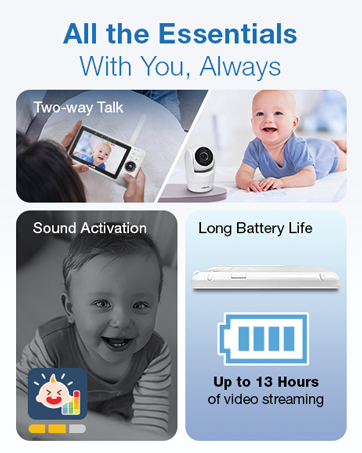
Image: An illustration showing the secure, direct connection between the parent unit and baby unit, emphasizing no Wi-Fi or app is needed.
Funcionament del monitor
Video and Audio Monitoring
Once both units are powered on and linked, the parent unit will display live video from the baby unit. You will also hear audio from the baby's room.
- Ajust de volum: Utilitza el VOL+ i VOL- botons de la unitat principal per ajustar el volum d'escolta.
- Indicador de so: The parent unit features a 3-level sound indicator to visually represent the intensity of sounds detected by the baby unit.
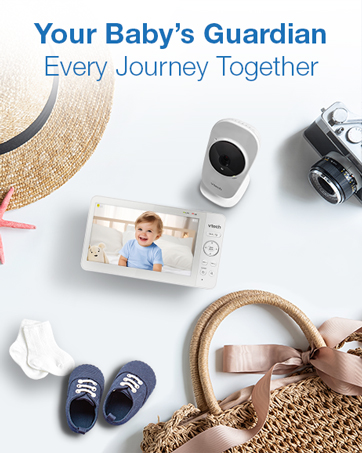
Image: A close-up of the parent unit's 5-inch LCD screen, showing a baby and highlighting the VTech logo and sound indicator lights.
Panoràmica, inclinació i zoom (PTZ) remots
Controla la càmera view remotely from the parent unit:
- Use the directional arrows on the parent unit to pan (move horizontally) and tilt (move vertically) the camera.
- Premeu el botó ZOOM button to zoom in up to 2x for a closer view.
Xerrada bidireccional
Communicate with your baby through the monitor:
- Manteniu premut el botó PARLAR button on the parent unit to speak. Your voice will be transmitted to the baby unit.
- Release the button to hear your baby's response.
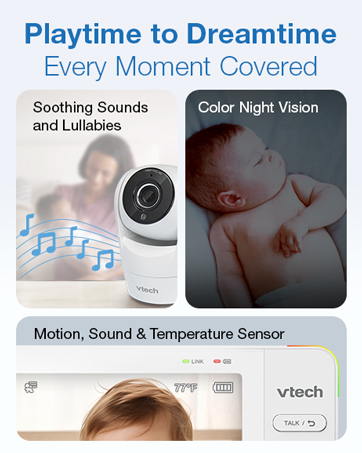
Image: An illustration depicting the two-way talk function, showing a baby in a crib and a parent holding the monitor, with speech bubbles indicating communication.
Cançons de bressol i sons calmants
Help soothe your baby with built-in melodies and sounds:
- Access the menu on the parent unit to select from 5 melodies and 4 soothing sounds.
- Adjust the volume of the lullabies/sounds played through the baby unit.
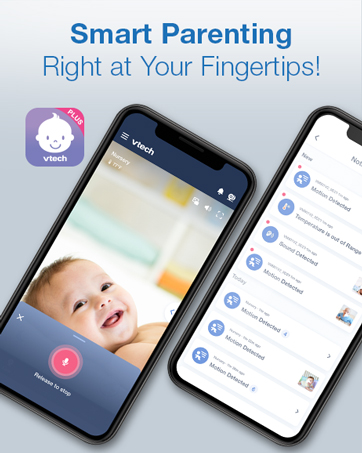
Image: A baby sleeping peacefully in a crib, with musical notes floating above the baby unit, illustrating the soothing sounds and lullabies feature.
Visió nocturna
The baby unit automatically activates infrared night vision in low light conditions, providing a clear black-and-white video feed on the parent unit.

Image: The parent unit displaying a black-and-white image of a sleeping baby, indicating the night vision mode is active.
Sensor de temperatura
The baby unit includes a temperature sensor that displays the room temperature on the parent unit's screen. You can set alerts for temperature ranges to ensure your baby's comfort.

Image: The parent unit displaying a baby, with a prominent circle highlighting the temperature reading (77°F) on the screen.
VOX Mode (Sound Activation)
In VOX mode, the parent unit screen remains off during quiet periods to conserve battery. It automatically activates and displays video when the baby unit detects sound above a set threshold.
Manteniment
- Neteja: Netegeu les unitats amb un drap suauamp cloth. Do not use cleaning sprays or liquid cleaners.
- Emmagatzematge: If storing the product for an extended period, remove the battery from the parent unit (if removable) and store both units in a cool, dry place.
- Cura de la bateria: To prolong battery life, avoid fully discharging the parent unit battery frequently. Charge it regularly.
Resolució de problemes
| Problema | Solució |
|---|---|
| No power on parent unit. | Ensure the AC adapter is securely connected and the unit is fully charged. Try pressing and holding the POWER button for a few seconds. |
| No video/audio on parent unit. | Check if both units are powered on. Ensure they are within range (up to 1000 feet). Move the parent unit closer to the baby unit. Obstructions like walls or electronics can interfere with the signal. |
| Poca qualitat de vídeo. | Ensure the camera lens is clean. Adjust the baby unit's position for better lighting. Night vision automatically activates in low light, providing a black-and-white image. |
| Short battery life on parent unit. | The battery may need to be replaced after extended use. Ensure the unit is fully charged before each use. Using VOX mode can help conserve battery. |
| Interferències o electricitat estàtica. | Move the units away from other electronic devices (e.g., cordless phones, Wi-Fi routers, microwaves) that may cause interference. |
Especificacions
- Model: 924W
- Mida de la pantalla: LCD de 5 polzades
- Connectivitat: 2.4GHz FHSS Wireless (No Wi-Fi required)
- Interval: Fins a 1000 peus (línia de visió)
- Resolució de vídeo: 480p
- Característiques de la càmera: Remote Pan, Tilt, Zoom (2x), Automatic Infrared Night Vision, Temperature Sensor, Speaker, Microphone
- Parent Unit Features: 2-Way Audio, Lullabies & Soothing Sounds, VOX Mode, Sound Indicator, Rechargeable Battery
- Durada de la bateria de la unitat parental: Up to 17 hours (video streaming), Up to 31 hours (audio-only mode)
- Font d'alimentació: Corded Electric (2 AC Adapters included)
- Dimensions (unitat principal): Aproximadament 6.89 x 6.57 x 3.94 polzades
- Pes: Aproximadament 1.55 lliures (paquet total)
- Color: Blanc
Garantia i Suport
VTech products are designed with quality and reliability in mind. For detailed warranty information, please refer to the warranty card included in your product packaging or visit the official VTech Baby Care weblloc.
If you encounter any issues or require assistance with your VTech 924W Video Baby Monitor, please contact VTech Customer Support:
- Weblloc: www.vtechbabycare.com
- Correu electrònic: suport@vtechbabycare.com
Please have your model number (924W) and purchase date available when contacting support.


