1. Introducció
This manual provides detailed instructions for the installation, operation, and maintenance of your KEPEAK 10-inch Mirror Dash Cam. Please read this manual thoroughly before using the product to ensure proper function and safety. Keep this manual for future reference.
2. Producte acabatview
Contingut del paquet
- 10-inch Mirror Dash Cam (Front Camera Integrated)
- 1080P posterior View Càmera
- Cable de la càmera posterior (18 peus)
- Carregador de cotxe
- Mounting Straps/Rubber Clips
- Targeta de memòria de 32 GB
- Manual d'usuari
Característiques clau
- Sistema de doble càmera: 4K Ultra HD front camera and IP68 waterproof 1080P rear camera.
- Pantalla tàctil IPS d'10 polzades: Ofereix un ampli camp de view and intuitive control.
- Ampli rang dinàmic (WDR): Enhances video clarity in varying light conditions, especially at night.
- Smart Parking Assistance: Automatic display of rear view with parking assist lines when reversing.
- Enregistrament en bucle: Automatically overwrites oldest files quan la targeta de memòria està plena.
- Sensor G: Detects collisions and locks video footage per evitar la sobreescritura.
- Mode de vigilància d'aparcament: Records events when an impact is detected while parked (requires built-in battery power).
- Lent gran angular de 170°: Captura una àmplia view de la carretera.
- Suport de targeta de memòria: Includes a 32GB card, supports up to 64GB.

Image: The KEPEAK 10-inch Mirror Dash Cam with its front camera, rear camera, 32GB memory card, car charger, and mounting straps.
3. Guia d'instal·lació
Follow these steps to properly install your dash cam system.
3.1 Muntatge de la càmera de salpicader amb mirall
- Secure the mirror dash cam to your vehicle's original rearview mirror using the provided rubber clips/straps. Ensure it is firmly attached and does not obstruct your view.
- Adjust the angle of the front camera lens to capture the desired view del camí per davant.
3.2 Instal·lació de la càmera posterior
- Mount the rear camera at the back of your vehicle, typically above the license plate or on the rear window. Ensure it has a clear view and is securely fastened.
- Route the 18ft rear camera cable from the rear camera to the main mirror dash cam unit. It is recommended to route the cable along the vehicle's headliner and trim for a neat installation.
- Connect the rear camera cable to the designated port on the mirror dash cam.
3.3 Connexió d'alimentació
- Insert the provided 32GB memory card into the dash cam's memory card slot.
- Connecteu el carregador del cotxe al port d'entrada d'alimentació de la càmera del salpicader.
- Connecteu el carregador del cotxe a la presa de corrent de 12 V del vostre vehicle (endoll de l'encenedor de cigarrets).
- Start your vehicle. The dash cam should power on automatically and begin recording.

Image: Visual guide for power wiring methods, including securing the dashcam, routing wires along the headliner, opening the A-pillar side panel, and plugging in the car charger.
4. Instruccions de funcionament
The KEPEAK Mirror Dash Cam features a user-friendly touch screen interface.
4.1 Funcions bàsiques
- Encès/apagat: The device automatically powers on/off with your vehicle's ignition. You can also manually power it on/off by pressing and holding the power button.
- Gravació: Recording starts automatically when the device powers on. A red dot or similar indicator on the screen confirms recording is active.
- Canvi Views: Slide your finger left or right across the touch screen to switch between front camera view, càmera posterior view, or a split-screen display.
- Adjusting Angles: Slide your finger up or down on the screen to adjust the vertical viewing angle of the displayed camera.

Image: The 10-inch IPS touch screen displaying a vibrant interface, highlighting its responsive touch functionality.
4.2 Funcions avançades
- Assistència d'aparcament: When your vehicle is in reverse gear, the dash cam automatically displays the full-screen rear view with dynamic parking assist lines. You can manually adjust the display range (up/down) for optimal visibility.
- Enregistrament en bucle: The dash cam continuously records. When the memory card is full, it automatically overwrites the oldest unlocked files.
- Sensor G (detecció de col·lisions): In the event of a sudden impact or collision, the built-in G-Sensor automatically detects the event and locks the current video file, evitant que es sobreescrigui amb l'enregistrament en bucle.
- Mode de vigilància d'aparcament: When the engine is off, the dash cam uses its internal battery to enter standby monitoring. If an impact is detected, it will automatically turn on and record the event. A fully charged internal battery can provide up to 2 weeks of standby monitoring. For continuous 24/7 monitoring, hardwiring the dash cam to your car's battery is required (hardwire kit sold separately).

Image: The dash cam screen showing a full-screen rear view with green, yellow, and red parking assist lines, indicating safe reversing.

Image: An illustration depicting cars in a parking lot, with a lock icon indicating the G-Sensor's auto-lock function for collision events.
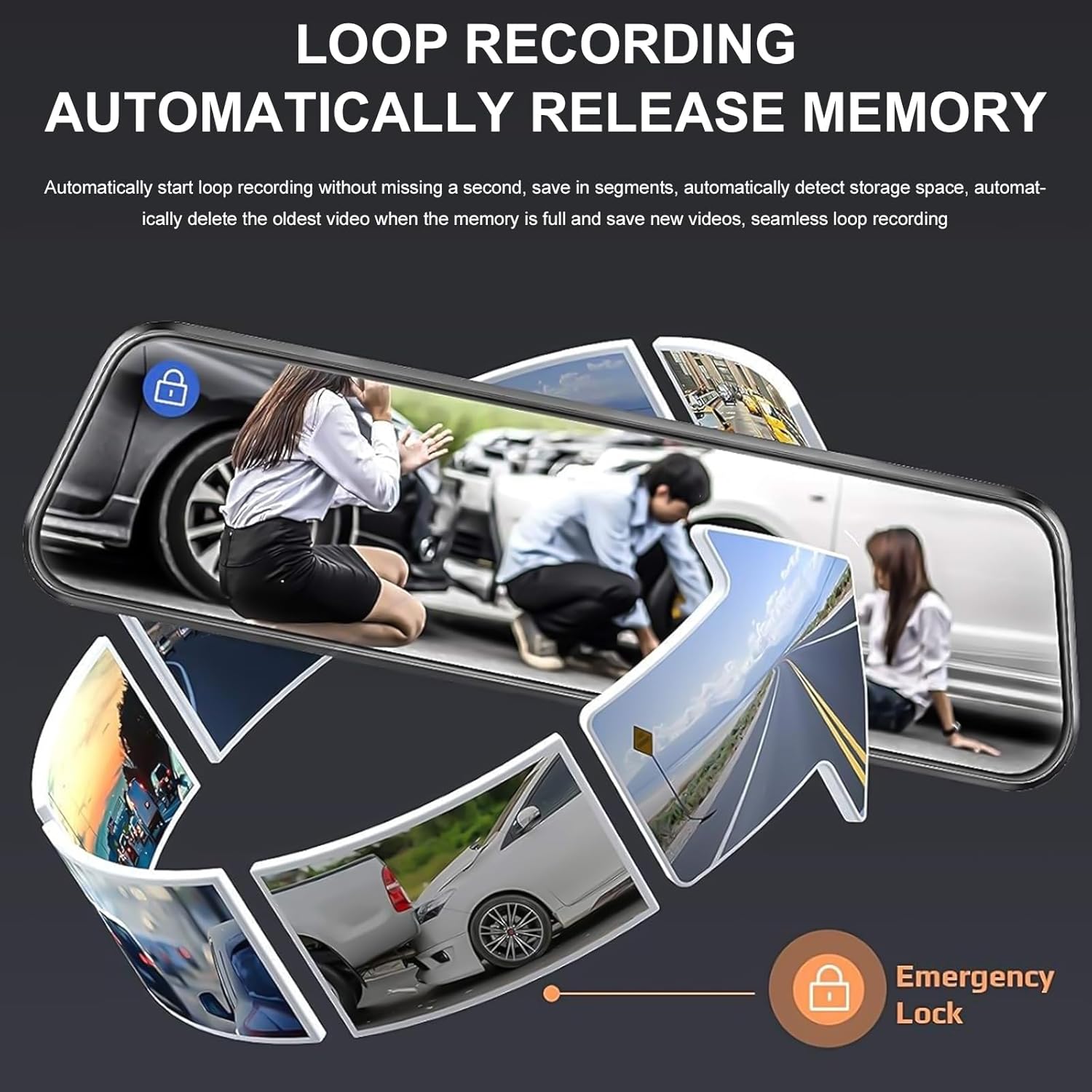
Image: A circular flow diagram illustrating loop recording, where new video segments replace older ones, with an emergency lock icon for protected footage.

Image: A car parked at night with a '24 HOUR' clock icon, symbolizing the 24-hour parking monitoring feature for vehicle protection.
5. Settings and Functions
Access the menu by tapping the screen. Here you can adjust various settings:
- Resolució de vídeo: Select desired resolution for front and rear cameras (e.g., 4K/1080P).
- Durada de la gravació en bucle: Set the length of video segments (e.g., 1, 3, 5 minutes).
- Sensibilitat del sensor G: Adjust the sensitivity of the collision detection.
- Monitor d'aparcament: Enable or disable parking surveillance mode.
- Exposició: Adjust video brightness.
- Data/Hora: Establiu la data i l'hora correctes per a l'hora exactaamps en les gravacions.
- Salvapantalles: Set the screen to turn off after a period of inactivity to avoid distraction.
- Idioma: Seleccioneu el vostre idioma preferit.
6. Manteniment
- Neteja: Use a soft, dry cloth to clean the dash cam screen and lenses. Avoid abrasive cleaners or solvents.
- Targeta de memòria: Formateu la targeta de memòria regularment (almenys un cop al mes) per garantir un rendiment òptim i evitar la corrupció de dades. Feu una còpia de seguretat de tots els elements importants.tage before formatting. Replace the memory card if it shows signs of degradation or errors.
- Temperatura: Eviteu exposar la càmera del salpicader a temperatures extremes durant períodes prolongats, ja que això pot afectar la durada de la bateria i el rendiment del dispositiu.
7. Solució De Problemes
If you encounter issues with your dash cam, refer to the following common solutions:
| Problema | Possible solució |
|---|---|
| La càmera del salpicader no s'encén. | Check if the car charger is properly connected to both the dash cam and the vehicle's 12V outlet. Ensure the vehicle's ignition is on. Test the charger in another port or with another device if possible. |
| L'enregistrament s'atura o es congela. | Format the memory card. Ensure the memory card is a high-speed Class 10 or U3 card. Replace the memory card if issues persist. Check power connection stability. |
| Poca qualitat de vídeo. | Clean the camera lenses. Ensure the protective film has been removed from the lenses. Check video resolution settings. Adjust WDR settings if applicable. |
| La càmera posterior no es mostra. | Comproveu la connexió del cable de la càmera posterior tant a la càmera posterior com a la unitat principal. Assegureu-vos que el cable no estigui malmès. |
| Parking assist lines not appearing. | Ensure the rear camera is properly connected and the vehicle is in reverse gear. Check settings for parking assistance. |
| Parking surveillance not working. | Ensure the parking surveillance mode is enabled in settings. Check the dash cam's internal battery charge level. For 24/7 monitoring, hardwiring is required. |
8. Especificacions
- Marca: KEPEAK
- Model: B0FHJS1HZS
- Mida de la pantalla: 10 polzades
- Resolució de la càmera frontal: 4K Ultra HD
- Resolució de la càmera posterior: Full HD de 1080P
- Camp de View: 170 graus
- Característiques especials: G-Sensor, Night Vision (WDR), Touch Screen, Loop Recording, Parking Assistance, Parking Surveillance
- Tecnologia de connectivitat: USB
- Suport de targeta de memòria: Fins a 64 GB (32 GB inclosos)
- Dimensions del producte: 8 x 5 x 4 polzades
- Pes de l'article: 1.7 lliures
- Color: Negre
- Tipus de servei de vehicles: Cotxe, camió
9. Garantia i Suport
KEPEAK is committed to providing reliable products and customer satisfaction. If you encounter any issues with your mirror dash cam, our customer support team is available to provide fast and effective assistance within 24 hours.
Please contact us through the retailer's platform or refer to the contact information provided with your purchase for support.