Introducció
Thank you for choosing the Gamrombo Wireless Controller. This manual provides essential information for setting up, operating, and maintaining your controller to ensure optimal performance across various platforms, including Xbox One, Xbox Series X/S, PC, Mac, and mobile devices.
Si us plau, llegiu aquest manual detingudament abans d'utilitzar-lo i conservi'l per a futures consultes.

Image: The Gamrombo Wireless Controller, highlighting its upgraded features and broad compatibility with various platforms and connection types.
Característiques del producte
The Gamrombo Wireless Controller is designed to enhance your gaming experience with a range of advanced features:
- Compatibilitat multiplataforma: Seamlessly connects with Xbox Series X/S, Xbox One/One S/One X, PC, Mac, and mobile devices (iOS/Android).
- Motors de doble vibració: Built-in motors provide realistic haptic feedback for an immersive gaming experience.
- Semi-Automatic Turbo Function: Enables rapid firing for enhanced gameplay in action-oriented titles.
- Standard 3.5mm Audio Jack: Allows direct connection of compatible headsets for in-game audio and communication.
- Disseny ergonòmic: Sculpted surfaces and refined geometry ensure comfort and control during extended play sessions.
- 6-Axis Motion Sensor: Provides dynamic feeling and precise control through motion sensing capabilities.
- Anti-slip Grip: Textured surfaces on both sides of the controller ensure a secure hold.

Imatge: Més deview of the controller's multifunctional features, including double shock, motion control, 360° joystick, turbo, macro, and more.
Instruccions de configuració
1. Instal·lació de la bateria
- Localitza el compartiment de la bateria a la part posterior del controlador.
- Obriu la tapa de la bateria.
- Insert two (2) AA batteries (not included), ensuring correct polarity (+/-).
- Tanqueu la tapa de la bateria amb seguretat.
2. Connecting to Xbox Consoles (Xbox One, Xbox Series X/S)
- Assegura't que la consola Xbox estigui engegada.
- Manteniu premut el botó Botó d'inici on the controller until it powers on and the indicator light flashes.
- A la consola Xbox, premeu la tecla Botó d'aparellament (normalment situat a la part frontal o lateral de la consola).
- Manteniu premut el botó Botó d'aparellament on the top edge of the Gamrombo controller until the indicator light flashes rapidly.
- The controller's indicator light will become solid when successfully paired.
3. Connecting to PC/Mac/Mobile Devices
The controller supports connection via Bluetooth or a wired USB connection (USB dongle not included for wireless PC connection).
Bluetooth Connection (PC/Mac/Mobile)
- Assegureu-vos que el Bluetooth estigui habilitat al vostre dispositiu.
- Manteniu premut el botó Botó d'inici on the controller until it powers on.
- Manteniu premut el botó Botó d'aparellament on the top edge of the controller until the indicator light flashes rapidly.
- On your device, search for new Bluetooth devices and select "Gamrombo Controller" (or similar) from the list.
- The controller's indicator light will become solid upon successful pairing.
Wired Connection (PC)
- Connect the controller to your PC using a compatible USB cable (not included).
- L'ordinador hauria de detectar i instal·lar automàticament els controladors necessaris.
- The controller will be ready for use once the drivers are installed.

Image: The Gamrombo controller highlighting its broad compatibility across multiple gaming platforms and operating systems.
Actualització del firmware del controlador
If you experience connectivity issues with your Xbox console, a firmware upgrade may be required. This process is performed on a Windows PC.
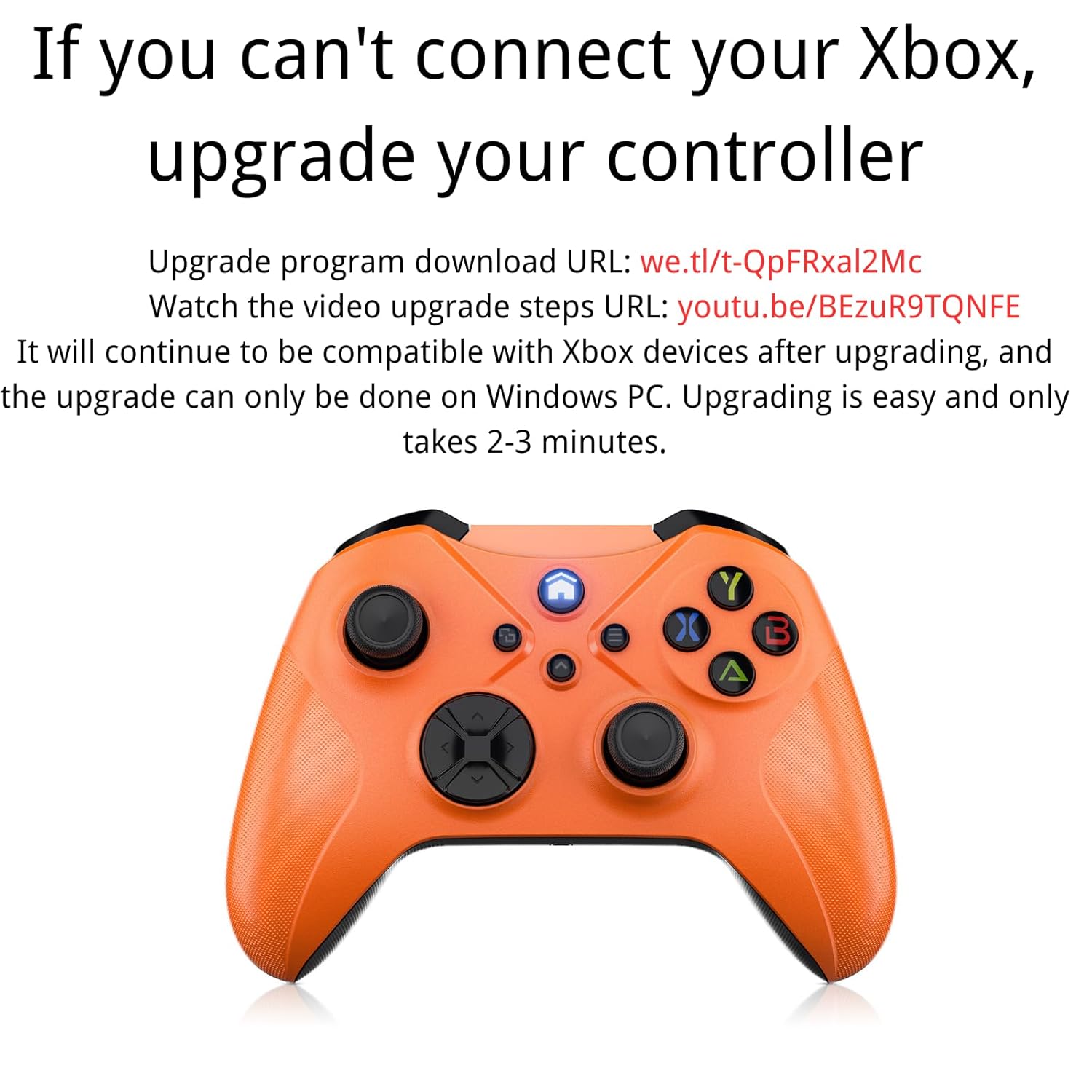
Image: Instructions for upgrading the controller firmware if connection issues occur with Xbox.
Passos d'actualització:
- Download the upgrade program from the official source. (Refer to product packaging or manufacturer's weblloc per a l'específic URL).
- Connect the Gamrombo controller to a Windows PC using a USB cable.
- Run the downloaded upgrade program.
- Follow the on-screen instructions to complete the upgrade. The process typically takes 2-3 minutes.
- After the upgrade, the controller will remain compatible with Xbox devices.
Instruccions de funcionament
1. Funcions bàsiques dels botons
The controller features standard Xbox layout buttons:
- Botons A, B, X, Y: Botons d'acció per a ordres dins del joc.
- Coixinet direccional (D-Pad): Per a una entrada direccional precisa.
- Manets analògics esquerre/dret: Per al moviment i el control de la càmera.
- Para-xocs esquerre/dret (LB/RB): Shoulder buttons for various actions.
- Disparadors esquerra/dreta (LT/RT): Pressure-sensitive triggers for acceleration, firing, etc.
- Botó d'inici: Encén/apaga el controlador i accedeix als menús del sistema.
- View/Share Button: Accesses in-game menus or share features.
- Botó de menú: Accesses game or system options.

Imatge: Part posterior view of the controller showing the location of shoulder buttons (LB, RB, LT, RT) and programmable back buttons (PR, PL) with a 'set' button.
2. Funció Turbo
The semi-automatic turbo function allows for continuous rapid input of a button press. To activate:
- Manteniu premut el botó Botó Turbo (if present, refer to controller diagram) and then press the desired action button (e.g., A, B, X, Y, LB, RB, LT, RT).
- Release both buttons. The selected action button will now continuously repeat its input when held down.
- To deactivate, repeat the process: press and hold the Botó Turbo and then press the same action button again.

Image: The controller illustrating the semi-automatic turbo function for faster action in games.
3. Dual Vibration
The controller features dual vibration motors that provide varying levels of feedback based on in-game events. The intensity of vibration is typically controlled by the game itself.

Image: The controller demonstrating its dual-motor shock feature, capable of weak, moderate, and strong vibration effects.
4. Presa d'àudio de 3.5 mm
Connect any compatible 3.5mm headset to the audio jack located at the bottom of the controller for in-game audio and voice chat.

Image: The controller with a 3.5mm stereo audio jack, allowing connection of headphones for immersive sound.
5. 6-Axis Motion Sensor
The integrated 6-axis motion sensor provides enhanced dynamic control in supported games, allowing for intuitive movements like direction control, visual field angle changes, and responsive actions.

Image: The controller's 6-axis motion sensor in action, illustrating its use for direction control, visual field changes, and responsive actions in games.
Manteniment
- Neteja: Feu servir un drap suau i sec per netejar el controlador. Eviteu utilitzar productes químics agressius o materials abrasius.
- Emmagatzematge: Guardeu el controlador en un lloc fresc i sec, allunyat de la llum solar directa i de temperatures extremes.
- Cura de la bateria: Traieu les piles si no heu d'utilitzar el controlador durant un període prolongat per evitar fuites.
- Eviteu les gotes: Protegiu el controlador de caigudes i impactes, que poden danyar els components interns.
Resolució de problemes
1. Controller Not Connecting/Pairing
- Assegureu-vos que les bateries estiguin instal·lades correctament i tinguin una càrrega suficient.
- Verify that the controller is within the wireless range (approximately 33 feet).
- Torneu a intentar el procés d'emparellament tal com es descriu a la secció Configuració.
- If connecting to Xbox, ensure the controller firmware is up to date (refer to the Controller Firmware Upgrade section).
- Try connecting the controller via a USB cable to rule out wireless issues.
2. Buttons/Joysticks Not Responding
- Comproveu el nivell de la bateria i substituïu-la si cal.
- Reinicieu el controlador i el dispositiu connectat.
- Assegureu-vos que no hi hagi deixalles que obstrueixin els botons o els joysticks.
- Si feu servir una connexió amb cable, proveu un port USB o un cable diferent.
3. No Audio from Headset
- Ensure the headset is fully plugged into the 3.5mm audio jack.
- Check the headset's volume controls and mute settings.
- Verify audio settings on your console or PC to ensure output is directed to the controller.
- Prova els auriculars amb un altre dispositiu per confirmar que funcionin.
Especificacions
| Característica | Detall |
|---|---|
| Número de model | Xbox One (Compatible) |
| Compatibilitat | Xbox Series X/S, Xbox One/One S/One X, PC (Windows 7/8/10), Mac, iOS, Android |
| Connectivitat | Wireless (Xbox Wireless Technology), Bluetooth, Wired (USB) |
| abast sense fils | Fins a 33 peus (10 metres) |
| Font d'alimentació | 2 piles AA (no incloses) |
| Port d'àudio | Conector d'auriculars estèreo de 3.5 mm |
| Característiques especials | Dual Vibration, Semi-Automatic Turbo, 6-Axis Motion Sensor, Macro Function |
| Dimensions | 6.73 x 4.72 x 2.8 polzades (aproximadament) |
| Pes | 10.2 unces (aproximadament, sense piles) |
Garantia i Suport
For warranty information and technical support, please refer to the documentation included with your purchase or visit the official Gamrombo weblloc web. Conserveu el comprovant de compra per a reclamacions de garantia.
If you encounter any issues not covered in this manual, please contact Gamrombo customer service for assistance.


