Introducció
This manual provides detailed instructions for the setup, operation, and maintenance of your HyperGear FIT X2 Smartwatch + Fitness Tracker. Please read this manual thoroughly before using the device to ensure proper function and to maximize your user experience.
Què hi ha a la caixa
- HyperGear FIT X2 Smartwatch
- Cable de càrrega magnètica
- Manual d'usuari (aquest document)
Configuració
1. Càrrega del dispositiu
Before initial use, fully charge your HyperGear FIT X2 Smartwatch. Connect the magnetic charging cable to the charging contacts on the back of the watch and plug the USB end into a power source (e.g., computer USB port or a 5V/1A USB wall adapter). The watch display will indicate charging status.

Image: The HyperGear FIT X2 Smartwatch connected to its magnetic charging cable, showing a 'Fully Charged' notification on its screen.
A full charge typically takes approximately 2.5 hours. The watch offers up to 5+ days of typical use and up to 15 days of basic use on a single charge.
2. Encès / apagat
- Encès: Press and hold the side button until the HyperGear logo appears on the screen.
- Apagar: From the watch face, swipe down to access the quick settings, then tap the power icon. Confirm power off. Alternatively, navigate to Settings > System > Power Off.
3. Instal·lació i emparellament de l'aplicació
The HyperGear FIT X2 requires the 'Da Fit' companion app for full functionality and data synchronization. The app is compatible with iOS 9.0+ and Android 5.0+ devices.
- Descarrega l'aplicació: Cerca 'Da Fit' in the Apple App Store (for iOS) or Google Play Store (for Android) and install it on your smartphone.
- Activa el Bluetooth: Assegureu-vos que el Bluetooth estigui habilitat al vostre telèfon intel·ligent.
- Open Da Fit App: Launch the 'Da Fit' app and follow the on-screen instructions to create an account or log in.
- Afegeix un dispositiu: In the app, navigate to the 'Device' section and tap 'Add Device'. The app will search for nearby devices. Select 'FIT X2' from the list to pair.
- Confirmeu l'aparellament: És possible que aparegui una sol·licitud d'emparellament al rellotge i al telèfon. Confirma en tots dos dispositius per completar la connexió.

Image: A smartphone screen showing the 'Da Fit' app download options and the HyperGear FIT X2 Smartwatch, illustrating the companion app integration.
Instruccions de funcionament
1. Navegació per la interfície
The FIT X2 features a 2-inch ultra-large touchscreen LCD display and a side button for navigation.
- Llisca cap amunt: Accés a les notificacions.
- Llisca cap avall: Accediu a la configuració ràpida (per exemple, brillantor, No molestar, estalvi de bateria).
- Llisca cap a l'esquerra/dreta: Cycle through widgets (e.g., activity, heart rate, weather, music control).
- Premeu el botó lateral: Return to the watch face from any screen, or open the app menu from the watch face.
- Toca: Seleccioneu un element o obriu una aplicació.
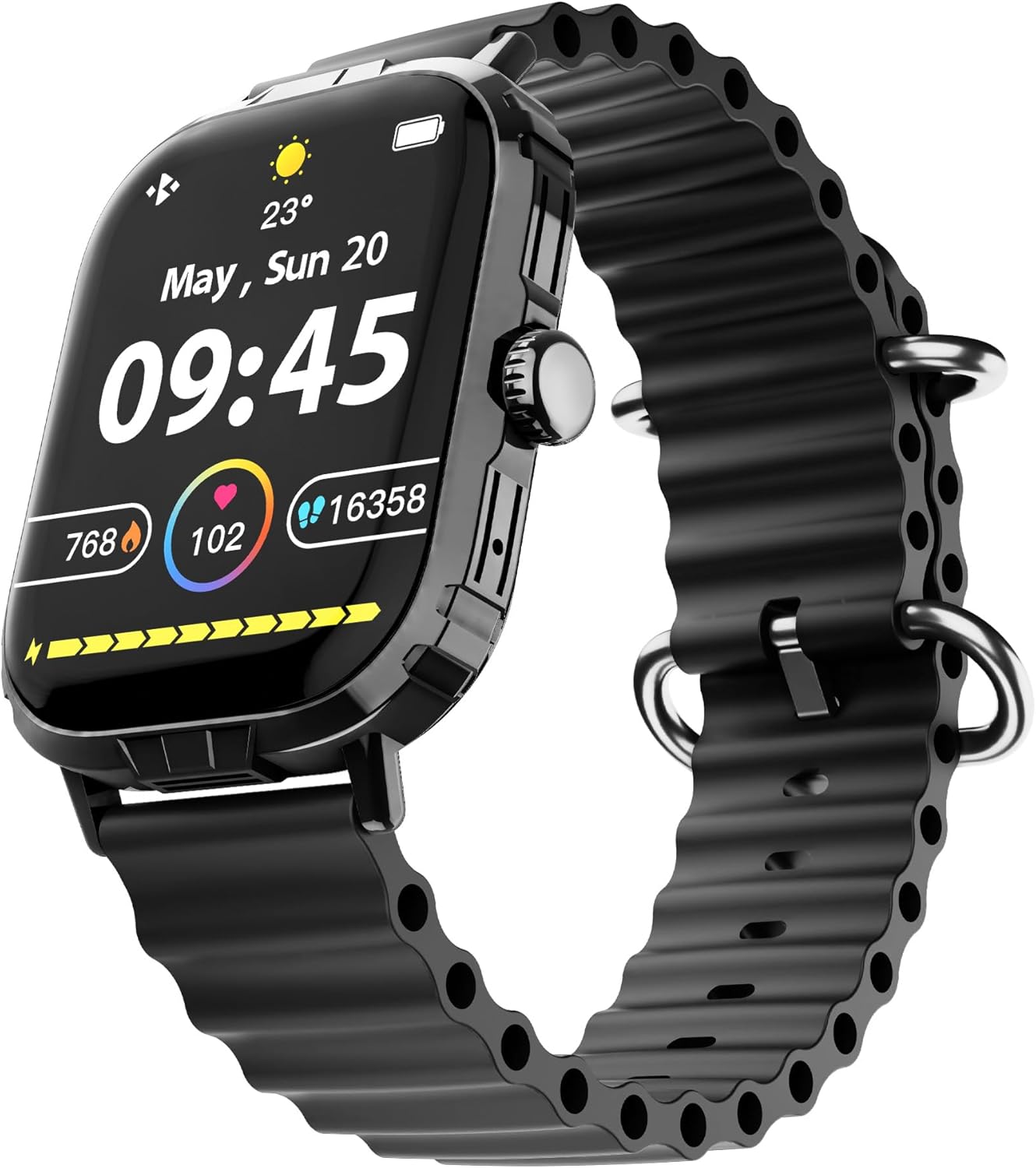
Image: The HyperGear FIT X2 Smartwatch showing its main watch face with current time, date, and various health metrics.
2. Funcions de monitorització de l'estat
The FIT X2 provides 24-hour health monitoring capabilities.
- Freqüència cardíaca: Access the Heart Rate app on the watch or swipe to the Heart Rate widget. The watch will automatically measure your heart rate. For continuous monitoring, enable it in the Da Fit app settings.
- Oxigen en sang (SpO2): Open the SpO2 app on the watch. Keep your arm still during measurement.
- Pressió arterial: Open the Blood Pressure app on the watch. Follow on-screen instructions for accurate readings.
- Nivells d'estrès: The watch can estimate stress levels. Access this feature via the dedicated app.
All health metrics can be viewed in detail and tracked over time within the Da Fit companion app.

Image: A visual representation of the HyperGear FIT X2's 24-hour health monitoring features, including heart rate, blood pressure, blood oxygen, and stress levels.
3. Seguiment de l'activitat física
The FIT X2 supports over 100 exercise and sport modes.
- Seguiment de l'activitat: The watch automatically records daily step count, calories burned, and total minutes of moderate or high physical activity. View these metrics on the watch or in the Da Fit app.
- Modes d'exercici: From the app menu, select 'Exercise' to choose from various sport modes. The watch will track relevant data for your chosen activity.
- GPS Route Mapping: When connected to your smartphone, the Da Fit app can utilize your phone's GPS to map your outdoor exercise routes.

Image: The HyperGear FIT X2 Smartwatch displaying fitness tracking data, including step count, calories burned, and minutes exercised, with an individual engaged in physical activity.
4. Seguiment del son
Wear your FIT X2 to bed to monitor your sleep patterns.
- Sleep Time & Quality: The watch tracks your total sleep duration and analyzes sleep stages (Awake, REM, Light, Restful).
- Guided Breathing Sessions: Access guided breathing exercises on the watch to help improve relaxation before sleep.
Detailed sleep analysis and scores are available in the Da Fit app.

Image: The HyperGear FIT X2 Smartwatch showing sleep tracking features, including sleep duration, quality, and guided breathing, with a person sleeping in the background.
5. Característiques de comunicació
Stay connected with your smartphone via Bluetooth.
- On-Wrist Calls: With the built-in microphone and speaker, you can make and receive phone calls directly from your watch when connected to your phone.
- Notificacions intel·ligents: Receive notifications for texts, social media apps, emails, and more directly on your watch. Manage notification settings in the Da Fit app.
- Control de música: Controla la reproducció de música al teu telèfon intel·ligent (reproduir, pausar, saltar pistes) des del rellotge.

Image: The HyperGear FIT X2 Smartwatch highlighting its connectivity features, including Bluetooth pairing, on-wrist call functionality, smart notifications, and music control.
6. Altres aplicacions
The FIT X2 includes over 15 easy-to-use applications:
- Cronòmetre
- Temporitzador
- Alarma
- El temps
- Calculadora
- Obturador de la càmera remota
- Assistent de veu AI
- Troba telèfon
- Llanterna
- And more, accessible via the app menu.
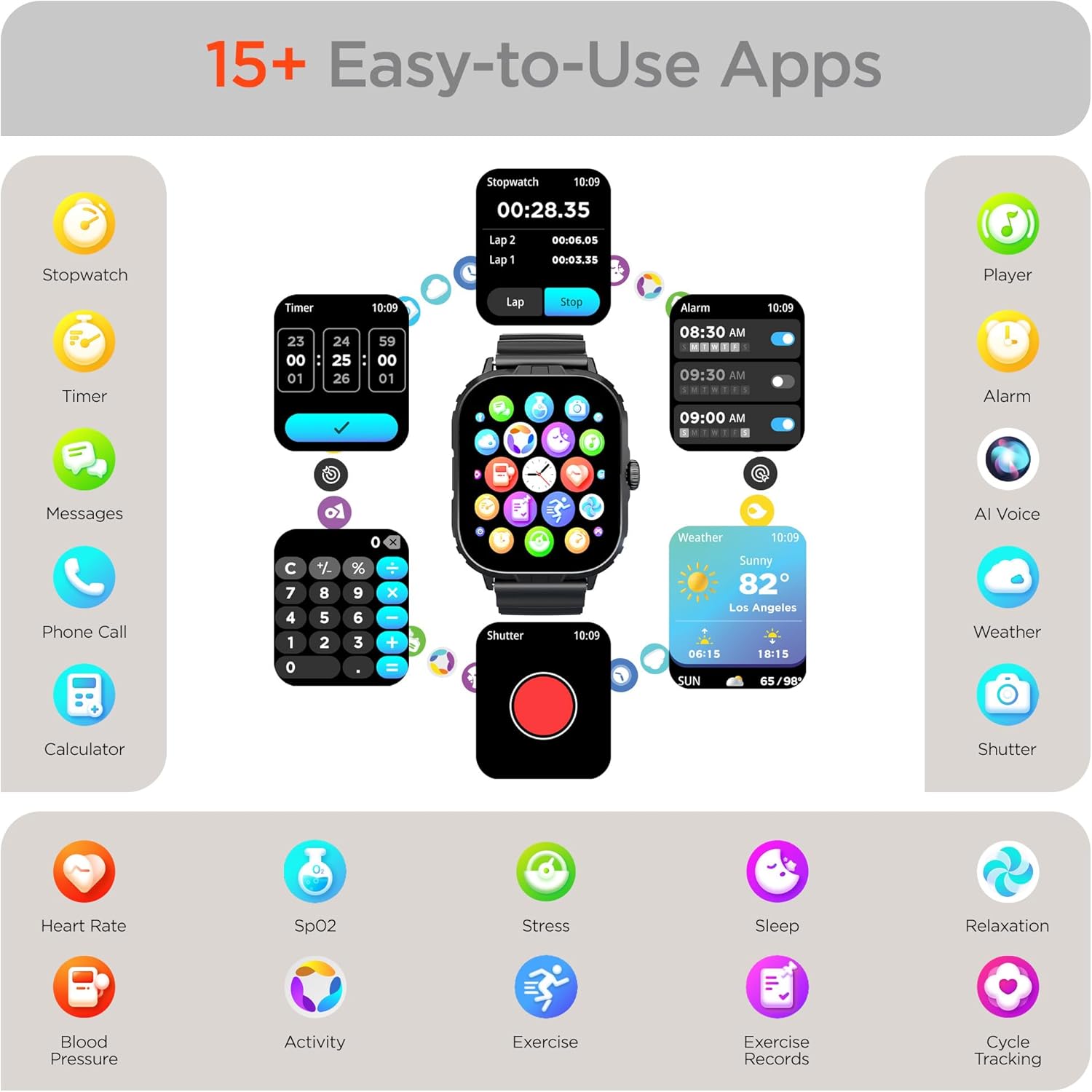
Image: The HyperGear FIT X2 Smartwatch showcasing its array of built-in applications, such as stopwatch, timer, alarm, weather, calculator, and various health monitoring tools.
Manteniment
1. Neteja
Regularly clean your smartwatch and strap to prevent skin irritation and maintain device performance.
- Wipe the screen and watch body with a soft, lint-free cloth. If necessary, slightly dampen el drap amb aigua.
- For the silicone strap, wash with mild soap and water, then rinse thoroughly and dry completely before reattaching to your wrist.
- Eviteu utilitzar productes químics agressius, netejadors abrasius o dissolvents, ja que poden danyar el dispositiu.
2. Resistència a l'aigua
The HyperGear FIT X2 is IP65 rated, meaning it is dustproof and water-resistant. It is certified sweatproof, splashproof, and rainproof. It is not recommended for swimming, showering, or submersion in water.
3. Substitució de la corretja
The FIT X2 uses universally compatible 22mm-wide watch straps with quick-release spring bars. To replace the strap:
- Locate the quick-release lever on the underside of the strap where it connects to the watch body.
- Pull the lever inward to release the spring bar and gently detach the strap.
- Align the new 22mm strap with the watch lugs, insert one end of the spring bar, then pull the quick-release lever to slide the other end into place. Release the lever to secure.
Resolució de problemes
- El rellotge no s'encén: Assegureu-vos que el rellotge estigui completament carregat. Connecteu-lo al cable de càrrega magnètic i a una font d'alimentació durant almenys 10 minuts.
- No s'ha pogut emparellar amb el telèfon intel·ligent:
- Assegureu-vos que el Bluetooth estigui activat al telèfon intel·ligent i al rellotge.
- Make sure the watch is within Bluetooth range of your phone (typically 10 meters).
- Reinicia tant el rellotge com el telèfon intel·ligent.
- Check if the 'Da Fit' app has necessary permissions enabled on your phone.
- If previously paired, try unpairing from your phone's Bluetooth settings and the Da Fit app, then re-pair.
- Lectures de salut inexactes:
- Ensure the watch is worn snugly on your wrist, about one finger's width above your wrist bone.
- Mantingueu el braç quiet durant les mesures.
- Netegeu el sensor de la part posterior del rellotge.
- Notificacions que no apareixen:
- Verify the watch is connected to your phone via Bluetooth.
- Revisa la configuració de notificacions dins de l'aplicació "Da Fit" per assegurar-te que les aplicacions desitjades estiguin habilitades.
- Ensure your phone's notification settings allow the 'Da Fit' app to display notifications.
- Autonomia curta de la bateria:
- Redueix la brillantor de la pantalla.
- Desactiveu el monitoratge continu de la freqüència cardíaca si no és necessari.
- Limit frequent use of power-intensive features like calls or GPS tracking.
- Assegureu-vos que el rellotge estigui completament carregat cada vegada.
Especificacions
| Característica | Especificació |
|---|---|
| Model | FIT X2 |
| Mida de la pantalla | 2 Inches IPS LCD |
| Connectivitat | Bluetooth 5.2 |
| Capacitat de la bateria | 250 milionsamp Hores |
| Durada típica de la bateria | 5+ dies |
| Basic Battery Life | Fins a 15 dies |
| Temps de recàrrega | 2.5 Hours (Rapid Recharge) |
| Resistència a l'aigua | IP65 (Dustproof, Sweatproof, Splashproof, Rainproof) |
| Compatibilitat de sistemes operatius | Android 5.0+/iOS 9.0+ |
| Material de la caixa | Zinc Alloy (11mm thick) |
| Strap Compatibility | 22mm Quick-Release |
| Pes de l'article | 4.8 unces |
Informació de la garantia
HyperGear products are designed and manufactured to the highest quality standards. For specific warranty details, including coverage period and terms, please refer to the warranty card included with your product or visit the official HyperGear weblloc web. Conserveu el comprovant de compra per a reclamacions de garantia.
Suport
If you encounter any issues or have questions not covered in this manual, please contact HyperGear customer support:
- Assistència en línia: Visit the official HyperGear weblloc web per a preguntes freqüents, guies de resolució de problemes i formularis de contacte.
- Suport per correu electrònic: Refer to your product packaging or the HyperGear weblloc web per a l'adreça de correu electrònic del servei d'atenció al client.


