1. Producte acabatview
The SABRENT HB-TG5P is a versatile 5-in-1 USB-C hub designed to expand the connectivity of your laptop, phone, or tablet. It features high-speed data transfer ports, a 4K HDMI output for external displays, and powerful Power Delivery capabilities to keep your devices charged while in use. Its compact aluminum design ensures durability and portability, making it an ideal solution for both workstations and mobile setups.
2. Característiques clau
- Dual USB-C Data Ports: Includes two USB-C data ports with 10Gbps transfer speeds for connecting peripherals and storage devices. Note: These USB-C ports do not support video output or phone data passthrough.
- Dual USB-A Data Ports: Features two USB-A ports also offering 10Gbps data transfer for various USB devices.
- Sortida HDMI 4K: Connect to external displays via HDMI 2.0, supporting 4K resolution at 60Hz with HDR and HDCP 2.3 for clear video.
- 100W USB-C Power Delivery Input: A dedicated USB-C port for power input, allowing the hub to receive up to 100W.
- 80W Charging Output: Provides up to 80W of charging power to your connected laptop, preventing battery drain even when multiple ports are in use.
- Durable Aluminum Design: Constructed with aluminum for passive cooling and enhanced durability.
- Plug-and-Play Compatibility: No drivers required for Windows, macOS, and ChromeOS devices.
3. Guia de configuració
- Connecta't al dispositiu amfitrió: Plug the integrated USB-C cable from the SABRENT HB-TG5P hub into an available USB-C port on your laptop, phone, or tablet.
- Connexió d'alimentació (opcional però recomanada): For optimal performance and device charging, connect a USB-C Power Delivery charger (up to 100W) to the dedicated USB-C PD input port on the hub.
- Connecteu els perifèrics: Attach your USB-A and USB-C devices (e.g., external drives, keyboards, mice) to the corresponding data ports on the hub.
- Connecta la pantalla: Use an HDMI cable to connect your external monitor or TV to the HDMI 2.0 port on the hub. Ensure your display is set to the correct input source.
4. Instruccions de funcionament
4.1 Transferència de dades
The hub provides two USB-A and two USB-C data ports, each supporting up to 10Gbps transfer speeds. Simply plug your compatible USB devices into these ports to access or transfer data. Ensure your connected devices also support 10Gbps for maximum speed.
4.2 Sortida de vídeo
Connect an HDMI cable from the hub's HDMI 2.0 port to your external display. The hub supports 4K resolution at 60Hz, HDR, and HDCP 2.3. Your host device should automatically detect the external display. You may need to adjust display settings (e.g., mirror or extend desktop) in your operating system.
4.3 Lliurament d'energia
To charge your laptop or host device through the hub, connect a USB-C Power Delivery charger to the hub's dedicated PD input port. The hub can accept up to 100W input and deliver up to 80W to your host device, ensuring continuous power during operation.
5. Mitjans de comunicació del producte
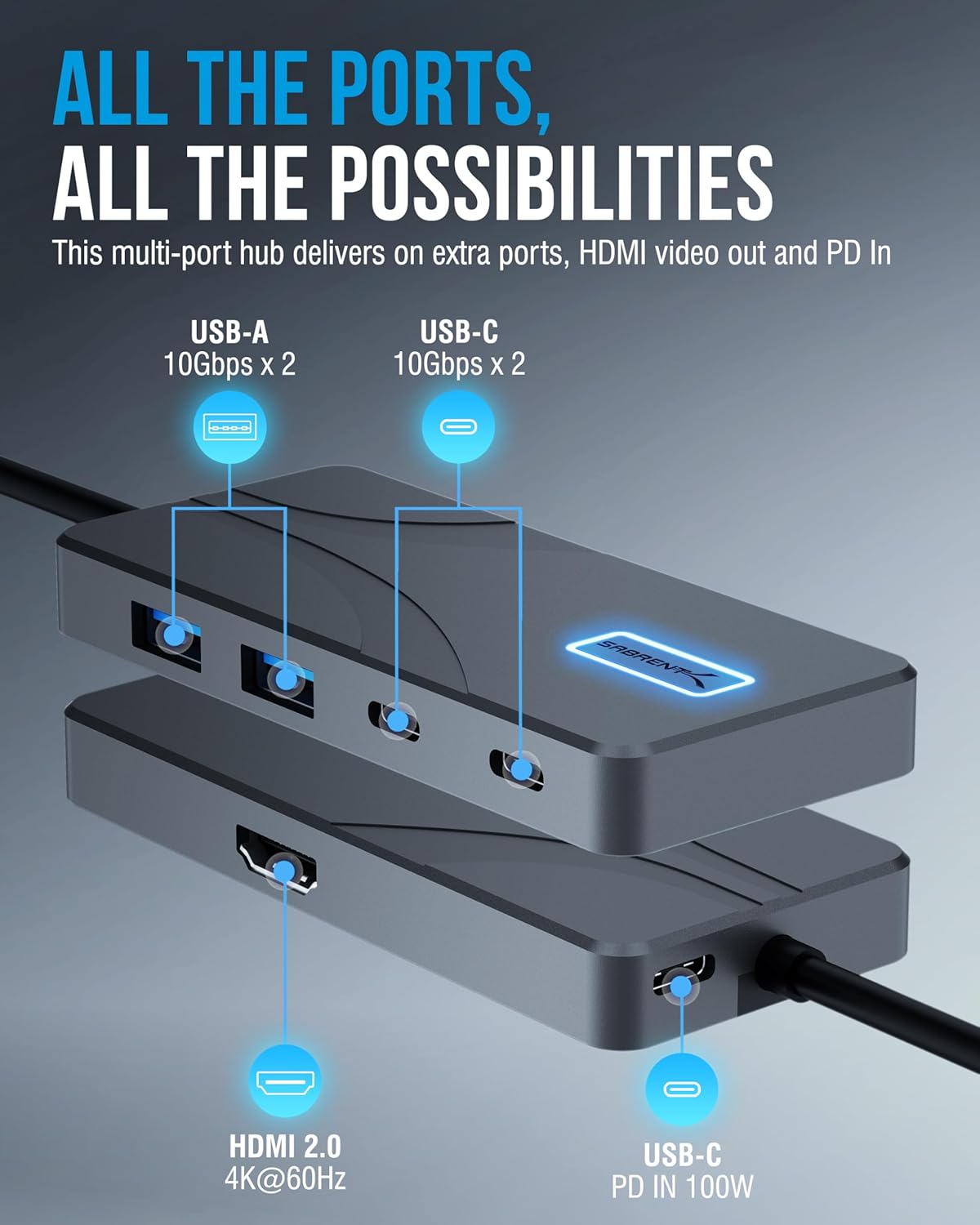
Image: The SABRENT HB-TG5P USB C Hub displaying its various ports, including USB-A, USB-C, HDMI, and Power Delivery input.

Image: A visual representation of the hub's power delivery, showing 100W input to the hub and 80W output to a laptop, with a phone also charging.

Image: The hub facilitating a 4K@60Hz video stream from a laptop to an external monitor, highlighting its high-definition display capabilities.

Image: The hub with various USB devices plugged into its 10Gbps USB-A and USB-C ports, demonstrating fast data transfer.
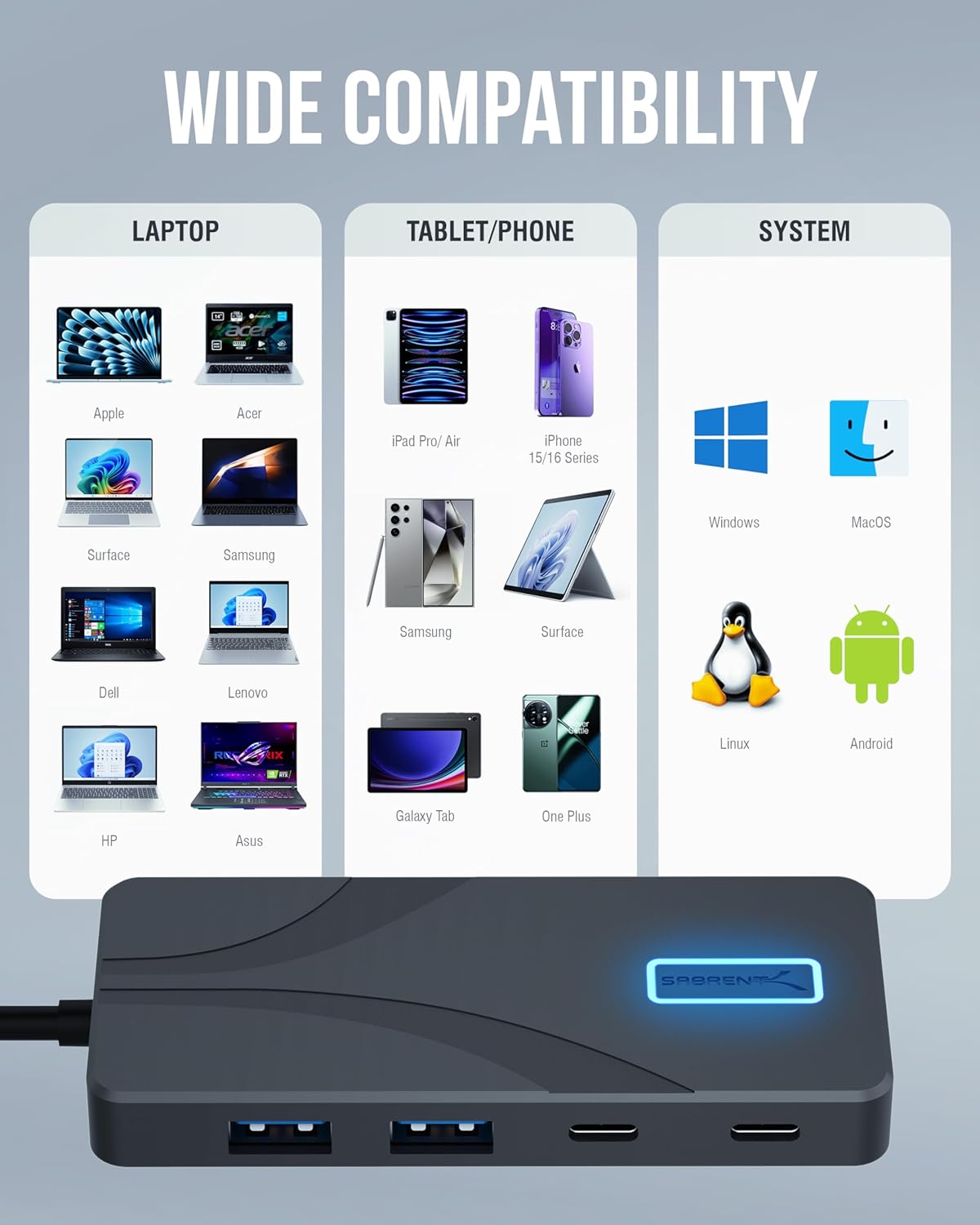
Image: A diagram illustrating the wide compatibility of the hub with different brands of laptops, tablets, phones, and operating systems like Windows, macOS, Linux, and Android.
Video: An official product video from Store4PC demonstrating the compact design and key features of the SABRENT USB-C Hub, including 10Gbps data transfer, 4K@60Hz HDMI, and 80W charging capabilities.
6. Especificacions
| Marca | SABRENT |
| Número de model | HB-TG5P |
| Ports | 2x USB-C (10Gbps Data), 2x USB-A (10Gbps Data), 1x HDMI 2.0 (4K@60Hz), 1x USB-C PD Input (100W) |
| Sortida HDMI | 4K@60Hz, HDR, HDCP 2.3 |
| Lliurament d'energia | Up to 100W Input, Up to 80W Output to Host |
| Material | Alumini |
| Compatibilitat de sistemes operatius | Windows, macOS, ChromeOS, Android, Linux |
| Dimensions (LxWxH) | 3.94 x 1.76 x 0.47 polzades |
| Pes de l'article | 2.85 unces |
7. Solució De Problemes
- Sense sortida de pantalla: Ensure your host device's USB-C port supports DisplayPort Alternate Mode (Alt Mode). Check all cable connections and try a different HDMI cable or monitor. Verify display settings on your host device.
- Transferència lenta de dades: Confirm that both the hub and your connected devices support 10Gbps (USB 3.2 Gen 2). Older USB standards (e.g., USB 2.0) will operate at slower speeds.
- El dispositiu no es carrega: Ensure a compatible USB-C PD charger is connected to the hub's PD input port. Check the charger's wattage; it should be sufficient for both the hub and your host device.
- Perifèrics no detectats: Disconnect and reconnect the hub to your host device. Try connecting the peripheral directly to your host device to rule out a device issue.
- Connexió intermitent: Ensure all cables are securely connected. Avoid excessive bending or strain on the hub's integrated cable.
8. Garantia i Suport
SABRENT products are backed by a manufacturer's warranty. For specific warranty details, technical support, or service inquiries, please refer to the official SABRENT weblloc web o contacteu directament amb el seu servei d'atenció al client. Conserveu el rebut de compra per a reclamacions de garantia.


