Introducció
Thank you for choosing the ZEALOT P11 Bluetooth Speaker. This manual provides essential information for setting up, operating, and maintaining your speaker. Please read it thoroughly to ensure optimal performance and longevity of your device.

Image: The ZEALOT P11 Bluetooth Speaker, black with an orange handle, shown with water splashing, demonstrating its IPX6 waterproof rating.
Què hi ha a la caixa
- ZEALOT P11 Bluetooth Speaker
- Cable de càrrega USB
- Manual d'usuari (aquest document)

Image: The ZEALOT P11 speaker, its packaging, and included accessories like USB cables and the user manual.
Configuració
1. Carregant l’altaveu
Before first use, fully charge the speaker. Connect the provided USB cable to the speaker's charging port and a compatible USB power adapter (not included). The charging indicator light will show the charging status. A full charge provides up to 20 hours of continuous playtime at 50% volume.
2. Encès / apagat
- Per engegar: premeu i manteniu premut el botó d'engegada (⑂) for a few seconds until the indicator lights illuminate.
- Per apagar: premeu i manteniu premut el botó d'engegada (⑂) again for a few seconds until the lights turn off.
3. Emparellament Bluetooth
- Assegureu-vos que l'altaveu estigui encès i en mode d'emparellament Bluetooth (l'indicador lluminós Bluetooth parpellejarà).
- Al dispositiu (telèfon intel·ligent, tauleta, etc.), activeu el Bluetooth i cerqueu els dispositius disponibles.
- Select "ZEALOT P11" from the list of devices.
- Once connected, the Bluetooth indicator light will become solid, and you will hear an audible confirmation.
Video: A demonstration of the ZEALOT P11 Bluetooth Speaker's controls and LED lighting effects, including power on/off and mode changes.
Instruccions de funcionament
Controls bàsics
- Reproduir/pausa: Premeu el botó Reprodueix / Pausa (▶) to play or pause audio.
- Pujar el volum: Premeu el botó '+' per augmentar el volum.
- Baixar el volum: Premeu el botó '-' per baixar el volum.
- Pista següent: Press and hold the '+' button to skip to the next track.
- Pista anterior: Press and hold the '-' button to go to the previous track.
- Interruptor de mode: Press the 'M' button to cycle through input modes (Bluetooth, AUX, USB, TF Card).

Image: Close-up of the speaker's control panel, displaying illuminated buttons for power, EQ, Bluetooth, play/pause, mode selection, and volume adjustment.
Sound Quality and Drivers
The speaker features XBass technology, utilizing two speakers (one tweeter and one bass woofer) to deliver clear highs, deep bass, and a balanced audio profile. DSP chip support ensures rich, smooth, and low-distortion sound, with high-frequency sound up to 40kHz.

Imatge: Una explosió view diagram of the ZEALOT P11 speaker, highlighting its internal dual woofers and passive radiators for enhanced sound.
Modes EQ
The speaker features multiple EQ modes to customize your audio experience. Press the 'EQ' button to cycle through available sound profiles to match your listening preferences.
Espectacle de llum dinàmica
The speaker includes soft yet vivid LED lights that can move to the beat of the music or be adjusted manually to various light modes. This feature can enhance the atmosphere for parties or provide ambient lighting.
Wireless Stereo Dual Pairing (TWS)
For an immersive stereo experience, you can pair two ZEALOT P11 speakers together:
- Ensure both P11 speakers are powered on and not connected to any other Bluetooth device.
- On one speaker (this will be the primary speaker), press the TWS pairing button (often indicated by a chain link icon).
- The speakers will automatically search and connect to each other. Once paired, the indicator lights will confirm the connection, and you will experience 360° left and right high-definition surround sound.
- Connecteu el dispositiu a l'altaveu principal mitjançant Bluetooth tal com es descriu a la secció "Emparellament amb Bluetooth".
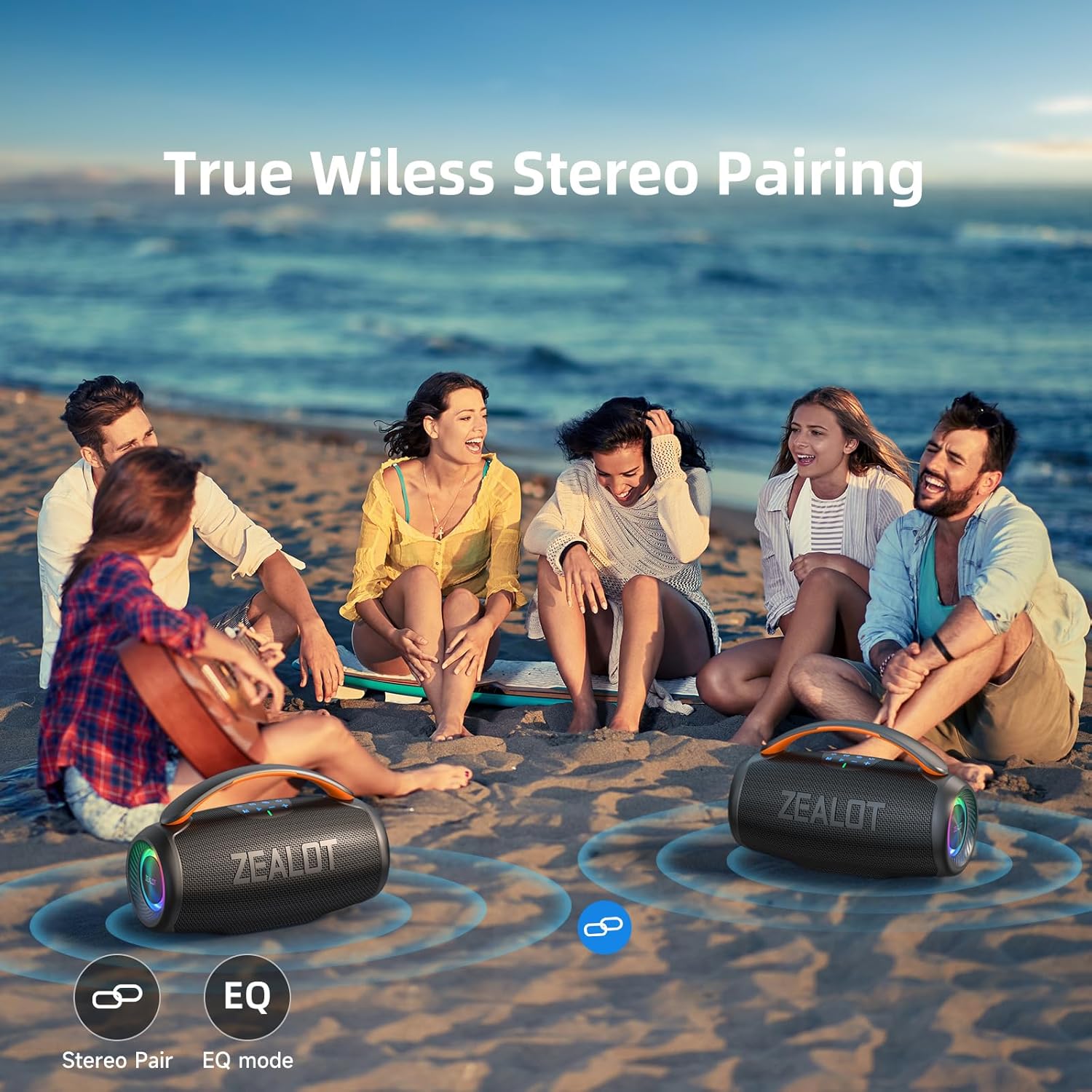
Image: Two ZEALOT P11 speakers positioned on a beach, with visual cues indicating their wireless stereo pairing capability.
Múltiples modes de reproducció
In addition to Bluetooth, the ZEALOT P11 supports several other audio input methods:
- Port USB: Inseriu una unitat flash USB que contingui àudio files.
- Port AUX: Connecteu un dispositiu d'àudio extern amb un cable d'àudio de 3.5 mm (no inclòs).
- Ranura per a targetes TF: Insert a Micro SD (TF) card with audio files.

Image: The side panel of the ZEALOT P11 speaker, clearly showing the TF card slot, AUX input, USB-C charging port, and USB-A port for various playback options.
Manteniment
Classificació d'impermeabilitat (IPX6)
The ZEALOT P11 speaker is IPX6 waterproof, meaning it is protected against high-pressure water jets from any direction. This makes it suitable for outdoor use and environments where it might encounter splashes or rain. However, it is not designed for submersion in water. Ensure all port covers are securely closed before exposing the speaker to water.
Neteja
Netegeu l'altaveu amb un suau, damp cloth. Do not use abrasive cleaners or solvents, as these may damage the surface.
Emmagatzematge
When not in use for extended periods, store the speaker in a cool, dry place away from direct sunlight and extreme temperatures. Charge the battery periodically to maintain its health.
Resolució de problemes
- Sense energia: Assegureu-vos que l'altaveu estigui completament carregat. Connecteu-lo a una font d'alimentació i torneu-ho a provar.
- Sense so: Comproveu els nivells de volum tant de l'altaveu com del dispositiu connectat. Assegureu-vos que esteu seleccionat el mode d'entrada correcte.
- Problemes de vinculació de Bluetooth:
- Assegureu-vos que l'altaveu estigui en mode de vinculació.
- Desactiva i torna a activar el Bluetooth al dispositiu.
- Acosta l'altaveu al dispositiu.
- Clear the "ZEALOT P11" from your device's Bluetooth history and try pairing again.
- Qualitat de so baixa: Ensure the speaker is within Bluetooth range (up to 50ft). Check for obstructions between the speaker and your device. Try a different audio source or file.
- Error d'emparellament TWS: Ensure both speakers are P11 models and not connected to any other Bluetooth device before initiating TWS pairing.
Especificacions
| Característica | Detall |
|---|---|
| Marca | ZELOT |
| Nom del model | S76 (P11) |
| Tipus d'altaveu | Outdoor/Indoor/Portable/Home/Party/Wireless |
| Tecnologia de connectivitat | Bluetooth 5.3 |
| abast sense fils | Fins a 50 peus |
| Potència de sortida màxima dels altaveus | 50 Watts (80W Peak) |
| Tipus de controlador d'àudio | Dynamic Driver (1 tweeter, 1 bass woofer) |
| Resposta de freqüència | 20 Hz - 40 kHz |
| Capacitat de la bateria | 6000 mAh |
| Hora de joc | Fins a 20 hores (amb un 50% de volum) |
| Temps de càrrega | Refer to charging indicator for full charge status. |
| Classificació impermeable | IPX6 |
| Dimensions del producte | 5.12 "P x 10.12" W x 4.96" H |
| Pes de l'article | 3.31 lliures |
| Mètode de control | Toca |
| Material | Plàstic |

Image: Technical drawing illustrating the dimensions of the ZEALOT P11 speaker.
Garantia i Suport
The ZEALOT P11 Bluetooth Speaker comes with a limited warranty. For detailed warranty information, product support, or to contact customer service, please refer to the official ZEALOT weblloc web o la informació de contacte que es proporciona a l'embalatge del producte.
També podeu visitar el ZEALOT Store on Amazon per obtenir recursos addicionals i informació sobre el producte.


