1. Introducció
The DJI Osmo Mobile 8 is a foldable 3-axis gimbal stabilizer designed for smartphones, offering advanced stabilization and intelligent features to enhance mobile videography and photography. It integrates native tracking capabilities, a built-in extension rod, and a tripod for versatile shooting scenarios.
2. Què hi ha a la caixa
The Osmo Mobile 8 package includes the following components:
- Osmo Mobile 8 Gimbal Stabilizer x 1
- Telèfon magnètic Clamp x 1
- DJI OM Multifunctional Module x 1
- Phone Charging/Audio Recording Cable (USB-C to USB-C, 15 cm) x 1
- Bossa d'emmagatzematge x 1
- Power Cable (USB-C to USB-C, 50 cm) x 1
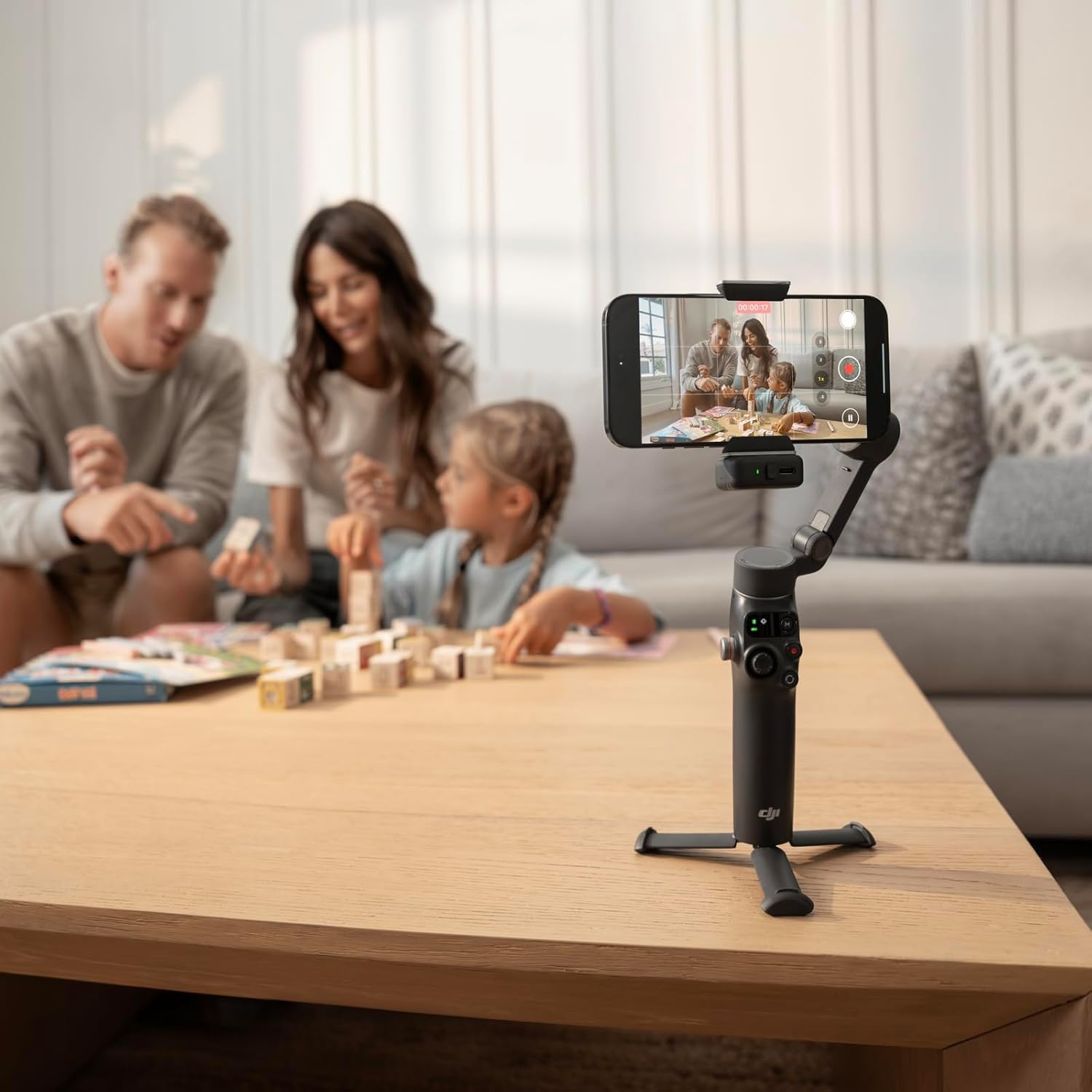
Image: All components included in the DJI Osmo Mobile 8 package.
3. Configuració
Follow these steps to set up your DJI Osmo Mobile 8 for first use:
- Desplegueu el Gimbal: Gently unfold the Osmo Mobile 8 until it locks into its operating position.
- Enganxeu el telèfon magnètic Clamp: Securely attach the magnetic phone clamp to your smartphone. Ensure it is centered for optimal balance.
- Munta el teu telèfon: Attach your phone (with the clamp) to the gimbal's magnetic mount. The gimbal will automatically power on and stabilize.
- Connect Multifunctional Module (Optional): If using the Multifunctional Module for enhanced tracking, audio, or lighting, attach it to the designated port on the gimbal.
- Pair with DJI Mimo App: For full functionality and advanced features, download the DJI Mimo app from the official DJI website (due to platform compatibility issues, it may not be available on Google Play). Pair your phone with the gimbal via NFC (for iPhone 12 and later models running iOS 18.5 or later, or Android phones) or Bluetooth.
Vídeo: Una introduccióview of the DJI Osmo Mobile 8, demonstrating its key features and ease of use.
Video: A detailed first look at the DJI Osmo Mobile 8, including accessories and a setup guide.
4. Operating Instructions & Features
4.1. Native Tracking with Integrated Audio & Lighting
The Osmo Mobile 8 offers native tracking capabilities, allowing the gimbal to follow subjects (people, pets, or objects) across various camera and live-streaming apps. When combined with the Multifunctional Module, it provides integrated audio reception and fill lighting for professional-quality content.

Image: Full-Scene Native Tracking in action, highlighting the Multifunctional Module, Apple DockKit, and ActiveTrack 7.0.
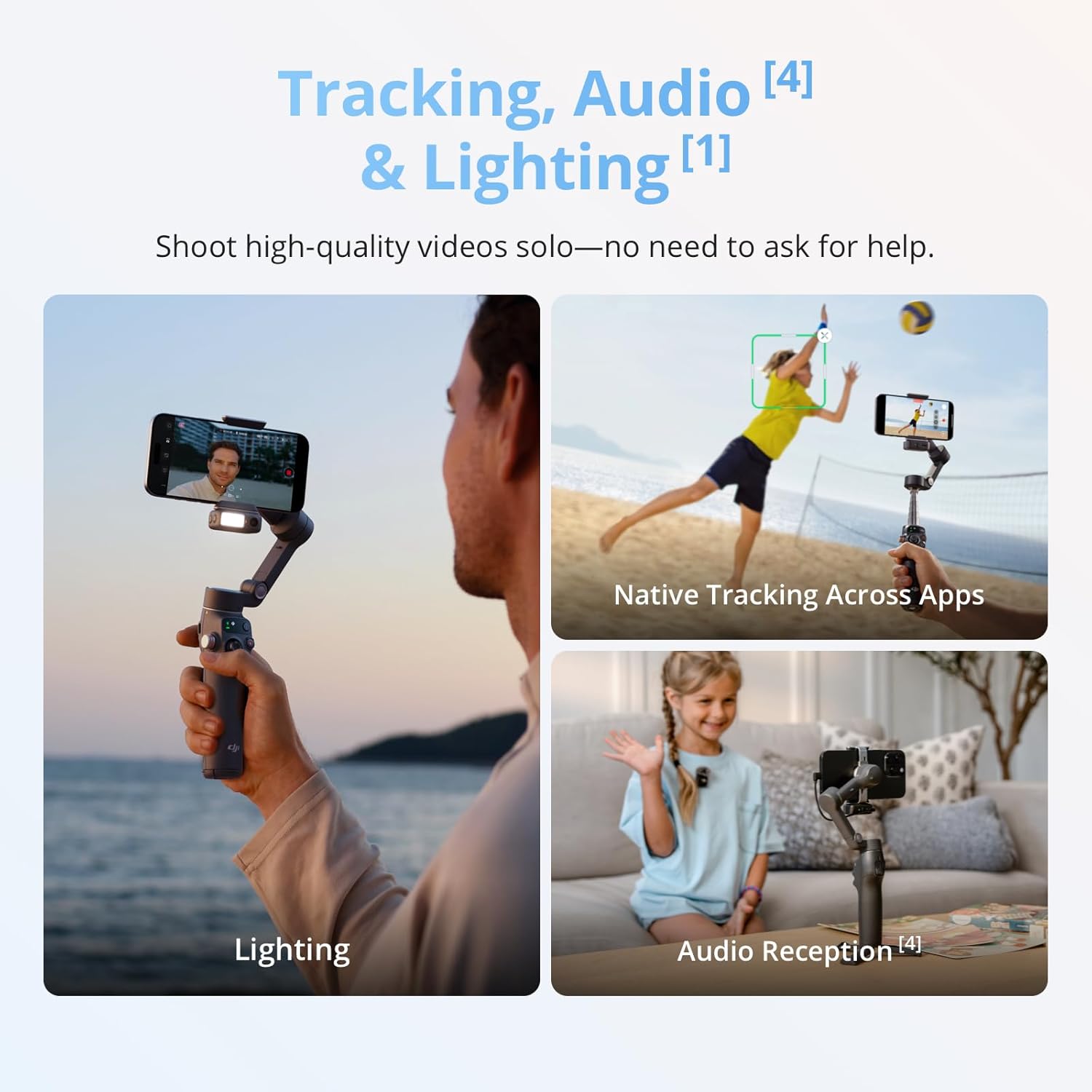
Image: Tracking, Audio, and Lighting features of the gimbal.
4.2. Seamless 360° Pan Rotation
Achieve dynamic and immersive shots with the gimbal's 360° horizontal rotation. Intelligent tracking ensures your subject remains in frame throughout the rotation.

Image: Demonstration of 360° Pan Rotation and comfortable low-angle shooting.
4.3. Built-in Extension Rod & Tripod
The integrated extension rod extends up to 215mm, perfect for wider shots or group selfies. The built-in tripod allows for stable, hands-free filming from any surface.
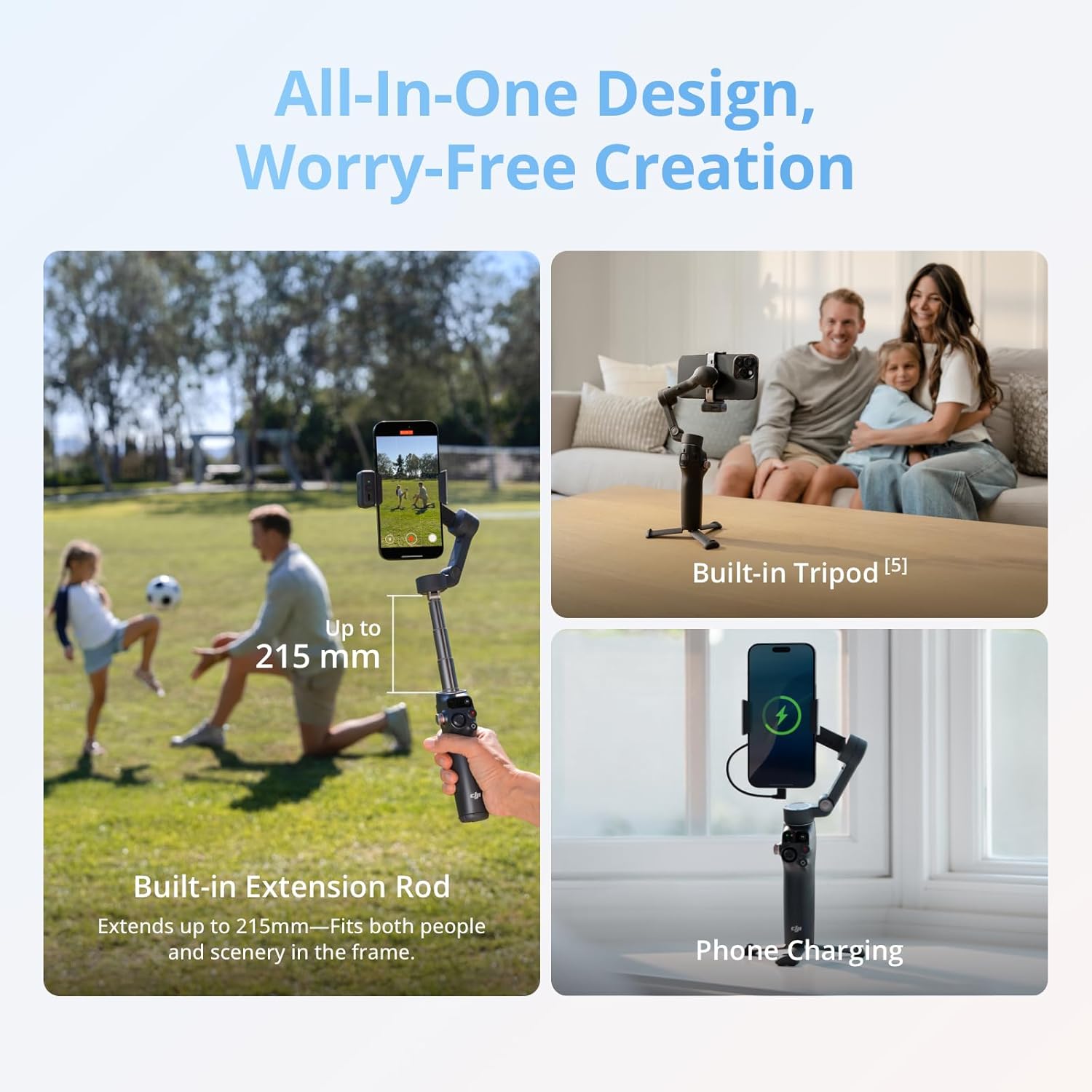
Image: All-in-One Design featuring the Built-in Extension Rod, Tripod, and Phone Charging.
4.4. Robust 3-Axis Gimbal Stabilization
Utilizing DJI's seventh-generation stabilization technology, the gimbal ensures smooth, professional footage, whether you're capturing action shots or daily vlogs.

Image: Powerful 3-Axis Gimbal Stabilization for steady footage.
4.5. 10-Hour Battery Life & Phone Charging
The gimbal provides up to 10 hours of operating time, ideal for extended filming sessions. It can also charge your phone while filming, ensuring you don't miss a moment.
4.6. Easy Tutorials & One-Tap Editing
New users can quickly get started with simple tutorials. The DJI Mimo app offers AI-powered one-tap edits and exclusive video templates for quick and easy content creation.

Image: Features for capturing like a pro, including ShotGuides, One-Tap Editing, and Remote Control with Watch.
5. Compatibilitat
The DJI Osmo Mobile 8 is compatible with a wide range of smartphones. It is recommended to use smartphones with a width of 67-84 mm, thickness of 6.9-10 mm, and weight of 170-300 g.
5.1. iOS Compatibility
For iPhone users, the gimbal supports Apple DockKit pairing via NFC for instant connection and intelligent tracking in native camera or third-party apps (supported on iPhone 12 or later models running iOS 18.5 or later, except iPhone SE (3rd generation) and iPhone 16e). The DJI Mimo app is compatible with Apple Watch Series 7/8/9/10, Apple Watch SE 2, and Apple Watch Ultra 1/2 with watchOS 9 or later for remote control.
5.2. Android Compatibility
The magnetic phone clamp fits Android phones with large camera setups. Android phones supporting NFC pairing can automatically launch the DJI Mimo app for setup. Select Android phones support 4K/60fps and multi-camera shooting in DJI Mimo.
For a better product experience, please visit the official DJI website to download the latest version of DJI Mimo and for the full smartphone compatibility list.
6. Manteniment
To ensure the longevity and optimal performance of your DJI Osmo Mobile 8, follow these maintenance guidelines:
- Neteja: Feu servir un drap suau i sec per netejar el cardan. Eviteu utilitzar netejadors líquids o dissolvents.
- Emmagatzematge: Store the gimbal in its provided storage pouch in a cool, dry place away from direct sunlight and extreme temperatures.
- Cura de la bateria: Fully charge the battery at least once every three months to prevent over-discharge.
- Manejar amb cura: Avoid dropping or subjecting the gimbal to strong impacts, as this can damage the delicate internal components.
7. Solució De Problemes
Here are some common questions and solutions for the DJI Osmo Mobile 8:
- How do I activate tracking with the gimbal?
- Multifunctional Module + Other Camera Apps: Single press the trigger or use a specific hand gesture to initiate smart tracking.
- DJI Mimo Only: Single-press the trigger to initiate ActiveTrack.
- DJI Mimo Only: Tap a detection box in the camera view to initiate ActiveTrack.
- DJI Mimo Only: Draw a box around your subject on the screen to initiate ActiveTrack.
- DJI Mimo Only: Enable Gesture Control and use a specific gesture to initiate ActiveTrack.
- What is the magnetic force?
The magnetic force of Osmo Mobile 8 is approximately 40 Newtons, strong enough to hold an object equivalent to the weight of two 2-liter soda bottles. This ensures a secure attachment for smartphones.
- Which phones support NFC pairing with Osmo Mobile 8?
Android phones support NFC pairing and can automatically launch the DJI Mimo app. iPhone supports Apple DockKit pairing via NFC (iPhone 12 and later models running iOS 18.5 or later, except iPhone SE (3rd generation) and iPhone 16e).
- What's the difference between direct phone connection for effortless tracking, intelligent tracking with the DJI OM Multifunctional Module, and intelligent tracking in the DJI Mimo app?
Direct phone connection for effortless tracking allows pairing via NFC to track people in native camera or third-party apps with Apple DockKit. The Multifunctional Module supports both iPhone and Android, allowing tracking in native camera and third-party apps. The DJI Mimo app offers various tracking features like Dual Lens Boost, Smart Capture, and DynamicZoom.
8. Especificacions
| Característica | Detall |
|---|---|
| Dimensions del producte | 11.34 x 4.21 x 3.78 polzades (28.8 x 10.7 x 9.6 cm) |
| Pes de l'article | 13.1 unces (370 grams) |
| ASIN | B0FJ2L67HJ |
| Número de model de l'article | 6937224126817 |
| Bateries | Cal 1 pila C (inclosa) |
| Data de primera disponibilitat | 10 de setembre de 2025 |
| Fabricant | DJI |
| Dispositius compatibles | Camera (Smartphones) |
9. Garantia i Suport
DJI provides an official warranty and one-stop technical support for the Osmo Mobile 8. For detailed warranty information, service requests, or further technical assistance, please visit the official DJI weblloc o poseu-vos en contacte amb el seu servei d'atenció al client.


