1. Producte acabatview
The OUKITEL C3 is a feature-rich smartphone designed for everyday use. It combines powerful performance with a sleek design, offering a seamless user experience. This manual provides essential information on setting up, operating, and maintaining your device.
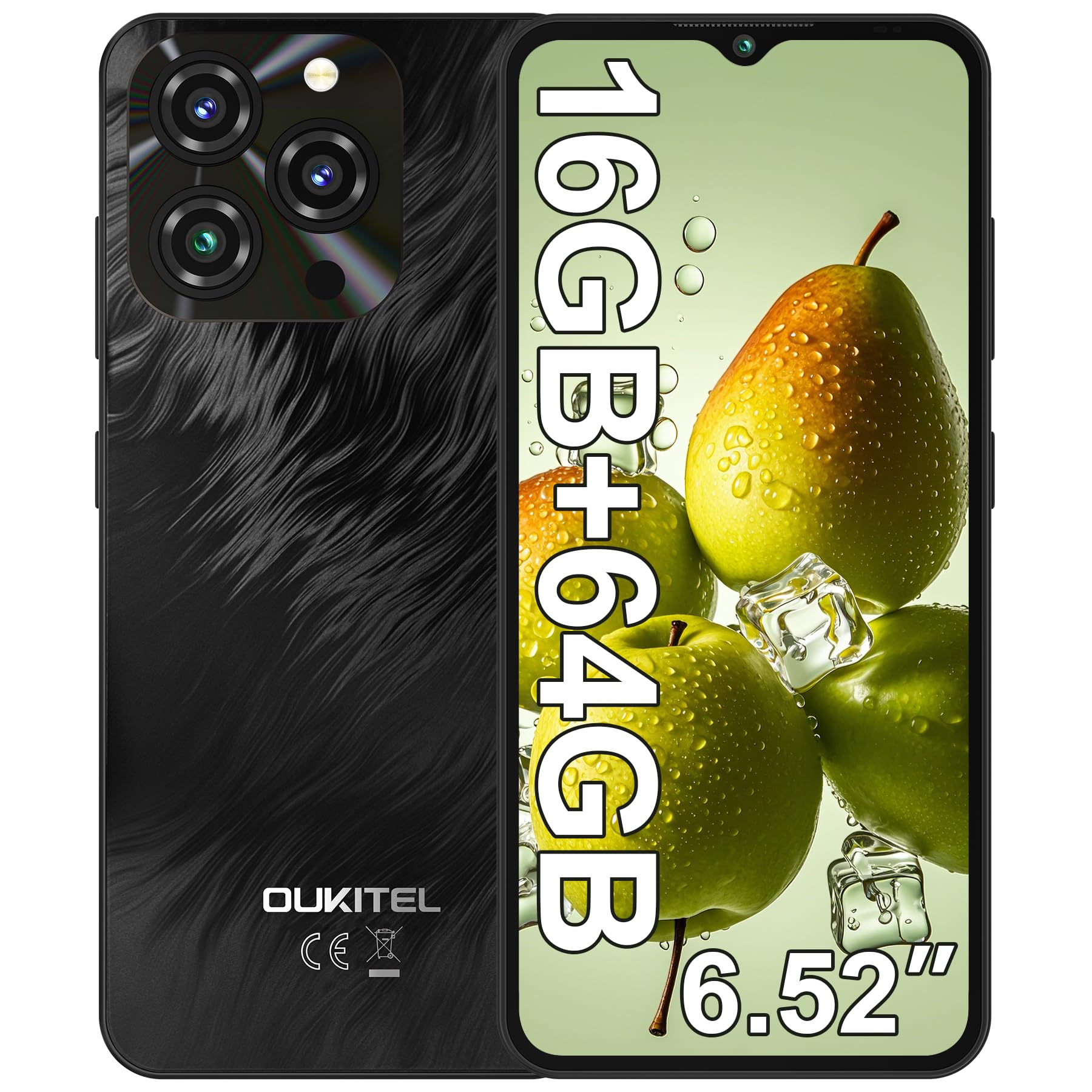
Image 1.1: OUKITEL C3 Smartphone in Grey. This image showcases the overall design of the phone.
2. Què hi ha a la caixa
Upon unboxing your OUKITEL C3, please ensure all items listed below are present:
- 1x OUKITEL C3 Cell Phone
- 1 carregador de 10 W
- 1x Data Cable (USB-C)
- 1 funda de telèfon
- 1x Manual d'usuari (aquest document)
3. Guia de configuració
3.1. Instal·lació de la targeta SIM
The OUKITEL C3 supports Dual SIM functionality, allowing you to use two Nano-SIM cards or one Nano-SIM and one TF (microSD) card up to 1TB for expanded storage.
- Localitza la safata de la targeta SIM al lateral del dispositiu.
- Insert the provided SIM ejector tool into the small hole on the tray and press gently until the tray pops out.
- Place your Nano-SIM card(s) and/or TF card into the tray with the gold contacts facing down, ensuring they are correctly aligned.
- Torneu a inserir la safata amb cura al telèfon fins que encaixi al seu lloc.

Image 3.1: Illustration of SIM card tray and other features like OTG, GPS, and Bluetooth. The SIM tray supports two Nano-SIMs or one Nano-SIM and one TF card.
3.2. Engegada inicial
To power on your OUKITEL C3 for the first time, press and hold the Power button (located on the side) until the OUKITEL logo appears on the screen. Follow the on-screen prompts to complete the initial setup, including language selection and Wi-Fi connection.
3.3. Security Setup (Face ID)
Enhance your phone's security with Face ID. During initial setup or via Settings, you can register your face for quick and secure unlocking.
- Vés a Configuració > Seguretat i privadesa > Desbloqueig facial.
- Follow the on-screen instructions to register your face. Ensure you are in a well-lit area and hold the phone at eye level.

Image 3.2: Visual representation of Face ID and other hardware features like G-sensor, 3.5mm headphone jack, and USB-C charging port.
3.4. Connectivitat de xarxa
Your OUKITEL C3 supports 4G LTE networks. Please note that this device is compatible with T-Mobile carrier only and does not support AT&T, Verizon, or Metro PCS. Confirm carrier compatibility before use.
For Wi-Fi, go to Configuració > Xarxa i Internet > Wi-Fi i seleccioneu la xarxa desitjada.

Image 3.3: OUKITEL C3 highlighting its T-Mobile carrier compatibility and supported frequency bands.
4. Operating Your OUKITEL C3
4.1. Navegació bàsica (Android 14)
Your OUKITEL C3 runs on Android 14, offering an intuitive and secure user experience. Navigate using gestures or the traditional three-button navigation bar (configurable in Settings).
- Pantalla d'inici: Swipe left/right to access app pages.
- Calaix d'aplicacions: Feu lliscar cap amunt des de la part inferior de la pantalla fins a view totes les aplicacions instal·lades.
- Notificacions i configuració ràpida: Llisca cap avall des de la part superior de la pantalla per accedir a les notificacions i als ajustos ràpids.

Image 4.1: OUKITEL C3 showcasing the Android 14 interface with various apps and system features.
4.2. Ús de la càmera
Captura moments amb la càmera principal de 13MP i la càmera frontal de 5MP.
- Obriu el Càmera aplicació.
- Seleccioneu el mode desitjat (Foto, Vídeo, Retrat, etc.).
- Toqueu el botó de l'obturador per fer una foto o iniciar/aturar la gravació d'un vídeo.

Image 4.2: Details of the 13MP main camera and 5MP front camera, highlighting their capabilities for photos and video calls.
4.3. Gestió de la bateria
The 5000mAh battery provides extended usage. To optimize battery life, adjust screen brightness, close unused apps, and enable battery saver mode in Configuració > Bateria.

Image 4.3: Visual representation of the 5000mAh battery capacity and its long-lasting performance.
4.4. Gestió de l'emmagatzematge
Your device comes with 64GB of internal storage, expandable up to 1TB with a TF card. Regularly check your storage usage in Configuració > Emmagatzematge and clear unnecessary files to maintain optimal performance.

Image 4.4: OUKITEL C3 highlighting its 16GB RAM (4GB fixed + 12GB virtual) and 64GB ROM, expandable to 1TB.
4.5. Using Google Assistant / Gemini
Your OUKITEL C3 integrates with Google Assistant and Gemini for hands-free control and smart assistance. You can activate it by saying "Hey Google" or "Ok Google" when your screen is on.
Video 4.5: Demonstrates how to set up and use Gemini AI on an Android phone, including voice commands for tasks like writing notes, checking weather, and setting timers. This video is provided by a Seller and is relevant to the Android 14 system.
5. Manteniment
5.1. Càrrega del teu dispositiu
Use only the provided 10W charger and data cable to charge your OUKITEL C3. Connect the USB-C end of the cable to the phone's charging port and the USB-A end to the power adapter, then plug the adapter into a wall outlet.
5.2. Actualitzacions de programari
Comproveu regularment si hi ha actualitzacions de programari per assegurar-vos que el dispositiu tingui les funcions i els pegats de seguretat més recents. Aneu a Configuració > Sistema > Actualització del sistema.
5.3. Neteja del telèfon
To clean your phone, power it off and gently wipe the screen and body with a soft, lint-free cloth. Avoid using harsh chemicals or abrasive materials.
6. Solució De Problemes
| Problema | Solució |
|---|---|
| El telèfon no s'encén | Assegureu-vos que la bateria estigui carregada. Connecteu-la al carregador durant almenys 15 minuts i, a continuació, torneu-la a engegar. |
| Les aplicacions es bloquegen o es bloquegen | Clear app cache (Settings > Apps > [App Name] > Storage > Clear cache) or restart the phone. |
| Senyal de xarxa pobre | Check SIM card installation. Ensure you are within T-Mobile's coverage area. Restart the phone. |
| La bateria s'esgota ràpidament | Reduce screen brightness, close background apps, or enable battery saver mode. |
7. Especificacions tècniques
| Característica | Detall |
|---|---|
| Nom del model | OUKITEL C3 |
| Sistema operatiu | Android 14 |
| Processador | Unisoc T310 |
| RAM | 16 GB (4 GB fixos + 12 GB virtuals) |
| Emmagatzematge intern | 64 GB |
| Emmagatzematge ampliable | Up to 1TB (TF Card) |
| Mostra | 6.52" HD Waterdrop Screen, 540x1200 Resolution, 450nit Brightness |
| Càmera principal | 13MP |
| Càmera frontal | 5MP |
| Capacitat de la bateria | 5000 mAh |
| Carregant | Càrrega ràpida de 10 W, càrrega inversa OTG |
| Connectivitat | 4G LTE (T-Mobile only), Wi-Fi, Bluetooth 5.0, GPS, GLONASS, Beidou, Galileo |
| Seguretat | Identificació facial |
| Jack d'àudio | 3.5 mm |
| Dimensions | 7.51 x 4.05 x 1.96 polzades (paquet) |
| Pes | 14.9 unces (article) |
8. Garantia i Suport
Your OUKITEL C3 smartphone comes with a standard manufacturer's warranty. Please refer to the warranty certificate included in your product packaging for detailed terms and conditions.
For technical support, troubleshooting assistance, or warranty claims, please contact OUKITEL customer service through their official weblloc web o la informació de contacte que es proporciona a la documentació de la garantia.
També podeu visitar el OUKITEL Store on Amazon per obtenir més informació sobre el producte i recursos d'assistència.


