Introducció
Welcome to the OUKITEL C3 Cell Phone user manual. This guide provides essential information to help you set up, operate, and maintain your new smartphone. Please read this manual thoroughly to ensure proper usage and to maximize your device's potential.
Què hi ha a la caixa
Upon opening your OUKITEL C3 package, you should find the following items:
- 1x OUKITEL C3 Cell Phone
- 1 carregador de 10 W
- 1x cable de dades
- 1 funda de telèfon
- 1 x manual d'usuari

Image: Contents of the OUKITEL C3 package, including the phone, charger, data cable, phone case, and manual.
Video: An unboxing demonstration of the OUKITEL C3 Cell Phone, showing the phone and its included accessories.
Producte acabatview
The OUKITEL C3 is a 4G Android smartphone featuring a 6.52-inch waterdrop screen, a 5000mAh battery, and a dual-camera system. It is designed for everyday communication and multimedia use.
Característiques principals:
- Visualització: 6.52-inch HD Waterdrop Screen (540x1200 resolution, 450nit brightness)
- Processador: Unisoc T310
- Memòria: 16GB RAM (4GB fixed + 12GB virtual) + 64GB ROM, expandable up to 1TB via TF card
- Bateria: 5000mAh with 10W fast charging and OTG reverse charging support
- Càmeres: 13MP Main Camera, 5MP Front Camera
- Sistema operatiu: Android 14
- Connectivitat: 4G Dual SIM, Bluetooth 5.0, Wi-Fi, GPS, GLONASS, Beidou, Galileo
- Seguretat: Identificació facial
- Dimensions: 9.3mm thickness, 198g weight
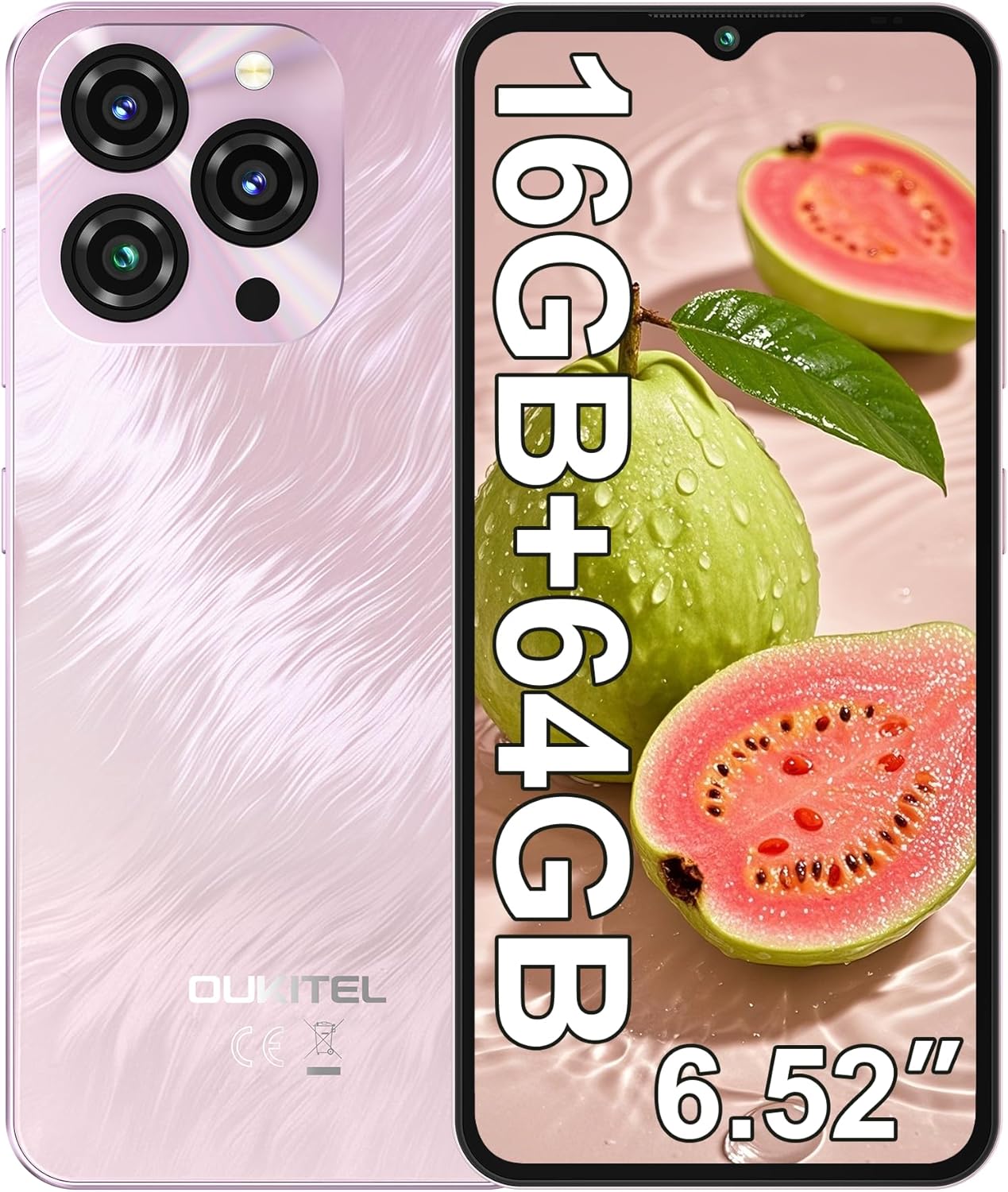
Image: The OUKITEL C3 Cell Phone, showcasinel seu disseny i el mòdul de càmera.

Image: Close-up of the OUKITEL C3's 6.52-inch waterdrop display, highlighting its visual quality.

Image: Visual representation of the OUKITEL C3's slim 9.3mm thickness and 198g weight.
Configuració
1. Instal·lació de la targeta SIM i la targeta TF
The OUKITEL C3 supports dual Nano SIM cards or one Nano SIM card and one TF (microSD) card for expanded storage.
- Localitza la safata de la targeta SIM al lateral del telèfon.
- Introduïu l'eina d'expulsió de la SIM (inclosa a la caixa) al forat petit que hi ha al costat de la safata i premeu suaument fins que la safata surti.
- Place your Nano SIM card(s) and/or TF card into the designated slots on the tray. Ensure the gold contacts face downwards and the cards are correctly oriented.
- Carefully reinsert the tray into the phone until it is flush with the device's side.

Image: Diagram showing the SIM card tray, 3.5mm audio jack, and USB-C port on the OUKITEL C3.
2. Engegada i configuració inicials
- Press and hold the Power button (located on the right side of the phone) until the OUKITEL logo appears.
- Segueix les instruccions que apareixen a la pantalla per seleccionar l'idioma, connectar-te a una xarxa Wi-Fi i configurar el teu compte de Google.
- You will also be guided through setting up security features like Face ID during this process.
3. Càrrega del dispositiu
Before first use, it is recommended to fully charge your OUKITEL C3.
- Connect the USB data cable to the 10W charger.
- Connecteu el carregador a una presa de corrent.
- Connecta l'extrem USB-C del cable al port de càrrega de la part inferior del telèfon.
- La icona de la bateria a la pantalla indicarà l'estat de càrrega.

Image: Illustration of the OUKITEL C3's 5000mAh battery and charging process.
Instruccions de funcionament
1. Navegació bàsica (Android 14)
Your OUKITEL C3 runs on Android 14, offering an intuitive user experience.
- Pantalla d'inici: Llisca cap a l'esquerra o la dreta per navegar entre les pantalles d'inici. Toca i mantén premut un espai buit per personalitzar els widgets, els fons de pantalla i la configuració.
- Calaix d'aplicacions: Llisca cap amunt des de la part inferior de la pantalla per accedir a totes les aplicacions instal·lades.
- Notificacions i configuració ràpida: Feu lliscar el dit cap avall des de la part superior de la pantalla fins a view notificacions i accedir a la configuració ràpida (Wi-Fi, Bluetooth, etc.).
- Aplicacions recents: Llisca cap amunt des de la part inferior i mantén premut (o toca el botó quadrat de navegació si està activat) per veure les aplicacions utilitzades recentment.

Image: The OUKITEL C3 displaying the Android 14 operating system interface with various applications.
2. Ús de la càmera
The OUKITEL C3 is equipped with a 13MP main camera and a 5MP front camera.
- Obre l'aplicació "Càmera" des de la pantalla d'inici o des del calaix d'aplicacions.
- Switch between the front and rear cameras using the camera switch icon.
- Toqueu el botó de l'obturador per fer una foto.
- Explore different modes like Video, Portrait, or Panorama if available in the camera app.

Image: Visual detailing of the OUKITEL C3's 13MP main camera and 5MP front camera capabilities.
3. Connectivitat
- Wi-Fi: Ves a Configuració > Xarxa i internet > Wi-Fi per connectar-te a les xarxes disponibles.
- Bluetooth: Go to Settings > Connected devices > Bluetooth to pair with Bluetooth devices like headphones or speakers.
- GPS: Location services are enabled by default. You can manage them in Settings > Location. The phone supports GPS, GLONASS, Beidou, and Galileo for accurate positioning.
- OTG: The OUKITEL C3 supports USB On-The-Go (OTG), allowing you to connect USB devices like flash drives or keyboards using an OTG adapter (sold separately).
4. Identificació facial
Face ID provides a convenient and secure way to unlock your phone.
- Go to Settings > Security & privacy > Device unlock > Face unlock.
- Follow the on-screen instructions to register your face. Ensure good lighting and hold the phone at eye level.
- Once registered, you can unlock your phone by simply looking at the front camera.
Manteniment
1. Cura de la bateria
- Eviteu exposar el telèfon a temperatures extremes.
- Use only the provided charger and cable for optimal charging performance and safety.
- For long-term storage, charge the battery to around 50% and power off the device.
2. Actualitzacions de programari
Regularly check for and install software updates to ensure your phone has the latest features, security patches, and performance improvements.
- Aneu a Configuració > Sistema > Actualització del sistema.
- Tap "Check for update" and follow the instructions if an update is available.
3. Neteja del dispositiu
- Feu servir un drap suau i sense borrissol per netejar la pantalla i la part posterior del telèfon.
- Eviteu utilitzar productes químics o materials abrasius.
- Per a taques persistents, lleugerament dampNetegeu el drap amb aigua o un netejador de pantalles dissenyat per a electrònica.
Resolució de problemes
| Problema | Possible solució |
|---|---|
| El telèfon no s'encén. | Assegureu-vos que la bateria estigui carregada. Connecteu el carregador i espereu uns minuts abans d'intentar tornar-lo a engegar. |
| No puc fer ni rebre trucades/missatges de text. |
|
| Apps are slow or freezing. |
|
| La bateria s'esgota ràpidament. |
|
| Face ID not working. |
|

Image: Important information regarding OUKITEL C3's carrier compatibility, specifically T-Mobile support.
Especificacions
| Característica | Detall |
|---|---|
| Nom del model | OUKITEL C3 |
| Sistema operatiu | Android 14 |
| Mostra | 6.52 Inches HD Waterdrop Screen, 540 x 1200 Resolution, 60 Hz Refresh Rate |
| RAM | 16 GB (4GB fixed + 12GB virtual) |
| Emmagatzematge intern (ROM) | 64 GB |
| Emmagatzematge ampliable | Up to 1 TB via TF Card |
| Càmera principal | 13 MP |
| Càmera frontal | 5 MP |
| Capacitat de la bateria | 5000 mAh |
| Carregant | 10W Fast Charging, Supports OTG Reverse Charging |
| Connectivitat | 4G Cellular Technology, Bluetooth 5.0, Wi-Fi |
| Navegació | GPS, GLONASS, Beidou, Galileo |
| Jack d'àudio | 3.5 mm |
| Tipus de targeta SIM | Nano SIM dual |
| Dimensions | 9.3 mm de gruix |
| Pes | 198 grams (aproximadament 14.9 unces) |
| Supported Carrier | T-Mobile (Does not support Metro PCS, AT&T, Verizon) |
Vídeo: Un overview of the OUKITEL C3 Cell Phone's main features and specifications.
Garantia i Suport
For warranty information and technical support, please refer to the warranty card included in your product package or visit the official OUKITEL weblloc web. Conserveu el comprovant de compra per a reclamacions de garantia.
Informació de contacte: Please refer to the contact details provided in your product documentation or on the OUKITEL official website for customer service and support.


