Introducció
This manual provides essential information for the safe and efficient operation of your TCL 65P7K 65-inch 4K Ultra HD Smart QLED Google TV. Please read these instructions thoroughly before using the television and retain them for future reference. This television combines advanced QLED display technology with the Google TV operating system, offering a superior viewing experience and smart functionalities.
Configuració
1. Desembalatge i comprovació de components
Traieu amb cura el televisor del seu embalatge. Assegureu-vos que hi hagi tots els components que s'enumeren a continuació:
- Televisor LED 1N
- Cable d'àudio 1N
- Estand 1N
- 1N User Manual (this document)
- Targeta de garantia 1N
- Cable d'alimentació 1N
- Comandament a distància 1N
- 2 piles AAA
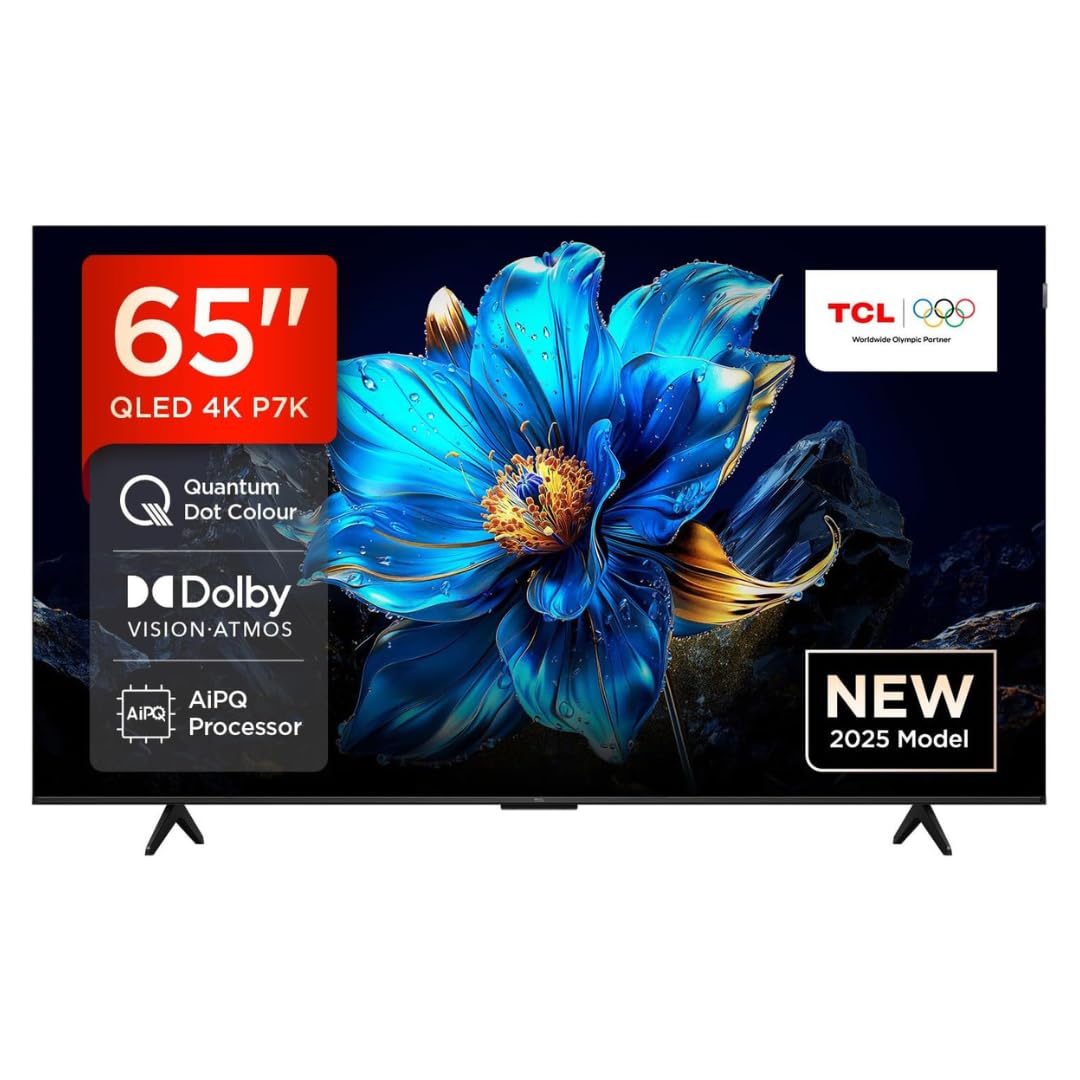
Imatge: Frontal view of the TCL 65P7K television, showcasing its metallic bezel-less design and vibrant display.
2. Instal·lació del suport (muntatge sobre taula)
Si col·loqueu el televisor sobre una taula, fixeu-hi el suport inclòs:
- Col·loqueu la pantalla del televisor amb la pantalla cap avall sobre una superfície suau i plana per evitar que es faci malbé.
- Alineeu les bases del suport amb les ranures corresponents de la part inferior del televisor.
- Fixeu els suports amb els cargols proporcionats. Assegureu-vos que estiguin ben fixats.
3. Muntatge a la paret
For wall mounting, use a VESA compatible wall mount (400x300mm) (sold separately). Follow the instructions provided with your wall mount kit. It is recommended to seek professional installation for wall mounting.

Image: Diagram showing the dimensions of the TCL 65P7K TV (1444mm width, 893mm height, 69.5mm thickness) and the included RC833A remote control.
4. Connexió de perifèrics
Connect your external devices to the TV's ports. Refer to the back panel image for port locations.

Imatge: Part posterior view of the TCL 65P7K television, highlighting the various input and output ports for connectivity.
- Ports HDMI (3): Connect Blu-ray players, gaming consoles, set-top boxes.
- Port USB (1): Connecteu unitats USB per a la reproducció de contingut multimèdia.
- LAN Port (1): Per a connexió a Internet per cable.
- Entrada d'antena (1): Connect an antenna for terrestrial broadcasts.
- Digital Audio Out (1): Connect to a soundbar or home theater system.
- AV Adapter (1): Per a dispositius analògics més antics.
5. Engegada inicial i configuració inicial
- Connecteu el cable d'alimentació al televisor i després a una presa de corrent.
- Premeu el botó d'engegada del comandament a distància o del televisor.
- Seguiu les instruccions que apareixen a la pantalla per completar la configuració inicial, inclosa la selecció d'idioma, la connexió de xarxa (Wi-Fi o Ethernet) i l'inici de sessió al compte de Google.
Instruccions de funcionament
1. Control remot sobreview
Insert the two AAA batteries into the remote control. The remote uses both IR and Bluetooth technology. Familiarize yourself with the buttons for navigation, volume, channel, input selection, and smart features.
2. Navegació de la interfície de Google TV
Your TCL 65P7K runs on Google TV. Use the directional pad and OK button on your remote to navigate through the home screen, apps, and settings. The home screen provides personalized recommendations and quick access to your favorite content.
3. Funcions intel·ligents
- Aplicacions de streaming: Access pre-installed apps like Prime Video, Netflix, Hotstar, Zee5, and more. Download additional apps from the Google Play Store.
- Assistent de Google: Press the Google Assistant button on your remote to use voice commands for searching content, controlling smart home devices, and getting information.
- Replica de pantalla: Cast content from your smartphone or tablet to the TV using built-in Chromecast.
- Mestre del joc: Optimize your gaming experience with features like VRR (Variable Refresh Rate) up to 120 Hz and DLG (Dynamic Low Latency Gaming) 120 Hz.

Image: A collage illustrating key features of the TCL 65P7K TV, such as QLED display, AiPQ Processor, Dolby Vision Atmos, Multi HDR Format, Metallic Bezel-less design, HVA Screen, Google TV, Motion Clarity, and 120Hz Game Accelerator.
4. Configuració d'imatge i so
Navigate to the TV settings menu to adjust picture and sound preferences:
- Modes d'imatge: Choose from various modes (Standard, Dynamic, Movie, Game) or customize settings like brightness, contrast, color, and sharpness.
- Dolby Vision i HDR10+: The TV supports multiple HDR formats for enhanced contrast and color.
- Modes de so: Select sound modes (Standard, Music, Movie) or adjust equalizer settings.
- Dolby Atmos: Experience immersive audio with Dolby Atmos support.
5. Connectivitat
- Wi-Fi: Connect to your home wireless network (Wi-Fi 5 supported).
- Bluetooth: Pair Bluetooth devices like headphones or game controllers.
Manteniment
1. Cleaning the Screen and TV Body
- Desendolla sempre el televisor abans de netejar-lo.
- Feu servir un drap suau i sense borrissol per netejar suaument la pantalla. Per a marques difícils, fregueu lleugerament.ampNetegeu el drap amb aigua o un netejador de pantalles especialitzat (no ruixeu directament sobre la pantalla).
- Wipe the TV body with a soft, dry cloth. Avoid using abrasive cleaners, waxes, or solvents.
2. Actualitzacions de programari
The TV may receive automatic software updates via the internet. Ensure your TV is connected to the internet to receive the latest features and performance improvements. You can also manually check for updates in the settings menu.
Resolució de problemes
Si teniu problemes amb el televisor, consulteu les solucions habituals següents:
| Problema | Possible solució |
|---|---|
| Sense poder | Check if the power cord is securely plugged into the TV and the power outlet. Ensure the power outlet is active. Try a different outlet. |
| No hi ha imatge, però hi ha so | Comproveu la font d'entrada. Assegureu-vos que els dispositius externs estiguin encesos i connectats correctament. Proveu un altre cable HDMI. |
| No hi ha so, però hi ha imatge | Check the volume level and mute status. Ensure external audio devices are connected and powered on. Check audio output settings. |
| El comandament a distància no funciona | Replace the batteries. Ensure there are no obstructions between the remote and the TV's IR sensor. Re-pair the Bluetooth remote if applicable. |
| No es pot connectar a la Wi-Fi | Ensure your router is on and working. Re-enter the Wi-Fi password. Try restarting the TV and router. |
| Les aplicacions són lentes o es bloquegen | Close unused apps. Clear app cache in settings. Restart the TV. Ensure sufficient internet speed. |
If the problem persists after trying these solutions, please contact TCL customer support.
Especificacions
| Característica | Detall |
|---|---|
| Model | 65P7K |
| Mida de la pantalla | 65 polzades (165 cm) |
| Tecnologia de visualització | QLED |
| Resolució | 4K UHD (3840 x 2160 píxels) |
| Freqüència d'actualització | 60 Hz (VRR 120 Hz / DLG 120 Hz) |
| Sistema operatiu | Google TV |
| Processador | 64-bit Quad Core Processor (AiPQ Processor) |
| RAM | 2 GB |
| Emmagatzematge (ROM) | 16 GB |
| Suport HDR | HDR 10+, Dolby Vision Atmos |
| Viewangle ing | 178 graus |
| Sortida d'àudio | 35 Watts (Dolby Atmos) |
| Connectivitat | 3 HDMI Ports, 1 USB Port, 1 LAN Port, Wi-Fi 5, Bluetooth, Digital Audio Out, AV Adapter |
| Tecnologia de control remot | infrarojos, Bluetooth |
| Dimensions del producte (LxWxH) | 144.4 x 32 x 76.3 cm |
| Pes de l'article | 15.7 kg |
| Power Consumption (Annual) | 200 kWh / any |
| Qualificació energètica | 4 Estrella |
Informació de la garantia
Your TCL 65P7K television comes with a 2 any de garantia provided by the manufacturer from the date of purchase. Please retain your purchase receipt and warranty card for any warranty claims. The warranty covers manufacturing defects under normal use conditions. For detailed terms and conditions, refer to the warranty card included with your product.
Atenció al client
For further assistance, technical support, or service requests, please contact TCL customer service. You can find contact information on the TCL official weblloc web o a la targeta de garantia.
TCL India Customer Service:
- Visit the official TCL India weblloc de recursos de suport.
- Refer to the contact details provided in your warranty documentation.


