1. Introducció
This manual provides essential information for the safe and efficient use of your Xiaomi 80 cm (32 inches) A Pro QLED Series Smart TV, model L32MB-APIN. Please read this manual thoroughly before operating the television and retain it for future reference.
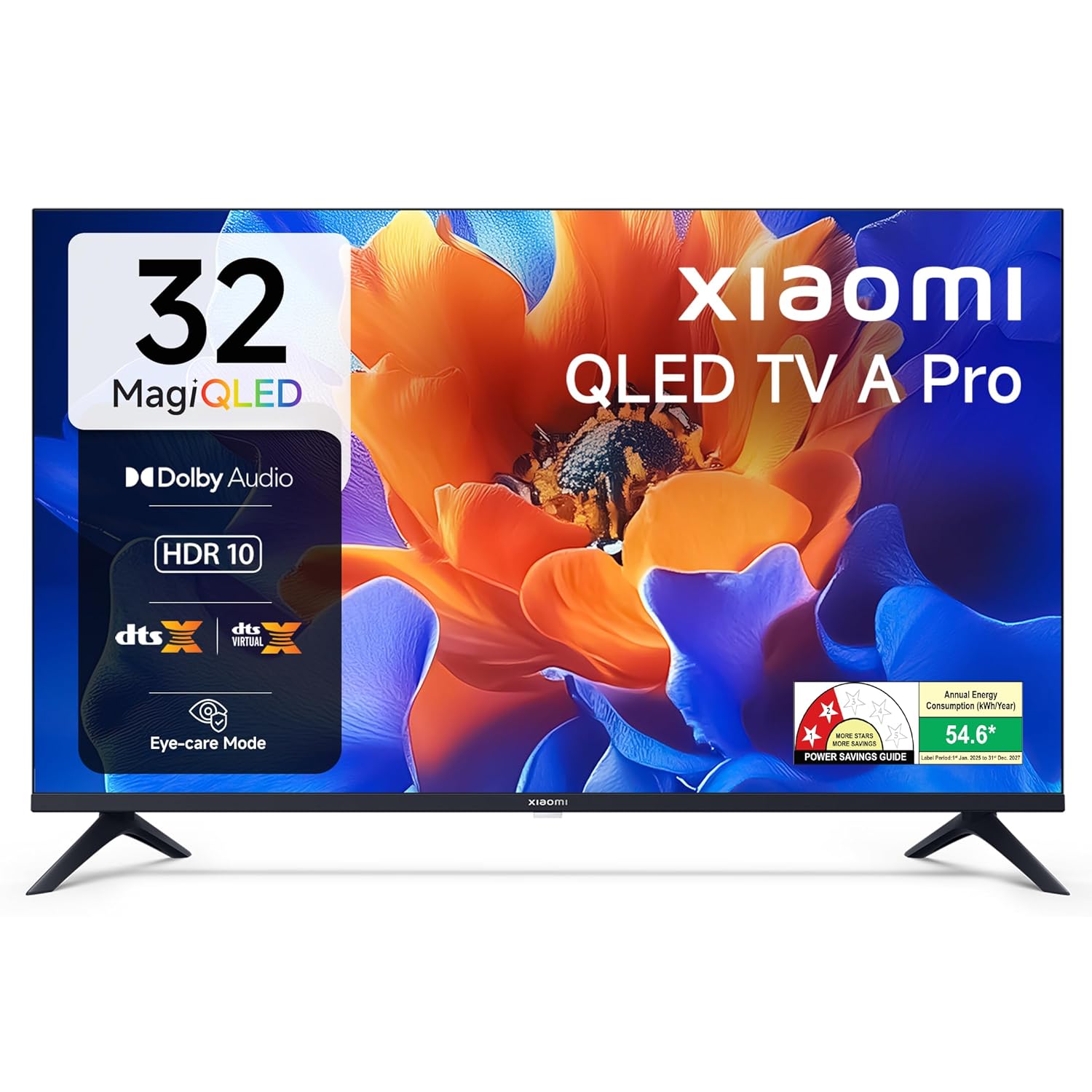
Imatge 1.1: Frontal view of the Xiaomi 32-inch A Pro QLED Smart TV.
2. Informació de seguretat
Observeu les següents precaucions de seguretat per evitar incendis, descàrregues elèctriques o lesions:
- No exposeu el televisor a la pluja o la humitat.
- No obriu el televisor casing; demaneu totes les tasques de manteniment a personal qualificat.
- Assegureu-vos una ventilació adequada al voltant del televisor.
- Col·loqueu el televisor sobre una superfície estable i plana o fixeu-lo fermament a la paret.
- Mantingueu el televisor allunyat de fonts de calor i de la llum solar directa.
- Desendolleu el televisor durant tempestes o quan no l'utilitzeu durant períodes prolongats.
3. Contingut del paquet
Verifiqueu que tots els elements estiguin presents a l'embalatge:
- 1 x Xiaomi LED TV (L32MB-APIN)
- 1 x comandament a distància
- 1 x Manual d'usuari (aquest document)
- 2 x TV Stands Unit
- 4 x Screws for stand installation
- 2 x AAA Batteries for remote control
- 1 x cable d'alimentació

Image 3.1: Illustration of the items included in the TV package.
4. Producte acabatview
4.1 Característiques clau
The Xiaomi A Pro QLED Series Smart TV offers a range of features for an enhanced viewExperiència:
- Visualització: 32-inch HD Ready (1366 x 768) QLED panel with HDR 10, HLG, Vivid Picture Engine 2, and Eye Comfort Mode.
- Àudio: 20 Watts output with Dolby Audio, DTS-X, and DTS Virtual:X for immersive sound.
- Smart TV: Powered by Android 14 OS and Google TV, featuring built-in Wi-Fi, screen mirroring, 1 GB RAM, 8 GB ROM, and support for popular streaming apps.
- Connectivitat: Dual Band Wi-Fi, 2 HDMI ports, 2 USB ports, Bluetooth, and Ethernet.

Imatge 4.1: acabatview of the TV's main features.
4.2 Connectivity Ports
El televisor ofereix diversos ports per connectar dispositius externs:
- HDMI (x2): For connecting gaming consoles, set-top boxes, Blu-ray players.
- USB (x2): For connecting hard drives and other USB devices.
- Ethernet: Per a la connexió de xarxa amb cable.
- Antena: Per connectar una antena terrestre o de cable.
- Entrada AV: For older audio/video devices.
- Presa d'auriculars de 3.5 mm: Per connectar auriculars o sistemes d'àudio externs.

Imatge 4.2: posterior view showing the TV's connectivity ports.
4.3 Control remot
The included remote control allows for easy navigation and access to smart features:
- Dedicated buttons for popular streaming services like Netflix, Prime Video, YouTube, JioHotstar, and SonyLiv.
- Integrated Google Voice Assistant for voice commands.
- Dedicated Mute button for quick audio control.

Image 4.3: The TV's remote control with quick access buttons.
5. Configuració
5.1 Instal·lació de l'estand
- Col·loqueu amb cura la pantalla del televisor amb la pantalla cap avall sobre una superfície suau i plana per evitar que es faci malbé.
- Align the two stand units with the corresponding slots on the bottom of the TV.
- Fixeu cada suport amb els cargols proporcionats.
- Aixequeu amb cura el televisor fins a la seva posició vertical sobre una superfície estable.
5.2 Muntatge a la paret
The TV supports wall mounting. Refer to the wall mount kit instructions for proper installation. Ensure the wall mount is compatible with VESA standards for 32-inch TVs and can support the TV's weight (3.2 kg without stand).
5.3 Connexió de perifèrics
- Dispositius HDMI: Connect HDMI cables from your devices (e.g., set-top box, gaming console) to the HDMI ports on the TV.
- Dispositius USB: Insert USB drives or other USB devices into the USB ports.
- Xarxa: Per a una connexió a Internet per cable, connecteu un cable Ethernet al port LAN.
5.4 Engegada i configuració inicials
- Connecteu el cable d'alimentació al televisor i després a una presa de corrent.
- Premeu el botó d'engegada del comandament a distància o del televisor.
- Seguiu les instruccions que apareixen a la pantalla per completar la configuració inicial, inclosa la selecció d'idioma, la connexió de xarxa (Wi-Fi o Ethernet) i l'inici de sessió al compte de Google.
- The Google TV interface will guide you through setting up your preferences and installing desired applications.
6. Instruccions de funcionament
6.1 Funcionament bàsic
- Encès/apagat: Premeu el botó d'engegada del comandament a distància.
- Control de volum: Feu servir els botons de pujar/baixar el volum.
- Font d'entrada: Press the 'Input' button to select HDMI, AV, or other sources.
- Navegació: Use the directional pad and 'OK' button to navigate menus.
6.2 Funcions de Smart TV (Google TV)
Your Xiaomi Smart TV runs on Google TV, providing access to a wide range of content and smart functionalities.
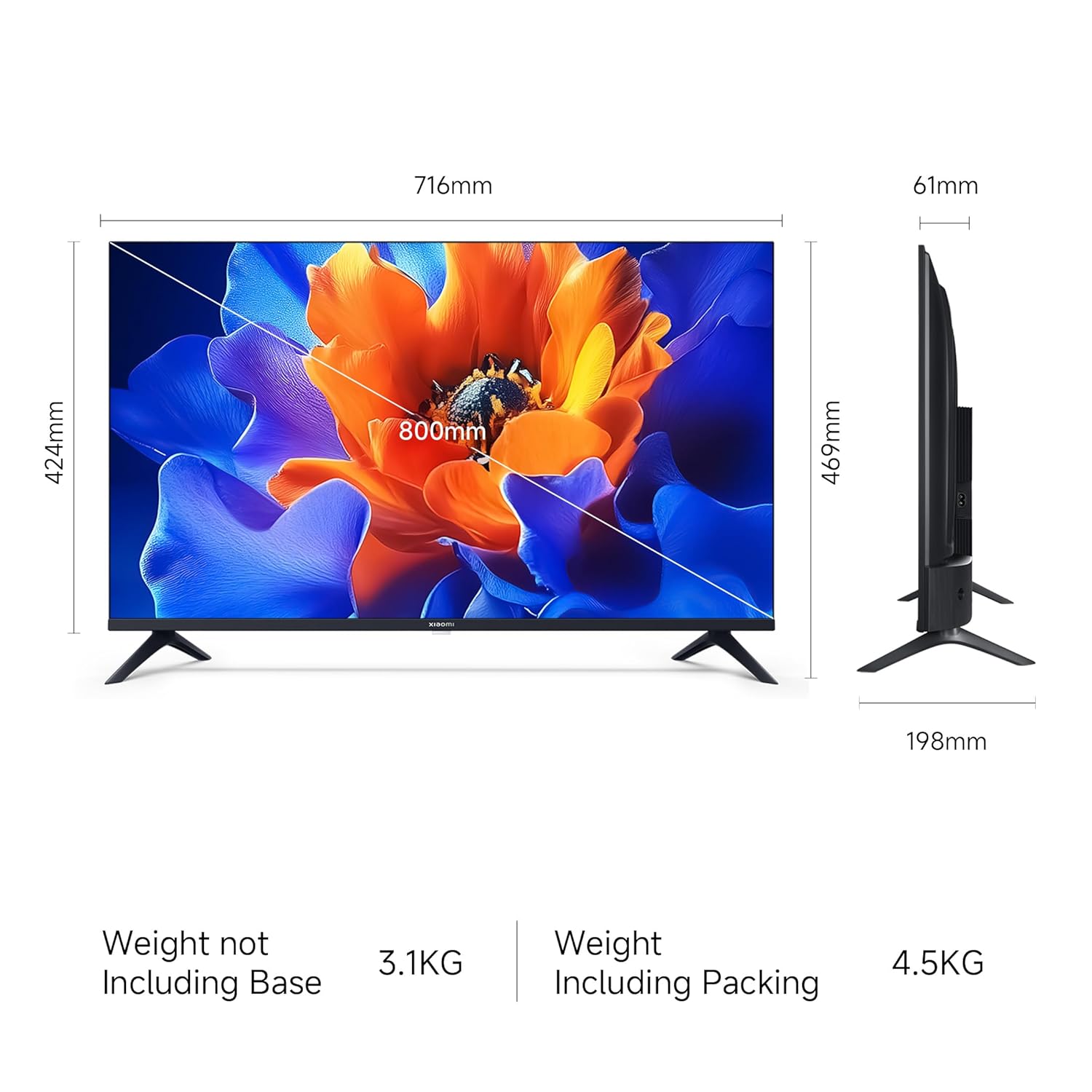
Image 6.1: Google TV interface and features.
- Accés a l'aplicació: Launch pre-installed apps like Netflix, Prime Video, YouTube, and download more from the Google Play Store.
- Assistent de Google: Press the Google Assistant button on your remote and speak your commands to search for content, control smart home devices, or get information.
- Screen Mirroring (Google Cast): Cast content from your compatible smartphone or tablet directly to the TV.
- Personal Profiles: Crear un professional individualfiles for personalized recommendations and watchlists.
6.3 Configuració de la pantalla i l'àudio
- Modes d'imatge: Adjust picture settings (e.g., Standard, Vivid, Movie) to suit your viewing preference. The TV supports HDR 10 for enhanced contrast and color.
- Mode de confort ocular: Activate this feature to reduce blue light emission, which can be beneficial during long viewsessions de realització.
- Modes de so: Select from various sound modes (e.g., Standard, Music, Movie) to optimize audio output. The TV features Dolby Audio and DTS-X for a cinematic sound experience.

Image 6.2: MagiQLED technology for vibrant colors.

Image 6.3: Vivid Picture Engine 2 in action.
Image 6.4: Eye Care Mode for comfortable viewing.

Image 6.5: Cinematic Audio features.
7. Manteniment
7.1 Neteja del televisor
- Desendolla sempre el televisor abans de netejar-lo.
- Feu servir un drap suau, sec i sense borrissol per netejar la pantalla i la carcassa.
- Per a marques difícils, esbandiu lleugeramentampNetegeu el drap amb aigua o un netejador de pantalles suau i no abrasiu. No ruixeu el netejador directament sobre la pantalla.
- Eviteu utilitzar netejadors abrasius, ceres o dissolvents.
7.2 Atenció general
- No bloquejar les obertures de ventilació.
- Eviteu col·locar objectes pesats al televisor.
- Eviteu que el cable d'alimentació sigui trepitjat o pessigat.
8. Solució De Problemes
Before contacting support, try these common solutions:
| Problema | Possible solució |
|---|---|
| Sense poder | Ensure the power cord is securely connected and the power outlet is working. Try a different outlet. |
| No hi ha imatge, però hi ha so | Comproveu la font d'entrada. Assegureu-vos que els dispositius externs estiguin encesos i connectats correctament. |
| No hi ha so, però hi ha imatge | Check volume levels and mute status. Verify audio settings and external speaker connections. |
| El comandament a distància no funciona | Replace batteries. Ensure no obstructions between the remote and TV. Re-pair Bluetooth remote if necessary. |
| Smart TV features are slow or unresponsive | Check internet connection. Restart the TV by unplugging it for a few minutes. Clear app caches or factory reset if issues persist (data will be lost). |
9. Especificacions
| Característica | Detall |
|---|---|
| Marca | XIAOMI |
| Model | L32MB-APIN |
| Mida de la pantalla | 32 polzades (80 cm) |
| Tecnologia de visualització | QLED |
| Resolució | HD Ready (1366 x 768 píxels) |
| Freqüència d'actualització | 60 Hz |
| Sistema operatiu | Google TV (Android 14 OS) |
| Memòria RAM | 1 GB |
| Emmagatzematge intern | 8 GB |
| Sortida d'àudio | 20 watts |
| Funcions d'àudio | Dolby Àudio, DTS-X, DTS Virtual:X |
| Connectivitat | Dual Band Wi-Fi, Bluetooth, Ethernet, 2 HDMI, 2 USB, AV Input, 3.5mm Audio |
| Característiques especials | Eye Comfort Mode, HDR 10, HLG, Vivid Picture Engine 2, Google Assistant |
| Dimensions del producte (LxWxH) | 71.6 x 19.8 x 46.9 cm (amb suport) |
| Pes de l'article | 3.2 kg |
| Font d'alimentació | CA 240 volts |

Image 9.1: TV dimensions.
10. Garantia i Suport
10.1 Informació de la garantia
Your Xiaomi A Pro QLED Series Smart TV comes with a 1 any de garantia integral from the date of purchase. To avail warranty services, please retain your purchase invoice. The user manual can also be accessed from the official Xiaomi brand weblloc.
10.2 Atenció al client
For any assistance, service requests, or technical queries, please contact Xiaomi Support. Our team aims to provide swift solutions:
- Expect a call back from our team within 60 minuts for any service request.
- Our experts strive to arrive at your home within 24 hores of your service request, 99% of the time.
- 99% of new TV installations are completed within 3 hores of your appointment.
For the most up-to-date contact information, please visit the official Xiaomi India support website or refer to the contact details provided with your product documentation.


