1. Introducció
The Ubiquiti UniFi U7 Pro XGS is a professional-grade wireless access point designed to enhance your network infrastructure. It seamlessly integrates into the UniFi ecosystem, offering comprehensive network control and management. This device provides stable and efficient data transmission, making it suitable for demanding home and business environments.
Característiques principals:
- Integració de xarxa: Seamlessly integrates with the UniFi ecosystem for comprehensive network control and system management capabilities.
- Connectivitat Ethernet: Features reliable Ethernet connections for stable, high-performance data transmission between network devices.
- Professional Monitoring: Advanced monitoring capabilities enable enterprise-grade network surveillance and data management.
- Interfície de control: Intuitive UniFi control panel provides real-time performance tracking and complete network oversight.
- Disseny compacte: Measures 6.0 x 4.0 x 2.0 inches with lightweight 4-ounce construction, ensuring straightforward installation.
2. Configuració i instal·lació
The UniFi U7 Pro XGS is designed for simple installation with minimal clutter, utilizing Power over Ethernet (PoE+) for power and data.
Què hi ha a la caixa:
- Ubiquiti UniFi U7 Pro XGS Access Point
- Mounting Plate (for wall or ceiling installation)
- Maquinari de muntatge (cargols, ancoratges)
- Guia d'inici ràpid
- Mòdul de bateria de recanvi
Passos d'instal·lació:
- Col·locació del pla: Choose an optimal location for your access point, considering coverage area and proximity to network infrastructure. The device can be wall-mounted or ceiling-mounted.
- Muntatge: Use the provided mounting plate and hardware to securely attach the access point to your chosen surface. Ensure the mounting is stable to prevent accidental dislodgement.
- Connecta Ethernet: Connect an Ethernet cable from your PoE+ enabled switch or PoE injector to the Ethernet port on the UniFi U7 Pro XGS. This single cable provides both power and data connectivity.
- Encès: Once connected, the access point will power on. The LED indicator will show its status (typically blue for ready).
- Configuració: Use the UniFi Network Application (available via mobile app or web interface) to discover and adopt the new access point into your UniFi network. Follow the on-screen prompts for initial setup and network configuration.
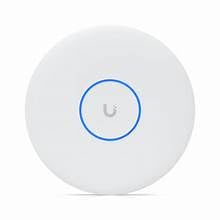
Figure 1: Ubiquiti UniFi U7 Pro XGS Wireless Access Point with blue LED indicator.
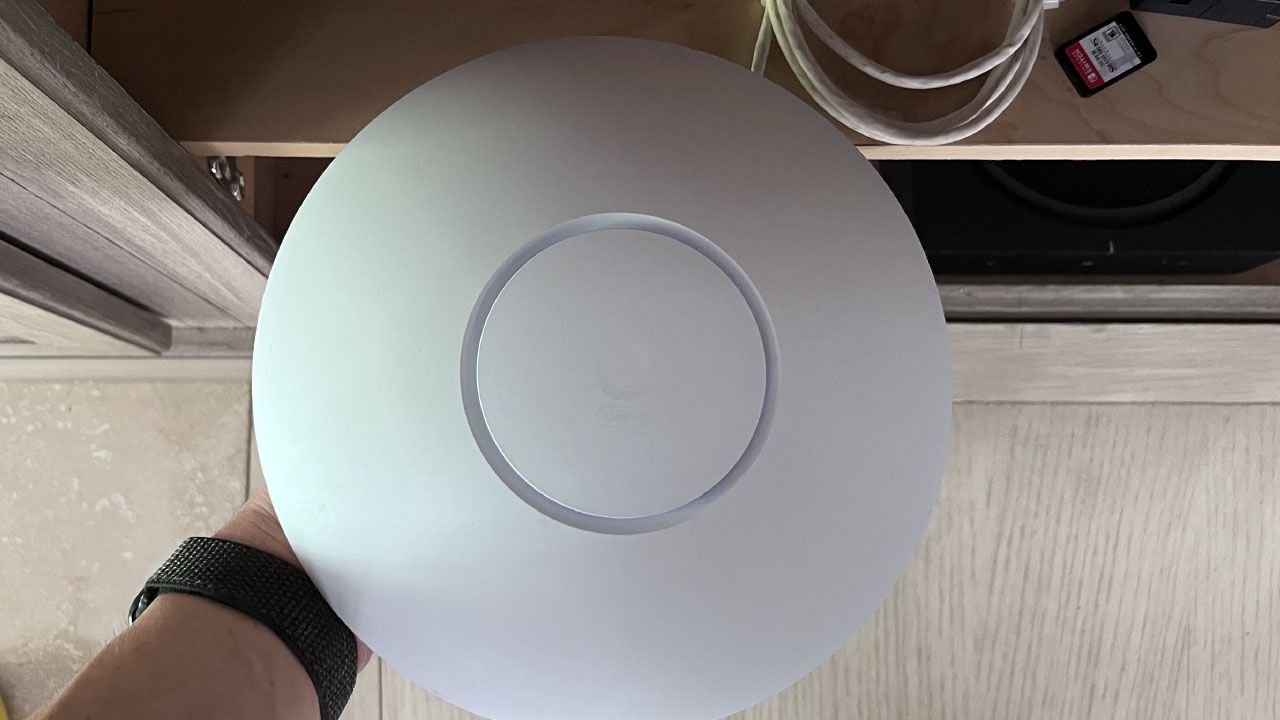
Figure 2: Unboxing the Ubiquiti UniFi U7 Pro XGS, showing the access point and its mounting plate.
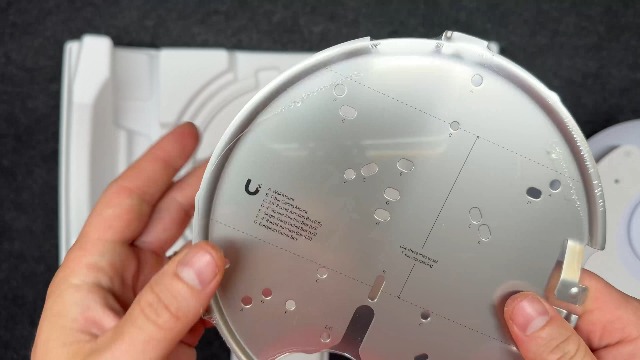
Figure 3: Ubiquiti UniFi U7 Pro XGS access point components, including the device, mounting plate, and hardware.
3. Instruccions de funcionament
The UniFi U7 Pro XGS is managed through the UniFi Network Application, providing a centralized interface for network control.
Using the UniFi Network Application:
- S'ha acabat el taulerview: Access real-time network performance, connected clients, and device status from a single dashboard.
- Configuració de la xarxa: Configure Wi-Fi networks (SSIDs), security settings (WPA2-Enterprise, WPA3), guest networks, and VLANs.
- Gestió de dispositius: Monitor individual access points, update firmware, restart devices, and troubleshoot connectivity issues.
- Monitorització del trànsit: View detailed traffic statistics and identify bandwidth usage patterns across your network.
The intuitive control panel allows for easy adjustments and deployment of new access points with just a few taps, ensuring optimal system operation and enhanced management capabilities.
4. Manteniment
To ensure optimal performance and longevity of your UniFi U7 Pro XGS access point, regular maintenance is recommended.
- Actualitzacions de firmware: Regularly check for and apply firmware updates through the UniFi Network Application. Updates often include performance improvements, security patches, and new features.
- Neteja física: Keep the device free from dust and debris. Use a soft, dry cloth for cleaning. Avoid liquid cleaners directly on the device.
- Monitorització de la xarxa: Periòdicament review network performance and device health within the UniFi Network Application to identify and address any potential issues proactively.
- Replacement Battery Module: The system includes a replacement battery module. Refer to the specific instructions provided with the module for replacement procedures if necessary.
5. Solució De Problemes
If you encounter issues with your UniFi U7 Pro XGS, consider the following troubleshooting steps:
- Sense alimentació/LED apagat:
- Ensure the Ethernet cable is securely connected to both the access point and the PoE+ switch/injector.
- Verify that the PoE+ switch/injector is powered on and functioning correctly.
- Comproveu si el cable Ethernet està danyat.
- Sense connectivitat de xarxa:
- Confirm the access point is adopted and configured in the UniFi Network Application.
- Check the network settings (SSID, password, VLANs) for correctness.
- Restart the access point via the UniFi Network Application or by power cycling.
- Assegureu-vos que no hi hagi conflictes d'adreces IP a la vostra xarxa.
- Rendiment lent:
- Check for firmware updates and apply if available.
- Monitor client activity in the UniFi Network Application to identify high-bandwidth users or devices.
- Ensure optimal placement of the access point, avoiding obstructions and sources of interference.
- Verify your internet service provider (ISP) connection speed.
- Dispositiu que no adopta:
- Ensure the UniFi Network Application is running and accessible.
- Verify that the access point is on the same network segment as the UniFi Network Application or that appropriate firewall rules are in place.
- Try resetting the access point to factory defaults using the reset button (refer to the Quick Start Guide for location).
6. Especificacions
| Característica | Detall |
|---|---|
| Nom del model | U7-PRO-XGS |
| Marca | Ubiquiti |
| Fabricant | Ubiquiti |
| Dimensions del paquet | 6 x 4 x 2 polzades |
| Pes de l'article | 4 unces |
| Tecnologia de connectivitat | Ethernet, Wi-Fi |
| Comunicació sense fils estàndard | 802.11a, 802.11ac, 802.11ax, 802.11b, 802.11g, 802.11n |
| Classe de banda de freqüència | Banda única |
| Sistema operatiu | UniFi OS |
| Protocol de seguretat | WPA2-Enterprise, WPA3 |
| Usos recomanats per al producte | Negocis |
| Característica especial | UniFi Ecosystem Integration, Professional Monitoring, Intuitive Control Panel |
7. Garantia i Suport
The Ubiquiti UniFi U7 Pro XGS comes with a one-year manufacturer warranty. For technical support, warranty claims, or additional product information, please refer to the official Ubiquiti support channels or visit their weblloc.
Note: Always refer to the latest documentation and support resources provided by Ubiquiti for the most up-to-date information.


