1. Introducció
Thank you for choosing the Jinvocloud Smart Wifi Alarm Clock MS230. This device combines a digital alarm clock with smart home functionalities, including fast charging ports, smart AC outlets, and weather display, all controllable via a mobile application. This manual provides detailed instructions for setup, operation, and maintenance to ensure optimal performance and user experience.
2. Informació de seguretat
- Assegureu-vos que la font d'alimentació voltagCoincideix amb els requisits del dispositiu (110-240 V CA).
- No exposeu el dispositiu a l'aigua, la humitat ni a temperatures extremes.
- Eviteu col·locar el dispositiu a prop de fonts de calor o sota la llum solar directa.
- No desmunteu ni intenteu reparar el dispositiu vosaltres mateixos. Contacteu amb l'assistència al client per obtenir assistència.
- Mantenir fora de l'abast dels nens.
- Utilitzeu només el cable d'alimentació subministrat.
- Només per a ús interior.
3. Contingut del paquet
- Jinvocloud Smart Wifi Alarm Clock MS230
- Power Cord (1 meter)
- Manual d'usuari
4. Producte acabatview
The Jinvocloud Smart Wifi Alarm Clock MS230 features a clear LED display, multiple charging ports, and smart AC outlets for versatile use.

Imatge 4.1: Frontal view of the Jinvocloud Smart Wifi Alarm Clock MS230, showing the digital time display, weather icons, and temperature. The device is white with a black display panel.

Image 4.2: Detailed diagram illustrating the components of the alarm clock. It highlights the On/Off Button, Brightness Adjustment Button, USB Charging Ports (Type-C and Type-A), Wi-Fi Network Connection indicator, Time display, Alarm indicator, Weather Display, and Temperature display. The diagram also shows the two AC outlets on the side.
Components clau:
- Pantalla digital LED: Shows time, alarm status, weather, and temperature. Features adjustable brightness.
- Botó On/Off: Controls device power and initiates network pairing.
- Botó d'ajust de brillantor: Cycles through four brightness levels (high, medium, low, off).
- Ports de càrrega USB: One Type-C (Max 20W PD) and two Type-A (Max 18W QC) for fast charging.
- Smart AC Outlets: Two US-standard two-prong outlets for connecting small appliances, controllable via app.
- Indicador de Wi-Fi: Mostra l'estat de la connexió de xarxa.
- Ponent: For alarm sounds and notifications.
5. Configuració
5.1 Connexió d'alimentació
- Connect the provided 1-meter power cord to the back of the alarm clock.
- Connecteu el cable d'alimentació a una presa de paret estàndard de 110-240 V CA.
- The display will light up, and the device will power on.
5.2 Instal·lació de l'aplicació
- Descarrega't el Tuya Smart or Vida intel·ligent l'aplicació des de la botiga d'aplicacions del teu dispositiu mòbil (iOS App Store o Google Play Store).
- Registra't o inicia la sessió al teu compte dins de l'aplicació.
5.3 Wi-Fi Network Pairing
The device requires a 2.4GHz Wi-Fi network for connection. It does not support 5GHz Wi-Fi.
- Assegureu-vos que el vostre telèfon mòbil estigui connectat a una xarxa Wi-Fi de 2.4 GHz.
- Press and hold the On/Off button on the alarm clock until the Wi-Fi indicator starts blinking, indicating pairing mode.
- Open the Tuya Smart or Smart Life app, tap the '+' icon to add a device.
- Follow the in-app instructions to discover and connect your alarm clock to your Wi-Fi network.
- Once connected, the Wi-Fi indicator will become solid, and the clock will automatically synchronize the time.

Image 5.1: The alarm clock display showing '22:08' with a circular graphic indicating online time calibration and automatic time adjustment after Wi-Fi connection.
6. Instruccions de funcionament
6.1 Time Display and Format
- The time is automatically synchronized via the network after Wi-Fi connection.
- You can switch between 12-hour and 24-hour formats via the mobile app settings.
6.2 Configuració d'alarmes
The device supports up to 10 sets of timed alarms, configurable via the mobile app.
- Open the Tuya Smart or Smart Life app and select your alarm clock device.
- Navigate to the alarm settings section.
- Tap to add a new alarm. Set the desired time, repeat days (daily/weekly), and choose from 8 natural ringtones.
- Adjust the alarm volume (3 levels available).
- Deseu la configuració de l'alarma.
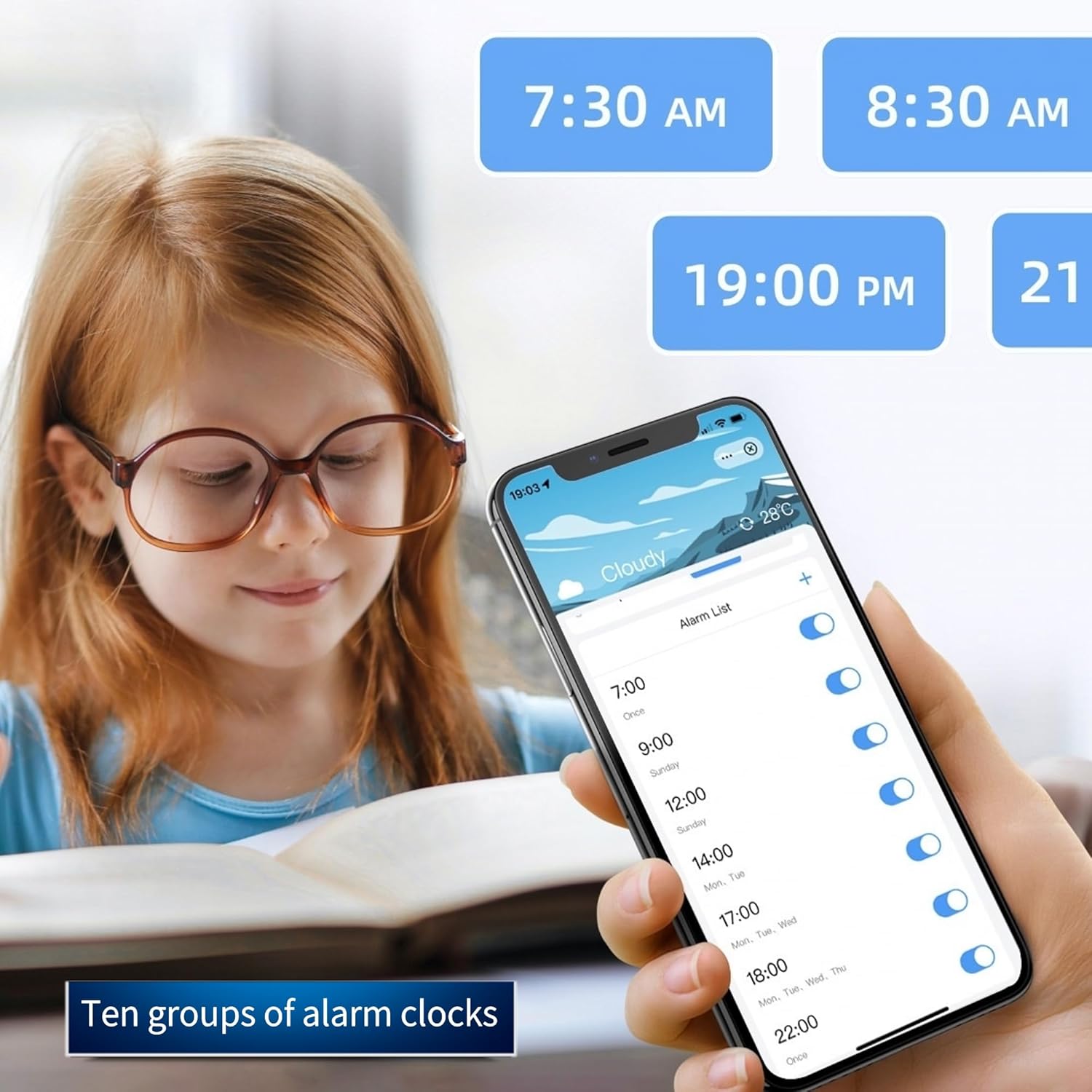
Image 6.1: A smartphone screen displaying the alarm list within the control app, showing multiple set alarms with their respective times and active/inactive toggles.
6.3 Mode de posposar
When an alarm sounds, you can activate snooze mode. The snooze duration can be customized via the mobile app.

Image 6.2: A split image showing the weather display on the left with a sun icon and temperature, and on the right, a smartphone screen with the app's snooze mode settings, allowing customization of snooze duration.
6.4 Ajust de la brillantor de la pantalla
- Press the Brightness Adjustment Button on the device to cycle through four brightness levels: high, medium, low, and off.
- Brightness can also be adjusted via the mobile app for intelligent control.
6.5 Weather and Temperature Display
- The device displays current weather conditions (sunny, cloudy, rainy, snowy) and ambient temperature.
- Weather information is updated via the Wi-Fi connection.
- Temperature can be displayed in Fahrenheit (°F) or Celsius (°C), configurable in the app.
6.6 Ús dels ports de càrrega USB
The alarm clock features multiple charging ports:
- One Type-C port with 20W Power Delivery (PD) for fast charging compatible devices.
- Two USB-A ports with 18W Quick Charge (QC) for fast charging compatible devices.

Image 6.3: The alarm clock on a desk, with a smartphone connected via a USB-C cable to the clock's Type-C port, illustrating the 20W fast charging capability.
6.7 Using Smart AC Outlets
The two AC outlets can be controlled remotely via the mobile app.
- Plug small household appliances into the AC outlets on the side of the alarm clock.
- Open the Tuya Smart or Smart Life app and select your alarm clock device.
- You can individually turn each outlet on or off with a single tap.
- Interruptor del temporitzador: Set schedules for the outlets to turn on/off automatically at specific times.
- Interruptor de compte enrere: Configura un temporitzador de compte enrere perquè una presa de corrent s'apagui després d'un temps especificat.

Image 6.4: A smartphone displaying the control app interface, showing options to control two smart AC jacks (labeled '插座1' and '插座2') with on/off toggles, along with timer and countdown settings. The physical alarm clock is visible in the background with devices plugged into its AC outlets.
6.8 Voice Control (Alexa Compatibility)
The device is compatible with Alexa for voice control of its smart features. Refer to the Tuya Smart or Smart Life app's integration guide for connecting with Alexa.
7. Manteniment
- Netegeu el dispositiu amb un drap suau i sec. No utilitzeu productes de neteja abrasius ni dissolvents.
- Assegureu-vos que tots els ports estiguin lliures de pols i deixalles.
- Avoid blocking the ventilation holes on the device.
8. Solució De Problemes
8.1 El dispositiu no s'encén
- Check if the power cord is securely connected to both the device and the wall outlet.
- Comproveu que la presa de corrent funcioni correctament connectant un altre dispositiu.
8.2 No es pot connectar a la Wi-Fi
- Ensure your router is broadcasting a 2.4GHz Wi-Fi network. The device does not support 5GHz Wi-Fi.
- Confirm your mobile phone is connected to the 2.4GHz Wi-Fi network during pairing.
- Make sure the device is in pairing mode (Wi-Fi indicator blinking). If not, press and hold the On/Off button.
- Comproveu que la contrasenya de la Wi-Fi sigui correcta.
- Move the device closer to your Wi-Fi router to improve signal strength.
- Restart your router and the alarm clock, then attempt pairing again.
8.3 L'alarma no sona
- Verify that the alarm is enabled in the mobile app.
- Check the alarm volume settings in the app.
- Ensure the device is connected to Wi-Fi for accurate time synchronization.
8.4 Display Not Working or Dim
- Press the Brightness Adjustment Button to cycle through brightness levels.
- Check the brightness settings in the mobile app.
- Assegureu-vos que el dispositiu tingui una alimentació estable.
9. Especificacions
| Característica | Especificació |
|---|---|
| Nom del producte | Wi-Fi Smart Clock |
| Model | MS230 |
| Protocol de comunicació | Wi-Fi 2.4G & BLE |
| Sortida del port USB | USB Type-A: Max 18W, USB Type-C: Max 20W |
| Multiple Outlets Output | Max 15W (for AC outlets) |
| Font d'alimentació | 110~240V AC |
| Longitud del cable d'alimentació | 1m |
| Dimensions (L x A x A) | 120 x 50 x 43.2 mm (approx. 4.72"W x 1.97"H) |
| Material | Acrilonitril butadiè estirè (ABS) |
| Pes de l'article | 12.3 unces |
| Tipus de visualització | LED digital |
| Característiques especials | Adjustable Brightness, Adjustable Volume, Alarm, Auto Dimmable, Large Display, Weather Display, Temperature Display, Smart AC Outlets, Fast Charging |
10. Garantia i Suport
Jinvocloud products are designed for reliability and performance. For warranty information or technical support, please refer to the product packaging or contact Jinvocloud customer service through the retailer's platform where the product was purchased. Please have your model number (MS230) and purchase details ready when contacting support.

