Producte acabatview
The AEOCKY Cybertron Air Purifier is designed to provide superior air quality for large rooms up to 2300 sq. ft. It features a proprietary YearChange filter technology, a multi-effect filter system, washable pre-filters, and an active deodorization scent capsule. Equipped with an AI-driven air quality monitor and auto mode, it intelligently adjusts fan speed for optimal performance and energy efficiency. This Energy Star certified unit ensures clean air with minimal energy consumption and zero ozone emission.
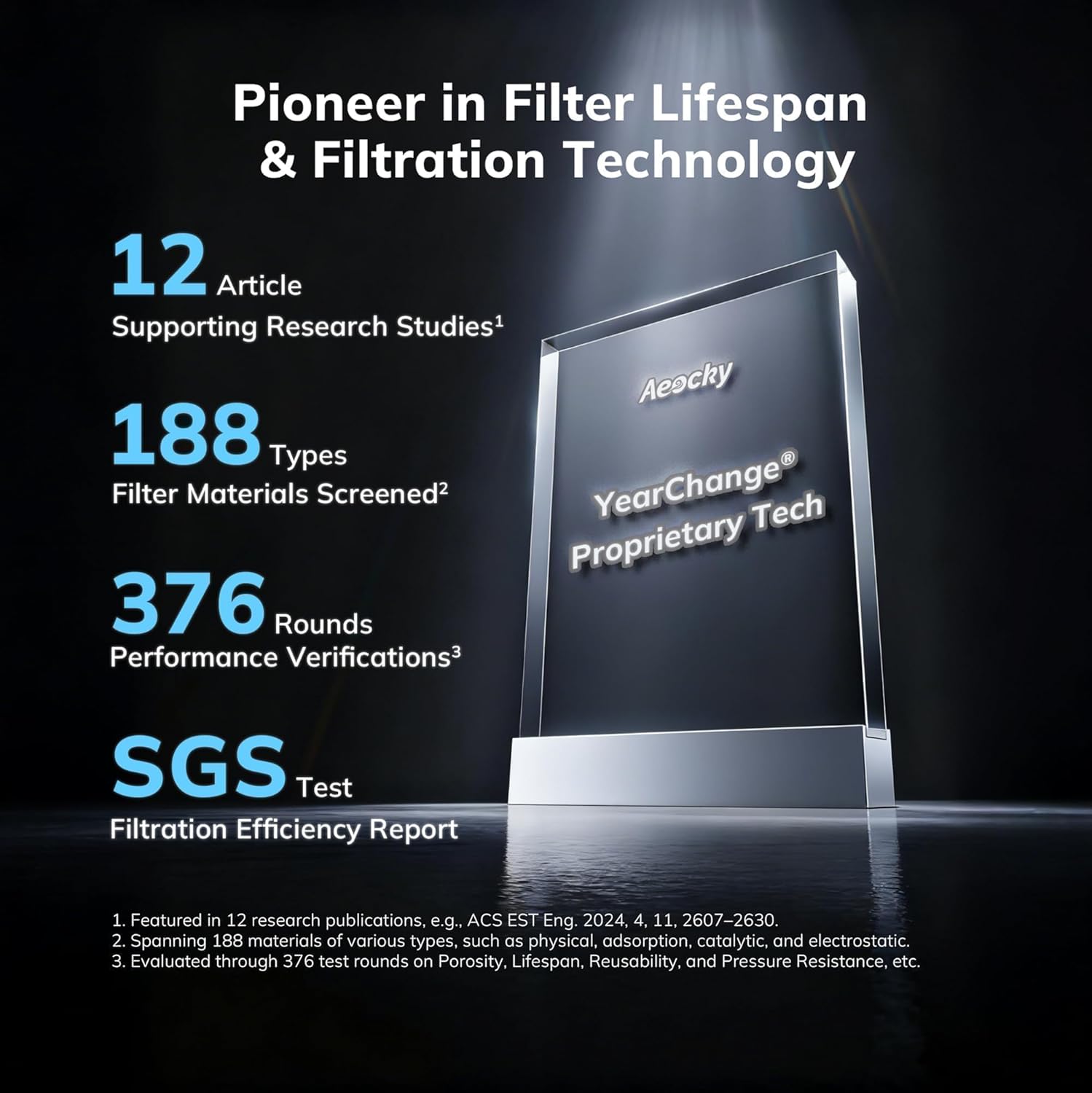
Image: AEOCKY Cybertron Air Purifier, showcasing its sleek white design suitable for various home environments.
Característiques clau
- Proprietary YearChange Filter Technology: Designed for extended filter longevity, lasting significantly longer than conventional filters. Includes two pet-specific washable pre-filters.
- Multi-Effect Filter System: A 5-layer filter integrating various materials to effectively remove dust, dander, pollen, wildfire smoke, VOCs, odors, and fine particles.
- Natural Breath Capsule: Provides active indoor deodorization by neutralizing odors and releasing a subtle fragrance from natural essences.
- Certificació Energy Star: Highly energy-efficient, consuming only 0.42 kWh per day at its highest setting, leading to significant savings over time.
- High-Torque DC Brushless Inverter Motor: Enhances airflow by 65% at the same noise level or reduces noise by 30% at equal airflow, offering powerful performance, especially in Turbo mode.
- AI-Driven Air Quality Monitor & Auto Mode: Features an ultra-precise sensor with automatic calibration for 35% higher accuracy and 60% faster response, adjusting fan speed intelligently.
- Full-Featured Controls: Includes Sleep Mode, Timer (2, 4, or 8-hour settings), and Child Lock for user convenience and safety.
- Àmplia Àrea de Cobertura: Achieves 1 air change per hour (ACH) in rooms up to 2,300 sq. ft. and 4.8 ACH in rooms up to 480 sq. ft. (based on ANSI/AHAM AC-1-2020 standards).
Guia de configuració
Desembalatge i configuració inicial
- Traieu amb cura el purificador d'aire del seu embalatge.
- Localitzeu el compartiment del filtre, normalment a la part posterior o lateral de la unitat.
- Remove all protective plastic packaging from the filters before installation.
- Insert the multi-effect filter and washable pre-filters into their designated slots, ensuring correct orientation as indicated by arrows or labels.
- Tanqueu bé la tapa del compartiment del filtre.
- Place the air purifier on a flat, stable surface, ensuring adequate clearance around air inlets and outlets.
- Connecteu el cable d'alimentació a una presa de corrent adequada.

Imatge: Una explosió view diagram illustrating the various components of the AEOCKY air purifier, including the motor, filters, and sensors.
Scent Capsule Installation
The Natural Breath Capsule can be inserted into its dedicated slot, usually located near the top of the unit. Ensure the capsule is securely placed to allow for active deodorization.
Video: A demonstration of the active deodorization feature, showing the integration of the Natural Breath Capsule into the air purifier.
Instruccions de funcionament
Tauler de control acabatview
The control panel is located on the top of the unit and features touch-sensitive buttons for various functions. The air quality indicator light provides real-time feedback on indoor air conditions.
- Botó d'encesa: Encén o apaga la unitat.
- Botó de velocitat: Cycles through different fan speeds (e.g., Low, Medium, High, Turbo).
- Botó de mode de repòs: Activates Sleep Mode, minimizing noise and turning off lights for undisturbed rest.
- Botó de bloqueig infantil: Locks the control panel to prevent accidental changes by children or pets.
- Botó del temporitzador: Sets the operating time for 2, 4, or 8 hours.
- Botó de restabliment del filtre: Resets the filter indicator light after filter maintenance.
Modes i configuracions
Auto Mode & Air Quality Monitor
In Auto Mode, the air purifier's AI chip and ultra-precise sensor continuously monitor air quality. The unit automatically adjusts the fan speed based on current conditions to maintain optimal air purification and energy efficiency. The air quality indicator light changes color to reflect the current air quality level.
Mode de repòs
Activate Sleep Mode for quiet operation. In this mode, the fan speed is reduced to its lowest setting, and all indicator lights are turned off to ensure a peaceful sleeping environment.
Funció de temporitzador
Use the Timer button to set the desired operating duration. The unit will automatically turn off after the selected time (2, 4, or 8 hours). If no timer is set, the device will run continuously.
Bloqueig infantil
Engage the Child Lock feature to disable the control panel buttons. This prevents unintended operation, ensuring safety around children and pets.
Manteniment
Neteja i substitució del filtre
The AEOCKY Cybertron Air Purifier features a proprietary YearChange filter designed for extended life. The washable pre-filters should be cleaned regularly to maintain efficiency and prolong the main filter's lifespan. The filter reset indicator light on the control panel will illuminate when filter maintenance is required.
- Apagueu i desconnecteu el purificador d'aire.
- Obriu la tapa del compartiment del filtre.
- Carefully remove the washable pre-filters. These can be vacuumed or rinsed with water. Ensure they are completely dry before reinstallation.
- If the main multi-effect filter needs replacement (indicated by the filter reset light), remove the old filter and dispose of it.
- Install a new official AEOCKY YearChange filter, ensuring correct orientation.
- Reinstall the clean, dry washable pre-filters.
- Tanqueu la tapa del compartiment del filtre.
- Plug in the air purifier and press and hold the Filter Reset button until the indicator light turns off.
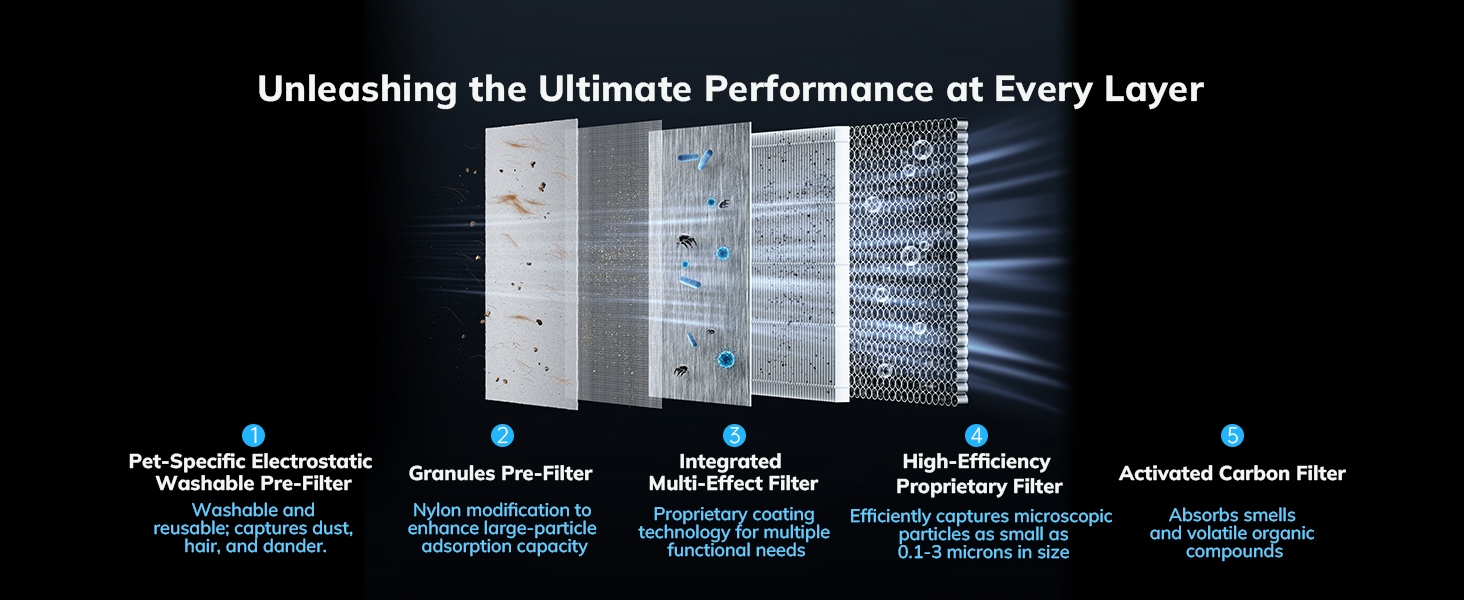
Image: A visual breakdown of the 5-layer multi-effect filter, detailing each layer's function from pet-specific pre-filter to activated carbon.
Video: A short demonstration highlighting the AEOCKY Proprietary YearChange Filter Technology and its benefits.
Neteja del sensor
The air quality sensor is designed to be maintenance-free. However, if you notice inconsistent readings, gently wipe the sensor area with a dry, soft cloth. Do not use liquids or abrasive materials.
Resolució de problemes
Problemes comuns i solucions
- La unitat no s'encén: Ensure the power cord is securely plugged into a working outlet. Check if the filter compartment cover is properly closed.
- Sense flux d'aire o flux d'aire feble: Verify that the filters are correctly installed and free from excessive dust or debris. Clean or replace filters as needed.
- Soroll inusual: Check for any obstructions in the fan or filter area. Ensure the unit is placed on a stable, level surface.
- El llum de reinici del filtre roman encès: After replacing or cleaning filters, press and hold the Filter Reset button until the light turns off.
- Air Quality Indicator Always Red/Orange: Ensure the sensor area is clean. If the issue persists, consider running the unit on a higher fan speed for an extended period.
- El tauler de control no respon: Check if the Child Lock feature is activated. Deactivate it by pressing and holding the Child Lock button.
Especificacions del producte
| Característica | Detall |
|---|---|
| Número de model | Cybertron |
| Dimensions del producte | 11.02 x 5.87 x 13.31 polzades (11" de profunditat x 5.87" d'amplada x 13.3" d'alçada) |
| Pes de l'article | 5.94 lliures |
| Font d'alimentació | AeroZephyr® Tech |
| Fabricant | AEOCKY |
| CADR (Dust, Turbo Mode) | 240 m³/h (141 CFM) |
| CADR (Smoke, Turbo Mode) | 224 m³/h (131 CFM) |
| CADR (Pollen, Turbo Mode) | 236 m³/h (138 CFM) |
| Applicable Area (1 ACH) | Fins a 2,300 peus quadrats |
| Applicable Area (4.8 ACH) | Fins a 480 peus quadrats |
Garantia i Suport
AEOCKY is committed to providing high-quality products and excellent customer service. The Cybertron Air Purifier is certified by leading global authorities including SGS, CARB, ETL, DOE, FCC, and Energy Star, ensuring zero ozone emission and trustworthy clean air.
- Cobertura de la garantia: We offer a 3-year coverage for the unit, exceeding market standards.
- Filter Availability: We maintain a long-term supply of exclusive filters, ensuring you never have to worry about stockouts or incompatible filters.
- Contacte amb l'assistència: For any questions, troubleshooting, or warranty claims, please refer to the contact information provided in your product packaging or visit the official AEOCKY weblloc.
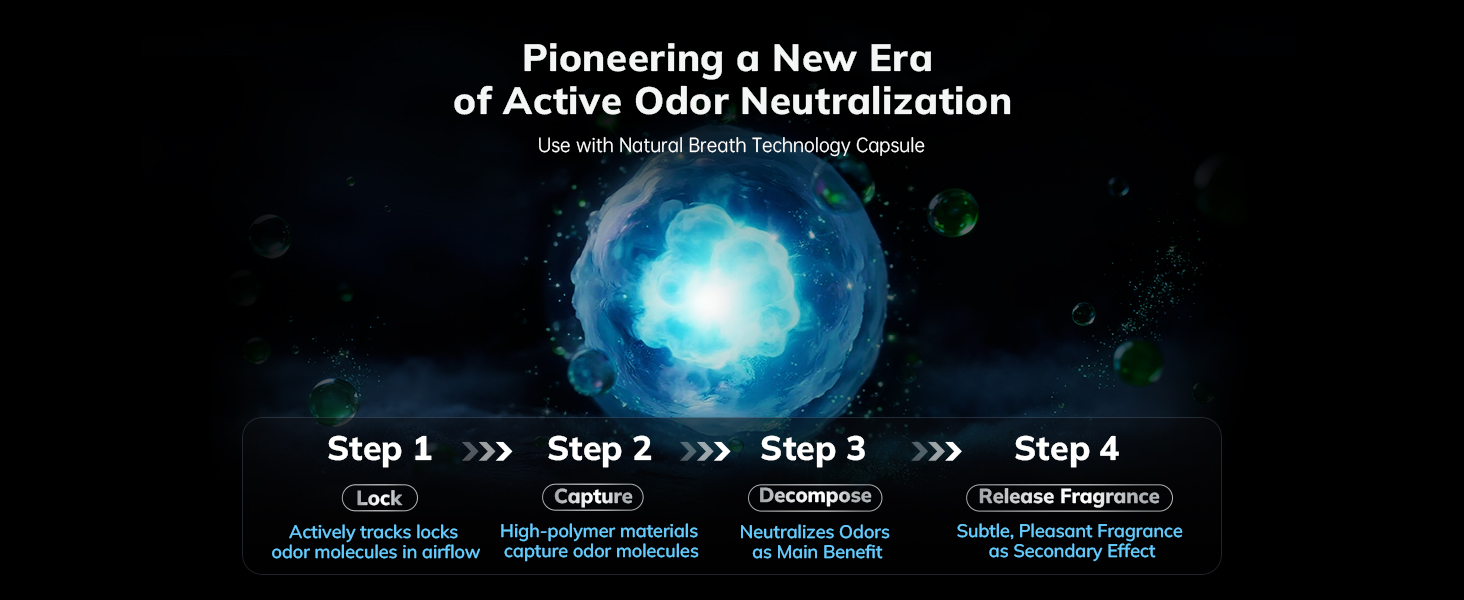
Image: Certifications from global authorities like SGS, CARB, ETL, DOE, FCC, and Energy Star, highlighting product quality and safety standards.


