1. Introducció
This manual provides detailed instructions for the installation, operation, and maintenance of your DDPAI Z50 Pro Dash Cam. This device is designed to record high-quality video footage from both the front and rear of your vehicle, offering enhanced safety and evidence in various driving and parking scenarios.
The DDPAI Z50 Pro features 4K UHD front recording and 1080P rear recording, equipped with advanced night vision, fast Wi-Fi data transfer, 24/7 parking surveillance, built-in GPS, and ADAS driver assistance systems.
2. Què hi ha a la caixa
Si us plau, verifiqueu que tots els components siguin presents al paquet:
- DDPAI Z50 Pro Front Dash Cam
- DDPAI Z50 Pro Rear Dash Cam
- Kit de cable dur
- Manual d'usuari
- WiFi Antenna/Module
- 3M Adhesive Pads (for mounting)
- Plastic Film (for windshield mounting)
- Car Charger (Cigarette Lighter Adapter)
- Cable USB-A a USB-C
- Pry Tool (for cable management)

Imatge 1: acabatview of the DDPAI Z50 Pro Dash Cam and its included accessories.
3. Configuració i instal·lació
3.1 Muntatge de la càmera frontal del salpicader
- Netegeu la zona del parabrisa on es muntarà la càmera del salpicader.
- Apply the static cling film to the cleaned area of the windshield. This helps protect your windshield and allows for easier removal of the mount.
- Attach the 3M adhesive pad to the dash cam mount.
- Securely press the dash cam mount onto the static cling film on the windshield. Ensure the lens has a clear view de la carretera.
Image 2: The front dash cam unit, ready for mounting on the windshield.
3.2 Mounting the Rear Dash Cam
- Identify a suitable location on your rear windshield for the rear dash cam, ensuring a clear view.
- Clean the area and apply the static cling film.
- Attach the 3M adhesive pad to the rear dash cam mount and secure it to the film.
- Connect the rear dash cam to the front dash cam using the provided cable. Route the cable discreetly along the vehicle's headliner and A-pillars using the pry tool.
3.3 Connexió d'alimentació
The DDPAI Z50 Pro comes with a Hardwire Kit for 24/7 parking protection. Connect the hardwire kit to your vehicle's fuse box according to the detailed instructions provided in the Hardwire Kit manual. This ensures continuous power for parking surveillance and prevents battery drain with smart battery management.
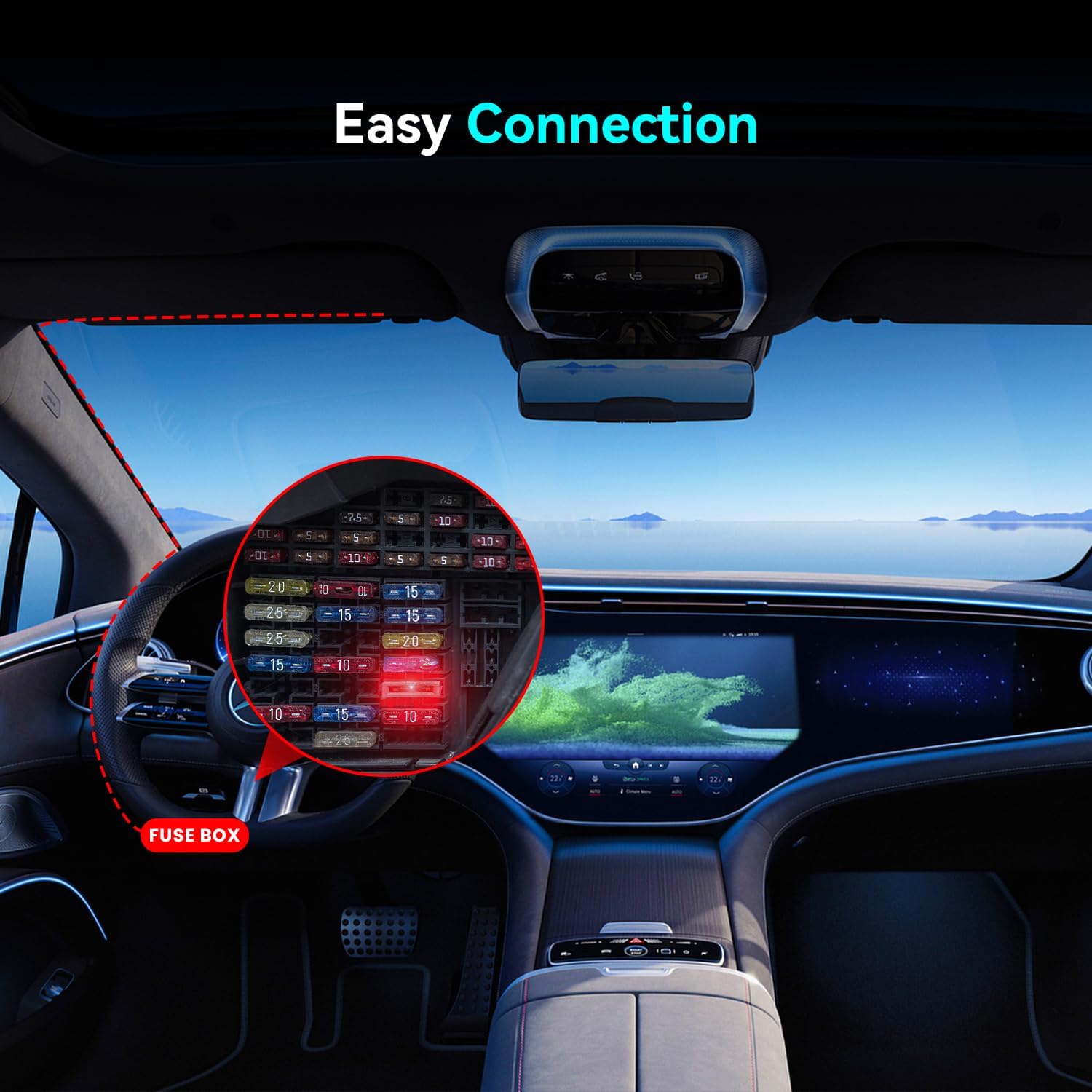
Image 3: Illustration of connecting the hardwire kit to the vehicle's fuse box for power.
4. Instruccions de funcionament
4.1 Initial Power On and App Connection
- Once powered, the dash cam will automatically start recording.
- Download the DDPAI app from your smartphone's app store (iOS/Android).
- Open the app and follow the on-screen instructions to connect to your dash cam via 5GHz WiFi 6. This allows for ultra-fast transfer of footage.
4.2 Viewing i gestió de Footage
Through the DDPAI app, you can:
- En directe abansview footage from both front and rear cameras.
- Baixeu els vídeos i les fotos gravats directament al vostre telèfon intel·ligent.
- Adjust dash cam settings, including recording resolution, G-sensor sensitivity, and parking mode options.
4.3 Modes d'enregistrament
- Enregistrament en bucle: The dash cam continuously records, overwriting the oldest files when the memory card is full. Important footage can be locked to prevent overwriting.
- Sensor G (detecció de col·lisions): Automatically detects sudden shakes or collisions and locks the current video segment to prevent it from being overwritten.
- Protecció d'aparcament 24/7: When hardwired, the dash cam monitors your vehicle even when parked. It uses time-lapse recording to conserve power and triggers full recording upon detecting impacts.
5. Característiques acabadesview
5.1 4K + 1080P Dual Recording
The front camera records in ultra-sharp 4K UHD (3840*2160P) with a 143° wide-angle lens, while the rear camera records in 1080P (1920*1080P) with a 124° wide-angle lens. This dual-channel recording captures critical details like license plates and road signs, reducing blind spots for safer driving and parking.

Image 4: Visual representation of the 4K front and 1080P rear recording capabilities with wide-angle views.
5.2 AI-ISP Enhanced Night Vision (NightVIS 2.0)
Equipped with DDPAI's NightVIS 2.0 and an AI-ISP processor, the dash cam can spot license plates up to 16 feet (5m) away in total darkness. The F1.8 aperture and 6-layer lens capture up to 4x more light than standard dash cameras, ensuring bright and detailed footagi fins i tot en condicions de poca llum.

Image 5: Demonstrates the clarity of night vision footage, highlighting the F1.8 aperture and 6-layer lens.
5.3 Ultra-Fast 13MB/s Transfer & App Control
With 5GHz WiFi 6 technology, the dash cam transfers a 300MB 4K video in approximately 23 seconds, which is 63% faster than standard 5GHz dashcams. The DDPAI app (iOS/Android) allows for instant preview, saving, and management of footage with zero lag.

Image 6: Compares 5GHz WiFi 6 transfer speed (13MB/s) to standard 5GHz (8MB/s).
5.4 24/7 Parking Protection
The dash cam provides continuous surveillance with dual-camera time-lapse monitoring (up to 48 hours) while conserving power. Instant collision detection locks 4K UHD footage of impacts, and smart battery management prevents vehicle battery drain.

Image 7: Illustrates the 24-hour parking monitoring feature with the hardwire kit.
5.5 Built-in GPS & ADAS Driver Assistance
The built-in GPS records driving routes, real-time speed, and location, providing indisputable evidence for insurance claims. ADAS 2.0 offers real-time safety alerts and customizable driving assistance to enhance road safety.
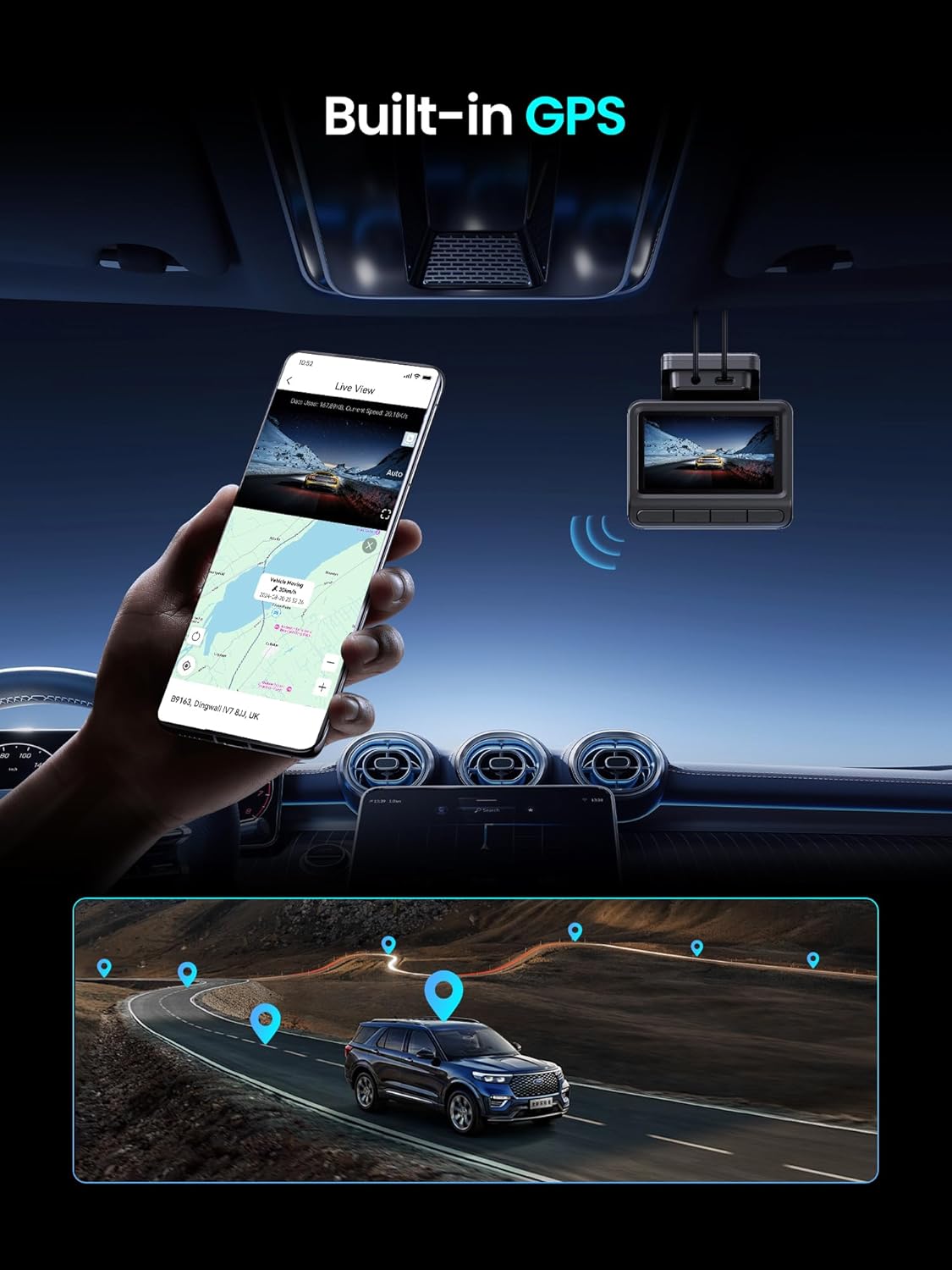
Image 8: Shows the built-in GPS tracking driving routes and real-time location on a map.
6. Especificacions
| Marca | DDPAI |
| Nom del model | Z50 Pro |
| Resolució de captura de vídeo | 4K (front), 1080p (rear) |
| Camp de View | 143 Degrees (front), 124 Degrees (rear) |
| Tecnologia de connectivitat | WiFi 6 (5GHz) |
| Característiques especials | 24/7 Parking Protection, AI-ISP Enhanced Night Vision, Built-in GPS & ADAS Driver Assistance, Ultra-Fast 13MB/s Transfer & App Control |
| Tipus de servei del vehicle | Cotxe |
| Color | Negre |
7. Manteniment
- Neteja de la lent: Netegeu regularment les lents de la càmera frontal i posterior amb un drap suau i sense borrissol per garantir una qualitat de vídeo nítida.
- Gestió de targetes de memòria: Periodically format the microSD card (via the app or dash cam settings) to maintain optimal performance and prevent data corruption. Back up important footage abans de formatar.
- Actualitzacions de firmware: Check the DDPAI app regularly for firmware updates to ensure your dash cam has the latest features and bug fixes.
8. Solució De Problemes
- La càmera del salpicader no s'encén: Check the power connection to the cigarette lighter adapter or hardwire kit. Ensure the vehicle's ignition is on (if not using 24/7 parking mode).
- Problemes de gravació: Ensure a microSD card is inserted and properly formatted. Check if the card is full or corrupted. Try reducing the video resolution.
- Problemes de connexió Wi-Fi: Ensure the dash cam's Wi-Fi is enabled. Restart both the dash cam and your smartphone's Wi-Fi. Try reconnecting through the DDPAI app.
- Mala visió nocturna: Ensure the camera lens is clean. Check for any obstructions on the windshield.
- L'aplicació no respon: Close and reopen the DDPAI app. If the issue persists, restart your smartphone and the dash cam.
9. Garantia i Suport
Your DDPAI Z50 Pro Dash Cam is covered by a limited warranty. Please refer to the warranty card included in your package for specific terms and conditions. For technical support, troubleshooting assistance, or warranty claims, please visit the official DDPAI weblloc o poseu-vos en contacte amb el seu equip d'atenció al client.


