1. Introducció
Thank you for choosing the SABLUTE Wireless Ergonomic Keyboard and Mouse Combo. This manual provides detailed instructions for setting up, operating, and maintaining your new device. Please read this manual thoroughly before use to ensure optimal performance and longevity.
2. Informació de seguretat
- Mantingueu el dispositiu allunyat de l'aigua i altres líquids.
- Eviteu les temperatures extremes i la llum solar directa.
- No intenteu desmuntar o reparar el dispositiu vosaltres mateixos. Contacteu amb l'assistència al client per obtenir assistència.
- Utilitzeu només el cable de càrrega proporcionat per evitar danys.
3. Contingut del paquet
- SABLUTE Wireless Ergonomic Keyboard
- SABLUTE Wireless RGB Backlit Mouse
- Receptor USB (2.4G)
- Adaptador USB-C
- Cable de càrrega USB-C
- Manual d'usuari (aquest document)
4. Configuració
4.1 Connexió del teclat i del ratolí
- Locate the USB receiver. It is typically stored in the mouse's battery compartment or a dedicated slot.
- Plug the USB receiver into an available USB-A port on your computer. If your computer only has USB-C ports, use the provided USB-C adapter.
- Turn on the keyboard using the ON/OFF switch located on the front edge.
- Turn on the mouse using the ON/OFF switch located on its underside.
- El teclat i el ratolí s'haurien de connectar automàticament a l'ordinador. Normalment no calen controladors addicionals.

Image: The SABLUTE Wireless Keyboard and Mouse Combo, showing the USB receiver and Type-C adapter for connection.
4.2 Càrrega inicial
It is recommended to fully charge both the keyboard and mouse before first use. Use the provided USB-C charging cable to connect them to a power source (e.g., computer USB port, USB wall adapter).

Image: The keyboard and mouse connected via USB-C cables for charging.
5. Funcionament del teclat
5.1 Característiques de disseny ergonòmic
The keyboard features a wave-shaped design and a soft leather wrist rest with memory foam to reduce strain and provide comfort during extended use.

Image: Close-up of the ergonomic wave design, soft leather palm rest, and adjustable 7-degree tilt for comfortable typing.
5.2 Adjustable Typing Angle
Customize your typing experience by adjusting the keyboard's tilt angle. The integrated feet allow for a 7-degree adjustable angle.

Image: Underside of the keyboard showing the adjustable feet for tilt customization.
Control de retroiluminació 5.3
The keyboard features 7 backlight colors and adjustable brightness levels.
- Activar/desactivar la llum de fons: Premeu Fn + Del.
- Interruptor de color de la llum: Premeu Fn + Inici per anar ciclant entre els 7 colors disponibles.
- Ajusta la brillantor: Premeu Fn + Fletxa amunt or Fn + Fletxa avall to adjust between 5 light levels.
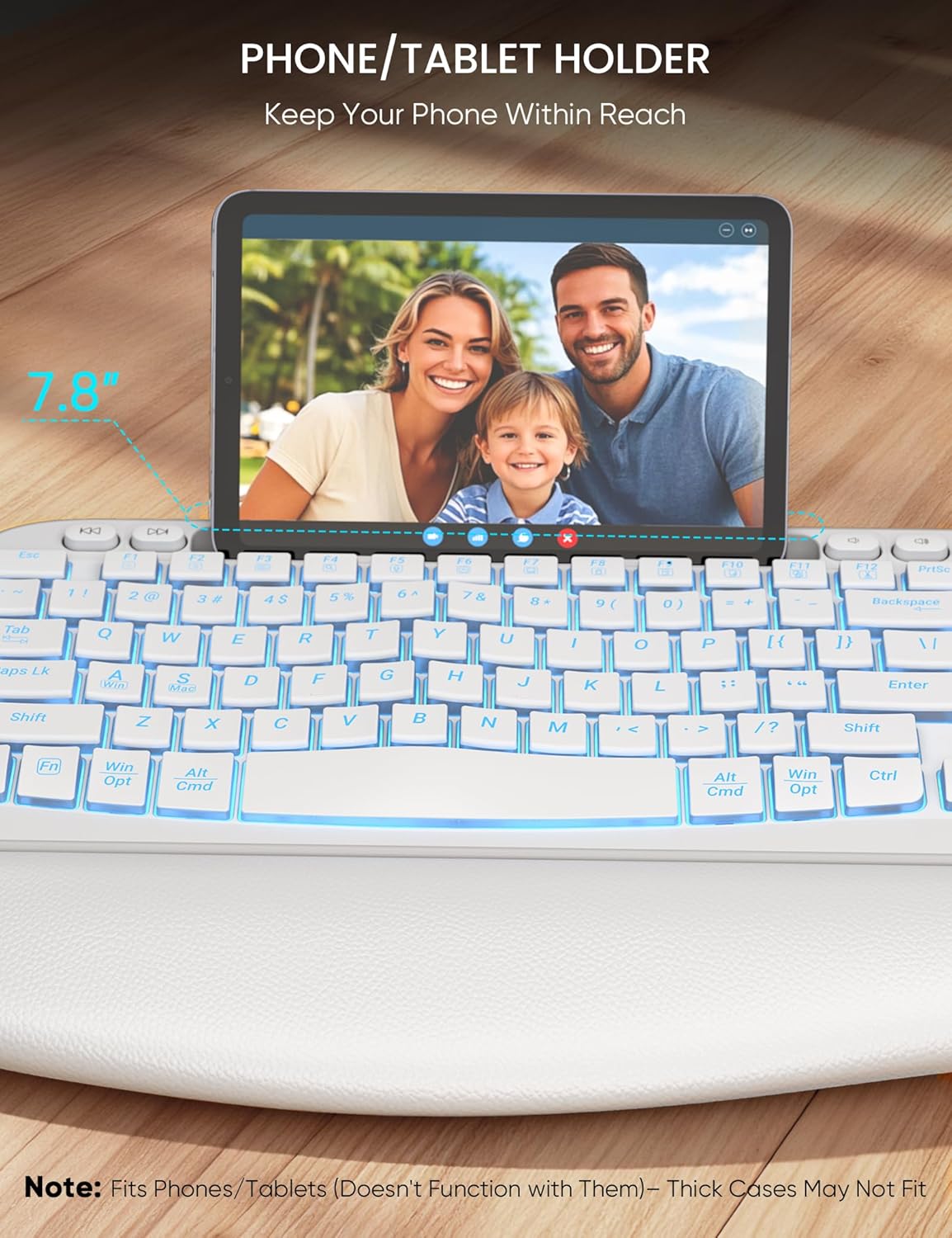
Image: Visual guide for controlling keyboard backlighting, including color and brightness adjustments.
5.4 Integrated Phone & Tablet Holder
A 7.8-inch slot at the top of the keyboard provides a convenient holder for your phone or tablet, allowing for easy multitasking.

Image: The keyboard's integrated slot holding a tablet, demonstrating the phone/tablet holder feature.
5.5 System Layout Switching (Windows/Mac)
The keyboard supports dual system layouts. Switch between Windows and Mac modes by pressing Fn+A per a Windows o Fn + S per a Mac.

Image: Keyboard keys highlighting the Fn+A and Fn+S combinations for switching between Windows and Mac layouts.
5.6 tecles de drecera
The keyboard includes 16 shortcut keys for enhanced productivity:
- 4 tecles de drecera independents: Previous Song, Next Song, Volume Down, Volume Up.
- 12 Combined Keys (Fn + F1-F12): Decrease Brightness, Increase Brightness, Multi Screen Display, Search, Dictation, Close Program, My Computer, Lock Screen, Select All, Copy, Paste, Cut.
6. Funcionament del ratolí
6.1 Disseny ergonòmic
The mouse is designed for comfort with a palm grip and dedicated thumb and finger rests to reduce wrist strain.

Image: The ergonomic mouse highlighting its thumb rest and finger support areas.
6.2 Ajust de DPI
Adjust the mouse sensitivity (DPI) to your preference using the dedicated DPI buttons. Available settings are 800, 1200, and 1600 DPI.
6.3 Quiet Clicks and RGB Backlight
The mouse features quiet click buttons for a silent user experience. It also includes an RGB backlight that auto-cycles through various hues.

Image: The RGB backlit mouse displaying its various DPI settings and lighting effects.
7. Càrrega i durada de la bateria
Both the keyboard and mouse are rechargeable via USB-C. They feature an auto-sleep mode and ON/OFF switches to maximize energy efficiency.
- Durada de la bateria del teclat: Up to 5 days with backlight on, up to 2 months with backlight off.
- Durada de la bateria del ratolí: Up to 6 days with backlight on.
- Temps de càrrega: Aproximadament 4 hores per a una càrrega completa.
Image: The keyboard and mouse connected via USB-C cables for charging, illustrating their rechargeable nature.
8. Manteniment
- Neteja: Feu servir un drap suau i sec per netejar les superfícies del teclat i el ratolí. Per a la brutícia persistent, netegeu lleugerament.ampNetegeu el drap amb aigua o una solució de neteja suau. Eviteu productes químics agressius.
- Emmagatzematge: When not in use for extended periods, turn off both devices to conserve battery life. Store in a cool, dry place.
9. Solució De Problemes
9.1 Device Not Connecting
- Assegureu-vos que tant el teclat com el ratolí estiguin encesos.
- Verify the USB receiver is securely plugged into a working USB port.
- Try plugging the USB receiver into a different USB port or a different computer to rule out port issues.
- Recharge both devices to ensure they have sufficient battery.
9.2 La retroiluminació no funciona
- Ensure the keyboard is turned ON and charged.
- Premeu Fn + Del per activar/desactivar la llum de fons.
- Ajusta la brillantor amb Fn + Fletxa amunt.
9.3 Lag or Intermittent Connection
- Ensure the USB receiver is not too far from the keyboard and mouse.
- Avoid placing the receiver near strong sources of interference (e.g., Wi-Fi routers, other wireless devices).
- Recharge both devices.
10. Especificacions
| Característica | Descripció |
|---|---|
| Marca | SABLUTE |
| Model | Combinació de teclat i ratolí sense fil |
| Tecnologia de connectivitat | Sense fil 2.4G (receptor USB) |
| Tipus de teclat | Ergonomic Wave, Full-Size, Backlit (7 colors) |
| Tipus de ratolí | Ergonomic, RGB Backlit, Quiet Click |
| DPI Settings (Mouse) | 800, 1200, 1600 |
| Característiques especials | Soft Leather Wrist Rest, Phone Holder, Rechargeable, Adjustable Tilt, Dual System Layout (Windows/Mac) |
| Bateria | 1 bateria de ions de liti (inclosa) |
| Dimensions del producte | 16.5 x 8.92 x 1.18 polzades (teclat) |
| Pes de l'article | 2.72 lliures |
| Dispositius compatibles | Chromebook, Ordinador portàtil, MacBook Pro, MacBook Air, iMac, Tauleta, Televisor, Telèfon intel·ligent, Windows XP/Vista/7/8/10/X |
11. Garantia i Suport
SABLUTE products are designed for reliability and performance. For warranty information or technical support, please refer to the product packaging or visit the official SABLUTE weblloc web. Conserveu el rebut de compra com a comprovant de compra.


