1. Producte acabatview
The ROCKBROS Bike Computer Mount is engineered from high-strength aluminum alloy, utilizing CNC technology for a durable and lightweight design. It provides a secure, centered position for your cycling computer, reducing the need to look down and enhancing safety. This versatile mount also allows for the attachment of a sports camera or headlight underneath, enabling you to capture your rides or improve visibility. It is compatible with popular cycling computer brands including Garmin, Wahoo, and Bryton.

Image 1.1: The ROCKBROS Bike Computer Mount, showcasinel seu disseny elegant i els accessoris inclosos.
2. Contingut del paquet
Si us plau, verifiqueu que tots els elements que s'enumeren a continuació estiguin inclosos al vostre paquet:
- Bike Computer Mount (Aluminum Alloy)
- Bryton Mount Adapter
- Wahoo Mount Adapter
- Garmin Mount Adapter
- Clau hexagonal de 2 mm
- Clau hexagonal de 3 mm
- Cargols (3 peces)
- Quick-Release Screws

Image 2.1: The mount includes interchangeable bases for various cycling computers.
3. Especificacions
| Característica | Detall |
|---|---|
| Material | High-strength Aluminum Alloy |
| Pes de l'article | Aproximadament 45 g (1.59 unces) |
| Dimensions del paquet | 6.3 x 1.97 x 1.38 polzades |
| Tipus de muntatge | Handlebar (Aero Integrated Handlebars) |
| Dispositius compatibles | Garmin, Wahoo, Bryton cycling computers; Action Cameras; Headlights |
| Característiques especials | Quick Release Button, Rotatable, Rust Resistant |
4. Configuració
4.1. Attaching the Mount to the Handlebar
- Identify the appropriate position on your aero integrated handlebar for the mount.
- Place the mount around the handlebar. Ensure it is centered and aligned as desired.
- Insert the provided screws into the mount and tighten them using the appropriate hex key wrench (2mm or 3mm, depending on the screw type). For a secure fit, ensure screws are tightened firmly. If using quick-release screws, note they may allow for more adjustment but might feel less rigid than regular screws.

Image 4.1: The mount securely attached to an integrated handlebar.
4.2. Installing the Computer Base
- Select the correct computer base (Garmin, Wahoo, or Bryton) for your device from the included accessories.
- Align the chosen base with the mounting points on the top of the bike computer mount.
- Secure the base using the small screws and hex key wrench provided. Ensure it is firmly attached.
4.3. Attaching a Sports Camera or Headlight
- The mount features an integrated accessory attachment point below the computer mount.
- Attach your sports camera or headlight to this point using its standard mounting mechanism.
- Ensure the accessory is securely fastened before riding.
Video 4.3.1: Demonstrates the installation process for the ROCKBROS Aluminum Bike Computer Mount.
Video 4.3.2: Shows how to attach a camera and light to the ROCKBROS Bike Computer Mount.
5. Funcionament
Once the mount and desired accessories are installed, you can easily attach and detach your cycling computer, camera, or headlight as needed. The centered extension design positions your computer directly in front of the handlebar, allowing for quick glances at your data without significantly altering your riding posture. This design contributes to both safety and aerodynamic efficiency.
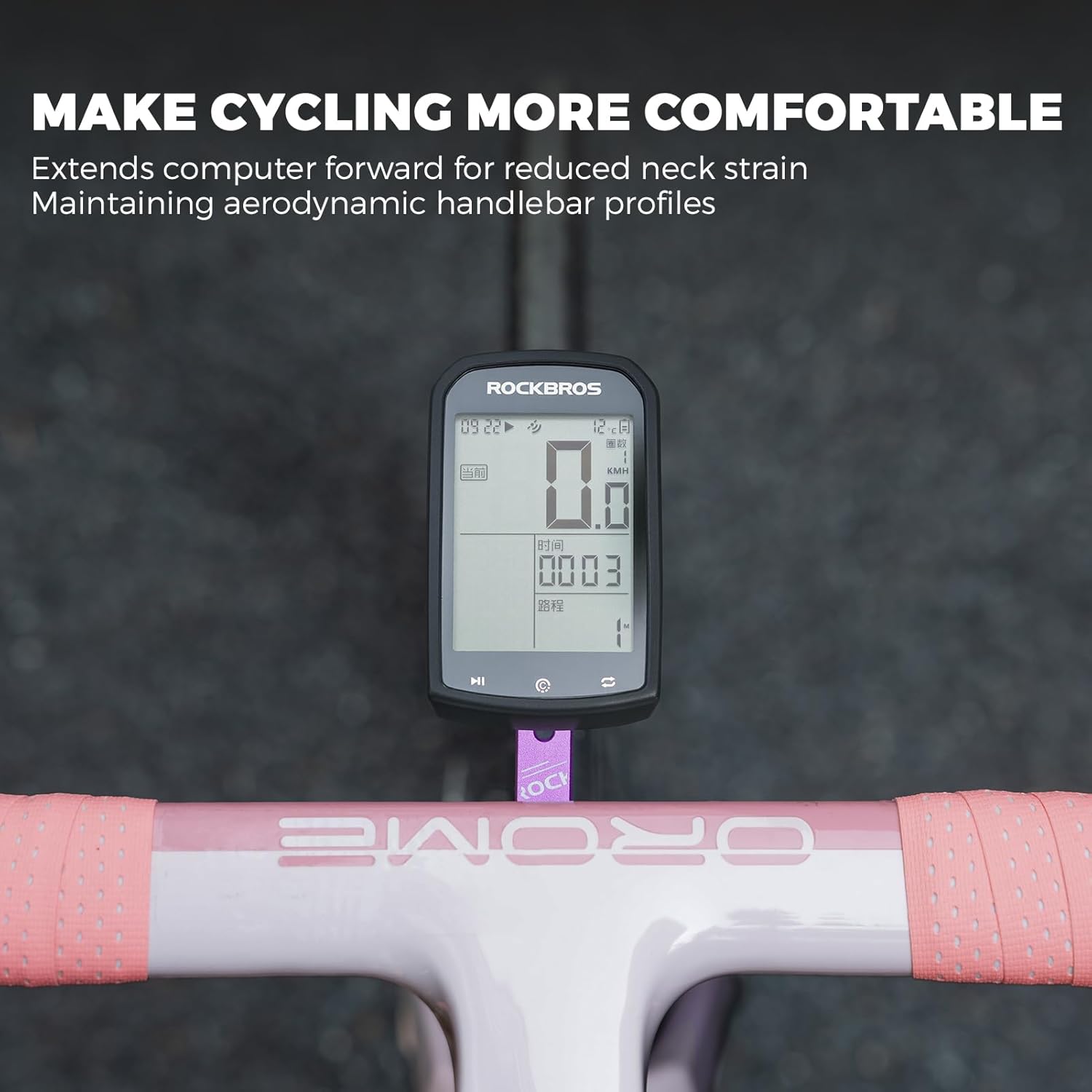
Image 5.1: The mount provides a comfortable and safe viewing angle for your cycling computer.
Video 5.2: Illustrates the ROCKBROS Cycling Mount in use on a road bike, highlighting its stable positioning.
6. Manteniment
To ensure the longevity and optimal performance of your ROCKBROS Bike Computer Mount, follow these maintenance guidelines:
- Neteja: Netegeu la muntura regularment amb un drap suau iamp drap per eliminar la brutícia i la pols. Eviteu productes de neteja abrasius o dissolvents que puguin danyar l'acabat.
- Estancament del cargol: Periodically check all screws for tightness. Vibrations from riding can sometimes loosen fasteners. Re-tighten as necessary using the appropriate hex key wrench.
- Resistència a l'òxid: The aluminum alloy construction is designed to be rust-resistant. However, prolonged exposure to harsh weather conditions without proper cleaning can still affect its appearance.
7. Solució De Problemes
If you encounter any issues with your mount, consider the following:
- La muntura se sent fluixa: Ensure all screws attaching the mount to the handlebar are tightened securely. If using quick-release screws and a tighter fit is desired, consider replacing them with regular screws and tightening with a hex key for a more rigid installation.
- Device not fitting securely: Double-check that you are using the correct computer base for your device (Garmin, Wahoo, or Bryton). Ensure the base is properly aligned and screwed into the mount.
- Accessory (camera/light) wobbles: Verify that the accessory is correctly attached to the lower mounting point and its own fastening mechanism is secure.
8. Garantia i Suport
For any questions, concerns, or warranty claims regarding your ROCKBROS Bike Computer Mount, please contact ROCKBROS customer support through the retailer where you purchased the product or visit the official ROCKBROS website for contact information. Please retain your proof of purchase for warranty purposes.


