1. Introducció
Thank you for choosing the OKP Life L1 Lidar Robot Vacuum Cleaner. This manual provides essential information for the safe operation, maintenance, and troubleshooting of your device. Please read it thoroughly before use and retain it for future reference.
2. Instruccions de seguretat importants
Per reduir el risc de lesions o danys, llegiu atentament aquestes instruccions de seguretat i tingueu-les a mà quan configureu, utilitzeu i manteniu el robot.
- Aquest aparell el poden utilitzar nens a partir de 8 anys i persones amb capacitats físiques, sensorials o mentals reduïdes o amb manca d'experiència i coneixements si han rebut supervisió o instruccions sobre l'ús de l'aparell d'una manera segura i entenen els perills que comporta. .
- Els nens han de ser supervisats per assegurar-se que no juguin amb l'aparell.
- La neteja i el manteniment dels usuaris no els han de fer els nens sense supervisió.
- Només feu servir l'adaptador de corrent original proporcionat pel fabricant.
- No utilitzeu el robot en entorns amb flames obertes o objectes fràgils.
- Ensure the robot is used on dry surfaces only.
- Mantingueu els cabells, la roba solta, els dits i totes les parts del cos lluny de les obertures i les parts mòbils.
3. Contingut del paquet
Verifiqueu que tots els components siguin presents al paquet:
- OKP Life L1 Robot Vacuum Cleaner
- Base de càrrega
- Adaptador d'alimentació
- Raspalls laterals (2 parells)
- HEPA Filter (1 extra)
- Eina de neteja
- Manual d'usuari
4. Producte acabatview
Familiarize yourself with the components of your OKP Life L1 robot vacuum.

Figura 4.1: A dalt view of the OKP Life L1 Lidar Robot Vacuum Cleaner alongside its mobile application interface. The robot is white with a dark grey Lidar sensor on top and a power button. The app shows cleaning status and control options.
Components del robot:
- Sensor Lidar: Per a una navegació i cartografia precises.
- Botó d'encesa: To start/pause cleaning or power on/off.
- Polvorí: Recull deixalles.
- Raspalls laterals: Escombra les restes cap al camí principal del raspall.
- Main Brush Roll: Agitates and lifts debris from floors.
- Contactes de càrrega: For automatic recharging at the dock.
- Sensors de penya-segats: Evita que el robot caigui per les escales.
- Para-xocs: Detecta obstacles.
5. Configuració i ús inicial
5.1 Preparació del robot
- Remove all protective films and stickers from the robot and charging dock.
- Install the side brushes by pressing them onto the posts until they click.
5.2 Col·locació de la base de càrrega
Col·loca la base de càrrega contra una paret en una zona oberta i sense trastos. Assegura't que hi hagi almenys 0.5 metres (1.6 peus) d'espai lliure a banda i banda i 1.5 metres (4.9 peus) davant de la base. Connecta l'adaptador de corrent.
5.3 Càrrec inicial
Place the robot on the charging dock. The indicator light will show charging status. Fully charge the robot before its first use (approximately 5-6 hours).
5.4 Connecting to the OKP Life App
The OKP Life L1 supports remote control via the OKP Life App. This allows for scheduling, mode customization, and real-time monitoring.
- Download the "OKP Life" app from your mobile device's app store.
- Registreu un compte i inicieu sessió.
- Follow the in-app instructions to add your L1 robot vacuum. Ensure your Wi-Fi network is 2.4GHz.
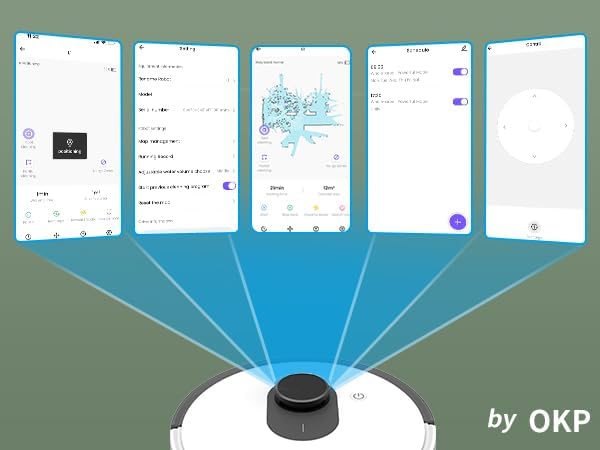
Figura 5.1: Various screenshots of the OKP Life mobile application, demonstrating features like device connection, settings, mapping, and remote control options.
5.5 Integració del control per veu
The L1 is compatible with Amazon Alexa and Google Assistant for hands-free operation.
- Ensure your robot is connected to the OKP Life App.
- Obre l'aplicació Alexa o Google Home.
- Cerca the "OKP Life" skill/service and enable it.
- Link your OKP Life account.
- You can now use voice commands such as "Alexa, turn on L1" or "Hey Google, start cleaning with L1."

Figura 5.2: The OKP Life L1 robot vacuum on a rug, with an Amazon Echo Dot speaker and a smartphone displaying the control app. This illustrates the voice and app control capabilities.
6. Funcionament del robot aspirador
6.1 Modes de neteja i navegació
The L1 utilizes advanced LDS laser radar and SLAM navigation to create accurate real-time maps of your home, optimizing cleaning routes and ensuring comprehensive coverage.

Figura 6.1: The OKP Life L1 robot vacuum navigating a living room, with blue lines illustrating its precision LiDAR mapping and navigation path.
The robot offers various cleaning modes accessible via the app:
- Neteja automàtica: The robot intelligently cleans your entire home.
- Neteja de punts: Cleans a specific area with concentrated effort.
- Neteja de la zona: Seleccioneu habitacions o zones específiques del mapa per netejar-les.
- Neteja programada: Estableix hores específiques perquè el robot netegi automàticament.

Figura 6.2: The OKP Life L1 robot vacuum next to a smartphone displaying its app, which shows a floor plan map where a user can select a specific zone for vacuuming using the LiDAR sensor data.

Figura 6.3: The OKP Life L1 robot vacuum on a rug, with a smartphone displaying the app's features including No-Go Zones, Real-time Mapping, Recharge Resume, Partial Cleaning, and Spot Cleaning.
6.2 Suction Power and Carpet Boost
The L1 features a 4000Pa suction motor for effective cleaning. It automatically increases suction power when detecting carpets for deeper cleaning.

Figura 6.4: The OKP Life L1 robot vacuum moving from a hard floor to a carpet, illustrating its ability to boost suction power for effective carpet cleaning.
6.3 No-Go Zones and Invisible Walls
Use the OKP Life App to define "No-Go Zones" or "Invisible Walls" to prevent the robot from entering specific areas or protecting fragile items.

Figura 6.5: The OKP Life L1 robot vacuum demonstrating its ability to respect "No-Go Zones" (preventing entry into a pet area) and "Invisible Walls" (blocking access to a specific room entrance).
6.4 Evitació d'obstacles
Freemove 3.0 obstacle avoidance technology ensures the robot navigates smoothly around furniture, stairs, walls, and pets, minimizing collisions and preventing it from getting stuck.
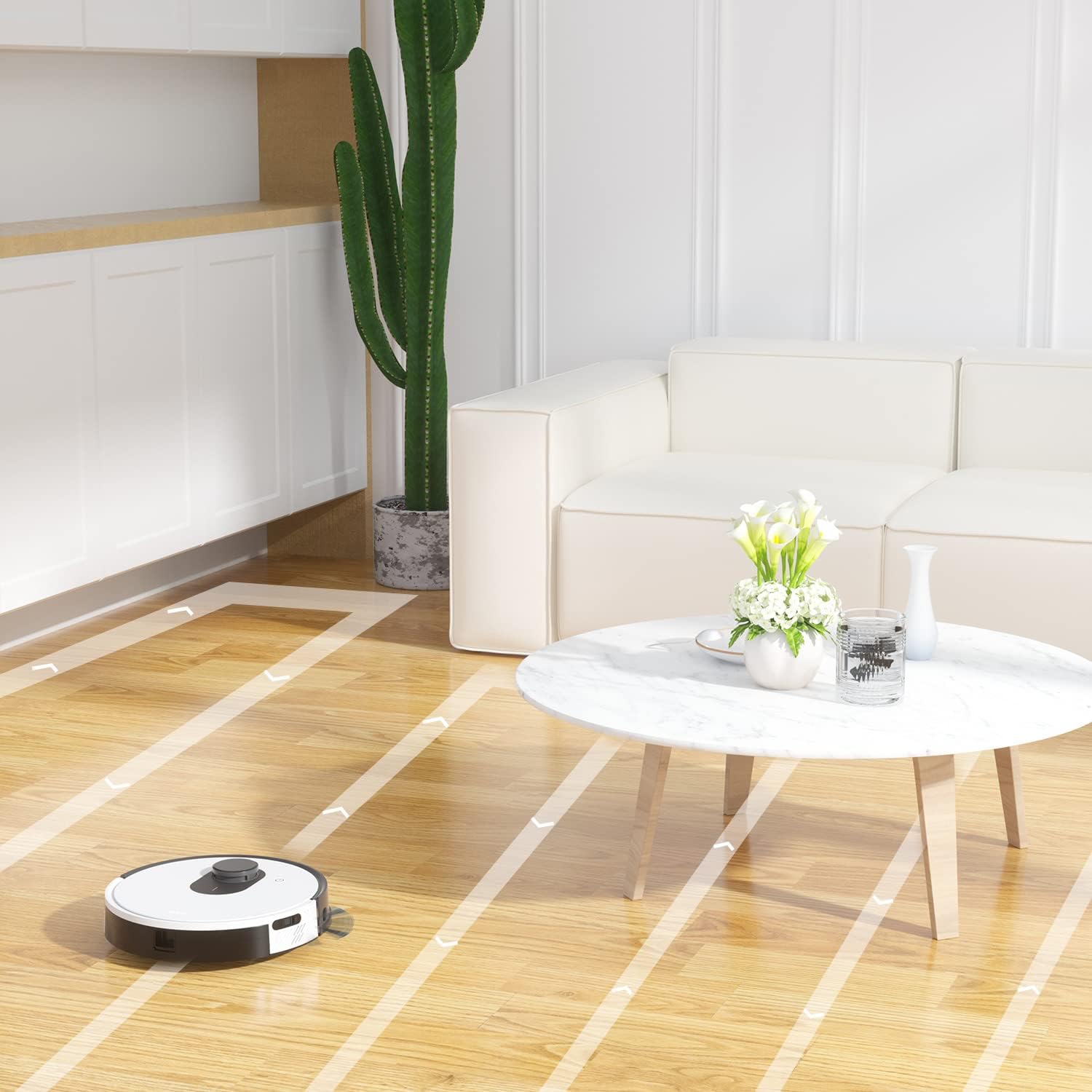
Figura 6.6: The OKP Life L1 robot vacuum cleaning a room, illustrating its efficient path planning and obstacle avoidance capabilities.
6.5 Gestió de la bateria
The robot features a 4000mAh battery, providing up to 200 minutes of continuous cleaning. When the battery is low or cleaning is complete, the robot automatically returns to its charging dock.
7. Manteniment
Regular maintenance ensures optimal performance of your robot vacuum.
7.1 Buidar el contenidor d'escombraries
Empty the dustbin after each cleaning cycle. Press the dustbin release button, remove the dustbin, and discard collected debris. Clean the filter inside the dustbin.
7.2 Cleaning the Main Brush Roll
The self-cleaning brush roll reduces hair tangles. However, periodically remove the main brush roll and use the provided cleaning tool to remove any tangled hair or debris.
7.3 Neteja dels raspalls laterals
Check side brushes regularly for wear or damage. Remove any tangled hair or debris. Replace worn brushes as needed.
7.4 Neteja dels sensors i els contactes de càrrega
Wipe the cliff sensors, bumper sensor, and charging contacts on both the robot and the charging dock with a clean, dry cloth to ensure proper function.
7.5 Substitució del filtre
Replace the HEPA filter every 3-6 months, or more frequently depending on usage, to maintain optimal suction performance.
8. Solució De Problemes
Consulteu aquesta secció per conèixer els problemes comuns i les seves solucions.
| Problema | Causa possible | Solució |
|---|---|---|
| El robot no s'encén. | Bateria baixa; interruptor apagat. | Carregueu el robot; assegureu-vos que l'interruptor d'alimentació estigui encès. |
| El robot no pot tornar a la base de càrrega. | Base de càrrega obstruïda; el robot està massa lluny de la base. | Clear obstacles around the dock; Manually place robot near dock. |
| La potència d'aspiració és feble. | Cubell de pols ple; filtre obstruït; raspall principal enredat. | Buidar el contenidor de pols; netejar/substituir el filtre; netejar el raspall principal. |
| El robot es queda encallat sovint. | Loose cables/rugs; Small obstacles. | Clear floor of obstructions; Use No-Go Zones. |
| Problemes de connexió de l'aplicació. | Incorrect Wi-Fi (not 2.4GHz); Router issues. | Ensure 2.4GHz Wi-Fi; Restart router and robot; Re-pair in app. |
9. Especificacions
| Característica | Detall |
|---|---|
| Marca | OKP Vida |
| Nom del model | L1 Lidar Robot Vacuum |
| Característica especial | HEPA Filtration, Vacuums |
| Color | Blanc núvol |
| Dimensions del producte | 12 cm de llargada x 12 cm d'amplada x 3.5 cm d'alçada |
| Components inclosos | Bateria |
| Durada de la bateria | Up to 200 minutes (4000mAh battery) |
| Capacitat (paperera) | 500 mil·lilitres |
| Piles necessàries | 1 bateria de ions de liti (inclosa) |
| Dispositius compatibles | Amazon Echo, Google Home, telèfons intel·ligents |
| Pes de l'article | 7 lliures |
| Fabricant | OKP Vida |
| Número de model de l'article | L1 |
10. Garantia i Suport
For warranty information and technical support, please refer to the official OKP Life weblloc web o poseu-vos en contacte amb el seu servei d'atenció al client. Conserveu el rebut de compra com a comprovant de compra.
Assistència en línia: Visit the official OKP Life weblloc per a preguntes freqüents, guies de resolució de problemes i informació de contacte.
Atenció al client: Refer to your product packaging or the OKP Life weblloc web per obtenir dades de contacte específiques del servei d'atenció al client.