1. Introducció
This manual provides detailed instructions for the installation, operation, and maintenance of your AWESAFE Android 13.0 Car Radio. This device is specifically designed for Seat Leon MK2 models manufactured between 2005 and 2012, offering a 9-inch touchscreen with advanced features including wireless CarPlay, Android Auto, GPS navigation, WiFi, Bluetooth, DSP, RDS, USB, FM radio, and MirrorLink functionality. Please read this manual thoroughly before installation and use to ensure proper function and safety.
2. Informació de seguretat
- Instal·lació professional recomanada: A causa de la complexitat dels sistemes elèctrics dels vehicles, es recomana la instal·lació professional per evitar danys a la unitat o al vehicle.
- Font d'alimentació: Ensure the car radio is connected to a 12V DC power supply with negative grounding. Incorrect voltage pot causar danys.
- Cablejat: Double-check all wiring connections before powering on the unit. Incorrect wiring can lead to short circuits or malfunction.
- Seguretat de conducció: No feu servir el dispositiu de manera que us distregui de la conducció. Prioritzeu sempre la seguretat viària.
- Temperatura: Eviteu exposar la unitat a temperatures extremes o a la llum solar directa durant períodes prolongats.
- Humitat: Mantingueu la unitat seca. L'exposició a la humitat pot causar riscos elèctrics i danys.
3. Contingut del paquet
Upon opening the package, verify that all components are present and undamaged. The standard package includes:
- AWESAFE Android 13.0 Car Radio Unit
- Power Harness (with CAN bus decoder for Seat Leon MK2)
- Antena GPS
- USB Cables (typically two, for data and charging/CarPlay)
- RCA Cables (for audio/video output, subwoofer, ampmés viu)
- External Microphone (for hands-free calling)
- Manual d'usuari (aquest document)
4. Configuració i instal·lació
This section outlines the general steps for installing your AWESAFE car radio. Specific vehicle disassembly instructions are not included and may require consulting a vehicle-specific guide or professional assistance.
4.1 Comprovacions prèvies a la instal·lació
- Desconnecteu la bateria del vehicle per evitar curtcircuits.
- Remove the original car radio and trim panel.
- Inspect the vehicle's wiring harness for compatibility.
4.2 Connexions de cablejat
Connect the provided wiring harness to the car radio and the vehicle's existing harness. Ensure all connections are secure.
- Arnès d'alimentació: Connect the main power harness. For Seat Leon MK2, this typically includes a CAN bus decoder to integrate with vehicle systems like steering wheel controls and ignition power. Ensure the white pin connector for steering wheel controls is connected if applicable.
- Antena GPS: Connect the GPS antenna and route it to a location with a clear view of the sky (e.g., dashboard, A-pillar).
- Cables USB: Connect both USB cables. One is typically for data transfer and CarPlay/Android Auto, while the other can be used for media storage or charging. Route them to a convenient location (e.g., glove compartment, center console).
- Micròfon extern: Connect the external microphone for improved call quality and route it to a suitable position (e.g., near the sun visor).
- Càmera posterior (opcional): If installing a rear camera, connect its video input and power trigger wire to the designated ports on the radio harness.
- Adaptador d'antena: Connect the vehicle's radio antenna to the unit using the appropriate adapter if necessary.
4.3 Muntatge de la unitat
Carefully slide the AWESAFE car radio into the dashboard opening. Ensure all wires are tucked away and not pinched. Secure the unit using the vehicle's mounting brackets or screws. The trim panel may require minor adjustments for a perfect fit.
4.4 Engegada inicial
Reconnect the vehicle's battery. Turn on the ignition. The car radio should power on. Follow any on-screen prompts for initial setup.
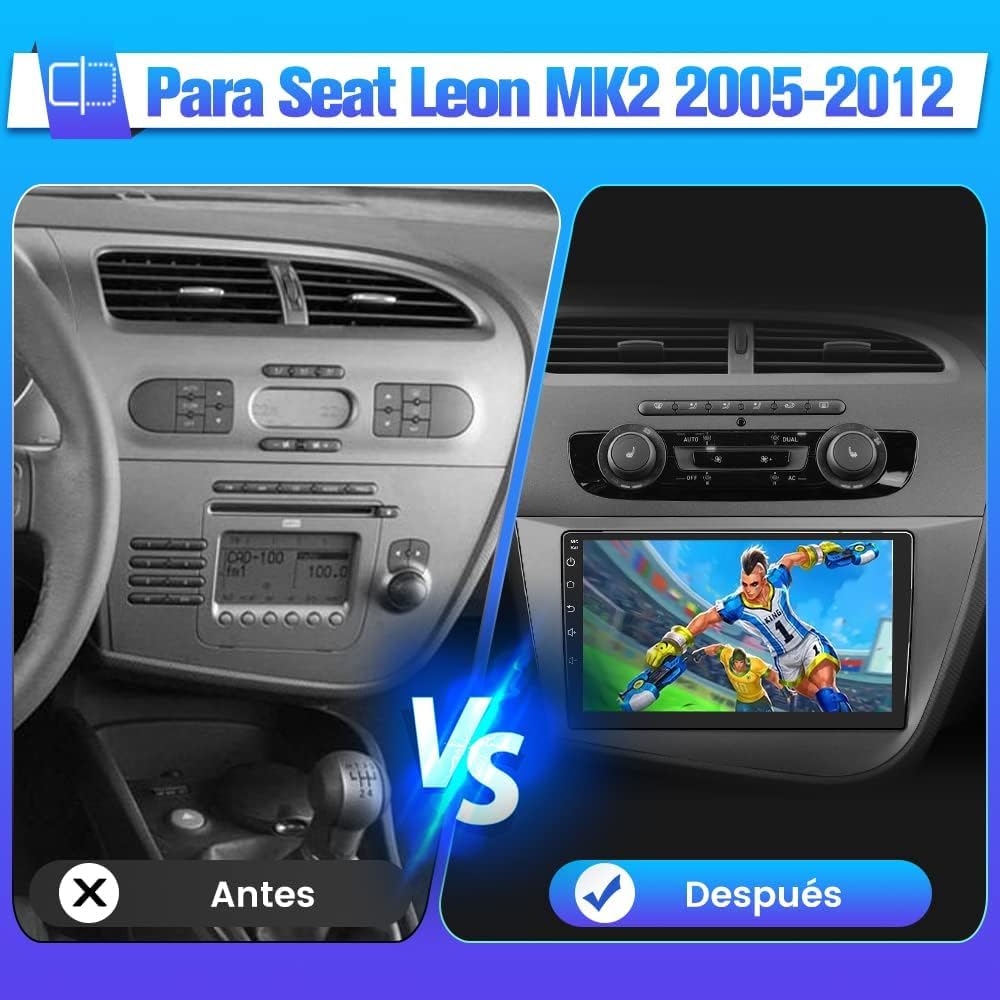
Figure 4.1: Visual comparison of the original Seat Leon MK2 dashboard before and after installing the AWESAFE Android car radio.
5. Instruccions de funcionament
5.1 Controls bàsics
- Encès/apagat: The unit typically powers on with the vehicle's ignition. A long press on the power button (if available) can turn the screen off or put the unit into standby.
- Control de volum: Adjust volume using the on-screen controls, steering wheel buttons, or physical knobs if present.
5.2 Interfície de pantalla tàctil
The 9-inch capacitive touchscreen allows for intuitive control. Navigate through menus, launch applications, and adjust settings by tapping, swiping, and pinching.
Ràdio FM 5.3 amb RDS
Access the FM Radio application to tune into radio stations. The RDS (Radio Data System) feature displays station information, song titles, and traffic announcements where available.

Figure 5.1: FM Radio interface and Digital Sound Processor (DSP) settings.
5.4 Connectivitat Bluetooth
Vincula el teu telèfon intel·ligent mitjançant Bluetooth per a trucades mans lliures i reproducció d'àudio.
- Aneu a la configuració de Bluetooth a la ràdio del cotxe.
- Activeu el Bluetooth al vostre telèfon intel·ligent i cerqueu els dispositius disponibles.
- Select the car radio's Bluetooth name (e.g., "AWESAFE") from your phone's list and confirm pairing.
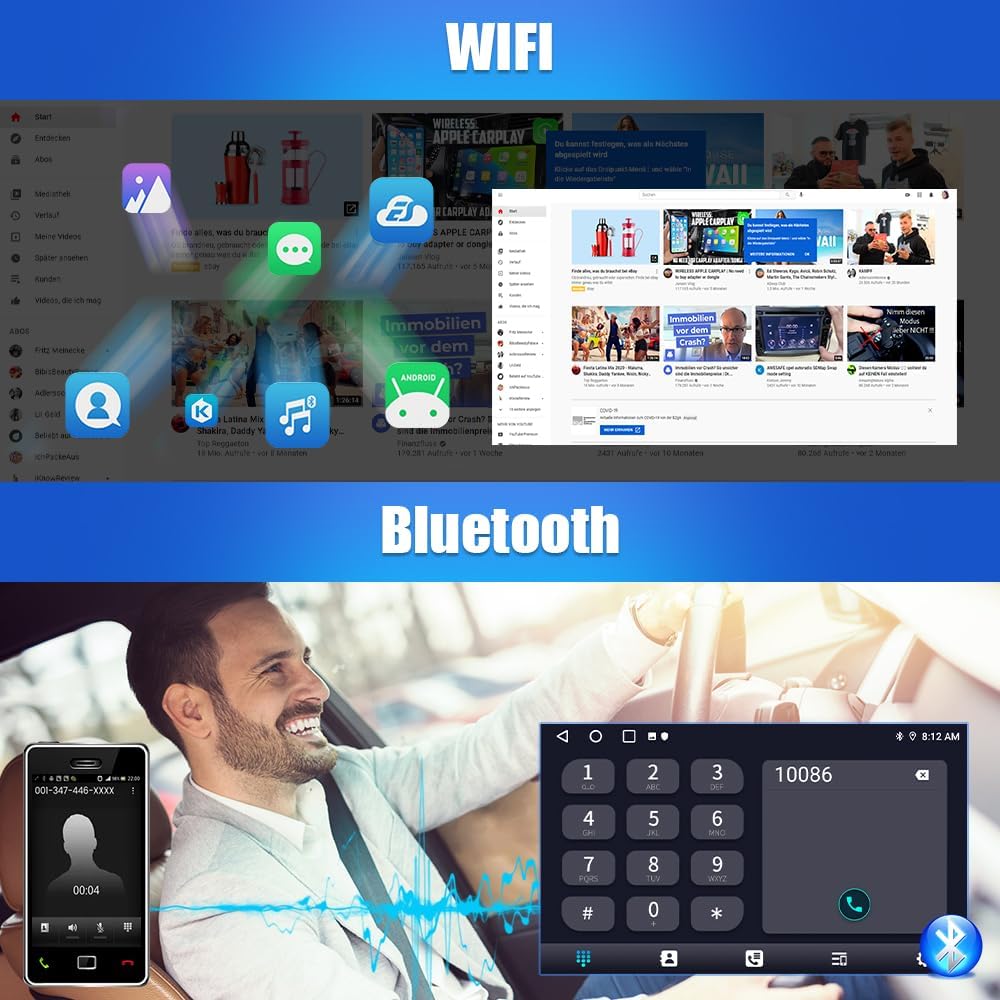
Figure 5.2: WiFi connectivity and Bluetooth phone interface.
CarPlay sense fil 5.5 / Android Auto
Connect your iPhone or Android smartphone wirelessly for seamless integration of navigation, music, calls, and messages.
- Assegureu-vos que el Wi-Fi i el Bluetooth del telèfon estiguin activats.
- A la ràdio del cotxe, obriu l'aplicació CarPlay o Android Auto.
- Follow the on-screen instructions to pair your device. For some devices, a wired connection via USB may be required for initial setup or for more stable performance.
5.6 Navegació GPS
The unit supports both online and offline GPS navigation. Pre-installed maps or downloadable map applications can be used. Ensure the GPS antenna is properly installed for optimal signal reception.
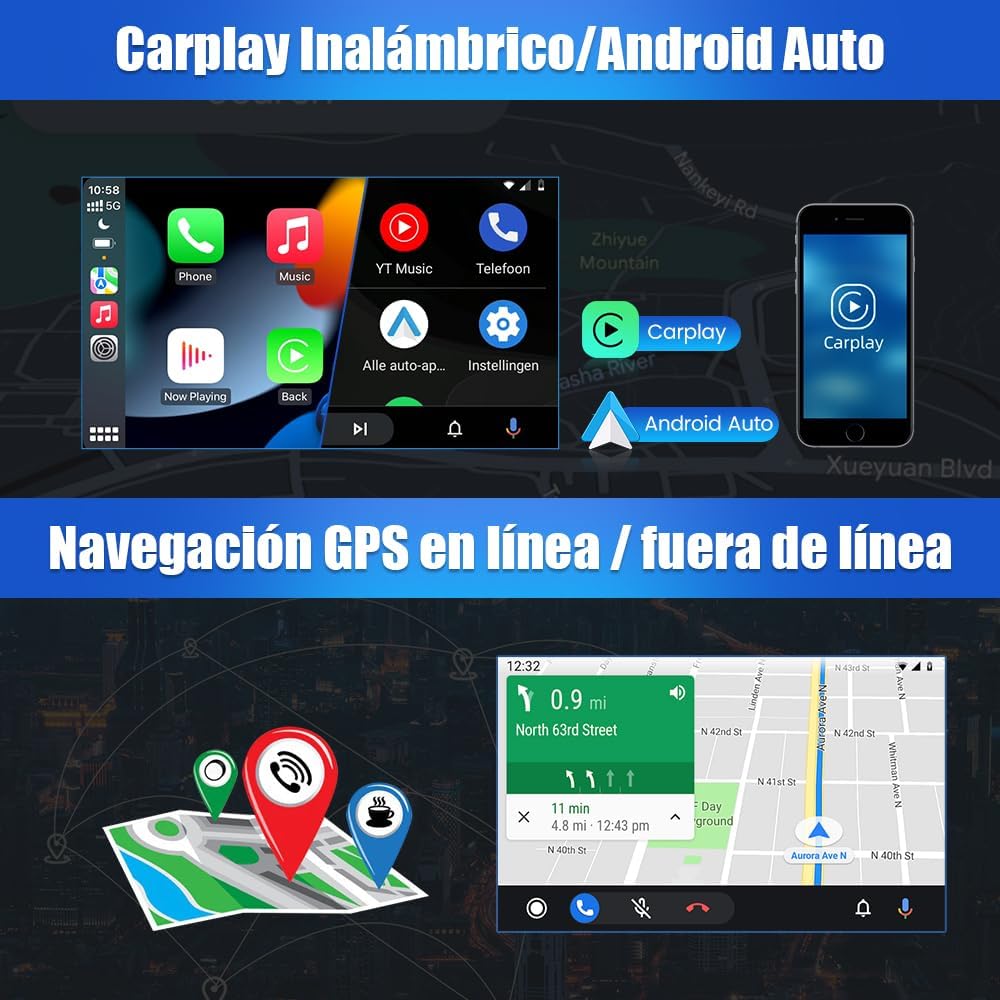
Figure 5.3: Wireless CarPlay/Android Auto and GPS navigation display.
5.7 Connectivitat Wi-Fi
Connect the car radio to a Wi-Fi hotspot (e.g., from your smartphone) to access online features, download apps, and browse the internet.
Processador de so digital 5.8 (DSP)
Utilize the built-in DSP to customize your audio experience. Adjust equalizer settings, balance, fader, and surround sound modes to match your preferences and vehicle acoustics.
5.9 Funció de pantalla dividida
The split-screen feature allows you to run two applications simultaneously, such as navigation on one side and music playback on the other.

Figure 5.4: Split screen functionality and examples of multiple UI interfaces.
5.10 Control del volant
The unit supports integration with your vehicle's existing steering wheel controls, allowing you to manage audio, calls, and other functions without taking your hands off the wheel. Configuration may be required in the settings menu.
5.11 Entrada de càmera posterior
Quan es connecta una càmera posterior compatible, la pantalla canvia automàticament a la càmera view quan el vehicle es posa en marxa enrere.

Figure 5.5: Rear camera display and steering wheel control interface.
5.12 Multiple UI Interfaces
The car radio offers various user interface themes and layouts, allowing you to personalize the look and feel of your system.
6. Manteniment
- Neteja de pantalla: Utilitzeu un drap suau i sense pelusa lleugerament dampNetegeu-ho amb aigua o amb un netejador de pantalles dissenyat específicament per a electrònica. Eviteu materials abrasius o productes químics agressius.
- Actualitzacions de programari: Periodically check for software updates through the system settings or the manufacturer's weblloc. Les actualitzacions poden millorar el rendiment, afegir funcions i corregir errors.
- Atenció general: Mantingueu la unitat lliure de pols i deixalles. Assegureu-vos que hi hagi una ventilació adequada al voltant de la unitat per evitar el sobreescalfament.
7. Solució De Problemes
If you encounter issues with your AWESAFE car radio, refer to the following common problems and solutions:
| Problema | Causa possible | Solució |
|---|---|---|
| La unitat no s'encén. | Connexió d'alimentació fluixa, fusible fundit, cablejat incorrecte. | Check all power cables and connections. Inspect vehicle fuses and the unit's fuse. Ensure the ignition wire is correctly connected. |
| No hi ha so o hi ha mala qualitat de so. | Speaker wires disconnected, volume too low, DSP settings misconfigured. | Verify speaker connections. Adjust volume. Check DSP equalizer and balance settings. |
| El senyal GPS és feble o inexacte. | Antena GPS mal instal·lada o obstruïda. | Assegureu-vos que l'antena GPS estigui muntada en un lloc amb claredat view del cel, lluny d'obstacles metàl·lics. |
| Problemes de connexió Bluetooth. | Phone not in pairing mode, incorrect pairing process, interference. | Ensure Bluetooth is enabled on both devices. Delete previous pairings and try again. Move closer to the unit. |
| Wireless CarPlay/Android Auto unstable. | Wi-Fi interference, phone software issues, unit software issues. | Try a wired connection via USB. Restart both the phone and the car radio. Ensure both devices have the latest software updates. |
| Els comandaments del volant no funcionen. | CAN bus connection issue, incorrect configuration. | Verify the CAN bus decoder and its white pin connector are correctly installed. Access the steering wheel control settings in the unit's menu to program the buttons. |
| Unit drains car battery when off. | Incorrect ACC (ignition) wire connection. | Ensure the ACC wire is connected to a switched 12V source that powers off with the ignition. Consult a professional if unsure. |
| Frame does not fit perfectly. | Minor manufacturing tolerance, vehicle variations. | Small adjustments or light sanding of the trim panel edges may be required for a flush fit. |
8. Especificacions
| Característica | Detall |
|---|---|
| Marca | IMPRESSIONANT |
| Número de model | 0759973263508 |
| Sistema operatiu | Android 13.0 |
| RAM | 2 GB |
| Emmagatzematge intern | 64 GB |
| Mida de la pantalla | 9 polzades |
| Tipus de visualització | Pantalla tàctil |
| Tecnologia de connectivitat | USB, RCA, FM/RDS, Bluetooth, WiFi |
| Característiques especials | GPS Navigation, CarPlay/Android Auto, DSP, MirrorLink |
| Dispositius compatibles | Smartphone, Tablet, Rear Camera, Subwoofer, Ampmés viu |
| Mode de sortida d'àudio | Stereo, Surround, Mono |
| Configuració del canal de so envoltant | 5.1 |
| Codificació de vídeo | 4K, H.264, H.265/HEVC |
| Dimensions del producte | 33.7 x 19.6 x 13 cm |
| Pes del producte | 1.59 kg |
9. Garantia i assistència
Your AWESAFE car radio is covered by a standard manufacturer's warranty. For specific warranty terms, duration, and to register your product, please refer to the warranty card included in your package or visit the official AWESAFE website. For technical support, troubleshooting assistance beyond this manual, or service inquiries, please contact AWESAFE customer service through the contact information provided on their weblloc web o la vostra plataforma de compra.


