Introducció
This manual provides essential information for setting up, operating, maintaining, and troubleshooting your NIMO 17.3 Gaming Laptop. Designed for high performance with an AMD Ryzen 9 8945HS processor and Radeon 780M graphics, this laptop offers a powerful computing experience for gaming, creative work, and everyday tasks. Please read this manual thoroughly to ensure optimal use and longevity of your device.
1. Configuració inicial
1.1 Unpacking and First Power On
Carefully remove your NIMO laptop and all accessories from the packaging. Place the laptop on a stable, flat surface. Before first use, it is recommended to fully charge the battery.

The NIMO 17.3 Gaming Laptop, ready for initial setup.
1.2 Càrrega de la bateria
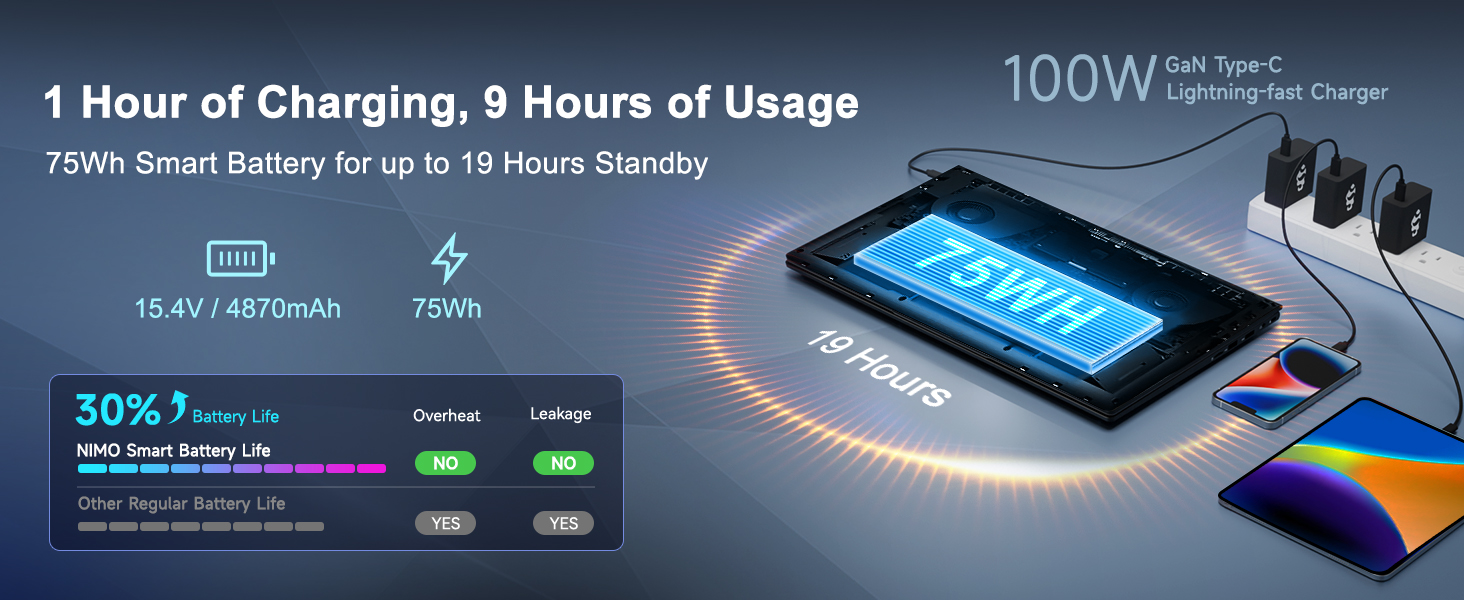
Connect the provided 100W PD Type-C fast charger to the USB-C port on your laptop and then to a power outlet. The charging indicator light will illuminate. Allow the laptop to charge fully before its first use for optimal battery calibration.

The 100W GaN Type-C charger connected to the laptop, illustrating fast charging capability.
1.3 Configuració del sistema operatiu
Upon first power-on, you will be guided through the Windows 11 setup process. Follow the on-screen instructions to configure language, region, network settings, and user accounts.
1.4 Configuració del lector d'empremtes dactilars
For enhanced security and quick login, set up the integrated fingerprint reader during the Windows 11 setup or later via Windows Settings > Accounts > Sign-in options. Follow the prompts to register your fingerprints.

Close-up of the backlit keyboard and integrated fingerprint reader for secure access.
1.5 Connexió de perifèrics
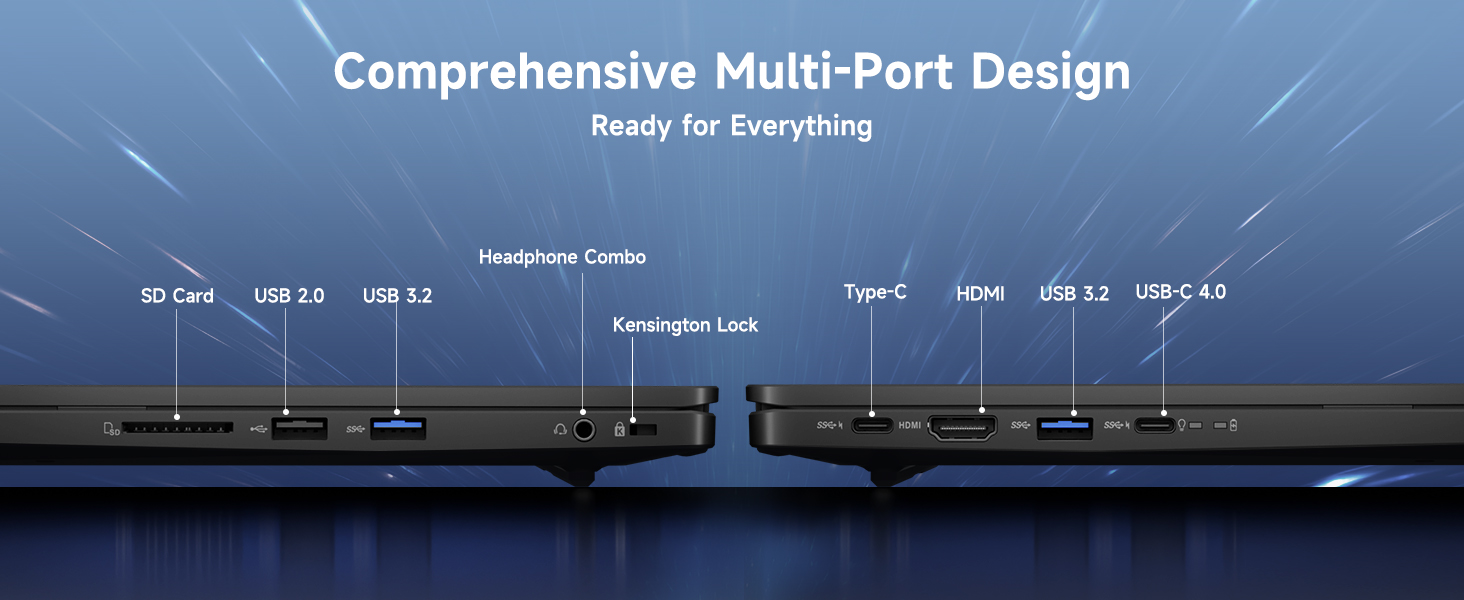
Your NIMO laptop features a comprehensive multi-port design for various peripherals:
- USB-C 4.0: For ultra-fast data transfer, external displays, and eGPU support.
- USB 3.2: High-speed data transfer for compatible devices.
- USB 2.0: Per a dispositius USB estàndard.
- HDMI: Connecteu-lo a monitors o televisors externs.
- Ranura per a targeta SD: Per a targetes de memòria.
- Headphone Combo Jack: Per a la sortida d'àudio i l'entrada de micròfon.
- Ranura de bloqueig Kensington: Per a la seguretat física.
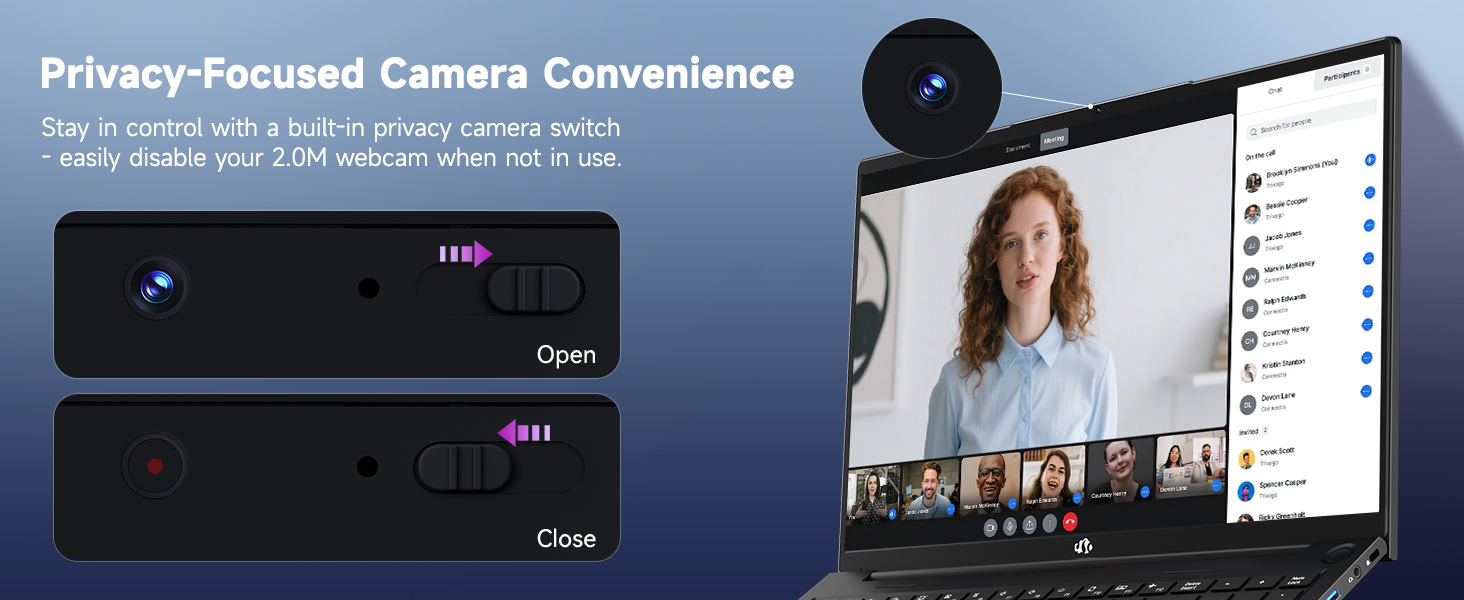
Diagram illustrating the comprehensive multi-port design of the NIMO laptop, including USB-C 4.0, HDMI, USB 3.2, USB 2.0, SD Card slot, Headphone Combo, and Kensington Lock.
2. Instruccions de funcionament
2.1 Power On/Off and Sleep Modes
- Encès: Premeu el botó d'engegada que es troba al teclat.
- Apagar: Feu clic al botó Inici i, a continuació, a Energia > Apagar.
- Mode de repòs: Feu clic al botó Inici i, a continuació, a Engegada > Repòs o tanqueu la tapa del portàtil.
2.2 Ús del teclat i del touchpad
The NIMO laptop features a full-size keyboard with a numeric keypad and adjustable backlighting. Press Fn + F10 (or similar function key depending on model) to cycle through backlight brightness levels. The large touchpad supports multi-touch gestures for navigation.
2.3 Característiques de visualització
Experience clear visuals on the 17.3-inch Full HD (1920x1080) IPS display. This screen provides vibrant colors and wide viewing angles, suitable for various applications from productivity to entertainment.

The NIMO laptop displaying a vibrant image, highlighting its 17.3-inch Full HD IPS screen.
2.4 Webcam Privacy Switch
For privacy, your laptop includes a physical webcam privacy switch. Slide the switch to the left to cover the camera lens and disable the webcam, or to the right to uncover and enable it.
Il·lustració de la webcam privacy switch in both open and closed positions, demonstrating how to control camera access.
2.5 Rendiment superiorview
The NIMO laptop is powered by an AMD Ryzen 9 8945HS processor, offering 8 cores and 16 threads with a max boost clock of 5.2GHz. Integrated AMD Radeon 780M graphics provide capable performance for gaming and demanding creative applications.

Diagrama de presentacióasing the AMD Ryzen 9 8945HS processor with its 8 cores/16 threads and integrated Ryzen AI NPU.

Visual representation of the AMD Radeon 780M graphics, emphasizing its capabilities for gaming and creative work.
3. Cura i Manteniment
3.1 Neteja del portàtil
- Pantalla: Utilitzeu un drap suau i sense pelusa dampNetegeu amb aigua o un netejador de pantalles. No ruixeu líquid directament sobre la pantalla.
- Teclat i xassís: Feu servir un drap suau i sec. Per a la brutícia persistent, feu servir un drap lleugerament sec.amp es pot fer servir un drap. Eviteu productes químics agressius.
- Ports: Feu servir aire comprimit per treure suaument la pols dels ports.
3.2 Gestió de la bateria
The laptop is equipped with a 75Wh battery. To prolong battery life:
- Eviteu descarregar completament la bateria amb freqüència.
- Guardeu el portàtil en un lloc fresc i sec si no el feu servir durant períodes prolongats.
- Utilize power-saving settings in Windows 11.

Graphic illustrating smart battery optimization features, including extended battery life, smart power control, safe fast charging, and battery health protection.
3.3 Dissipació de calor
The NIMO laptop features an efficient cooling system with dual fans and double copper pipes to manage heat. Ensure that the ventilation openings are not blocked during use to maintain optimal performance and prevent overheating.
Interna view of the laptop's efficient heat dissipation system, featuring dual fans and double copper pipes.
3.4 Actualitzacions de programari
Regularly update your Windows 11 operating system and device drivers to ensure system stability, security, and optimal performance. You can check for updates via Windows Settings > Windows Update.
4. Solució De Problemes
This section addresses common issues you might encounter with your NIMO laptop.
4.1 Problemes d'energia
- El portàtil no s'encén: Ensure the charger is securely connected and the power outlet is functional. Try holding the power button for 15-20 seconds to perform a hard reset.
- La bateria no es carrega: Verify the charger is correctly plugged into both the laptop and the wall. Check for any damage to the charger cable or port.
4.2 Problemes de visualització
- No es mostra a la pantalla: Connecteu un monitor extern mitjançant HDMI per comprovar si el problema és a la pantalla interna del portàtil. Si el monitor extern funciona, és possible que la pantalla interna o la seva connexió estiguin defectuoses.
- Pantalla parpellejant: Actualitza els controladors gràfics. Ajusta la freqüència d'actualització de la pantalla a la configuració de Windows.
4.3 Problemes de connectivitat
- El Wi-Fi no es connecta: Assegureu-vos que el Wi-Fi estigui habilitat a la configuració de Windows. Reinicieu el router i el portàtil. Actualitzeu els controladors sense fil.
- El dispositiu Bluetooth no s'emparella: Ensure Bluetooth is enabled on both devices. Remove and re-add the device in Windows Bluetooth settings.
4.4 Performance Degradation
- Rendiment lent: Tanqueu les aplicacions innecessàries. Comproveu el Gestor de tasques per detectar un ús elevat de CPU/RAM. Assegureu-vos que hi hagi prou espai lliure a l'SSD. Executeu una anàlisi de virus.
- Sobreescalfament: Ensure ventilation vents are clear. Use the laptop on a hard, flat surface. Consider reducing demanding workloads.
5. Especificacions tècniques
| Característica | Especificació |
|---|---|
| Marca | NIMO |
| Nom del model | NIMO N175L |
| Mida de la pantalla | 17.3 polzades |
| Resolució de pantalla | 1920 x 1080 píxels (Full HD) |
| Processador | AMD Ryzen 9 8945HS (Up to 5.2 GHz) |
| RAM | 32 GB DDR5 |
| Disc dur | SSD de 1024 GB (estat sòlid) |
| Coprocessador gràfic | AMD Radeon 780M (integrada) |
| Sistema operatiu | Windows 11 |
| Tipus sense fil | 802.11a/b/g/n/ac |
| Ports USB | 1 USB 2.0, 3 USB 3.0, 1 USB-C 4.0 |
| Durada mitjana de la bateria | 12.8 hores |
| Pes de l'article | 3.84 lliures |
| Dimensions del producte | 15.66 x 9.99 x 0.74 polzades |
| Color | Negre |
| Característiques especials | Teclat retroil·luminat, lector d'empremtes dactilars, àudio HD, teclat numèric |
6. Garantia i atenció al client
6.1 Informació de la garantia
Your NIMO laptop comes with a 2 any de garantia for support and service. Additionally, NIMO offers a Política de devolució de 90 dies from the date of purchase for any reason.
Image depicting a technician working on a laptop, symbolizing the 2-year support provided for NIMO products.
Image of a customer receiving a package, representing the 90-day return policy for NIMO products.
6.2 Contactar amb l'assistència
For any product-related questions, technical assistance, or warranty claims, please contact NIMO customer support:
- Correu electrònic: service@nimopc.com
- Professional customer assistance is available to help resolve your issues.
Image of customer service representatives, indicating professional customer assistance is available.


