Introducció
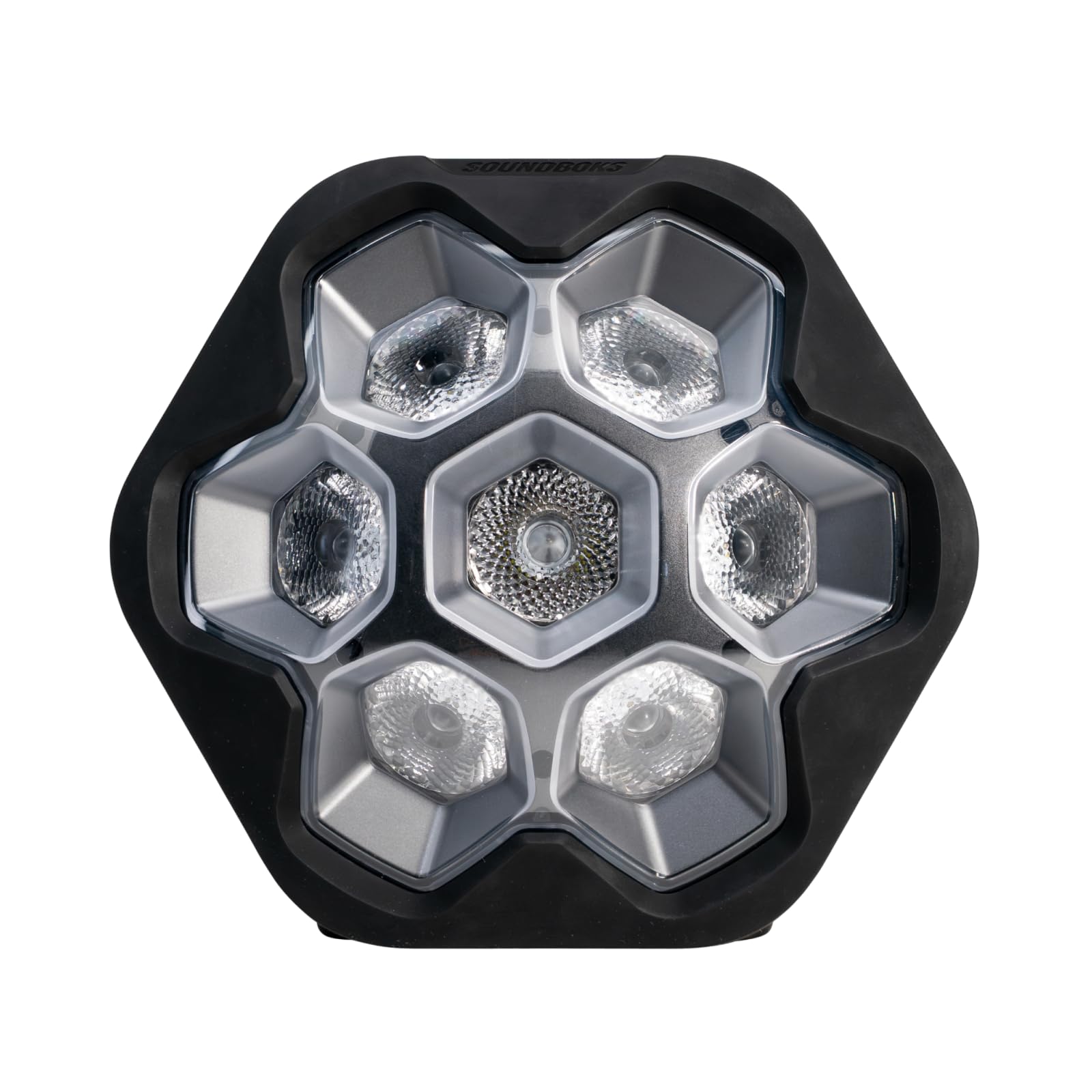
The SOUNDBOKS Lightboks is a portable, audio-reactive party light designed to enhance any event with dynamic light shows. It features a durable, weatherproof design and can be controlled via a dedicated app. This manual provides essential information for setting up, operating, maintaining, and troubleshooting your Lightboks.
The SOUNDBOKS Lightboks in operation, projecting a vibrant green light, demonstrating its illumination capabilities.
Què hi ha a la caixa
Upon unpacking your Lightboks, please ensure all items are present:
- SOUNDBOKS Lightboks Unit
- Cable de càrrega USB-C
- Guia d'inici ràpid (si s'inclou)
Configuració
Càrrega inicial
Before first use, fully charge your Lightboks. Connect the provided USB-C charging cable to the Lightboks' charging port and plug the other end into a compatible USB power adapter (not included). The charging indicator will show the charging status.

Un primer pla view of the Lightboks' USB-C charging port with a cable connected, emphasizing its battery-powered operation and up to 14 hours of use at full brightness.
Encès/Apagat
Locate the power button on the Lightboks. Press and hold the power button for a few seconds to turn the unit on or off. The lights will illuminate or extinguish to indicate status.
Descàrrega i connexió de l'aplicació
For full control and customization, download the official SOUNDBOKS app from your device's app store. Follow the in-app instructions to connect your Lightboks. The app allows for advanced settings and features.
Instruccions de funcionament
Audio-Reactive Mode (TrackSync)
The Lightboks features integrated microphones that detect ambient music and synchronize light effects to the beat. This TrackSync technology works with any speaker, requiring no Bluetooth connection to the audio source.

The Lightboks positioned on a speaker, showcasing its TrackSync audio-reactive technology, which synchronizes light effects with music from any speaker without Bluetooth.
Control i personalització d'aplicacions
Use the SOUNDBOKS app to customize your light experience. You can adjust energy levels (3 settings) and choose from 10 curated color palettes to match your mood or event theme.

A smartphone displaying the SOUNDBOKS app interface, illustrating the customization options for light effects, including 10 color palettes and three energy levels.
TeamUp Function
For a more expansive light show, multiple Lightboks units can be connected using the TeamUp function. This allows for synchronized light play across several devices, creating a unified visual experience. Refer to the app for specific instructions on enabling TeamUp.
Manteniment
Neteja
To clean your Lightboks, use a soft, damp cloth. Avoid abrasive cleaners or solvents that could damage the finish or internal components. Ensure the USB-C port cover is securely closed before cleaning.
Resistència a l'aigua (IP65)
The Lightboks is rated IP65, meaning it is protected against dust ingress and low-pressure water jets from any direction. While it can withstand rain and splashes, it is not designed for submersion. Always ensure the USB-C port cover is sealed when exposed to moisture.
Emmagatzematge
Store the Lightboks in a cool, dry place away from direct sunlight and extreme temperatures. For long-term storage, it is recommended to charge the battery to approximately 50% to prolong its lifespan.
Resolució de problemes
- Lightboks not turning on: Ensure the unit is fully charged. Press and hold the power button for a longer duration (5-10 seconds).
- Lights not reacting to music: Verify that the Lightboks is in an environment with audible music. Check the app settings to ensure audio-reactive mode is enabled and sensitivity is appropriate.
- Problemes de connexió de l'aplicació: Ensure Bluetooth is enabled on your device. Restart both the Lightboks and your mobile device. Try reinstalling the SOUNDBOKS app.
- TeamUp not working: Ensure all Lightboks units are within range and have sufficient battery. Follow the TeamUp instructions within the SOUNDBOKS app carefully.
If problems persist, consult the SOUNDBOKS support weblloc per obtenir més ajuda.
Especificacions

A diagram providing the physical dimensions (height, width, depth) and weight of the SOUNDBOKS Lightboks for reference.
| Característica | Detall |
|---|---|
| Model | Lightboks |
| Marca | SOUNDBOKS |
| Color | Negre |
| Material | Plàstic, metall |
| Tipus de font de llum | Díode emissor de llum (LED) |
| Font d'alimentació | Funciona amb bateria (1 bateria d'ions de liti inclosa) |
| Durada de la bateria | Fins a 14 hores a màxima brillantor |
| Port de càrrega | USB-C |
| Classificació de protecció d'entrada (IP). | IP65 (Dust tight, protected against low-pressure water jets) |
| Pes de l'article | 3.86 lliures (1.75 kg) |
| Dimensions del paquet | 11.56 x 10.71 x 7.28 polzades |
| Tipus de muntatge | Muntatge de taula |
| Característiques | Sound activation, app control, synchronization with other lights (TeamUp) |
Informació de seguretat
Si us plau, llegiu i seguiu aquestes pautes de seguretat per garantir un funcionament segur i evitar danys:
- Do not attempt to open or modify the Lightboks. This may void the warranty and pose a safety risk.
- Feu servir només el cable USB-C proporcionat per carregar.
- Avoid exposing the device to extreme temperatures, direct sunlight for prolonged periods, or open flames.
- Ensure the USB-C port cover is securely closed when the device is exposed to water or dust.
- Mantenir fora de l'abast dels nens.
Garantia i Suport
Specific warranty details and comprehensive support information for your SOUNDBOKS Lightboks are typically provided with your purchase documentation or can be found on the official SOUNDBOKS website. Please refer to these resources for information regarding warranty coverage, technical support, and service options.


